
Create Realistic Industrial Environments with Blender 3D and Eevee class

Forum Archive Create Realistic Industrial Environments with Blender 3D and Eevee class

Viewing 5 posts - 1 through 5 (of 5 total)
  • Author
    Posts
  • #15926
    Craig Wieland
    Participant

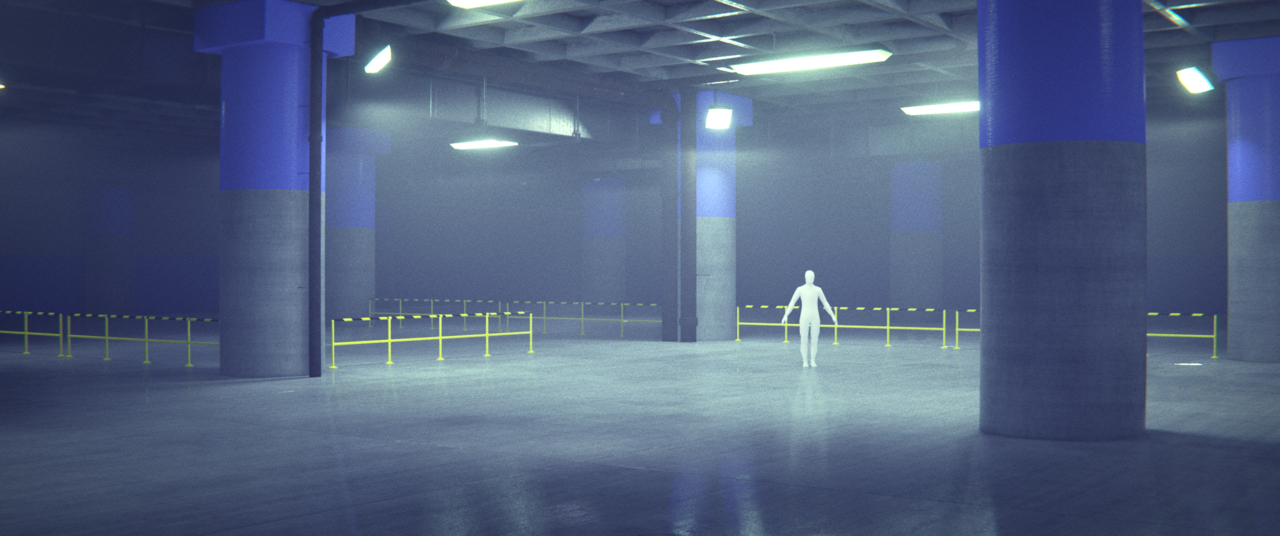
      oor_texture00019.png

      I had some problems with my PC. towards the end of the course it was not strong enough for the project.

      #77498
      Martin Bergwerf
      Participant

        …and still a great result!

        #77499
        tanya
        Participant

          I think this looks great.  I understand the frustration of your pc not being strong enough,  I have experienced this myself several times.   But Martin is right that this  makes you look for alternatives and you sometimes end up learning more.  

          #77500
          Omar Domenech
          Participant

            Looking good Wieland. And you left Bistor there to shine as your protagonist. Awesome. 

            #77501
            Adrian Bellworthy
            Participant

              It does look pretty awesome though.

              Tip:
              With a project like this, adding volumetric fog towards the end, you can enable Simplify in the Render Properties, and set the Viewport Max Subdivisions to 0. This will turn off any subdivisions you have across the scene, freeing up some power for the volumetric fog.
              You can also hide objects in the scene to safe a little power too, for example in this project, you could hide all the pipes, the ducts, the pipes, the railings, etc., etc., anything you don’t need to see while setting up volumetric fog. Having these type of objects in their own collection is also a good idea, so you can hide them all with one click.

            Viewing 5 posts - 1 through 5 (of 5 total)
            • The topic ‘Create Realistic Industrial Environments with Blender 3D and Eevee class’ is closed to new replies.