Couple Questions regarding the lesson!

Forum Archive Couple Questions regarding the lesson!

Viewing 5 posts - 1 through 5 (of 5 total)
  • Author
    Posts
  • #17154
    Nougat Time
    Participant

      13:06 What exactly causes the UV to overlap? I had it once or twice as well when following the lesson, it looked hideous so I changed the seam a bit.

      Is there a way to do the UV Seam marking symmetrically now? Preferably with an on/off button. (Or better yet, why isn´t this in Blender by default? Seems like a no-brainer…Or is it just because most models/Mesh don´t have a perfect cut down the middle?)

      #82483
      Martin Bergwerf
      Participant

        Hi @nougat time ,

        As to your first question: I don’t know.

        To your second question: models are not always symmetrical. Symmetrical models or retopologies are usually done with a Mirror Modifier on, so you only need to make Seams on one side anyway.

        Now, not a on/off button, but if your model has symmetrical Topology (same number of Vertices that are connected via Edges and Faces the same way on both sides), what you can do, is mirror your selection with SHIFT+CTRL+M. Make sure to enable Topology Mirror, even though it is greyed out, in order to make it work, even if Vertices’ positions are not exactly mirrored:
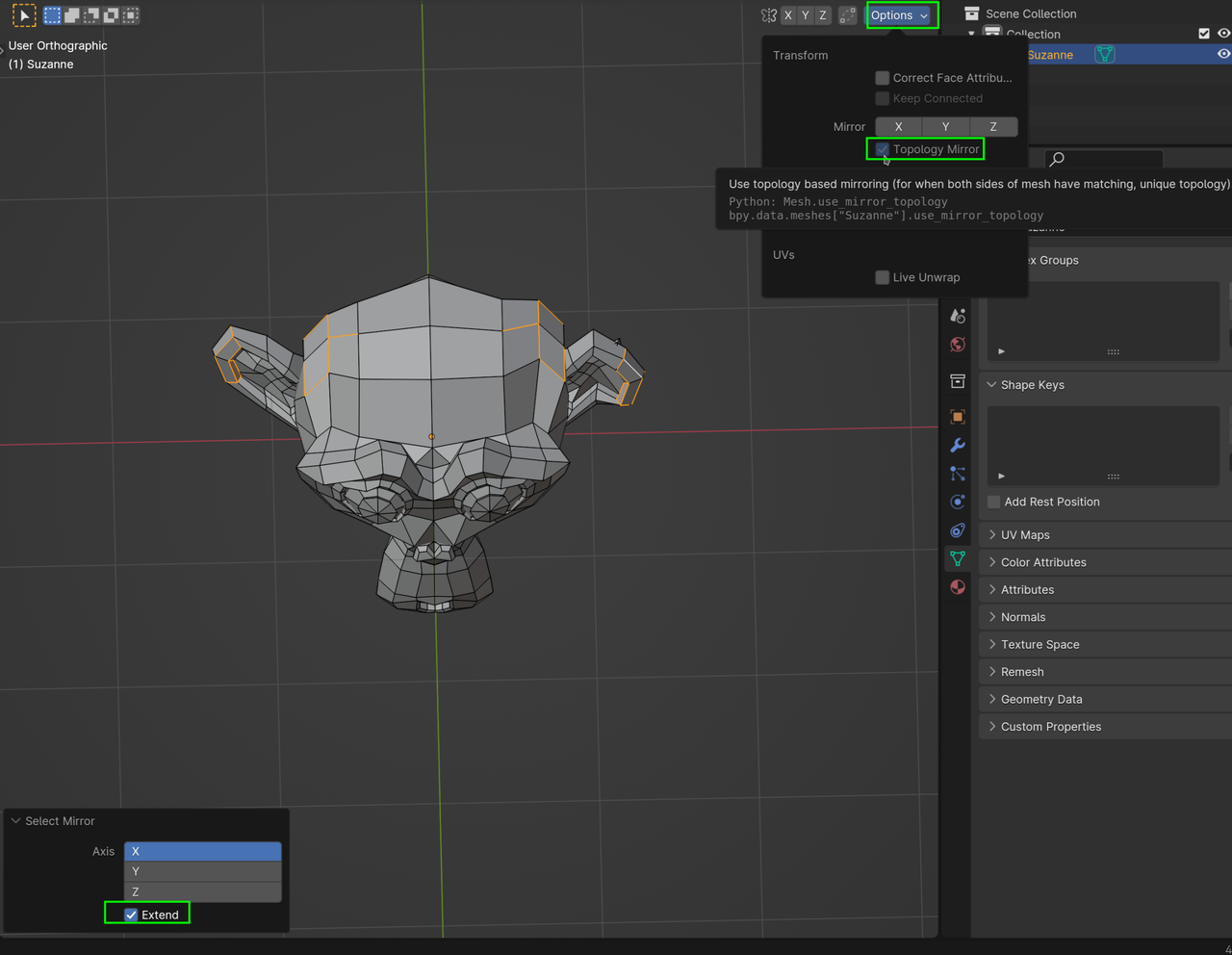
        Select Mirror.png

        First time, you need to enable the Extend, but blender will remember that for next times, during the same Blender session.

        (You will still need to Mark them as Seam, of course.)

        #82484
        Omar Domenech
        Participant

          I think that overlap is just because the cut is too small and the resulting spread of the UV can’t be wide enough so it bunches up. Like a cloth you made a little cut too and it doesn’t open up too much so the fabric rests upon itself. Possibly just the algorithm being dumb? 

          #82485
          Nougat Time
          Participant

            Thanks Spikey you´re a lifesaver, Just tried this out, wonderful tip! Topology Mirror for when one side’s Vertices are moved around, enable Extend so the Shift+Ctrl+M doesn’t just flip the selection, but have it on both sides 

            #82486
            Nougat Time
            Participant

              Yeah it´s likely that, thanks Omar!

            Viewing 5 posts - 1 through 5 (of 5 total)
            • The topic ‘Couple Questions regarding the lesson!’ is closed to new replies.