Copying the handle angles?

Forum Archive Copying the handle angles?

Viewing 9 posts - 1 through 9 (of 9 total)
  • Author
    Posts
  • #18019
    Nathi Tappan
    Participant

      Let’s say you have the handle on one side of the keyframe moved where you want, but you accidentally didn’t grab the handle on the other side. What is the easiest way to make them match each other? 

      Or is the only way resetting it with the either the interpolation or handle type menus and starting the manipulation again?

      #86238
      Omar Domenech
      Participant

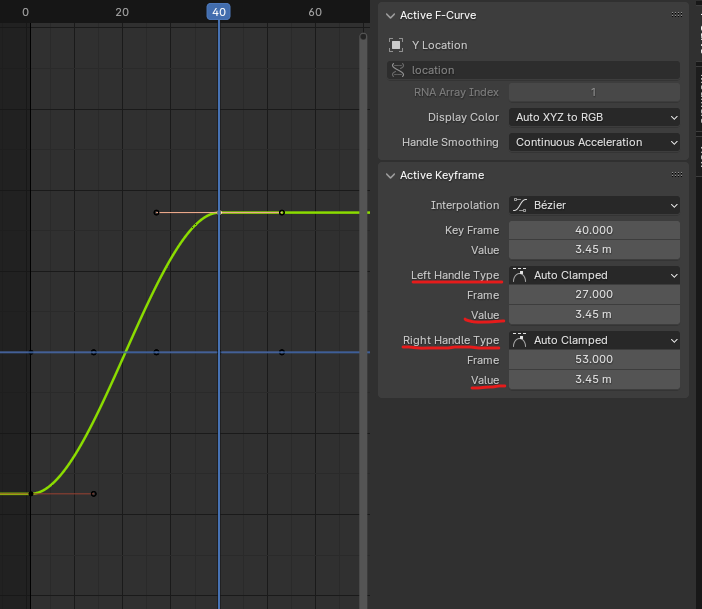
        I guess you can just copy their values to match exactly. In the N panel in the graph Editor you have access to that info:

        Handle-Value.png 

        #86239
        Nathi Tappan
        Participant

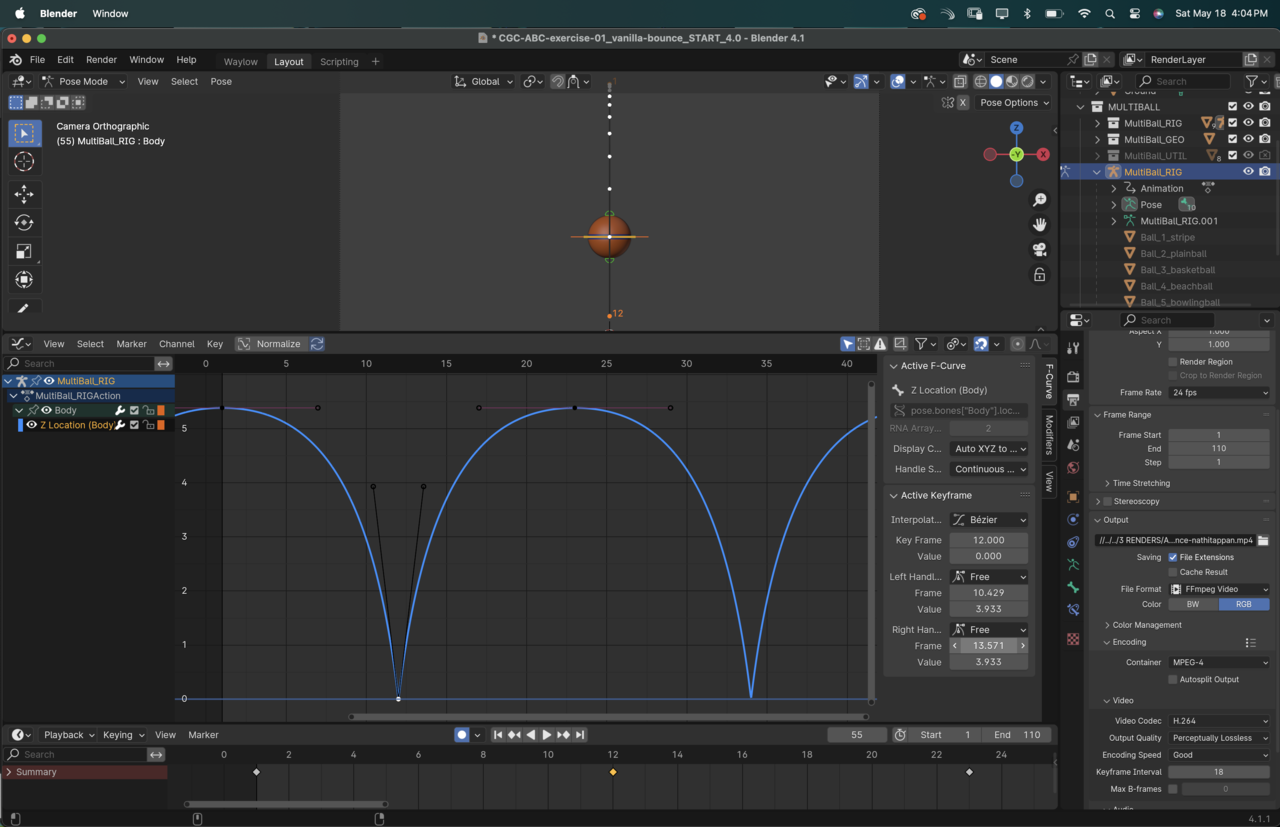
          Good to know that is there! Thanks Omar… Though not sure it is very intuitive.. to make it a mirror match on the vector handles I had to calculate the distance between the frame and the position of the handle, then plug that in there. Gotta make sure I remember to always scale those from the origins then, the workaround is a tad painful. lol

          18 at 4.04.43 PM.png

          #86240
          Martin Bergwerf
          Participant

            Yeah, that’s what I came up with as well Nathalia.

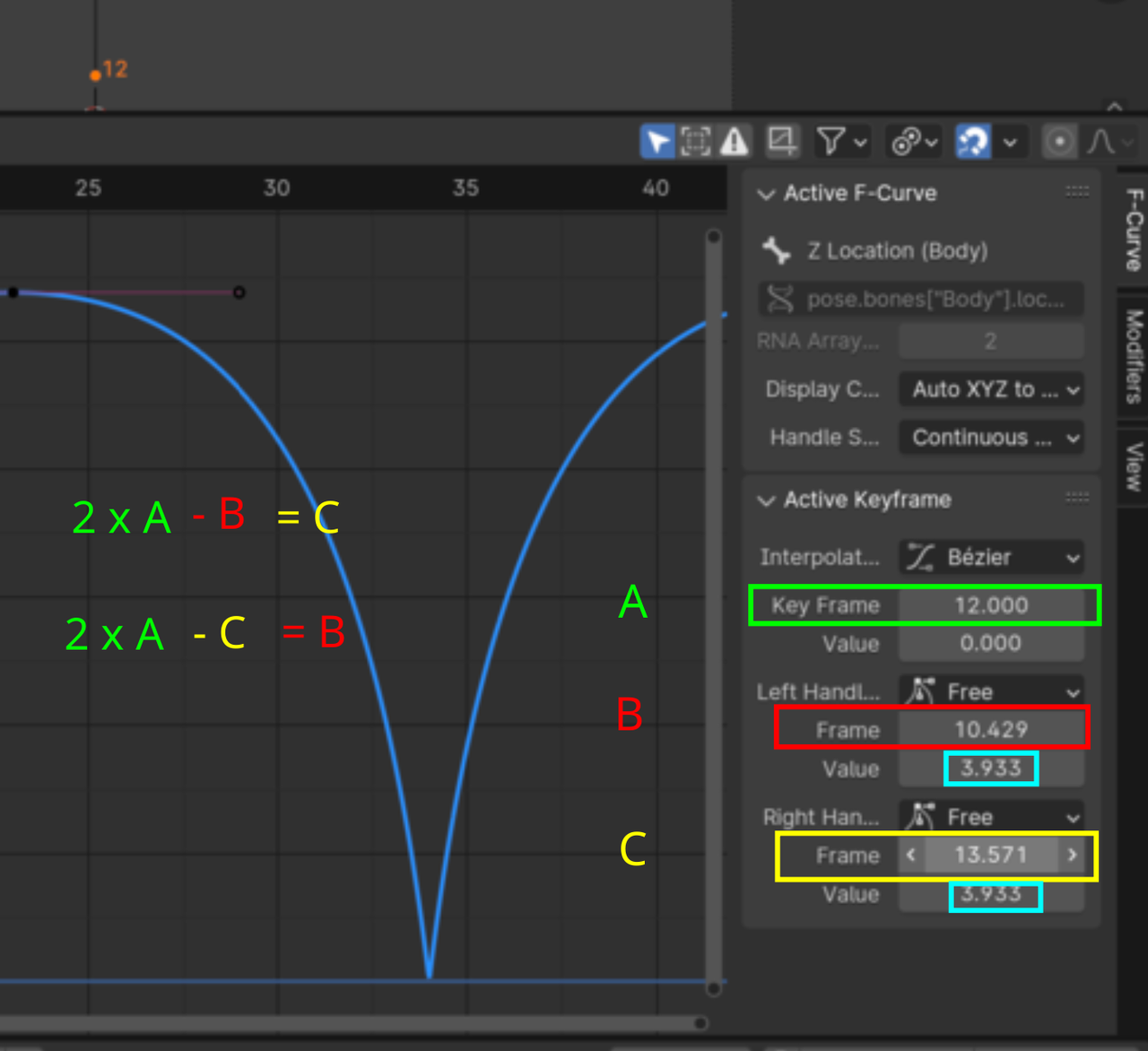
            The math is like this:

            Handles_01.png

            Which you can fill in with Copy/Pasting Values…

            But it’s better to avoid having to do this 😉

            #86241
            Nathi Tappan
            Participant

              As simple as it is, math is all the convincing I need to not forget to do them at the same time lol. Thanks guys!

              #86242
              Wayne Dixon
              Participant

                Hi Nathi, 

                Sadly there’s no way to mirror them in the way you want, due to a technical limitation with the way keyframe handles work.

                In most places, Blender knows what the ‘active’ object and selected objects are (be it bones, or objects in 3d space, video clips, sound clips etc)
                However, keyframe handles are this weird forgotten thing that only lives inside the context of the active graph editor.  There is no way to interact with the active handles outside of clicking it with your mouse in the editor.
                I wrote a hacky script that can do it, but you manually have to tell it what the frame numbers are – so the easiest thing to do is just to manually do it.

                It might feel weird that you have to destroy the curve after you took so long to find its perfect spot.  But it doesn’t take to long to recreate it after selecting both handles and moving them together.  With a bit of practice you learn to remember to move them together.
                However, in the ‘real world’ of animation, you rarely will have to do this anyway.

                #86243
                Nathi Tappan
                Participant

                  Got it! Thanks for letting us know! At least we have a workaround for when I forget. It will hurt every time but I’ll end learning not to forget to get both handles lol.
                  It actually got a lot trickier when I was doing the arcing bounce exercise, because the in and out handles had the influence of the neighboring arcs. 😩 We’ll get there… a lot to practice still.

                  Question, however, what do you mean in the real world of animation we won’t have to do it? You mean by just using drivers and such?

                  #86244
                  Wayne Dixon
                  Participant

                    Hi Nathi, no you won’t be using drivers for this type of thing (but for the rolling ball – yes, yes you will!)

                    I mean that rarely do you need to adjust the handles to match perfectly when you are animating anything except a bouncing ball (in the real world of animation).
                    You might, however, need to adjust a bunch of handles all in relation to each other at the same time.  But they won’t be exactly the same values etc.

                    So…
                    Perfect matching of the handles in the animation world – is rare

                    This technique of handle manipulation – very handy to know for more use cases than just this.

                    #86245
                    Nathi Tappan
                    Participant

                      Got it! Thanks!

                    Viewing 9 posts - 1 through 9 (of 9 total)
                    • The topic ‘Copying the handle angles?’ is closed to new replies.