
Connecting polygon to at least 2 points (instead of 1)
Forum Archive › Connecting polygon to at least 2 points (instead of 1)
- This topic has 9 replies, 3 voices, and was last updated 4 years, 1 month ago by
Omar Domenech.
-
AuthorPosts
-
July 30, 2022 at 4:11 am #15348
At 2:31 it’s shown how the knife tool conects inner polygons to the outside using at least 2 edges so the polygon is conected to the outside edges.
But, I don’t understand very well why is it needed that you connect it with 2 edges. It could be connected with just 1.
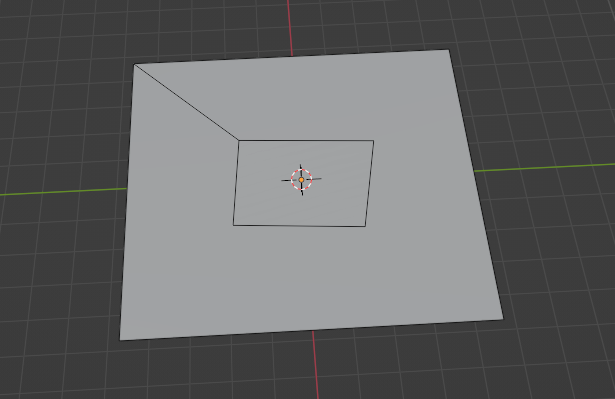
Isn’t the picture above also a valid connection for the inner polygon? All vertices are connected this way too.
I’m really curious about this because at the rest of the video he tries to replicate this “at least two connections” method of the knife to the console’s upper face.
Thank you in advance.
July 30, 2022 at 4:42 am #75049The problem is, that the following constructs are not polygons:
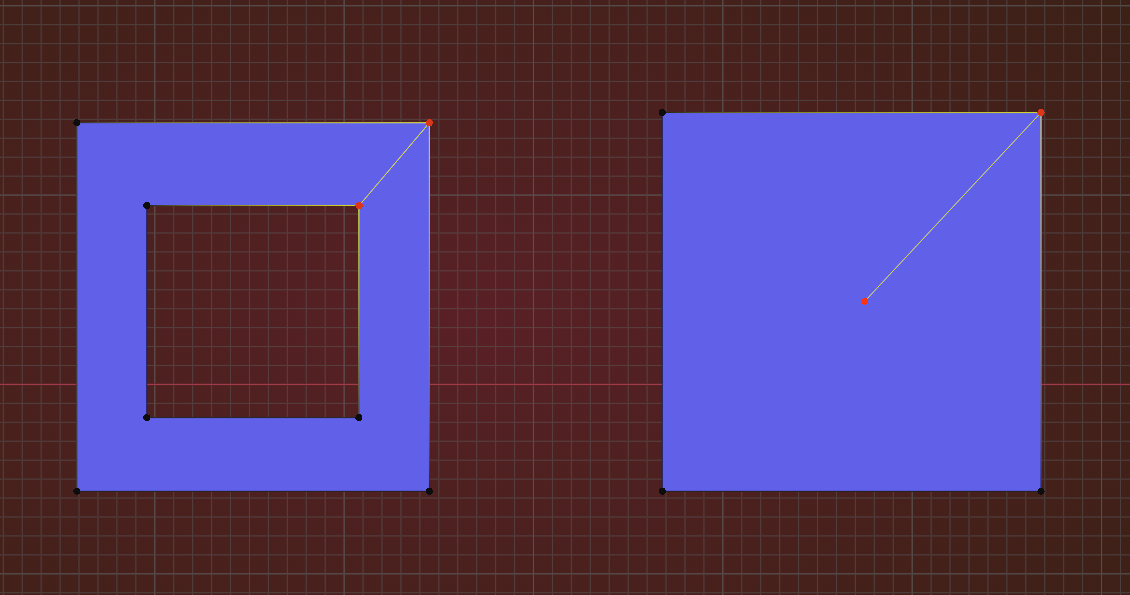
The highlighted Edges are not sides of a polygon!
July 30, 2022 at 5:32 am #75050Let me try this again, from left to right, not a Polygon (not a single ‘series’ of connected Edges), not a Polygon and a Polygon:
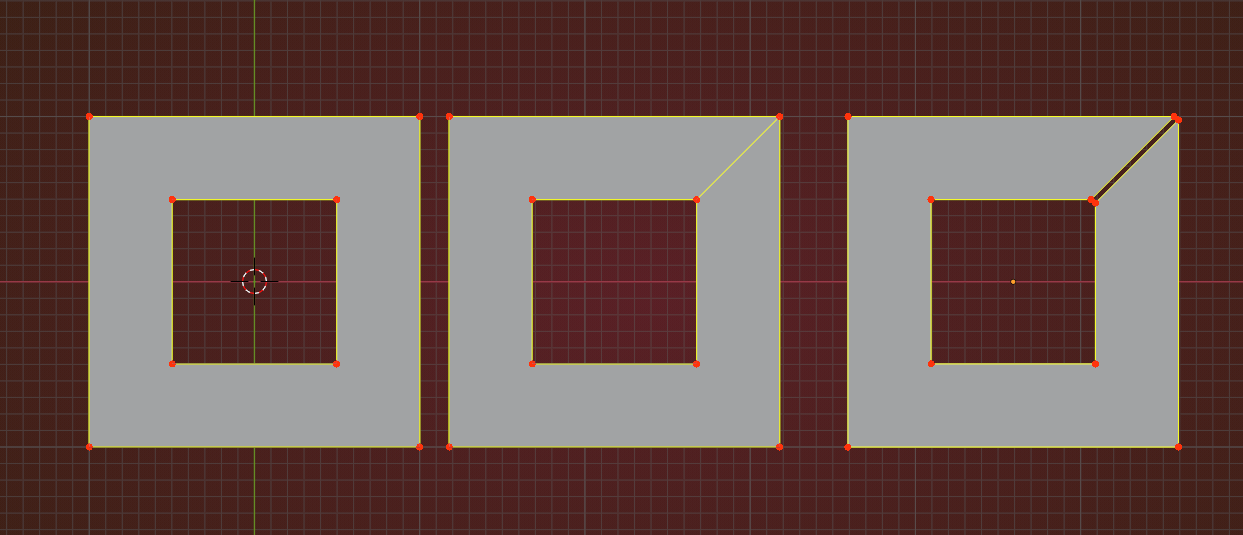
Introducing the notion of a Border of a Polygon, where one side of the border is part of the Polygon and the other side is not. So you have an inside and an outside of the Polygon.
Now, first construction has two borders, the middle construction has an Edge that is not a Border, because both sides are inside the ‘not-polygon’…
Not so easy to explain…but I hope it helps a bit..
July 30, 2022 at 8:21 am #75051Hello Martin, first of all, thank you for your reply!
But I’m not sure I understand what you mean.
Why is it important for Blender (or I guess for 3D handling software) that every “face” respects a matemathical definition of a polygon? Because as we can see in my picture and yours, at least Blender allows us to do this kind of “not polygon” stuff without warning us about it.
And about the examples you gave me, I am not sure I would be able to distinguish between a “correct” polygon and a incorrect one. Is there some googling I can do to read more about all this stuff?
Thank you!
July 30, 2022 at 10:32 am #75052I remember when I started using Blender, there was talk of a Bmesh system being integrated into Blender and it was all the rage, people loved it. Turns out that in the past, 10 years ago or so, Blender didn’t let you do all the crazy things you can do nowadays with your mesh, it only allowed quads and maybe triangle. So as you said, Blender used to only let you do the mathematical definition of a face, but it being so strict, a more loose method was developed called Bmesh that let you do Ngons and have floating edges and stuff.
In the first 5 minutes of this old video you can have an idea of how it was back then.
https://www.youtube.com/watch?v=L2iy3V3GtcI
But still there are rules that have to be followed in order for you to have the most optimal control of your geometry. Even though we can now break all the rules, you have to try and achieve optimal geometry or all quads, it’s not obligatory, but people strife for that goal because it is just optimal for control. Edge loops wont go all the way if you have a triangle or an Ngon in the middle.
Here you can see by the yellow line that I’m trying to cut and edge loop but it wont go pass the Ngon:
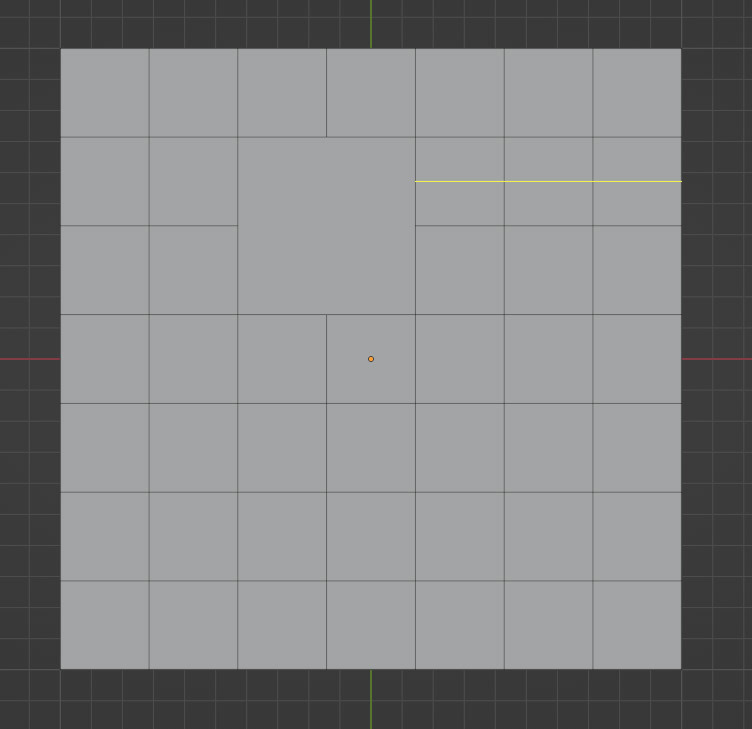
Yet here when I try to cut an edge loop and it’s all quads, the loop goes all the way:
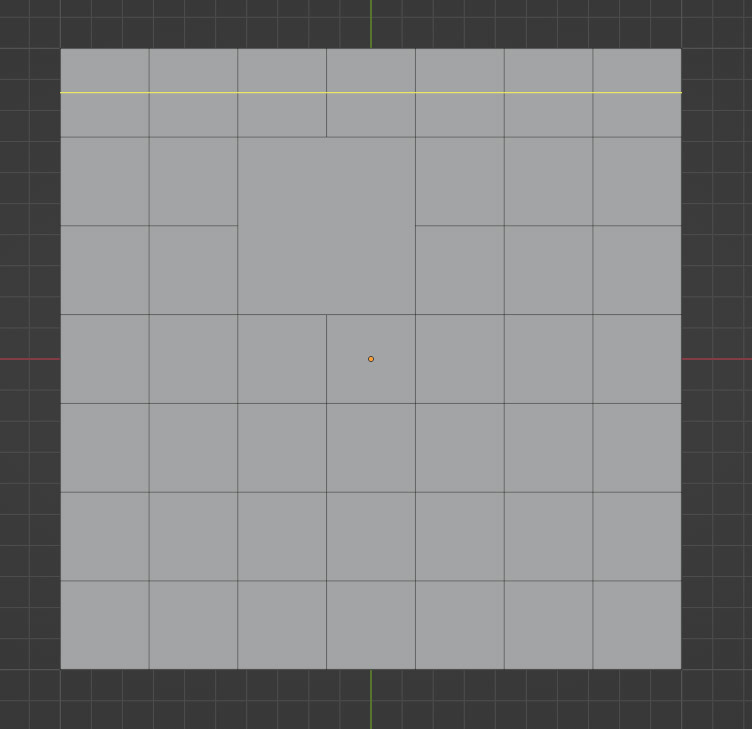
So yes, in a sense Blender has a dictatorship, if you want good geometry that deforms good, that lets you achieve the edge flow that you want and control it better, if you want geometry that works great under a subdivision modifier, all quads or having perfect faces is the way to go. Blender lets you have a mess and have one or two connecting edge, but you are operating as an outlaw, of sorts.
So to illustrate it a bit better, if I wanted an edge loop with only two edges like in your initial two edges setup, it wont start, it’s just stuck as a point on the edge, as you can see here by the yellow dot. That’s the edge loop cut trying to cut through another face but it can’t, because it is not an all quad face. That is an Ngon there, and the loop wont go through the Ngon as you saw in the other image up there.
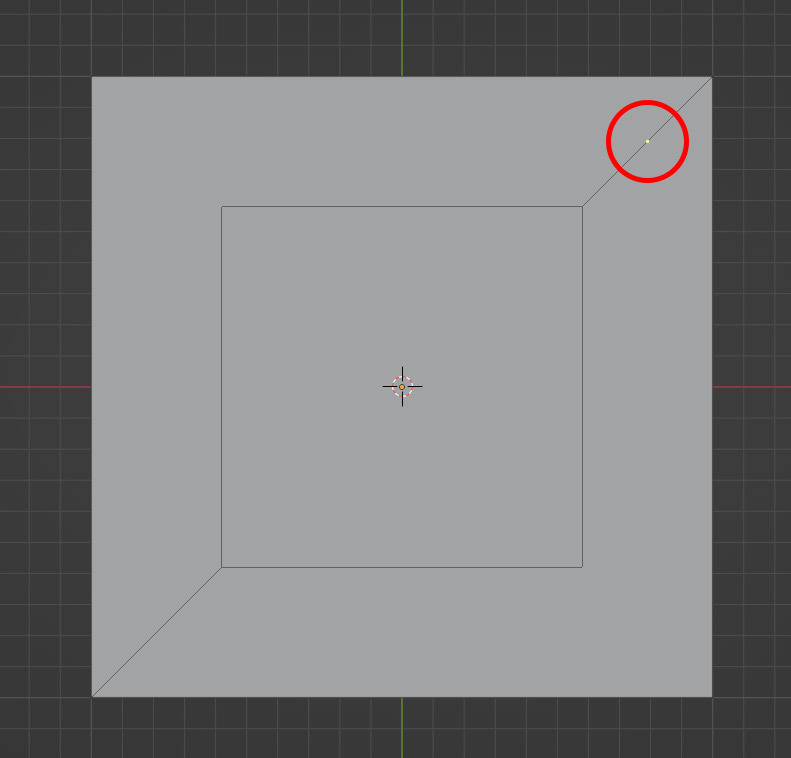
But then if I connect it with a third edge and make a face, the loop cut will now go through until it reaches another Ngon and stops there
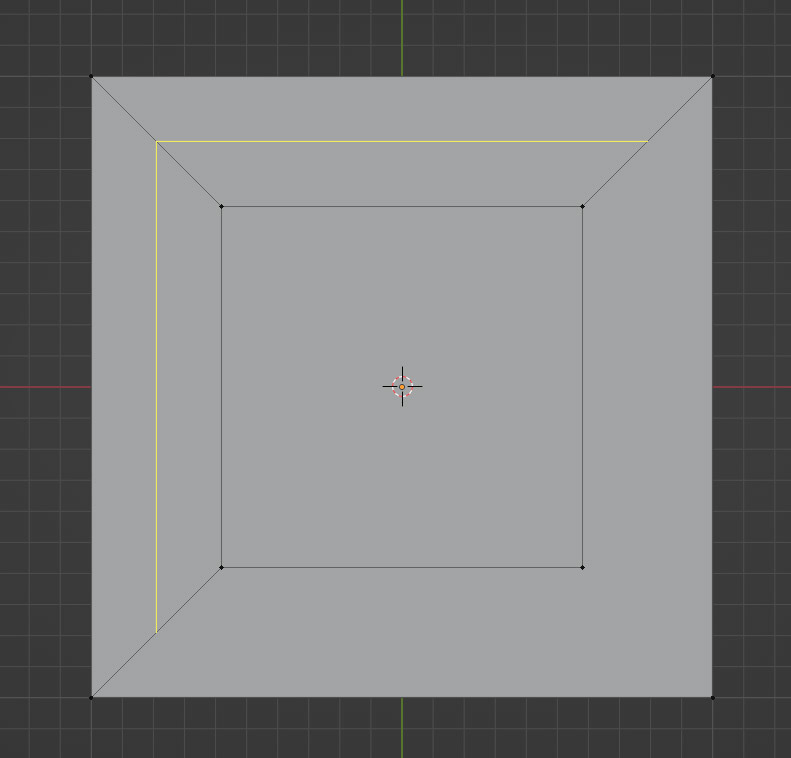
It works now because this is a face, followed by another face:
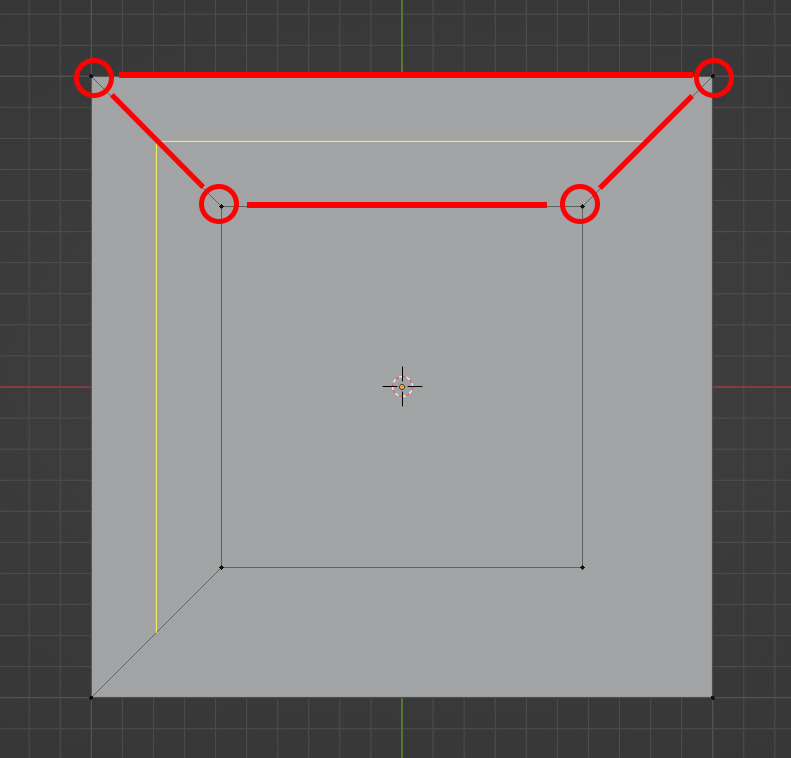
But it stops because it gets to an Ngon, it has more than 4 vertices:
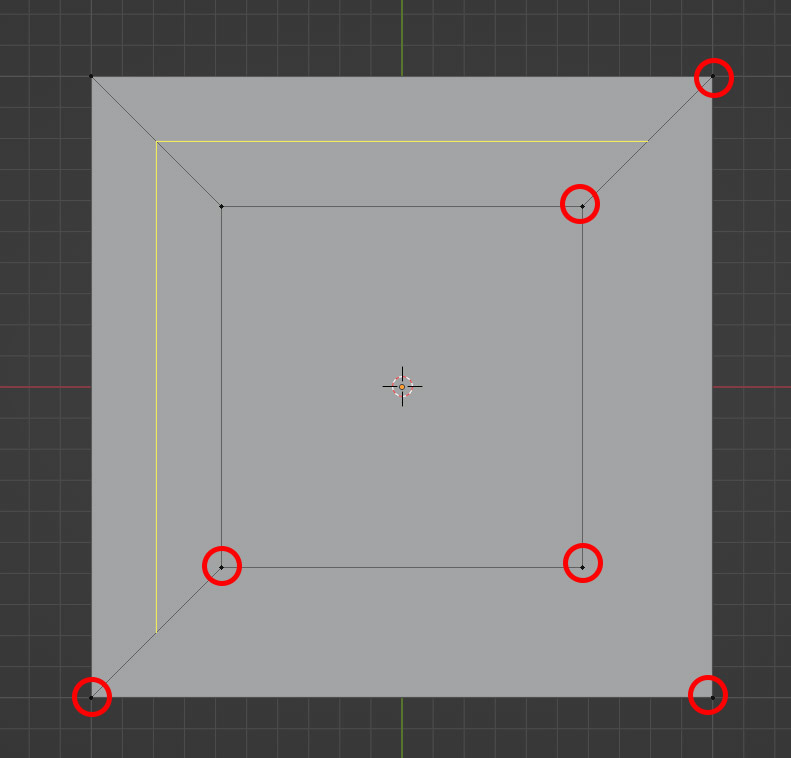
But then if I join it by a forth edge, then it finds faces all around and the cut goes through entirely:
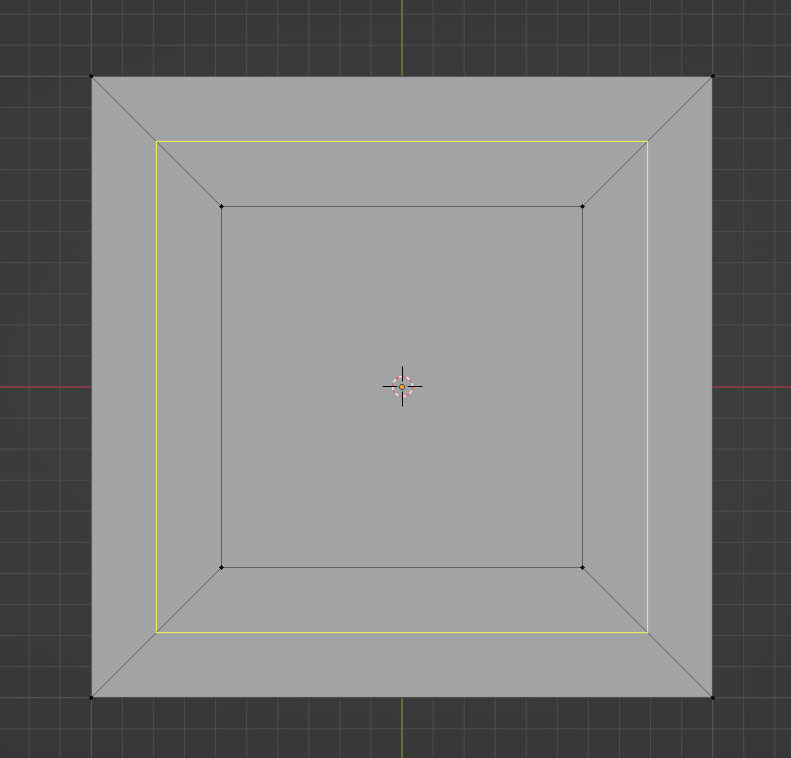
So again, there are rules that Blender has to see there, you can break them, but then stuff wont function properly .
July 30, 2022 at 11:07 am #75053Hi Cristian,
| Because as we can see in my picture and yours, at least Blender allows us to do this kind of “not polygon” stuff without warning us about it.
Well, in my pictures I cheated:
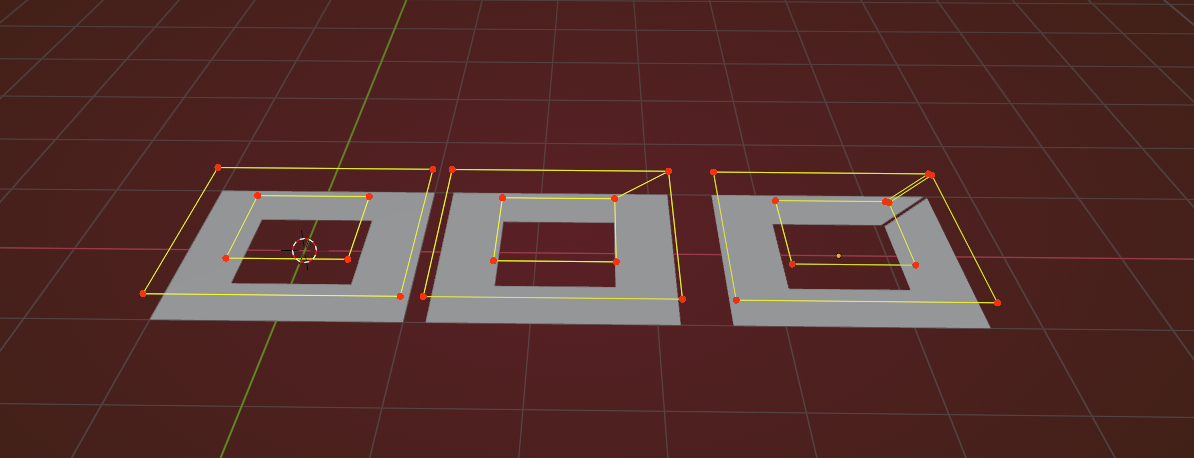
I don’t know what you did exactly in your picture, but that is also not what it looks like. That is not a small Quad inside an N-Gon with a hole…Try to go into Face Select mode and select each of the Faces..they are most likely partially overlapping…
Also, you can enable the Face Normals Overlay, to more clearly see the mess you are making…
If you connect the inner quad with two Edges, you are making three Faces (Polygons) and that is what you want:
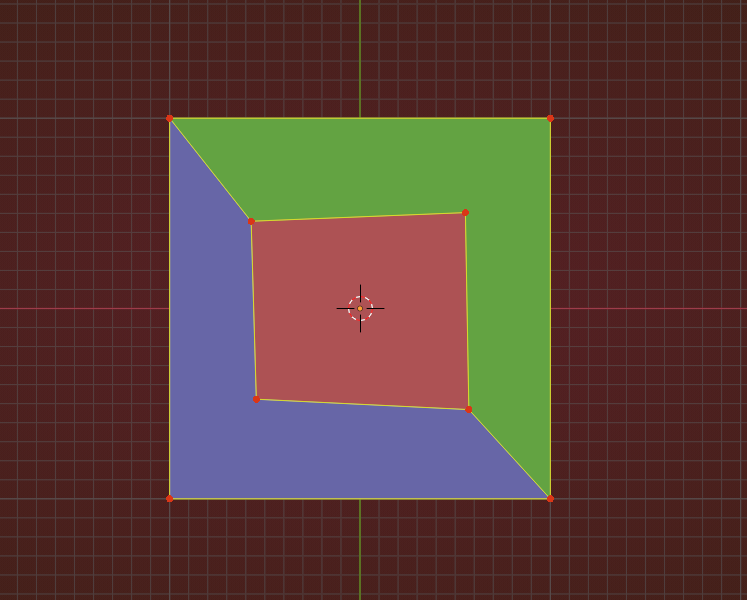
When trying to only use 1 Edges, you get two, partially overlapping Quads…(shouldn’t even be possible, when using the Knife Tool…)
July 30, 2022 at 11:13 am #75054You probably have something like this:
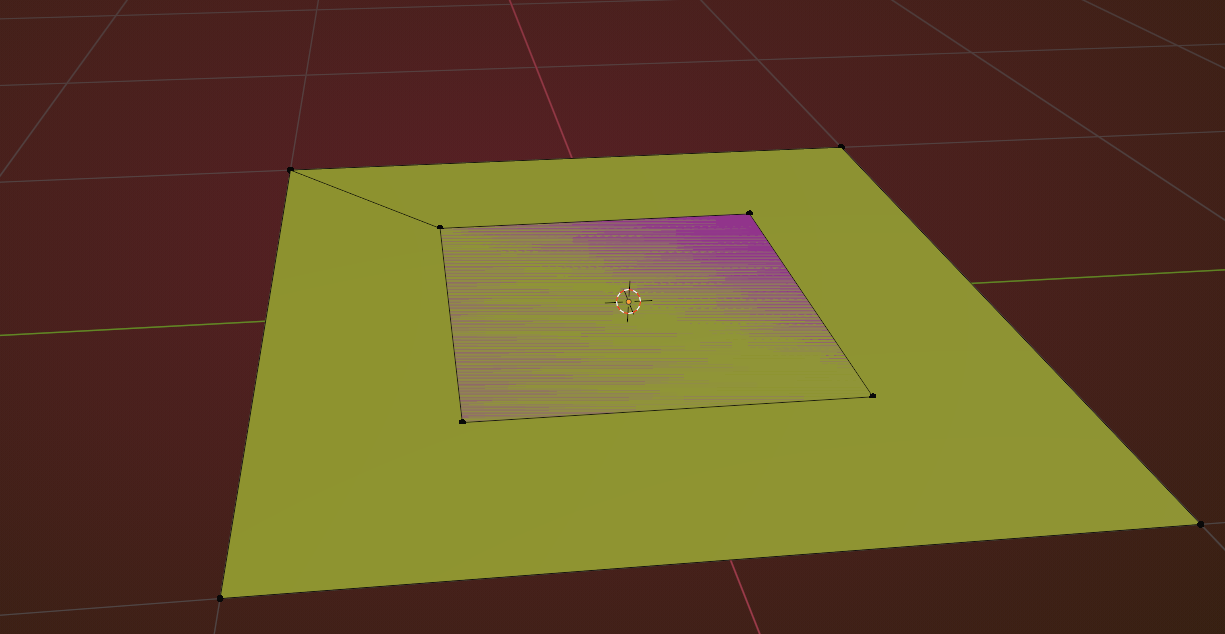
The overlapping Faces produce this effect, called Z-fighting.
July 30, 2022 at 11:28 am #75055Omar: Thanks a lot for that video and the explanation. It adds a lot of context for why Blender allows some of this stuff and the philosophy behind it!
Martin: That’s exactly right, I had two faces overlapping. I have moved the “”inner”” face a bit up so it’s more clear.
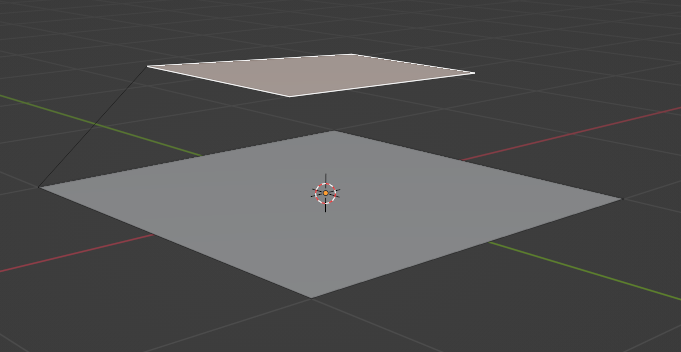
Btw I don’t know how to activate that “Face Normals Overlay”. I know the Face Orientation Overlay, but it only shows 2 colors (for inside and outside). How can I activate that?
And thank you very much for your replies! I think now I have a much more solid intuition about this stuff!
July 30, 2022 at 12:21 pm #75056|Btw I don’t know how to activate that “Face Normals Overlay”. I know the Face Orientation Overlay
Yeah, that’s the one I meant 🙂
I’m glad you got a better understanding now! Like I said, it’s hard to explain…(or I’m really bad at explaining..)
I also remember the time before Bmesh was introduced in Blender…now we take it for granted, but there was a time…
Keep asking these great questions!
July 30, 2022 at 2:00 pm #75057Remember, there’s always the mesh modeling boot camp and the fundamentals of modeling courses. Those are great to get the basics solidified in your mind. Keep on doing great work, you’ll be comfortable in modeling in no time.
https://cgcookie.mavenseed.com/courses/fundamentals-of-3d-mesh-modeling-in-blender
https://cgcookie.mavenseed.com/courses/blender-mesh-modeling-bootcamp
-
AuthorPosts


- The topic ‘Connecting polygon to at least 2 points (instead of 1)’ is closed to new replies.