Compositing w/ Render Layers 2.8 Instructions

Forum Archive Compositing w/ Render Layers 2.8 Instructions

Viewing 10 posts - 1 through 10 (of 10 total)
  • Author
    Posts
  • #10974
    Cory Petkovsek
    Participant

      Terminology:

      Scene Layers -> Collections, found in the top right outliner.

      Render Layers -> View layers, found in the very top right corner of your screen above the outliner.

      Instructions:

      1. Check Render settings, Film, Transparent (so objects render with alpha), and Transparent Glass since there is a glass in this scene. 
      2. Make 4 Collections: Orb, Other objects, Backdrop, Lights/camera and move the objects into each. (Reuse the existing).
      3. Make 3 Render Layers: Orb, Backdrop, Other objects render layers. (Reuse the existing).
      4. Change to the Backdrop layer.
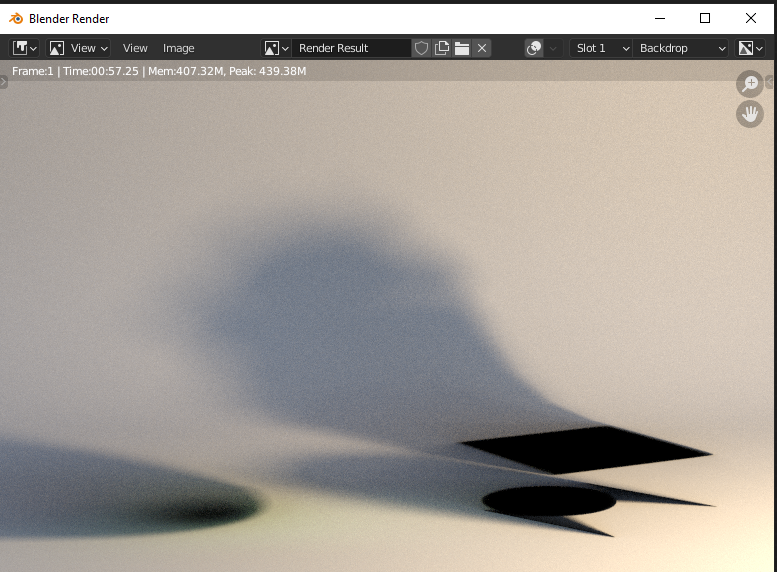
      5. Right-click the Orb collection, go to View Layer, select Set Indirect Only. The orb disappears, but the shadow remains on the backdrop. If you don’t see this, go back over the instructions. This only works in Cycles, currently.
      6. Repeat for the Other objects collection. Now you have a backdrop with light and shadows only.
      7. Change to the Orb layer.
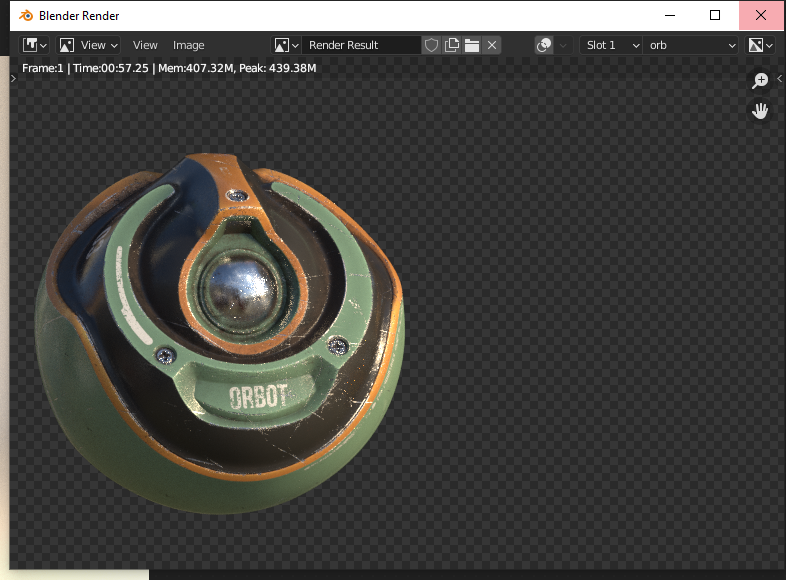
      8. Uncheck (exclude) the Other objects and Backdrop collections. Leave the Orb and lights as is. Now you have an orb that is lit, on an alpha background.
      9. Change to the Other objects layer.
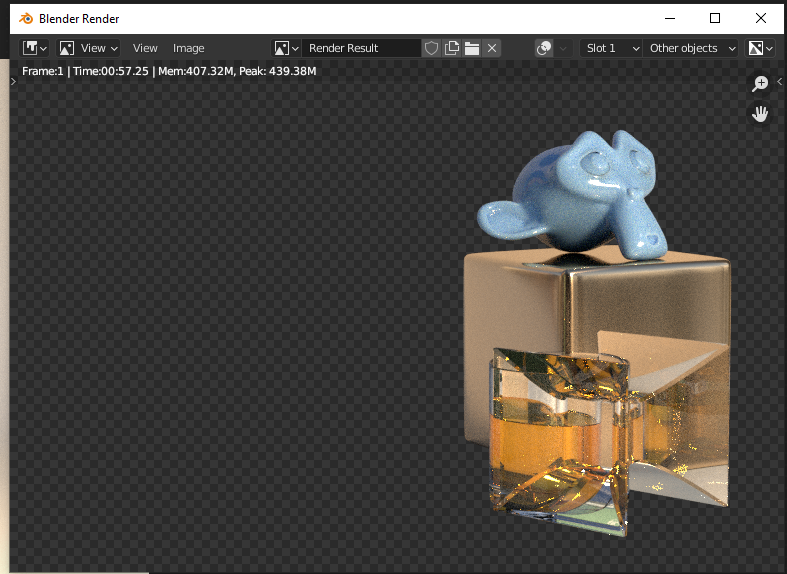
      10. Uncheck (exclude) the Orb and Backdrop collections. You have lit objects on an alpha background.
      11. Render. In the render result you should have 3 layers exactly as described in #6, #8 and #10.
      12. Switch to the Compositor and enable Use Nodes.
      13. Add 3 Render Layer nodes and set them to Backdrop, Orb, Other objects.
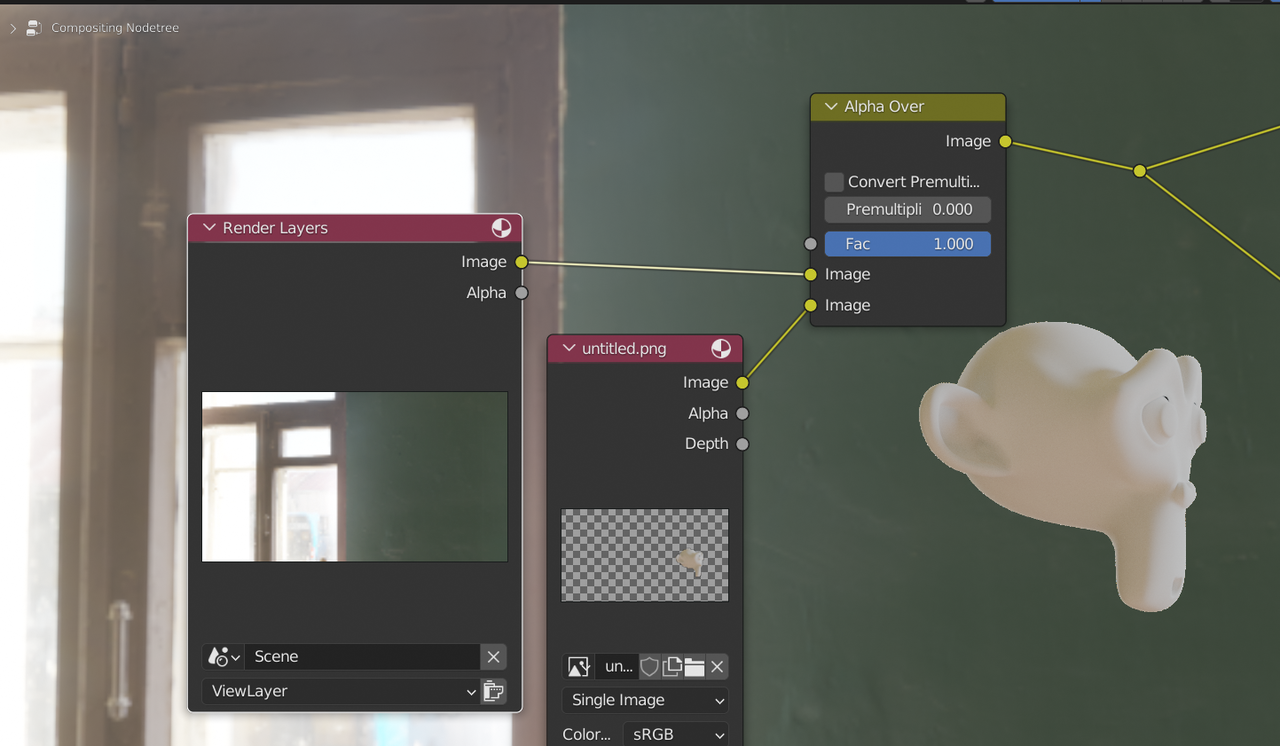
      14. Add a Color, Alpha Over node and connect Backdrop and Orb.
      15. Add a second Alpha Over node and connect the output of the first, plus the Other objects. Connect that to the final Composite output note.
      16. Render again and now you have four layers: The 3 described in #11, as well as a composite layer that should look as if you had rendered everything in one layer.

      #51911
      Kent Trammell
      Participant

        Thanks for taking the time to translate the 2.7x terminology + workflow to 2.8 @tinmanjuggernaut ! 🙇

        #51912
        maxwildchild
        Participant

          Thnx so much! Really helped me 

          #51913

          I have the whole scene split up in separe view layers but would like to view the whole scene in 3d viewport. Do I just toggle the Collections on and off and hope I remembered to toggle the correct ones each time I render the scene again? Is there a better way to do that? Can I view multiple view layers at once in the viewport?

          #51914
          spikeyxxx
          Participant

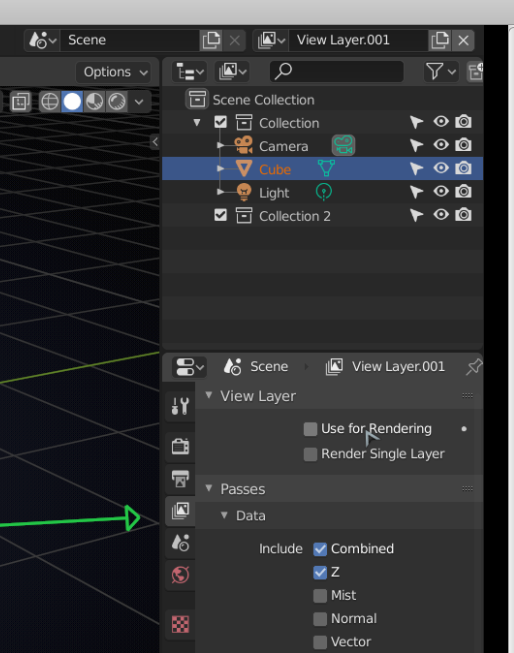
            @ukkis what I would do is make another View Layer with all Collections enabled and use that to view the whole scene in the viewport and only render all the other layers by un-checking Use for Rendering for that View Layer:

            #51915
            Christian Pohrer
            Participant

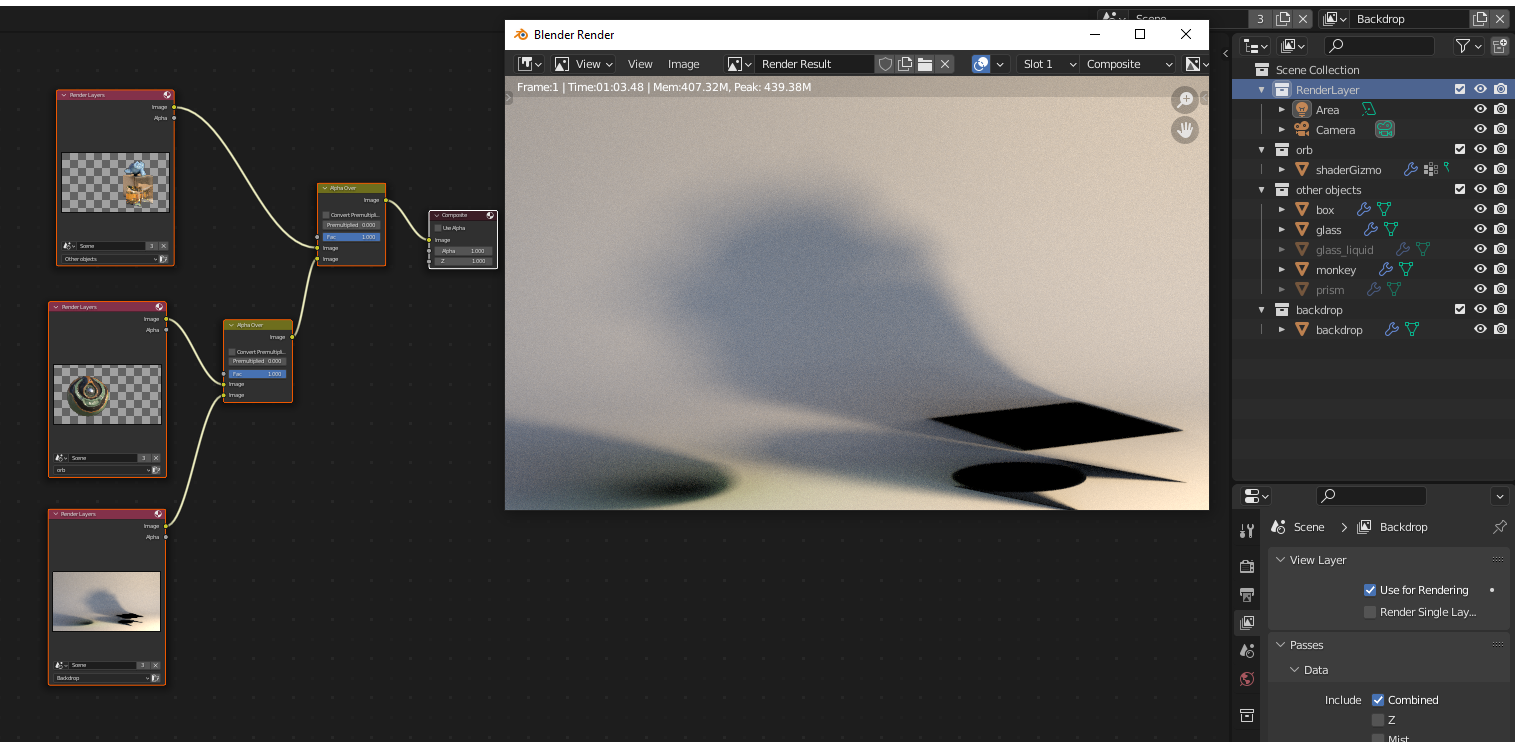
              Thanks you so much. My only problem is that when i go to the composite layer Blender only shows me only the backdrop layer: 

              Download_my_Blender_file

              #51916
              spikeyxxx
              Participant

                Hi @pohrerhub ,

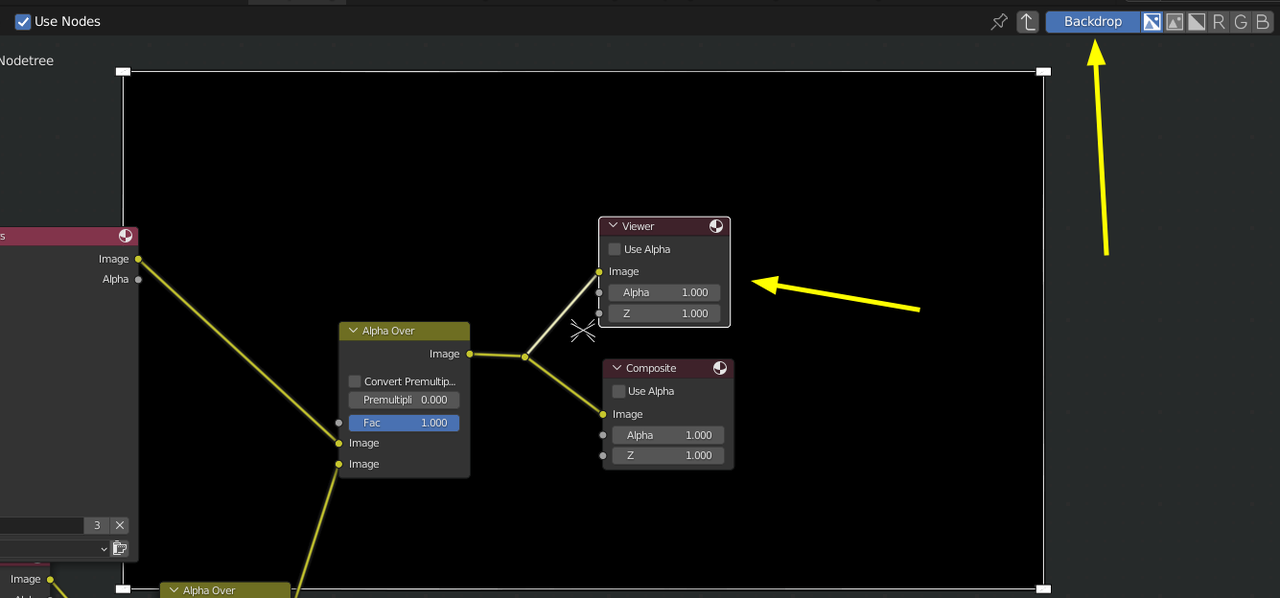
                there are two things missing: an  Output > Viewer Node and the Backdrop needs to be enabled (I didn’t do any rendering, so the Bacdrop is just black here):

                Composite.png

                #51917
                Christian Pohrer
                Participant

                  Hi @spikeyxxx 

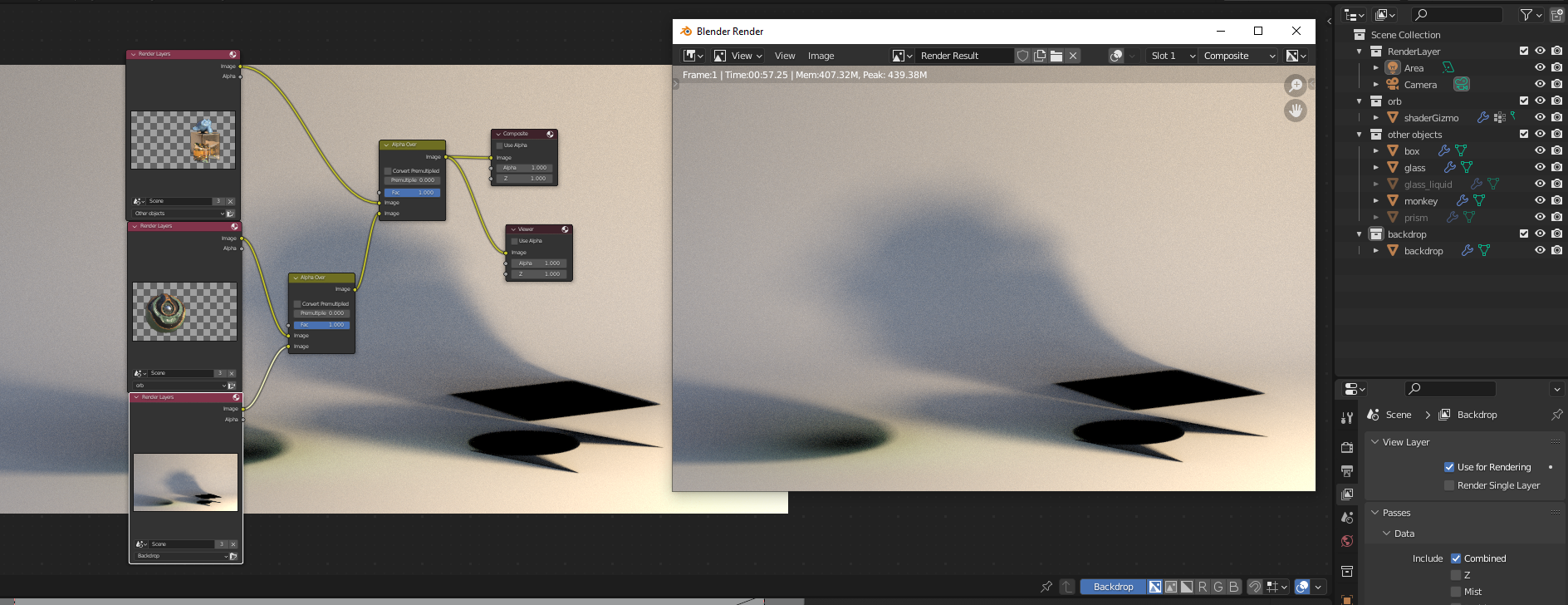
                  It still renders just the backdrop. 

                  The other layers work perfectly:

                  Do you have any other ideas? 

                  #51918
                  spikeyxxx
                  Participant

                    @pohrerhub I think you have the order mixed up; the ‘background’ goes into the top socket of the Alpha Over:

                    C.png

                    I must admit that I can never remember this and always switch them untill it works 🙂

                    #51919
                    Christian Pohrer
                    Participant

                      thank youuu that worked

                    Viewing 10 posts - 1 through 10 (of 10 total)
                    • The topic ‘Compositing w/ Render Layers 2.8 Instructions’ is closed to new replies.