Completing the hair for animation

Forum Archive Completing the hair for animation

Viewing 11 posts - 1 through 11 (of 11 total)
  • Author
    Posts
  • #6771
    Matt Scott
    Participant

      So after the I am complete with the hair, what do i do to merge it with the model without any deformation??

      #25925
      Kent Trammell
      Participant

        There’s more than one way to do it. Here’s 2 options for *static* inclusion with your character model:

        1. Convert the hair tubes to mesh objects with ALT + C (Mesh from Curve/Meta/Surf/Text). From there you can merge them with your character mesh with CTRL + J.
        2. Parent your hair curves to your character model or rig with CTRL + P. If you want your hair to follow your character statically, this is a non-destructive way to do it. In case you wanted to easily modify the hair later, it’d be much easier to do with curves rather than as a converted mesh.
        #25926
        Matt Scott
        Participant

          Thanks so much your help Kent. I am getting closer and closer to completing my project thanks to you. I have one last question for.

          So i plan to be able to animate my model. Is it better to parent the curve to the model or the rig?? If I parent the hair curve to either, should be before or after I generate the rig??

          Thanks so much to all of your help and support.

          #25927
          Kent Trammell
          Participant

            I would generate the rig and parent the curves to the head bone. Happy to help!

            #25928
            Ingmar Franz
            Participant

              @theluthier I’m wondering how to achieve some stylized hair motions for example if the character is running or a strong wind is blowing into the face? Maybe with “Shapekeys”?

              #25929
              spikeyxxx
              Participant

                @duerer I haven’t tried this, but Daniel Bysted explains here: https://www.youtube.com/watch?v=oqjKMd9CYI4 how he does it. (from around 15.00 min. but of course it’s worth watching it all.)

                Basically using hair cards, but in stead of curves to guide the hair cards, he uses a Hair Particle system. This means he can groom the hair cards and I guess Particle Physics should also work.

                #25930
                spikeyxxx
                Participant

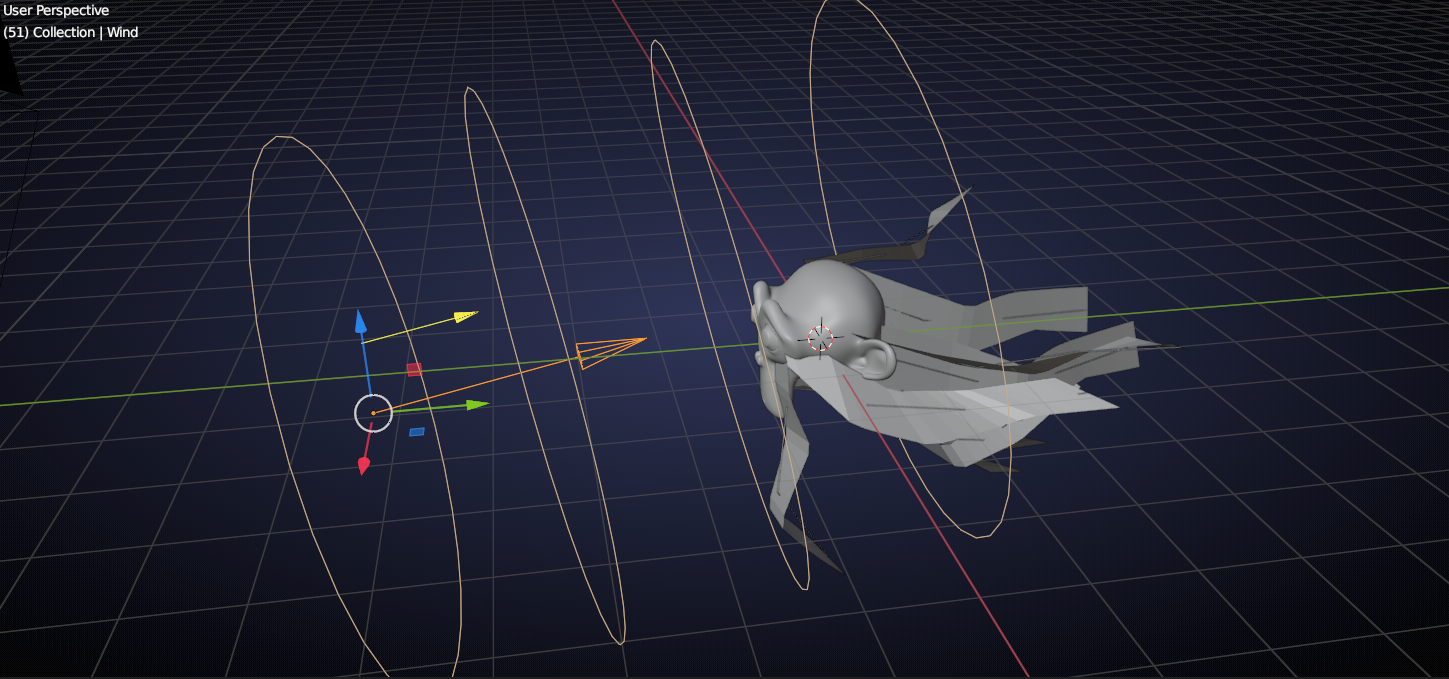
                  @duerer  physics work ๐Ÿ™‚

                  #25931
                  Ingmar Franz
                  Participant

                    Thanks, @spikeyxxx ๐Ÿ˜€, for the video link! That’s a really cool demonstration ๐Ÿ‘!

                    #25932
                    Ingmar Franz
                    Participant

                      That’s great news ๐Ÿ‘! And demonstrated with a really stylish Suzanne ๐Ÿ˜‰๐Ÿ‘!

                      #25933
                      spikeyxxx
                      Participant

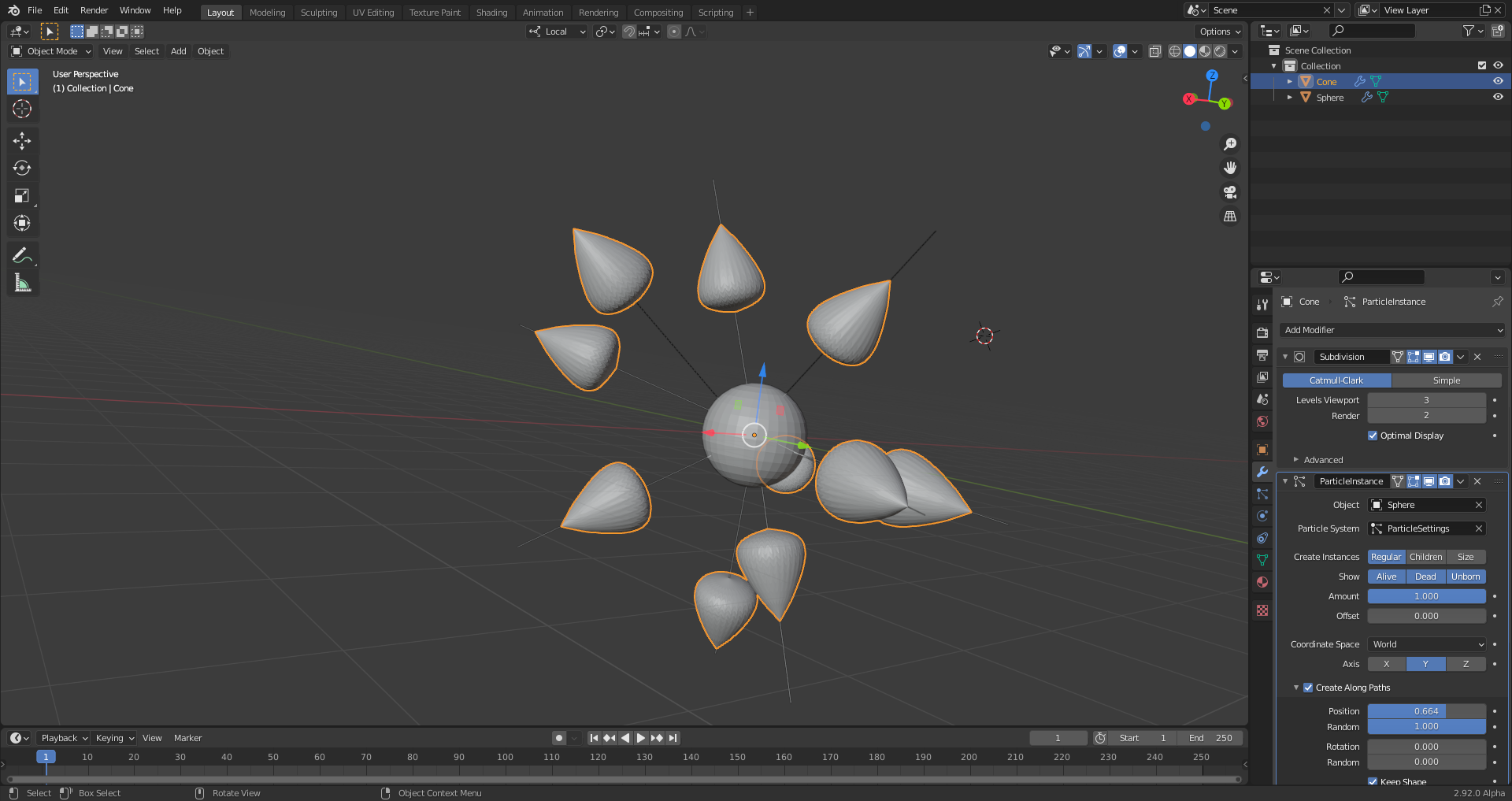
                        Ofcourse this not only works with hair cards, but also with (profiled) Curves, you just need to convert them to Meshes to be able to add a Particle Instance Modifier to them. 

                        Just use it with whatever style you are going for.

                        Before seeing this, I never used the Particle Instance Modifier ๐Ÿ˜‰

                        #25934
                        Ingmar Franz
                        Participant

                          Interesting that the “Force Fields” can still influence the movement of the “Hair Particles” even after grooming. The only unnatural thing is that the hairs return to that groomed shape after turning off the “Force Fields”. 

                          PS: The “Particle Instance Modifier” is also the only way duplicate “Particle Emitters” on “Particles” and you can use it in order to place the instanced objects on random positions on an hair like for example water drops:

                        Viewing 11 posts - 1 through 11 (of 11 total)
                        • The topic ‘Completing the hair for animation’ is closed to new replies.