
COLLABS: File Sharing & Library Linking
Forum Archive › COLLABS: File Sharing & Library Linking
- This topic has 37 replies, 8 voices, and was last updated 5 years, 5 months ago by
Shawn Blanch.
-
AuthorPosts
-
July 19, 2020 at 4:37 pm #58839
Oh yeah that is true. I saw some stuff turned off on the master file when I opened it. Maybe that was one of them? I don’t remember haha.
July 19, 2020 at 10:47 pm #58840As promised I made a tutorial video how to get Google Drive set-up for The Pound (on Windows……but the others should be similar)
I cover the Linking and Syncing and I even do some Thinking! Grab some Cookies and Enjoy!
If you haven’t gotten access to the DOG-434E-Model folder then go ahead and email Kent at kent@cgcookie.com with your Gmail Address requesting to be added.
Quick Link to the Google Drive Website is also provided Here: https://www.google.com/drive/
July 20, 2020 at 2:25 am #58841Excellent, explained it well.
That reminds me, I need to turn off my .blend1 files, only updated to 2.83 last week, some settings always revert to default even when selecting ‘use 2.82 settings’ on splash screen.
Thanks @blanchsb
July 20, 2020 at 9:57 am #58842My sincerest gratitude for putting the video together @blanchsb. Very helpful indeed! 🤝
Interesting that deleting files locally requires you to confirm the deletion in the Google Drive applet. I don’t have to do that on my end…that could get annoying.
July 20, 2020 at 10:05 am #58843This is a part of server held document retention that actually drives me crazy.
I’m sure google has something that handles the deletion on it’s own after some time but at least knowing to check my taskbar icon after deleting is better than wondering if it will ever clear. I believe working from the web browser to delete content is the best solution since the desktop definitely auto-syncs the actions from the browser. I actually have a 2011 MacBook Pro so I should finish by doing this for Mac. I just won’t have the slick PC setup for recording. I’ll work on that today.
This is better than Office365 where shared content gets mixed and lost in the wormholes of sharepoint. I have yet to find a truly perfect solution other than my own NAS storage where I know where my file is at all times and when it should be deleted I know where to go to delete it haha.
July 20, 2020 at 11:07 am #58844Okay. Here’s how to Install The Google Drive for MacOS. My first recording failed but I describe the process during the install and cover the differences on a Mac. (It’s not the latest and greatest MacOS but it is good enough to get you Driving “The Google”) Enjoy!
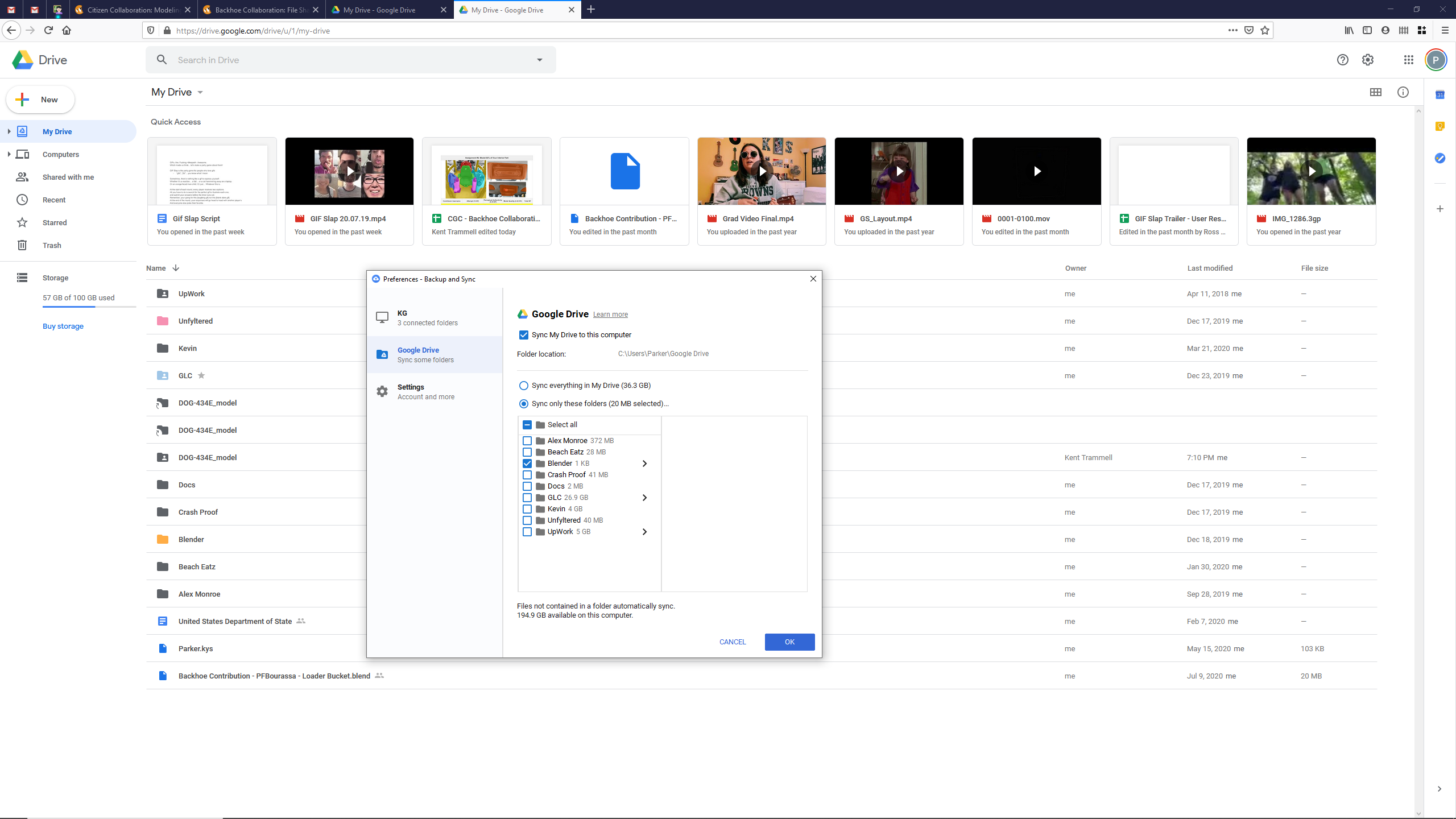
July 27, 2020 at 6:23 pm #58845@blanchsb I’m having trouble with Google Drive.
It looks like I’ve added the folder to my drive, but it isn’t available to sync with my hard drive.Maybe I just need to restart or something.
 July 27, 2020 at 7:57 pm #58846
What Adrian wrote solved that:
“I think I have figured it out. I just read an article about sharing and syncing on google drive.
Navigate to shared folder, select the DOG-434E-MODEL folder so it is highlighted, Press SHIFT + Z and a pop up will “pop up” with no explanation of what it is, select MY DRIVE, and a shared file will appear in MY DRIVE folder. (a folder with an outline of a person on it). This file will then sync with the app on DESKTOP”
July 27, 2020 at 8:03 pm #58847If you did the shift + z method are you still having issues @pfbourassa
If so what operating system are you on? I’m available to assist troubleshoot this tonight!
July 27, 2020 at 8:35 pm #58848I did the Shift-Z method, and the “Add a shortcut to Drive” that’s why there are 3 copies now.
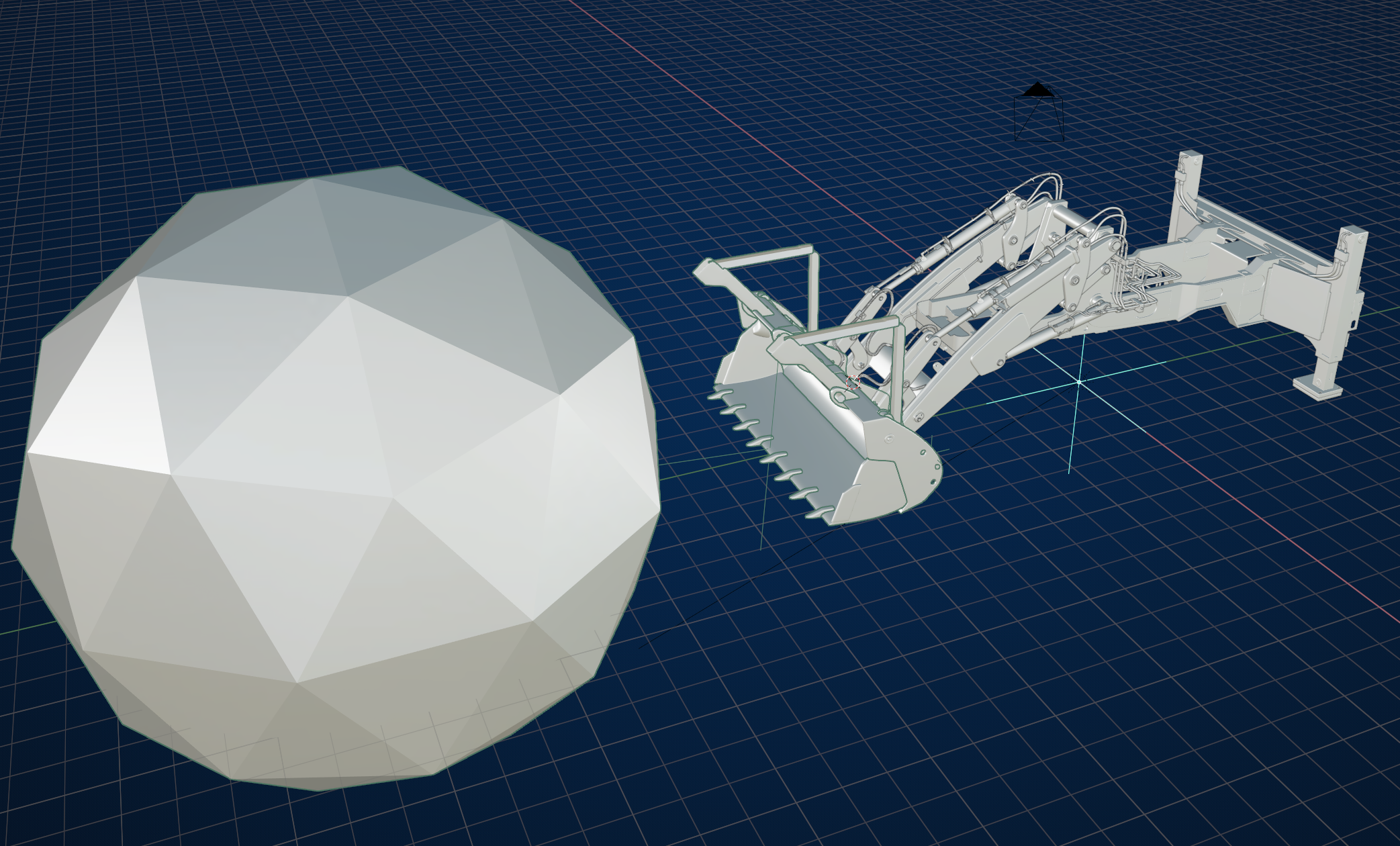
Windows 10. Looks like restarting did the trick. 🙄I added to a big icoshpere to confirm that the link is working in both directions.
July 27, 2020 at 8:40 pm #58849Okay sweet haha. That’s interesting. I wonder if network connection had anything to do with it? I am also on Windows 10. I can relate to the frustrations of setting up cloud synced storage. That’s why I bought my own personal cloud lol.
July 27, 2020 at 10:54 pm #58850Oh jeez you weren’t kidding. That boulder is huge! It’s syncing because you’re linked copy on my file is updated.
 July 27, 2020 at 11:07 pm #58851
Something I noticed @pfbourassa is the webpage actually updates on my local save without me needing to reload my chrome browser. I just sat and watched for it to update after my local save on my Master uploaded. It was actually pretty slick once it gets set up.
It took a couple of minutes for my upload and my connection speed is not all that great. But it did it successfully, huzzah!
July 28, 2020 at 7:11 am #58852Great! Seeing it work is so much more reassuring than a green check mark.
August 19, 2020 at 11:07 am #58853@theluthier I’ve just sent you an email with my gmail-address.
-
AuthorPosts


- The topic ‘COLLABS: File Sharing & Library Linking’ is closed to new replies.