
Collab2021 – WIP – yolopeno
Forum Archive › Collab2021 – WIP – yolopeno
- This topic has 35 replies, 7 voices, and was last updated 5 years, 4 months ago by
Ingmar Franz.
-
AuthorPosts
-
April 14, 2021 at 8:17 am #67741
Looking really good @yolopeno! I love the practical interpretation of adding shelves and even some cabinet doors to the crates. It’s a great way to be authentic to the art AND introduce function. Fully points from me this week 👍
You’re in good shape to begin sculpting lovely wooden accents. I will be demonstrating such accents during the casual stream tomorrow 🙂
April 15, 2021 at 7:19 am #67742Congratulations, @yolopeno , to full points 😀! I’m sure that your sculpted version of the crate will be even greater 😀!
April 18, 2021 at 5:11 pm #67743Homework Submission – Week 1 – Crate @theluthier
I gotta be honest this is my first sculpting (in blender od real life) 😅
There is a ton of problems in my model that I have to correct.
I did just the one half of the model, the other half will be finished when I get the green light on the model.
It’s pointless to do all the sculpting if the model has some flaws and has to be redone.
I didn’t have time this week to watch treasure chest course but it’s on my to do list list for the next week.
Any feedback is appreciated.
Please be gentle 😂
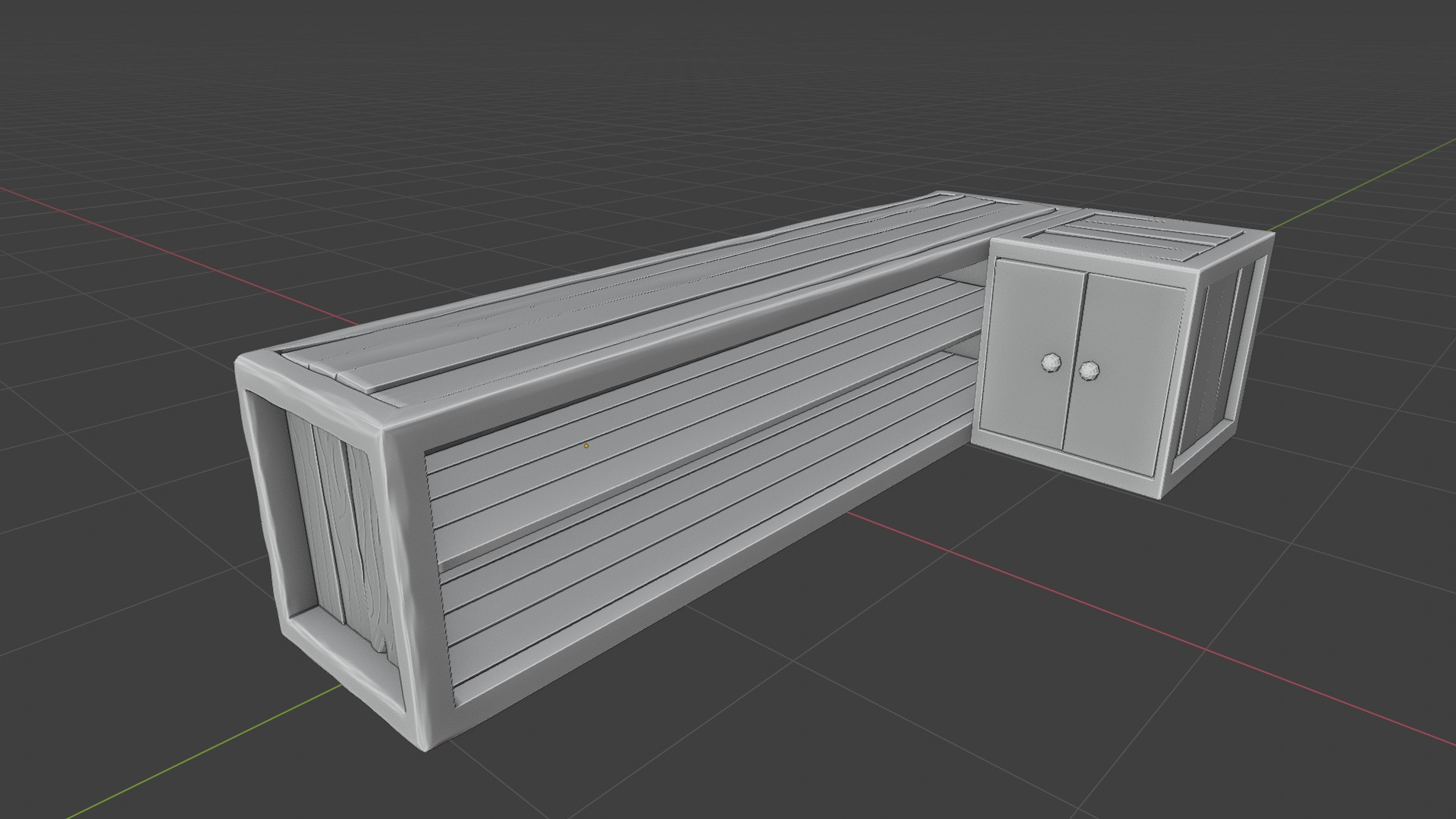
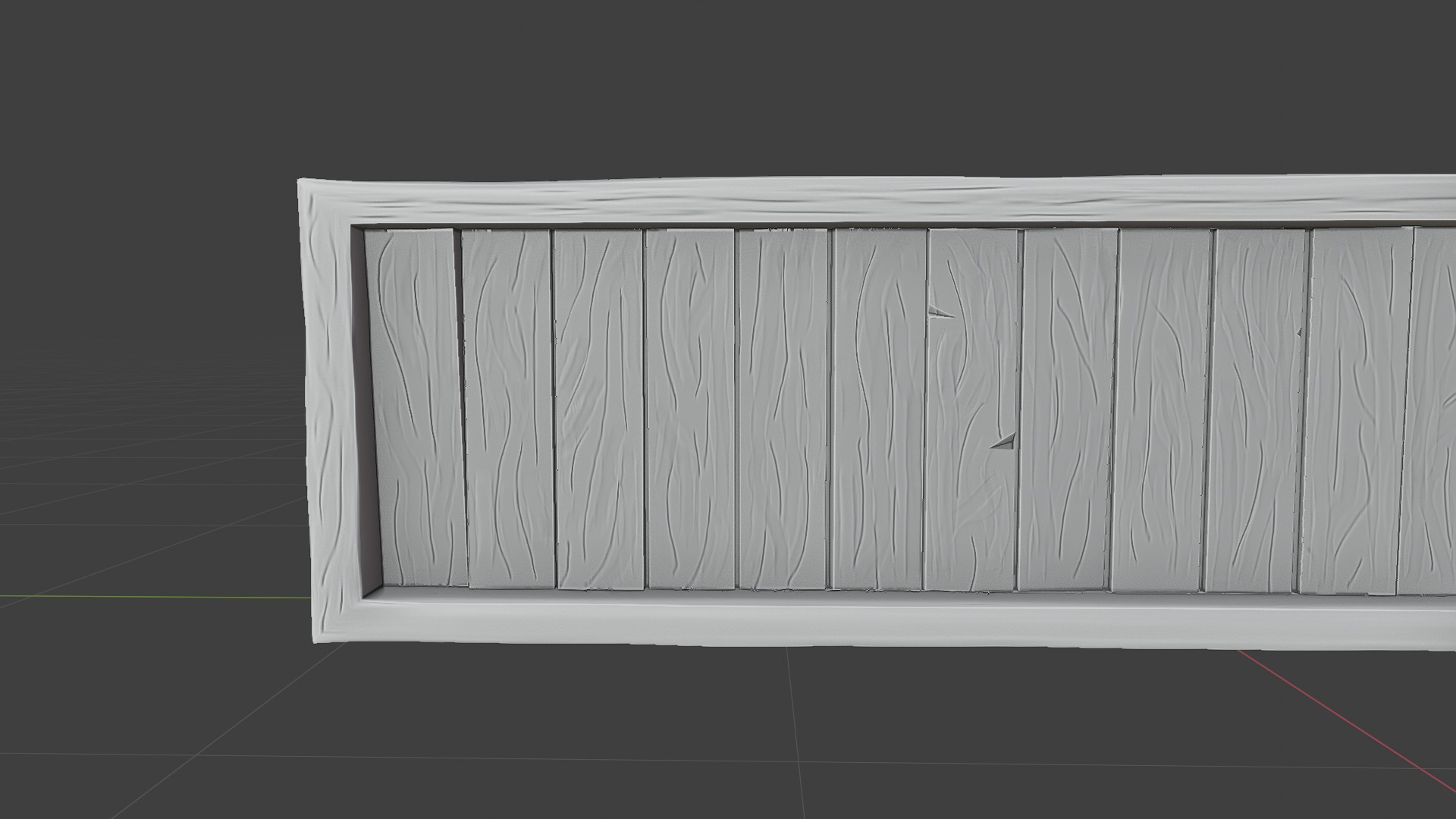
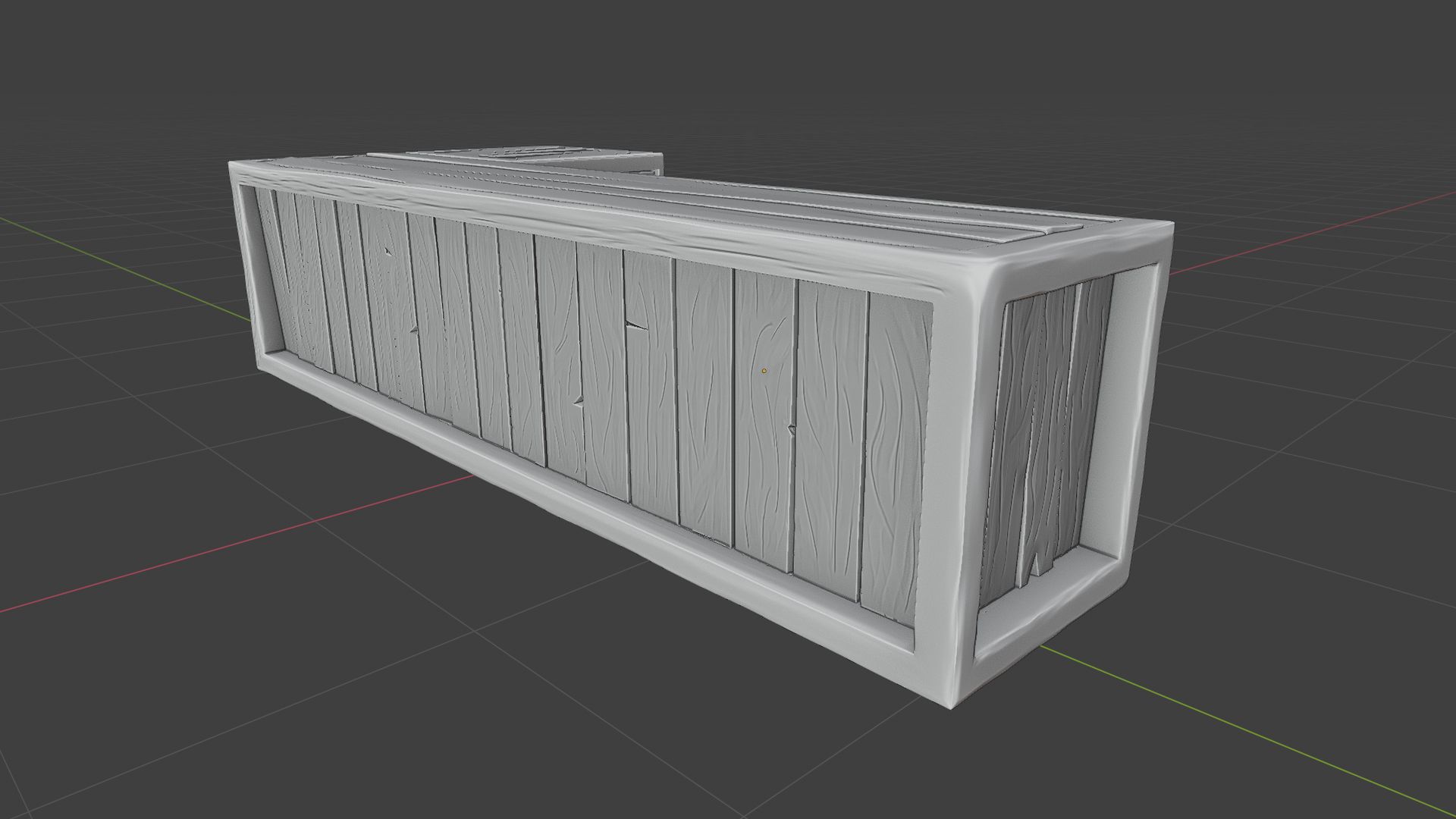
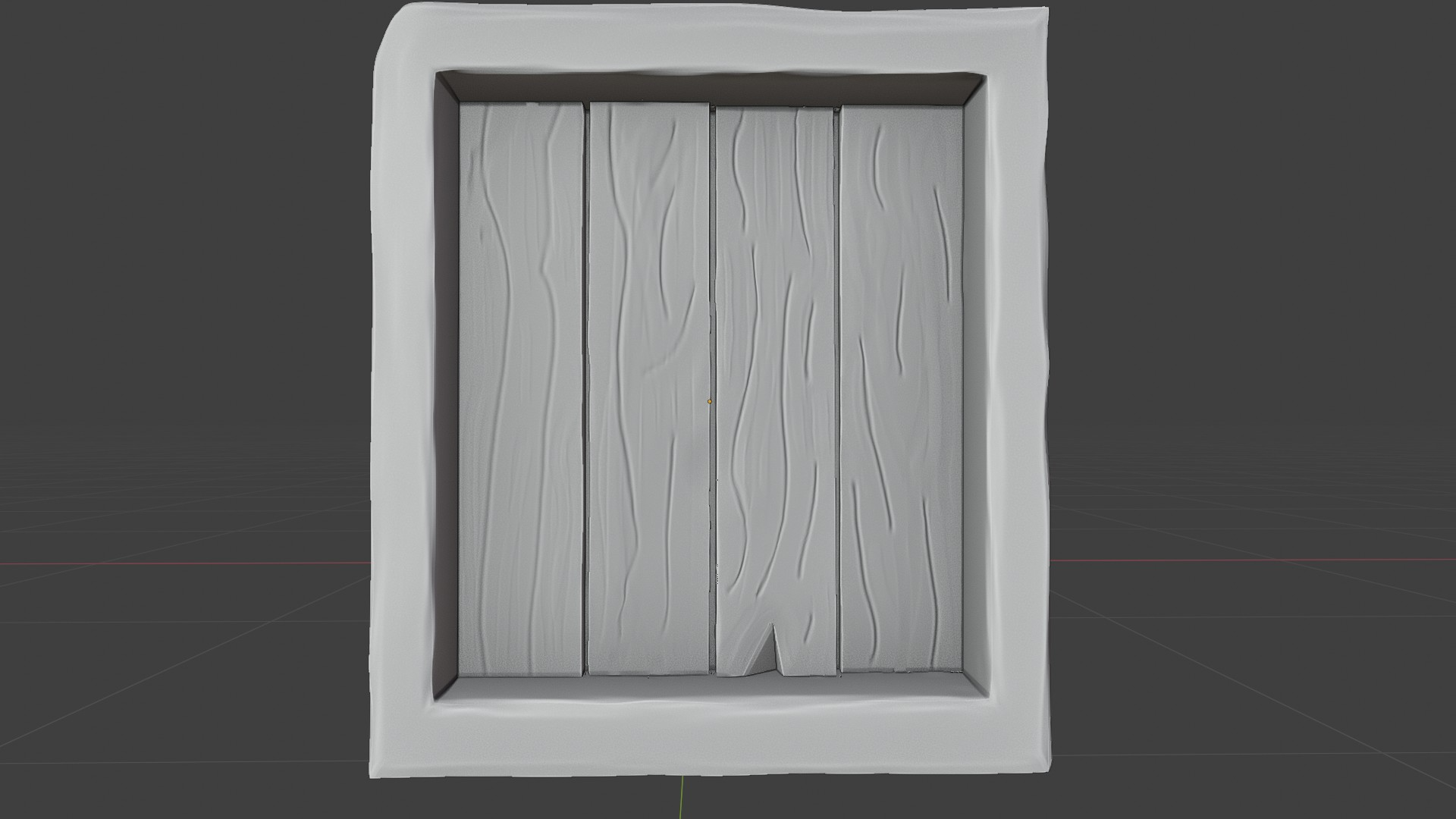 April 18, 2021 at 7:22 pm #67744April 20, 2021 at 12:03 pm #67745
@yolopeno That’s already looking good 👍! I can’t believe that this is your first sculpt!
April 20, 2021 at 1:48 pm #67746@duerer thanks.
I watched casual stream a few times. But I have problems with my model.
Every time I subdivide in multirez model breaks. 😲
Only thing that works is simple option.
I’ll work it out eventually.
April 20, 2021 at 2:12 pm #67747@yolopeno Did you bevel (with 2 segments) in order to create holding edges for maintaining sharp edges? If so, then maybe try recalculating the normals. Also try with removing the Multires modifier and then adding it again: If you have a Multires modifier working and then manually subdivide, it will distort your model. If nothing works, could you please provide more details and/or a screenshot?
April 20, 2021 at 2:21 pm #67748@duerer I have beveled some parts so selecting all and beveling was not an option.
I will remove multirez and try again.
How to recalculate normals?
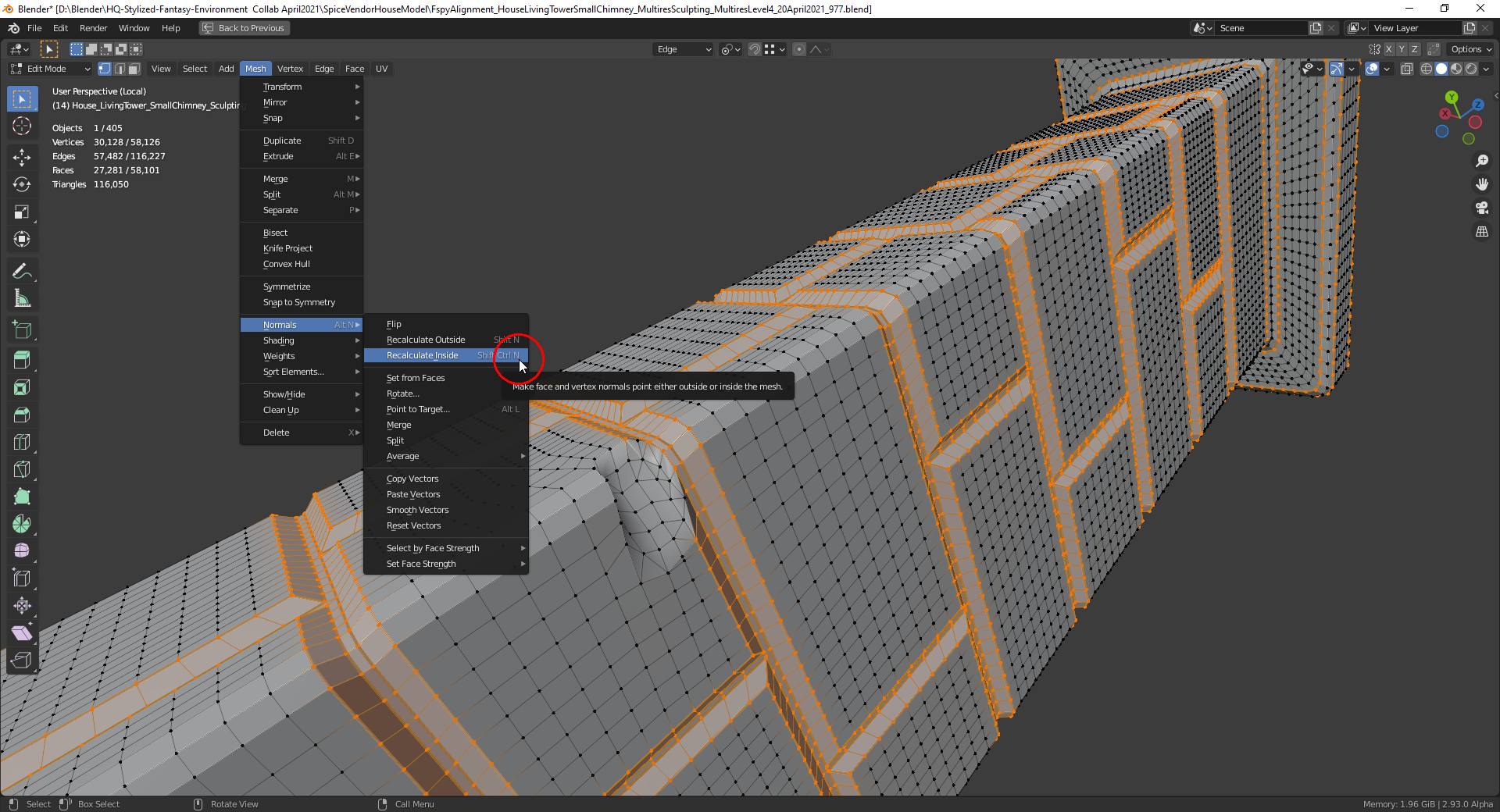
April 20, 2021 at 3:02 pm #67749You find it in the “Mesh” menu in “Edit Mode”. Select the mesh part for which you want to recalculate the normals (in this case everything) and click on the menu entry “Recalculate Outside” so that the normals are pointing away from your object:
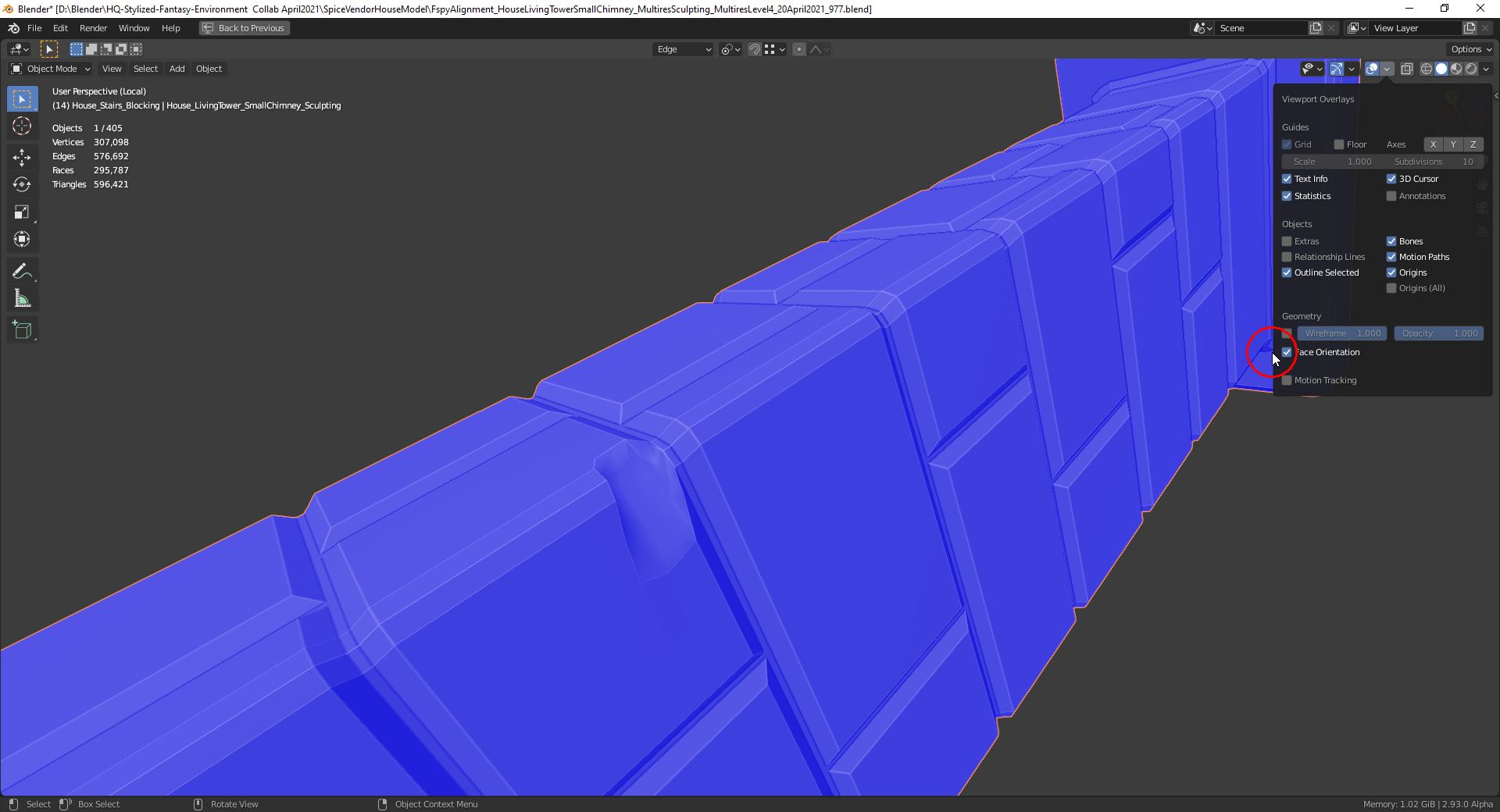
The “Face Orientation” overlay (usable in “Object Mode” too) is also helpful for checking the orientation of the normals (blue = pointing outside, red = pointing inside):
 April 22, 2021 at 10:22 am #67750
Fantastic work for a first sculpture! I would not have guessed this was your first time. Excellent work 👍
The boards look great. I love the slight orientation differences – that kind of imperfection effort is gold. My only real note is that the border frame of the crate is one solid piece rather than multiple pieces:
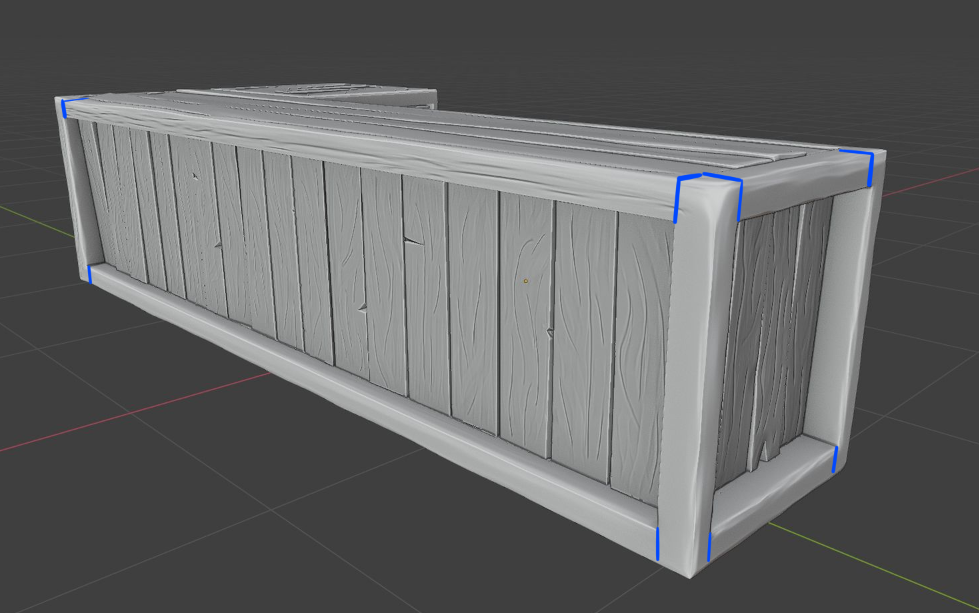
As if it was carved out of one massive log ha. Simply add come butt-joint crevices with the crease brush (pinch and scrape for refinement) and you will solve it.
Oh and consistent grain detail on all boards (the bottom of the screenshot is lacking). This may be a WIP and you already know that. Extra time taken for sculpting is OK btw. Week 4 is a buffer week for everyone to finish.
April 22, 2021 at 10:22 am #67751Forgot to tag @yolopeno ☝️
April 22, 2021 at 6:32 pm #67752Thanks, I watched you’re casual sculpt stream 5 or 6 times 😅.
On the subject of crate being a massive log 🤣🤣🤣
<a href=”http://reactiongifs.com/?p=19982″>

I’ll definitely add the crevices on corners like you pointed up in the post.
The bottom part is WIP, everything will have details.
thanks for the feedback
April 23, 2021 at 4:54 pm #67753@yolopeno Let the magic finish your work 😉😀! It’s fantastic what you’ve already achieved 👍!
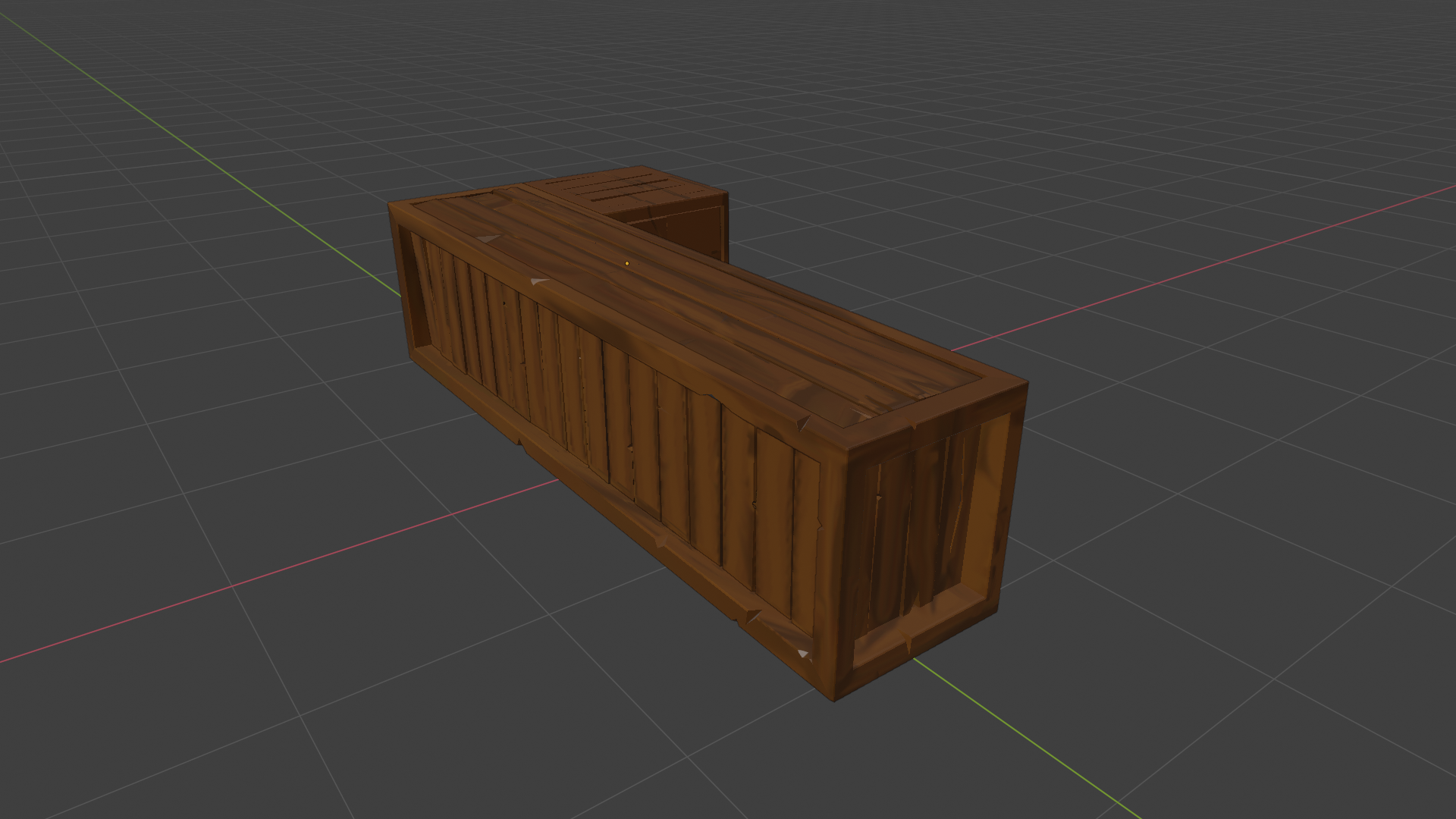
April 25, 2021 at 5:12 pm #67754Homework Submission – Week 3 – Crate @theluthier
This is my week 3 homework.
This is the limit to my knowledge of textures given the time that I have.
I’m currently following treasure chest tutorial and hope that I will make this better.
 April 25, 2021 at 5:19 pm #67755
That’s already looking great 😀👍! I’m waiting eagerly to see your final crate 😀!
-
AuthorPosts


- The topic ‘Collab2021 – WIP – yolopeno’ is closed to new replies.