
Collab2021-WIP- spikeyxxx
Forum Archive › Collab2021-WIP- spikeyxxx
- This topic has 34 replies, 10 voices, and was last updated 5 years, 4 months ago by
spikeyxxx.
-
AuthorPosts
-
April 11, 2021 at 10:21 am #13823
Homework submission-week 1-grass
Tried all sorts of methods to create the grass, but after all this testing, I looked more closely at the artwork and I interpret it as just colors, with a few grassblades at some edges and where there is something in the grass (like rocks, fence, cart,…), which makes sense, because you wouldn’t be able to easily reach those parts to mow the grass there…
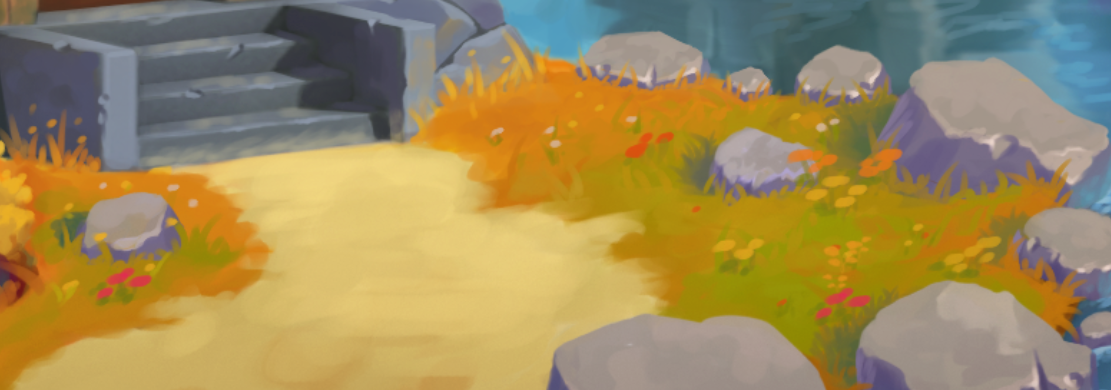
So my submission is not very impressive yet and the colors are just placeholders, this is block out phase after all:
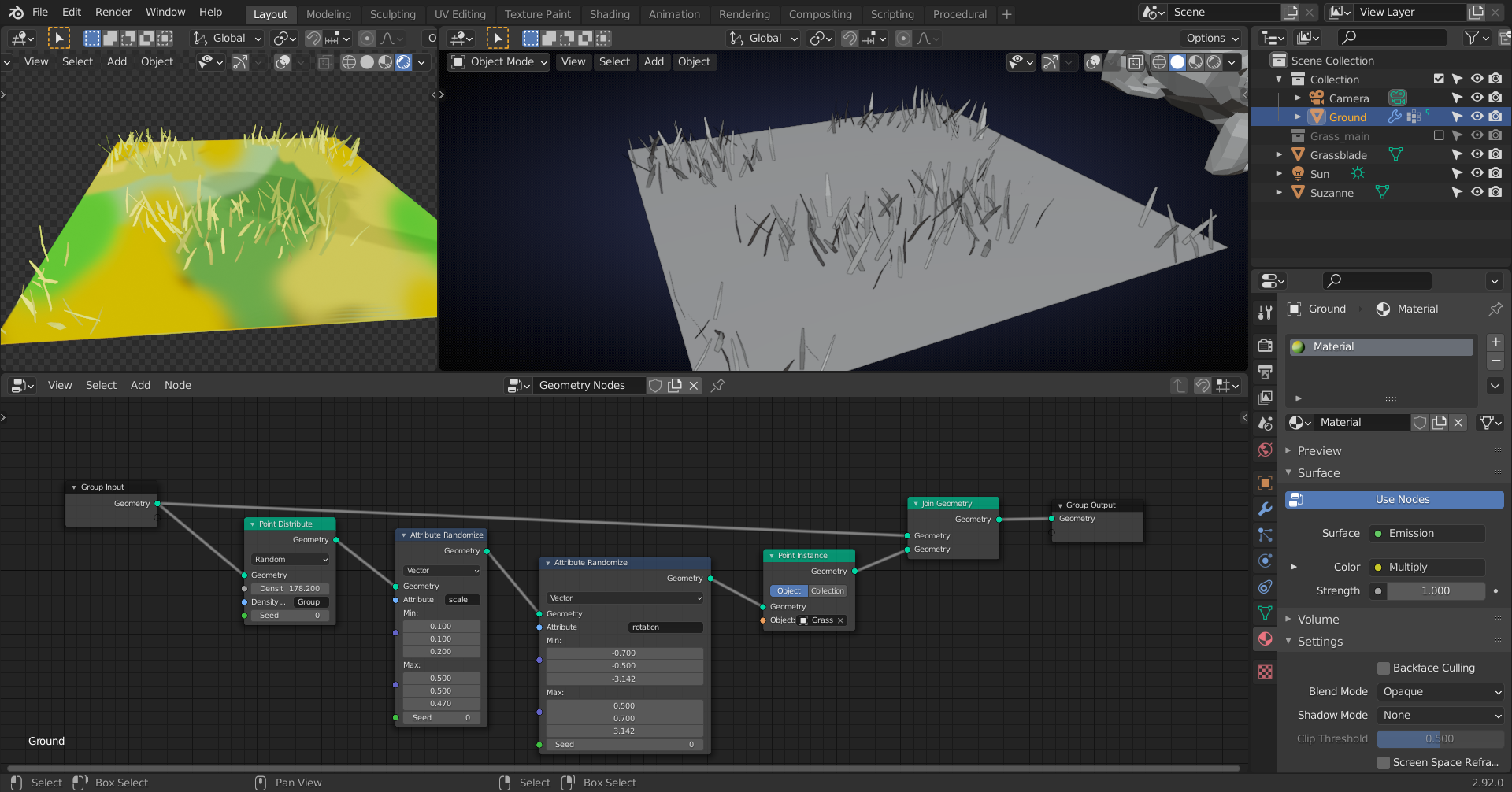 April 12, 2021 at 9:16 am #67938
grassroots movement!
; )
good to see some geometry nodes put to use… it was my favourite new toy, temporarily put aside for after the big collab…
lookin’ g00d @spikeyxxx !
April 12, 2021 at 10:13 am #67939Thanks Peter!
I already feel very limited by using 2.92…especially in GN there are so many new nodes and improvements 😉
But we gotta work with the tools that are given to us…(it’s already way better than the old Particle System, so I’m not complaining)
April 16, 2021 at 1:15 pm #67940Good stuff for week 1 @spikeyxxx! I definitely see where you’re coming from with fewer grass blades where the ground color does most of the work. In a way the grass blades are primarily for breaking up the silhouette. Definitely a valid interpretation.
While I see how you got here, I still get a distinct “fluffy / plush / full” grass feeling from the art. Whereas with your 3D application it feels more like a bare ground with sparse grass. As if it’s having a hard time growing.
Whether you go with more grass blades or fewer, I think the stylized look is dependent on a shadeless material like I used in the forest course. Seeing lighting and shadows per grass blade is inherently more realistic and bad for stylization in my experience. I would start by adding a shadeless (emission or maybe shader to RGB) material that inherits the ground texture.
A bonus of fewer grass blades is being optimized for scene performance, of course. For week 2 I’d like to see you tackle a larger area, like a field-size test.
April 17, 2021 at 4:56 am #67941Just testing possibilities:
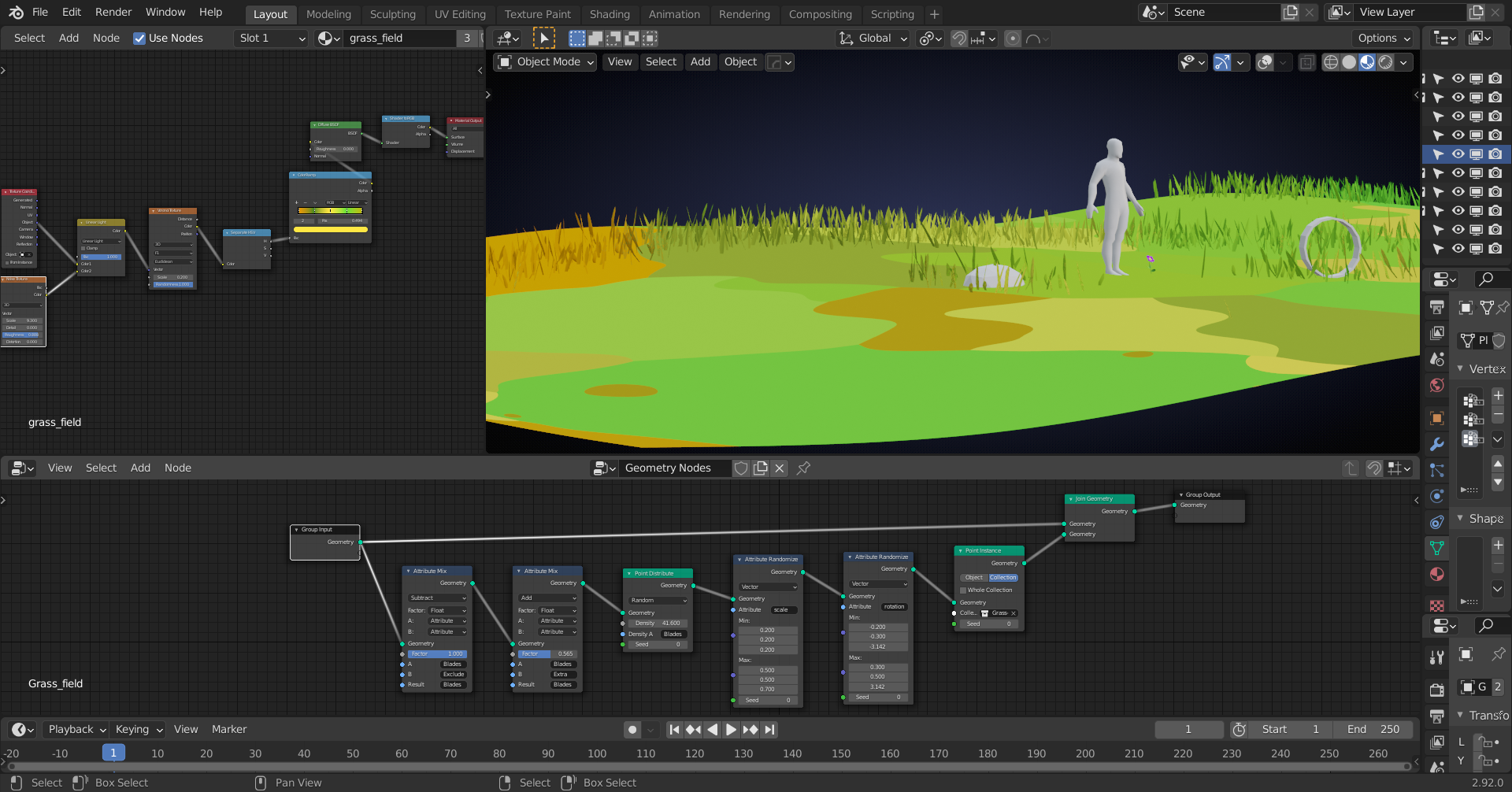
Using two Vertex Weight Proximity Modifiers, one to get the area around objects and one to remove the inside of those objects.
The remaining grass is a hand-painted Vertex Weight Group.
Using ‘From Instancer’ in the Texture Coordinates, to color the instanced grass blades the same as the underlying grass field.
April 17, 2021 at 12:10 pm #67942Hi,
that scene looks nice, I like it 😀 The grass looks very neat.
…and those nodes already giving me headache when looking at it from the distance.Greetings,
toblesApril 18, 2021 at 4:00 am #67943I had a problem…
when using a hand-painted Texture for the grassfield,, I couldn’t use the ‘From Instancer’ trick tomatch the blades’ color to the ground. Because that doesn’t work with UV Coordinates 😣
But….never let Blender bring you down…I knew there must be a way!
And I found it (probably a well-known trick, but I found it by myself and am proud of it 😉)
Here it is (very simple, just the way I like it):
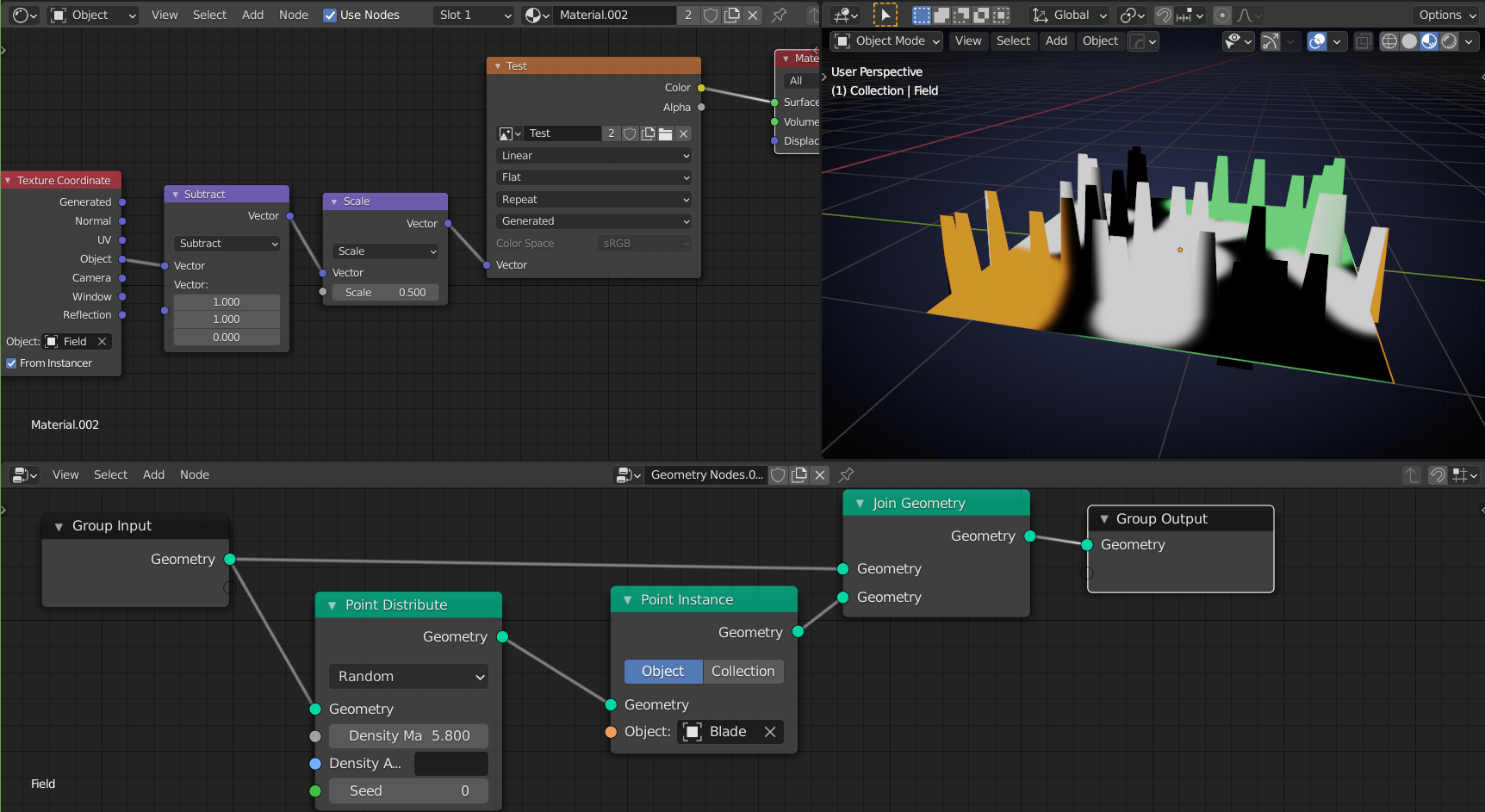
You can paint without UV’s.
Now, this only works, because the ground is a 2 dimensional object; You can’t use this to paint Suzanne, for instance.
There might be a way to get this to work on 3 dimensional objects as well, but I don’t need that, so I can’t be bothered to try and find that way, especially, because my gut tells me it isn’t possible.
April 18, 2021 at 4:40 am #67944Somehow still black magic for me. I am impressed with your work with the Geometry nodes.
April 18, 2021 at 5:39 am #67945Testing if this technique actually works in practice:
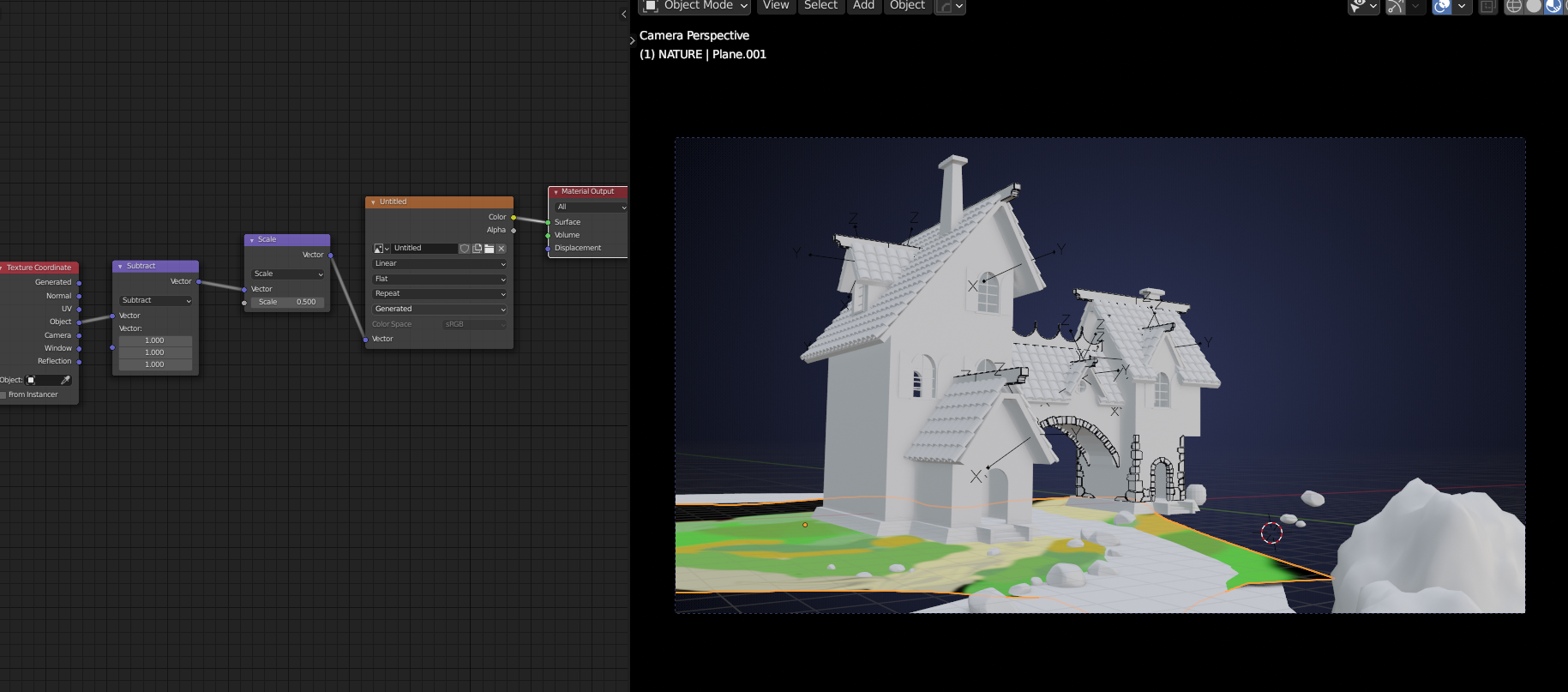
Note to self: Do not Apply the Scale (or Rotation) of your Plane!
April 18, 2021 at 6:23 am #67946Homework submission-week 2-grass
Done some tests and this method seems to work great:
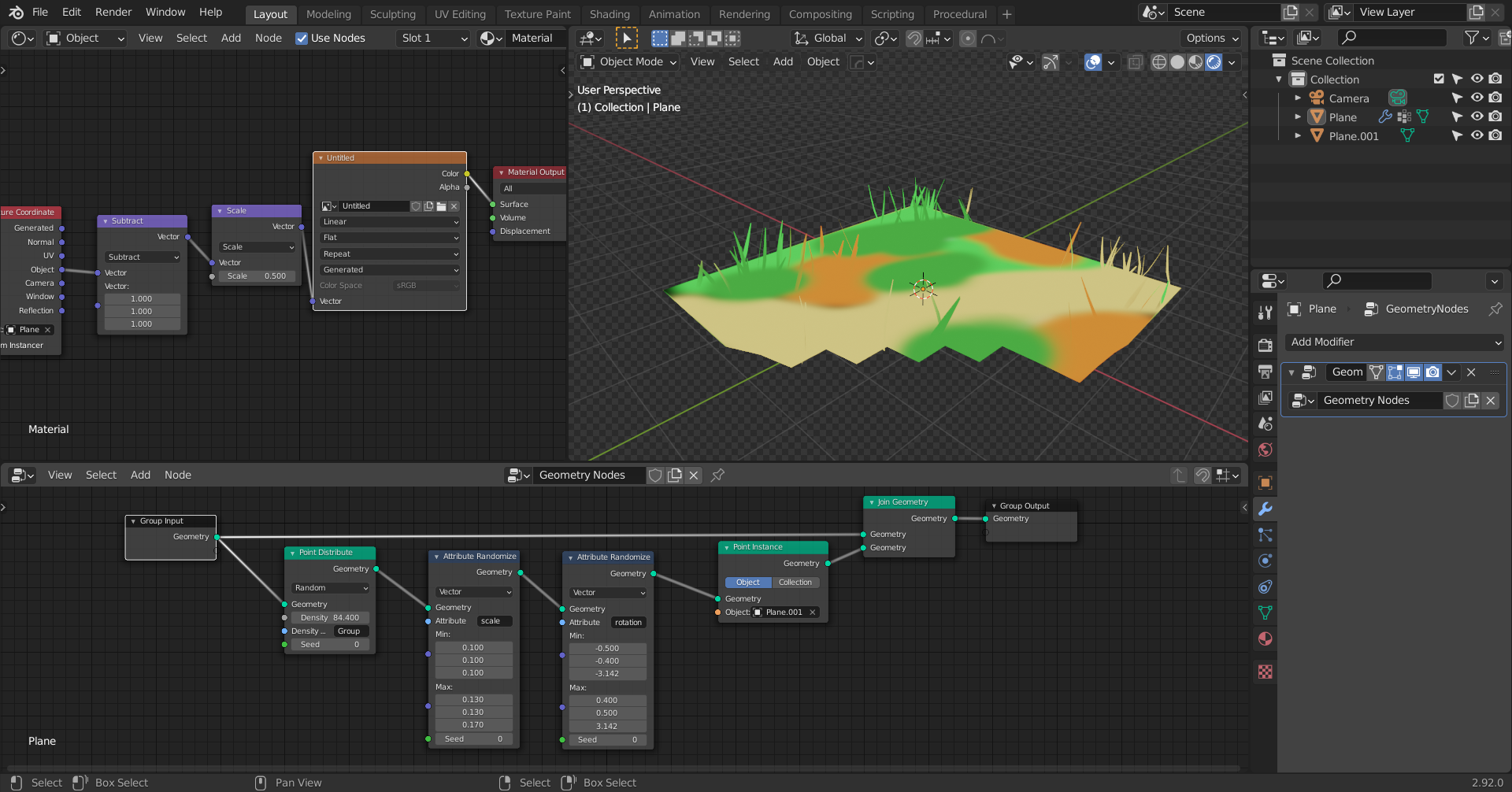
Not much to show, but all that is left is modeling a few grass blades and texture painting.
And some weight painting for the position of the grass blades ( I think I will do that by hand, that’ll be just as easy).
So far, in the tests, I have not even used my Tablet yet, so I am confident that I will be able to get the Texture Painting done to my satisfaction 🙂
I am synced now, but my WIP file is still just a playground for me. (Can I delete the .00 WIP???)
April 21, 2021 at 3:49 pm #67947Hey @spikeyxxx, really great work here! Nice investigation to find a good method. I’m copy/pasting this from @rstich ‘s thread because my feedback for both of you is exactly the same. You guys can decide if you want to try your hand at it individually or as a team.
In order for this to look crazy good and be performant, we’re going to need three things:
- A base layer of particle hair grass, which renders blazing fast and can have different settings for viewport and rendering. This layer should be fairly dense
- A secondary layer of taller grass clumps, made of mesh grass strips arranged into nice bunches. There should be at least 9 unique models of clumps or else it will look pretty obviously repeated. These could be scattered with geometry nodes or as a particles system – performance seems to be similar.
- A stylized shader that works for the ground, the mesh grass, and the particle grass all at the same time to tie them all together. We can’t do the emission thing because we really need those shadows. We can, however, turn off shadow casting for the material and point the normals straight up in the z direction to get a pretty neat stylized effect.
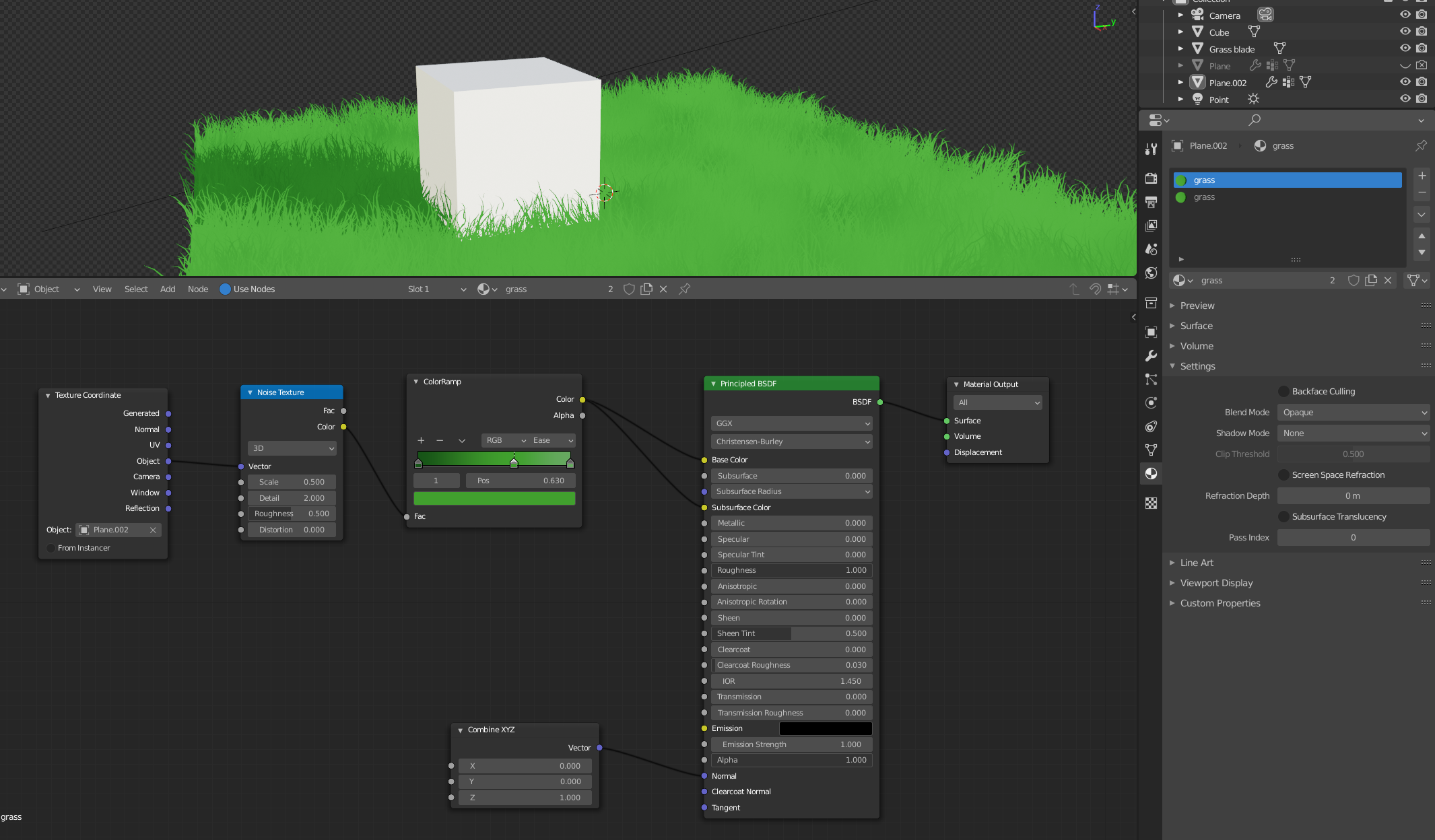
Grass is one of those things that seems simple but actually takes quite a bit of work to get right, but I have faith that you guys can nail it! Hopefully this older course can help you with the particle hair shapes and what I mean by grass clumps: Creating Grass in Blender – CG Cookie
Full points for this week. Keep up the good work!
April 25, 2021 at 3:13 am #67948A base layer of particle hair grass, which renders blazing fast and can have different settings for viewport and rendering. This layer should be fairly dense
Have tested this with Geometry Nodes (and also with Particle Hair, but that updates even slower!) and I used Camera culling together with weight painting, but even with only a bit of all the grass rendered, I cannot get nearly enough grass before my computer starts lagging:
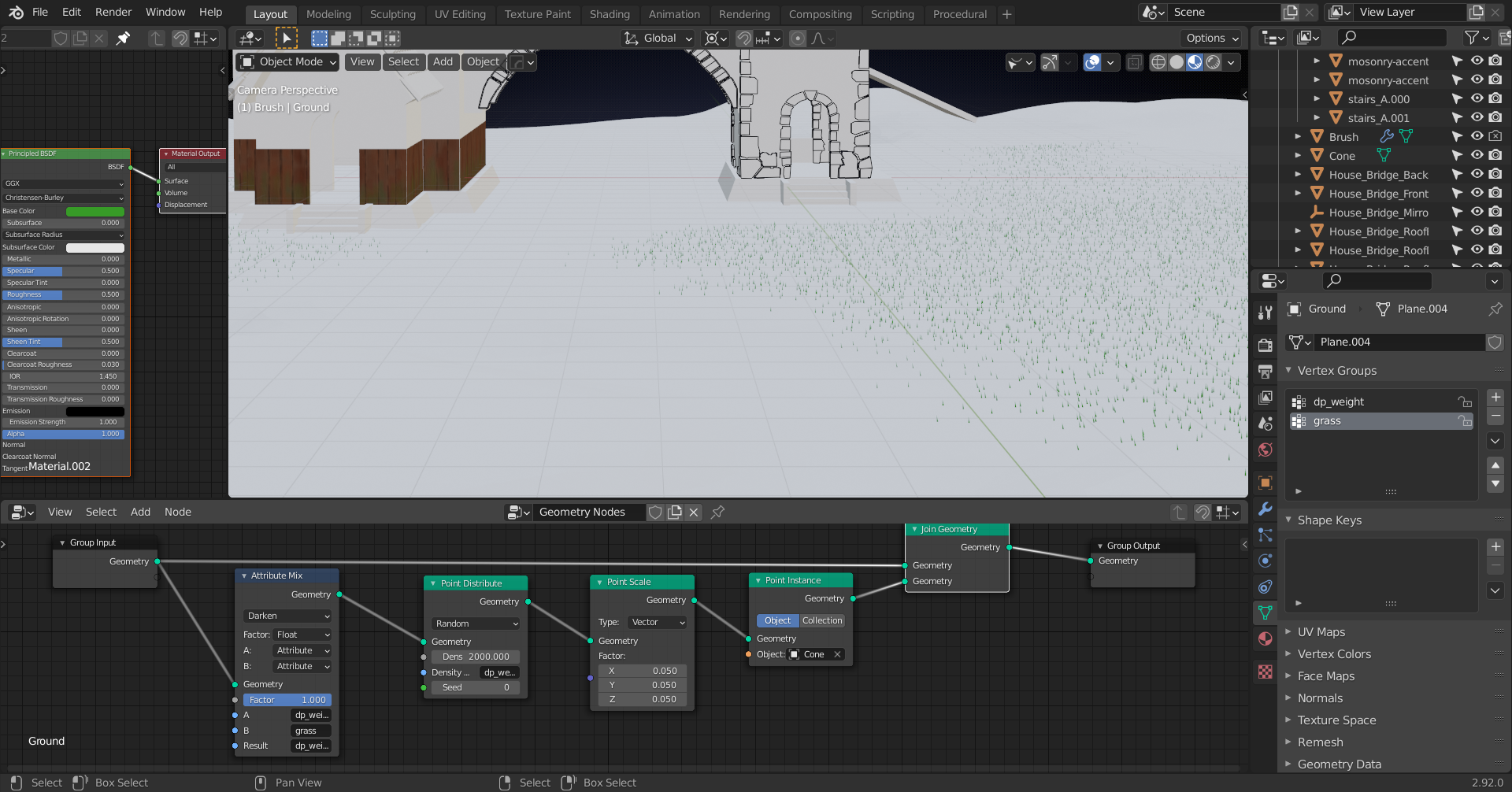 So, unless you still think @jlampel that this is doable on a landscape of this scale, I’d suggest we stick to the method above, with only ‘a few’ blades or clumps of grass, strategically placed.April 25, 2021 at 7:32 am #67949
So some kind of moss/clover noise bump mapped to the green/brown parts of the landscape to give a kind of fluffiness that Kent is looking for, and use the grass to strategically cover up places where cart, fence, and rocks meet the ground perhaps?
Just an idea.
April 25, 2021 at 8:07 am #67950And a great idea @vincav81 !
That’s a shader thing and not my greatest concern 😉 I can do that, just tell me what style we are going for…in the artwork it looks more like flat colors, but that can be adjusted easily.
The problem appears, when trying to create grass with particles or other instancing, because of the sheer amount you’d need (10 million won’t even be close to near enough…)!
You could make ‘grass cards’, but when the camera moves, it will at moments look at the grass from almost above and then the illusion breaks completely…
So that is why I came up with basically what you propose, apart from the bump shader trick.
April 26, 2021 at 3:17 pm #67951Oh wait, so on your machine particles are slower than geometry nodes? Is this taking children into account? With children, I can push particle counts absurdly high and viewport navigation doesn’t slow at all (not that we would want to go this high, just as an example). Editing is slow at this level, but for that you can set a lower viewport child count and render at a higher one. Viewport performance with geometry nodes slows to a crawl long before this even when not editing.
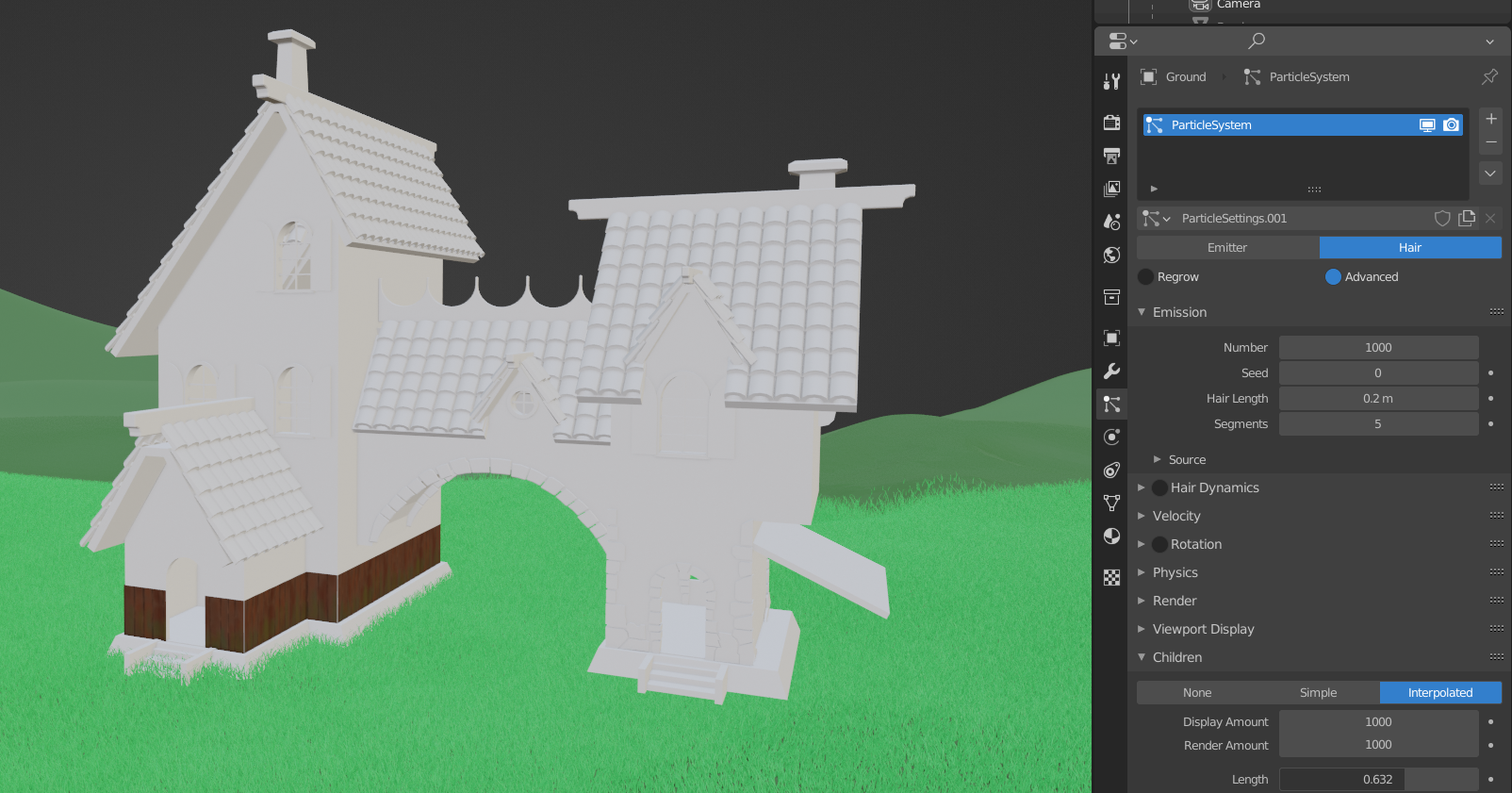
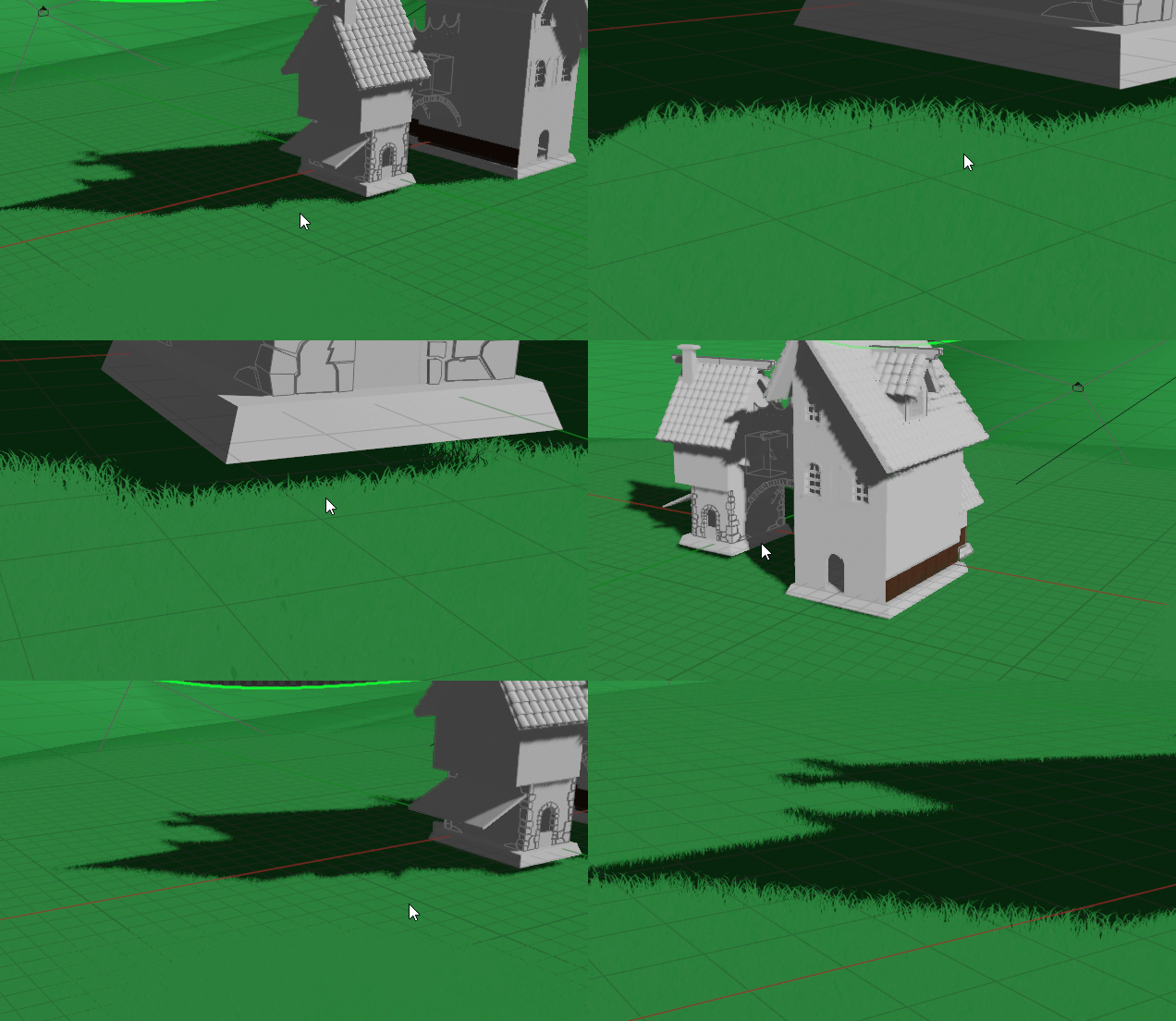
I agree that I was a bit too overenthusiastic at first though with how dense it could be. We should definitely do strategically placed clumps on top of textured detail as most games do. The most prominent clumps can be manually placed mesh instances, with the rest scattered around. randomly. I do still believe, however, that we can use shorter particle grass in addition to that (also strategically placed, in the foreground only) to achieve a result that is way more fluffy and detailed than we could hope for without it.
More importantly though, we’re getting really close to the finish line and I don’t see any modeled clumps of grass beyond what was used to test. That should be #1 on the priority list for this week I think.
Keep up the great work!
-
AuthorPosts


- The topic ‘Collab2021-WIP- spikeyxxx’ is closed to new replies.