
COLLAB2021 – WIP – Langleyjij
Forum Archive › COLLAB2021 – WIP – Langleyjij
- This topic has 30 replies, 8 voices, and was last updated 5 years, 4 months ago by
James Langley.
-
AuthorPosts
-
April 20, 2021 at 11:33 pm #66112
Beautiful James!
April 21, 2021 at 5:33 pm #66113These are looking awesome! Full points for week 2.
I checked out the normal maps and they have some artifacts along a few of the edges:
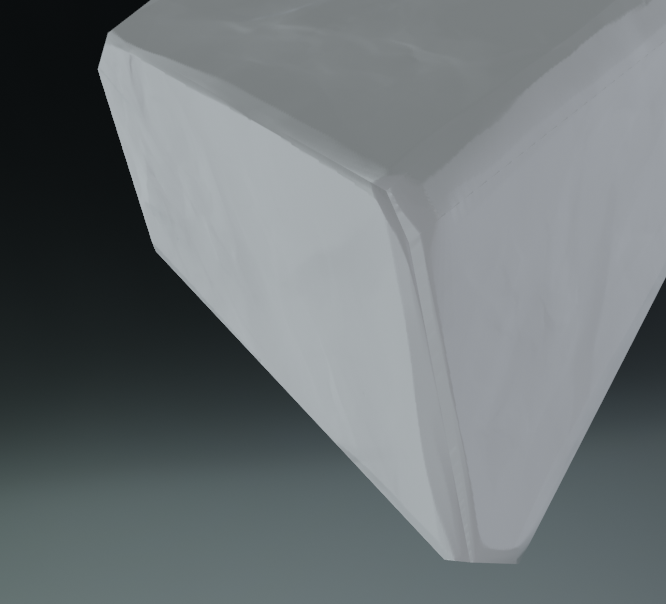
To fix this, make sure both the high and low poly are smooth shaded – we’re not looking for hard surface corners for this one. I love how simple your low poly rocks are and I don’t mind the use of n-gons at all, but I would suggest applying a triangulate modifier to the mesh so that you can see exactly what the render engines will be seeing.
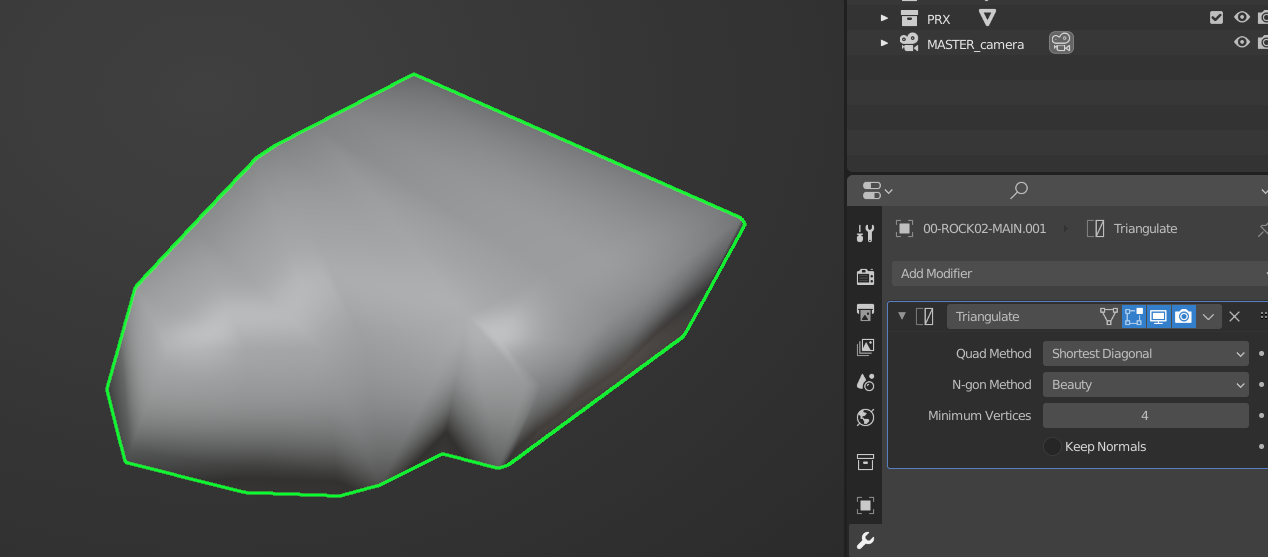
This may look ‘worse’ initially in the viewport, but the result we’re after is the normal map doing its magic.
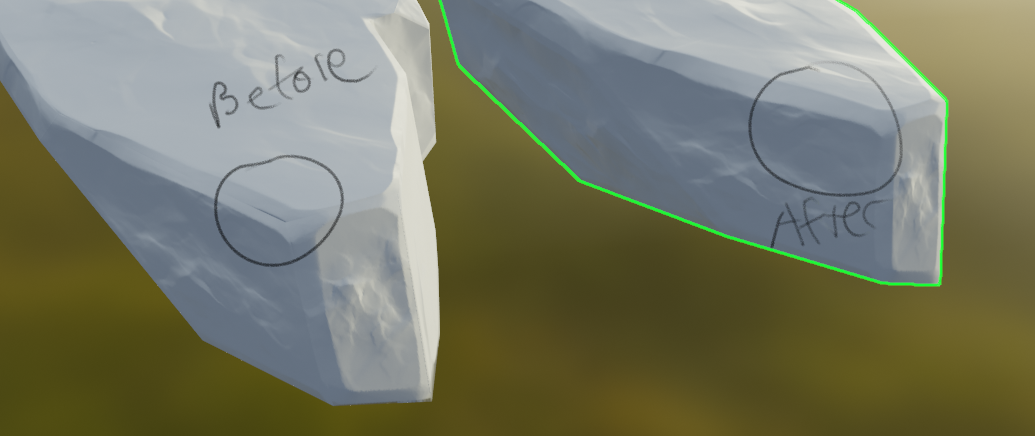
Keep up the good work!
April 21, 2021 at 7:10 pm #66114@jlampel thanks so much for the feedback I honestly thought I hadn’t done enough for week 2!!
Amazing that was annoying the crap out of me!!! Thank you!!!
April 21, 2021 at 8:16 pm #66115@langleyjij Well, I can always find more for you to do if you want 😉 One thing you might want to consider before baking again if you’re going to do that anyway is adding just a bit more geometry to the low poly rocks. For example, you can see pretty much exactly where the low poly edges and vertices are in this one:
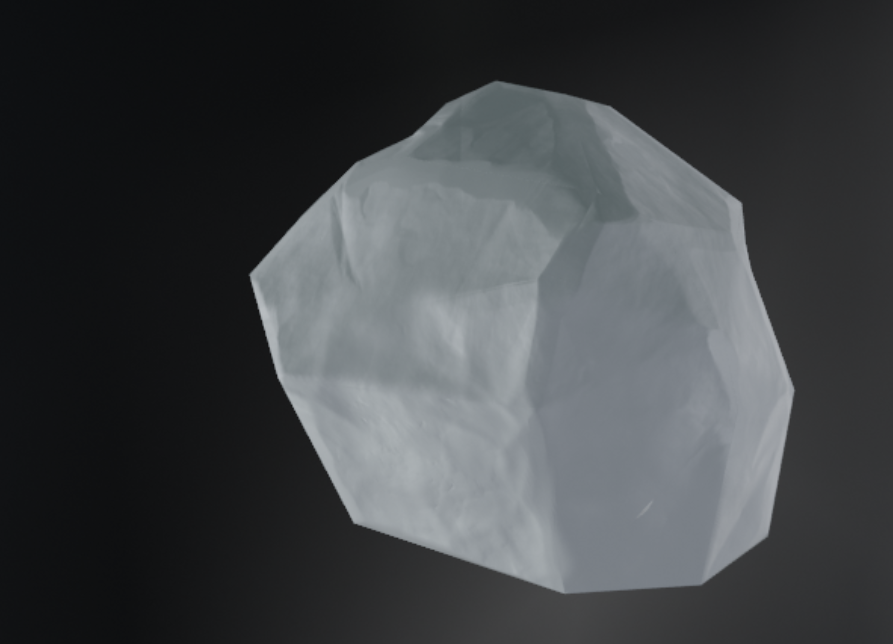
I’d rather you err on the side of too low than too high, so I like what I see, but some extra definition could help take these to the next level.
April 25, 2021 at 9:40 am #66116Okie doke, Here’s an update.
I’ve finally found time to work on the textures for the rocks.
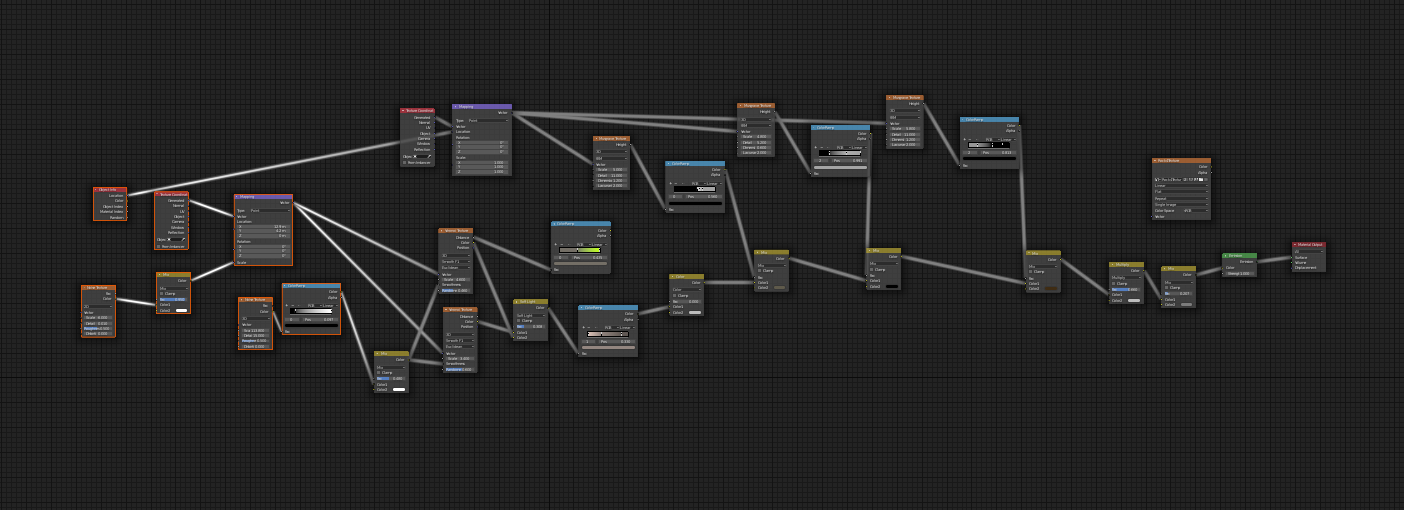
I started out using this tutorial that I believe 3dbanana suggested (https://www.youtube.com/watch?v=FHeBI5tAGP0) . I worked through this and created a similar texture. I also downloaded and appended the source files to go through the node structures and compare what I had created.
I then hacked the texture to pieces and took out elements that I didn’t think worked for this project. I also messed around with a lot of the scaling and colours to make something that suited the style of the spice vendors’ rocks.
As this texture is built using an emission shader I then baked out the textures into PNG’s.
Here’s the wonder procedural rock nodes
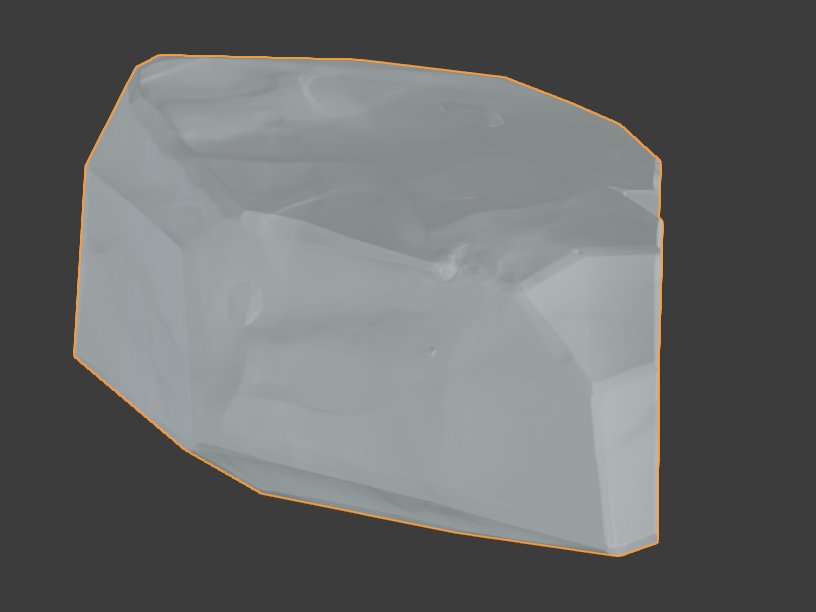
Rock with just normal map:
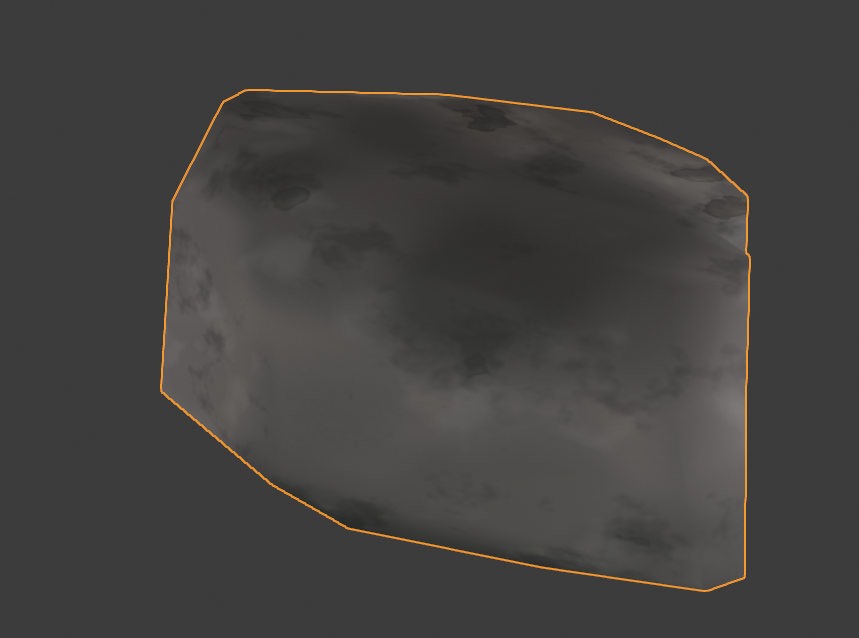
Rock with just texture:
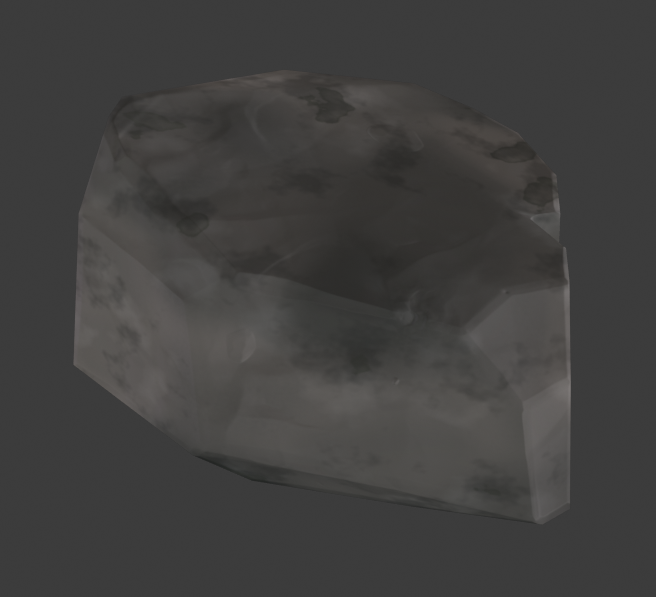
Rock with baked normal and texture in dark light
Rock with baked normal and texture with sunny field HDR:
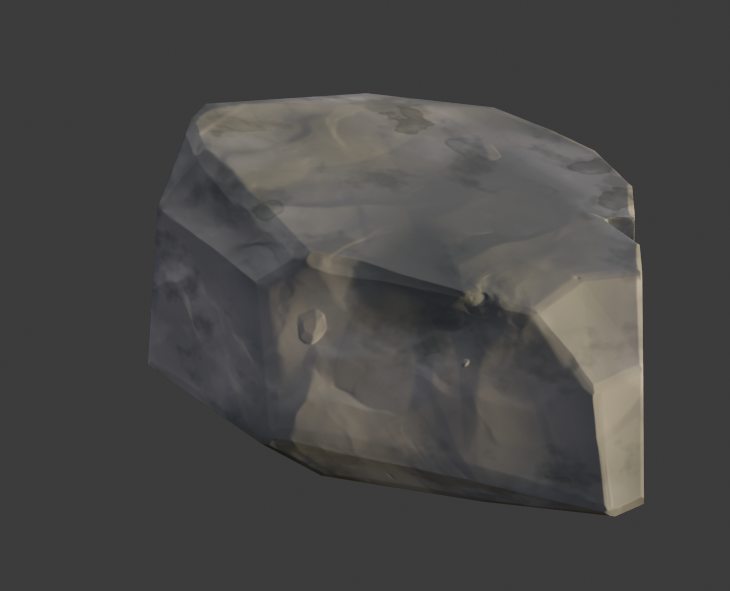
Here’s all of the together
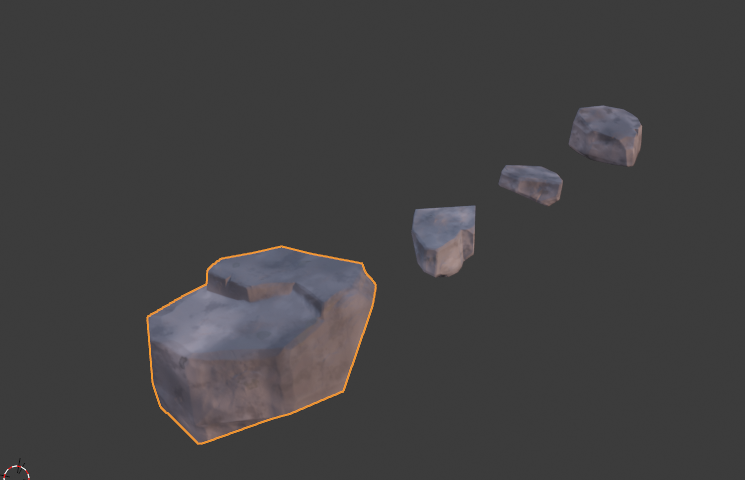
As @jlampel mentions above, i still need to increase the poly slightly on these rocks.
April 25, 2021 at 10:54 am #66117I sort of get a feeling for what is happening in that nodetree, but there is a point:
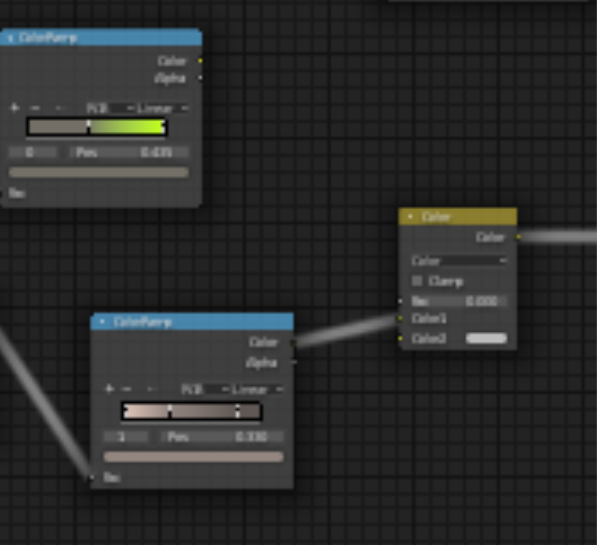 There is an unconnected Colorramp…and you are using a Color MixRGB set to Color, with, what looks like a grey-tone, and completely de-saturated colors do not color something…and having the Factor set to zero, makes it do even less 😉
But the final result (last screenshot) looks cool.
Personally, I’d like to see the edges worn, like in the artwork, but still…Great job, James!
April 25, 2021 at 11:09 am #66118@spikeyxxx haha I did say i hacked at it, i’ll have another look
April 28, 2021 at 2:42 pm #66119I agree with Spikey that I’d love to see the edges worn, preferably in a painterly way rather than a procedural way to really sell this style. Keep up the great work! Full points for the week.
May 2, 2021 at 3:02 pm #66120“Homework Submission – Week 4 – Rocks”
Final update time
@jlampel @theluthier @spikeyxxx
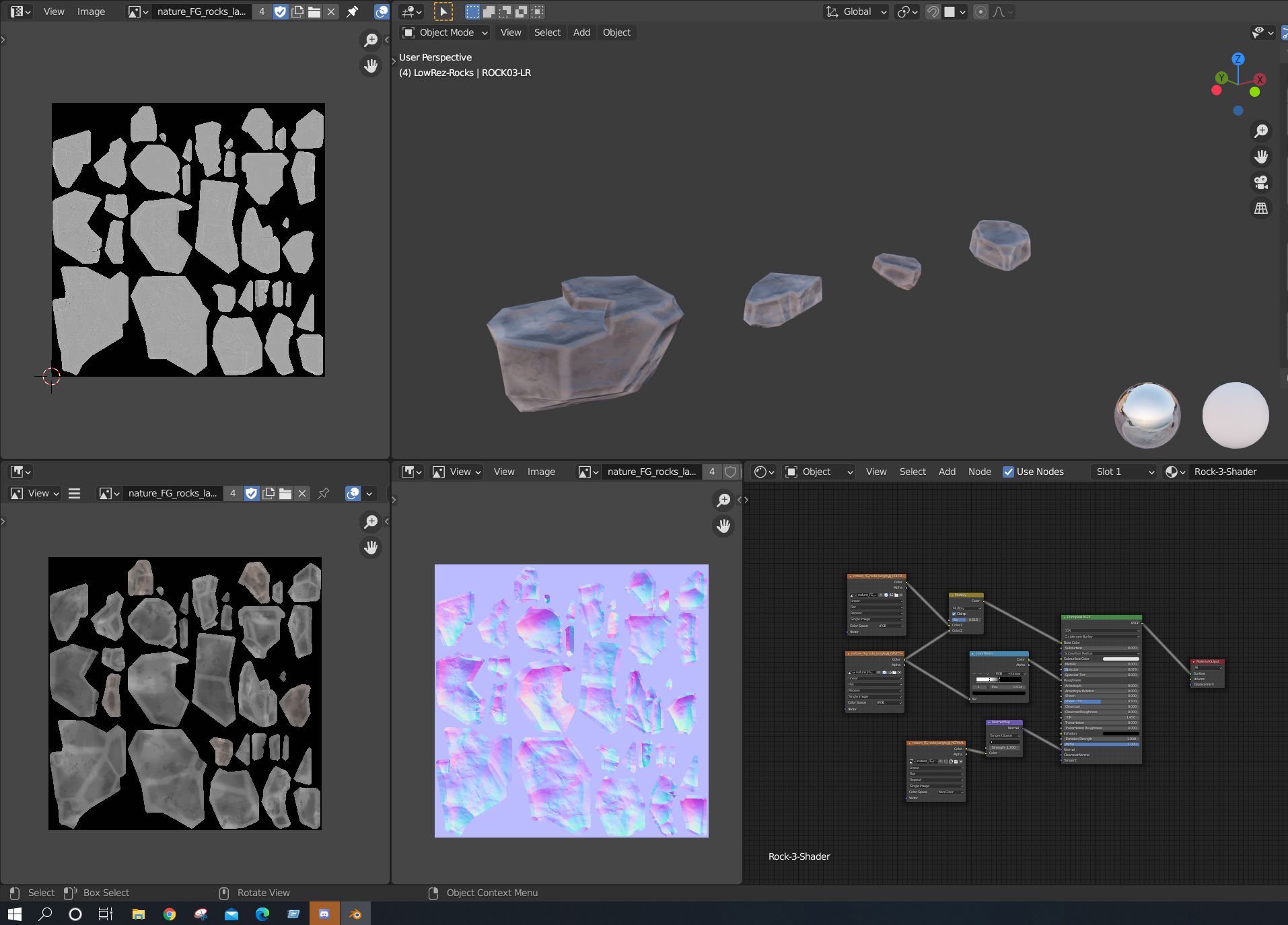
This has been really intersting, so i’d made a mistake when i started these rocks that i wouldn’t realise i’d made until now. I’d created the rocks without considering my UV’s when i was working with the final export. So when it came to baking out final maps i had to figure out how to bake all the maps into one place, which has been really helpful. This has really helped me undrestand how maps works and the amount that i’ve made has really hammered it in.
Anyway here’s the final rocks with edge waring, cavity maps and normal maps. Final textures and project files in their correct spaces.
 May 2, 2021 at 5:28 pm #66121
@langleyjij, it looks like you are finishing up with your project. And, your rocks look great. I’d love to post your artwork in the TSMF Blog. Please let me know if you create a money shot.
May 3, 2021 at 2:08 am #66122Hi James, it’s definitely a great improvement, but the edges are too straight to my liking (but I am in no way an expert on low-poly modeling and Normal Map baking).
What I mean is, the edge wear is also almost straight in most places and accentuates the straightness of the edges.
The green edge is better, but the red ones (I just drew a few as example) not:
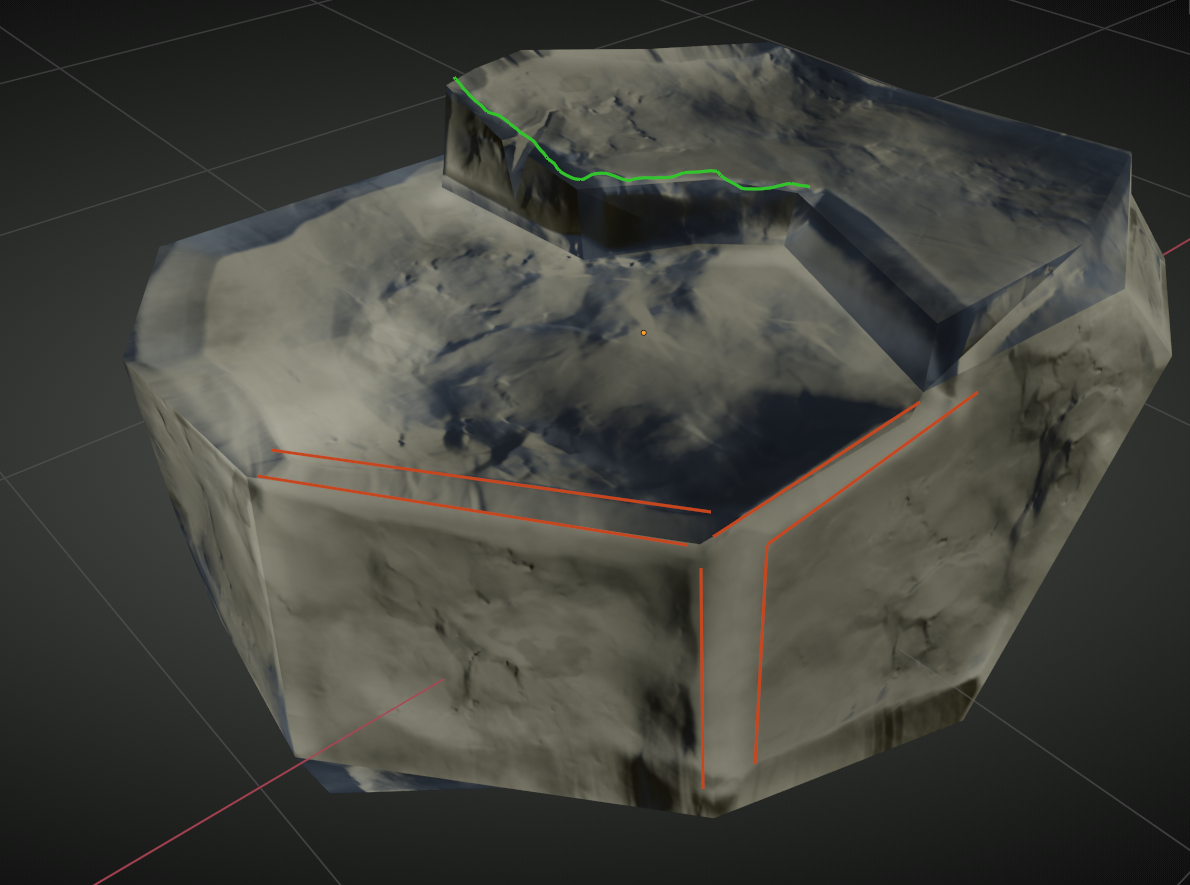 And this doesn’t get better when viewed from a distance.
Luckily though, there is an easy fix; you have your Normal Map set to sRGB:
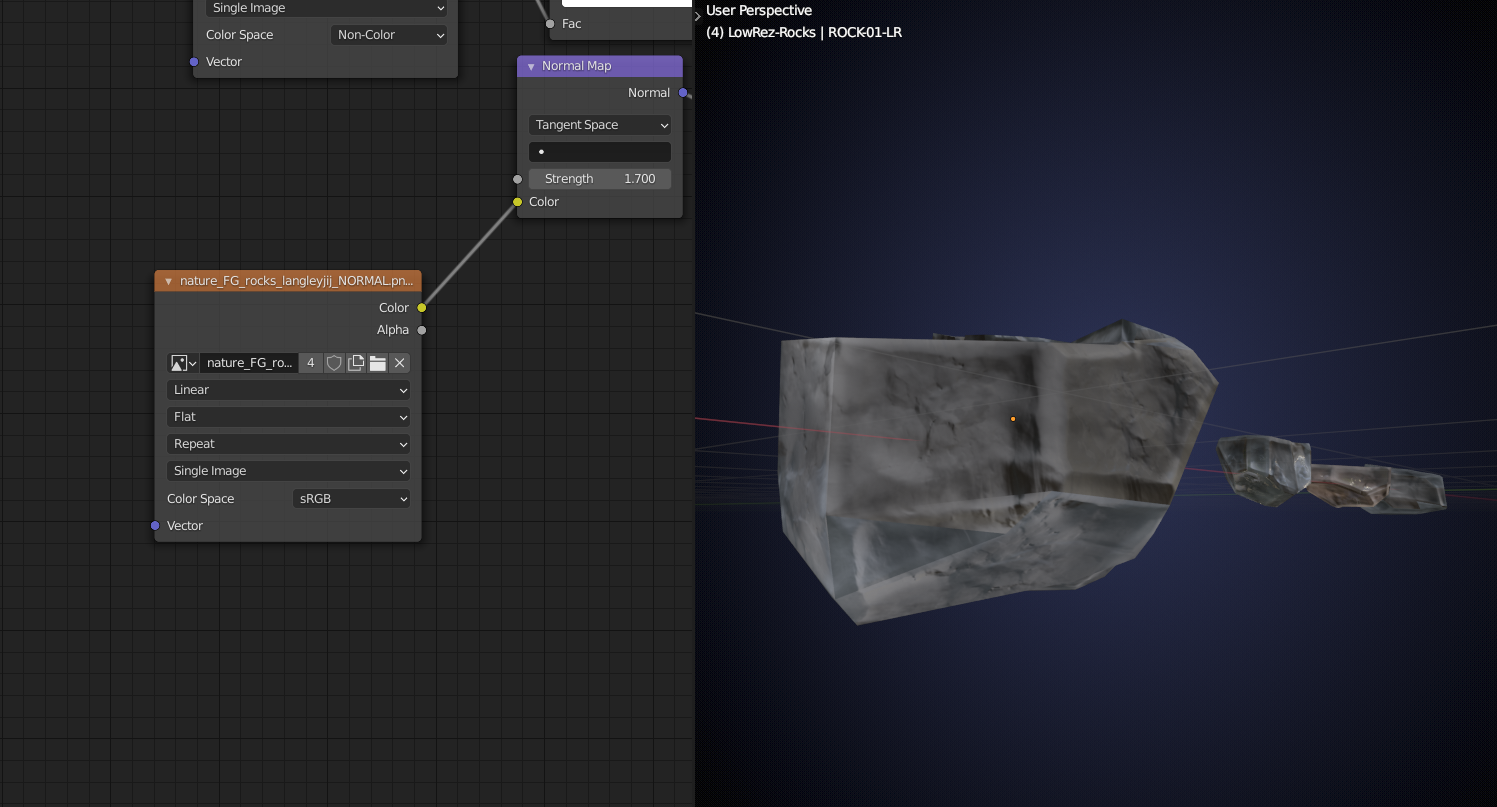 When you change that to Non-Color, you get this:
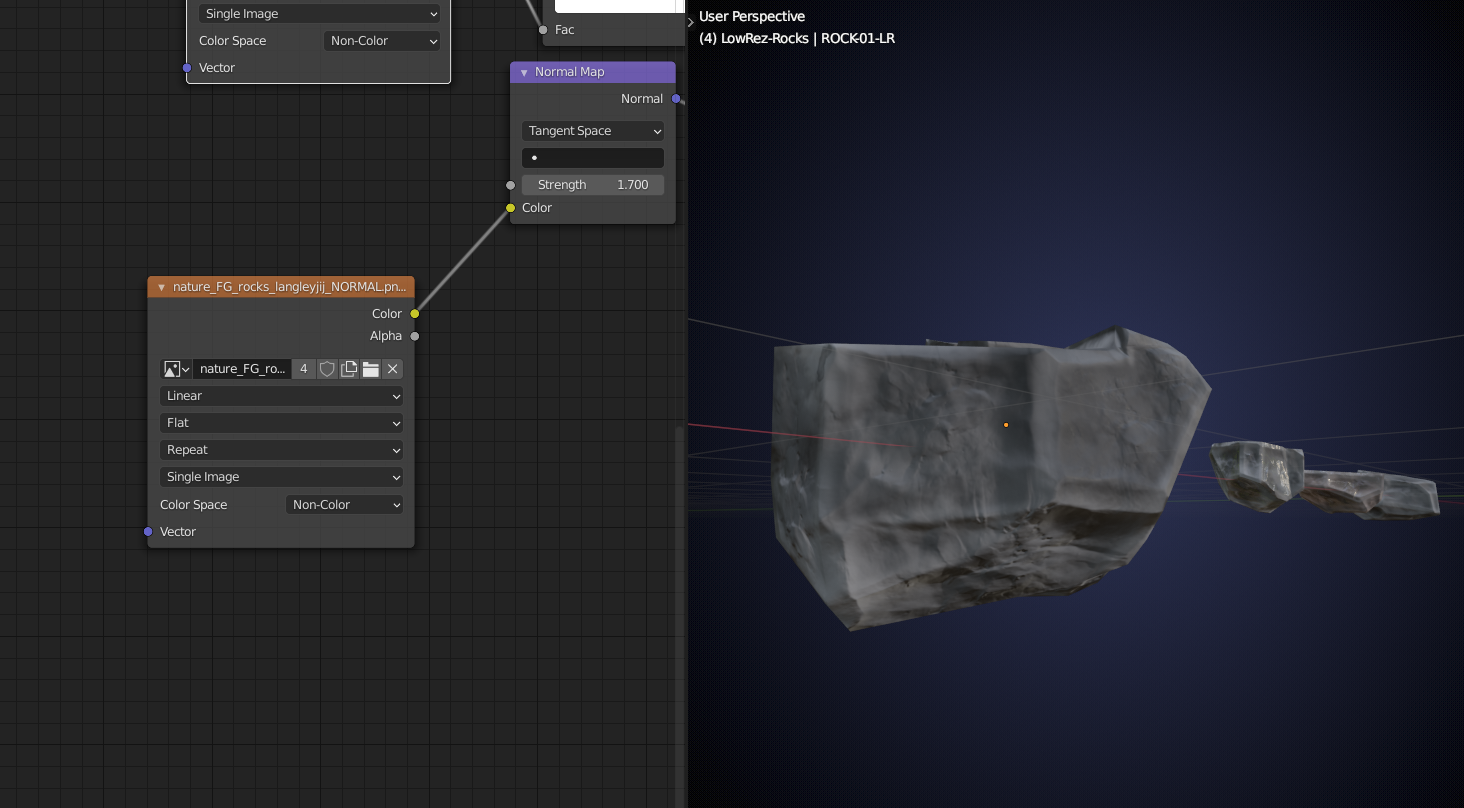 You should always set the Color Space of your Normal Map to Non-Color! I also did this with you Cavity Map, out of habit, but it not so important there, it does make a difference in the grey-scale values, so you might even want to leave it at sRGB.
So, great work, you learned a lot and change the Color Space of the Normal Map and you’re ready for your money shot as far as I am concerned!
May 3, 2021 at 12:18 pm #66123Hi @spikeyxxx
I really appreciate the feedback! The Normal’s being srgb was a 100% mistake by me, i should have double-checked before submitting. The cavity maps though I did not know, I did wonder and should have asked. Thanks so much for going into detail and looking at this.
It’s been a really fun project and it’s been great to have this amount of feedback 🙂
May 3, 2021 at 1:19 pm #66124With Normal Maps it’s really important, but with cavity maps, it is just something I do, but I don’t think it is actually necessary…just something I do, because someone once told me to set all maps, apart from the Color (/Albedo) to Non Color, just to be sure…but I haven’t found any proof, that he actually knew what he was talking about 😉 It makes a difference, but you don’t mess anything up, like with the Normal Maps as far as I can tell.
May 3, 2021 at 3:13 pm #66125Excellent work! I agree with all of Spikey’s comments about the edge wear. I’m glad you learned a lot during this and congrats on finishing up week 4!
May 6, 2021 at 4:12 pm #66126Congrats finishing your rocks @langleyjij! My only note is that they’re a little on the jagged side of the spectrum. I dialed down the normal map to a strength of 0.5 and that helped out a bit. Here’s how they look in the assembly next to other rocks:
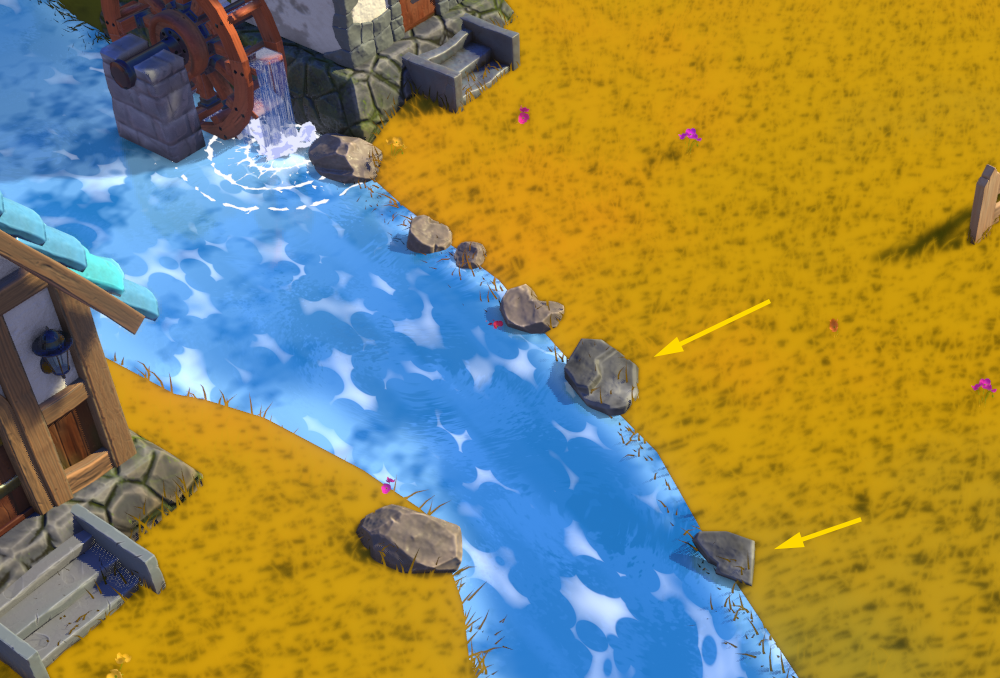
I think they’ll be a good fit ultimately! Thanks for joining the Collab. I hope you enjoyed and learned from the experience. It was a pleasure working with you 🤝
-
AuthorPosts


- The topic ‘COLLAB2021 – WIP – Langleyjij’ is closed to new replies.