
Collab 2020: Modeling Heavy Equipment (Backhoe)
Forum Archive › Collab 2020: Modeling Heavy Equipment (Backhoe)
- This topic has 1,439 replies, 27 voices, and was last updated 4 years, 1 month ago by
Omar Domenech.
-
AuthorPosts
-
July 19, 2020 at 1:34 pm #54692
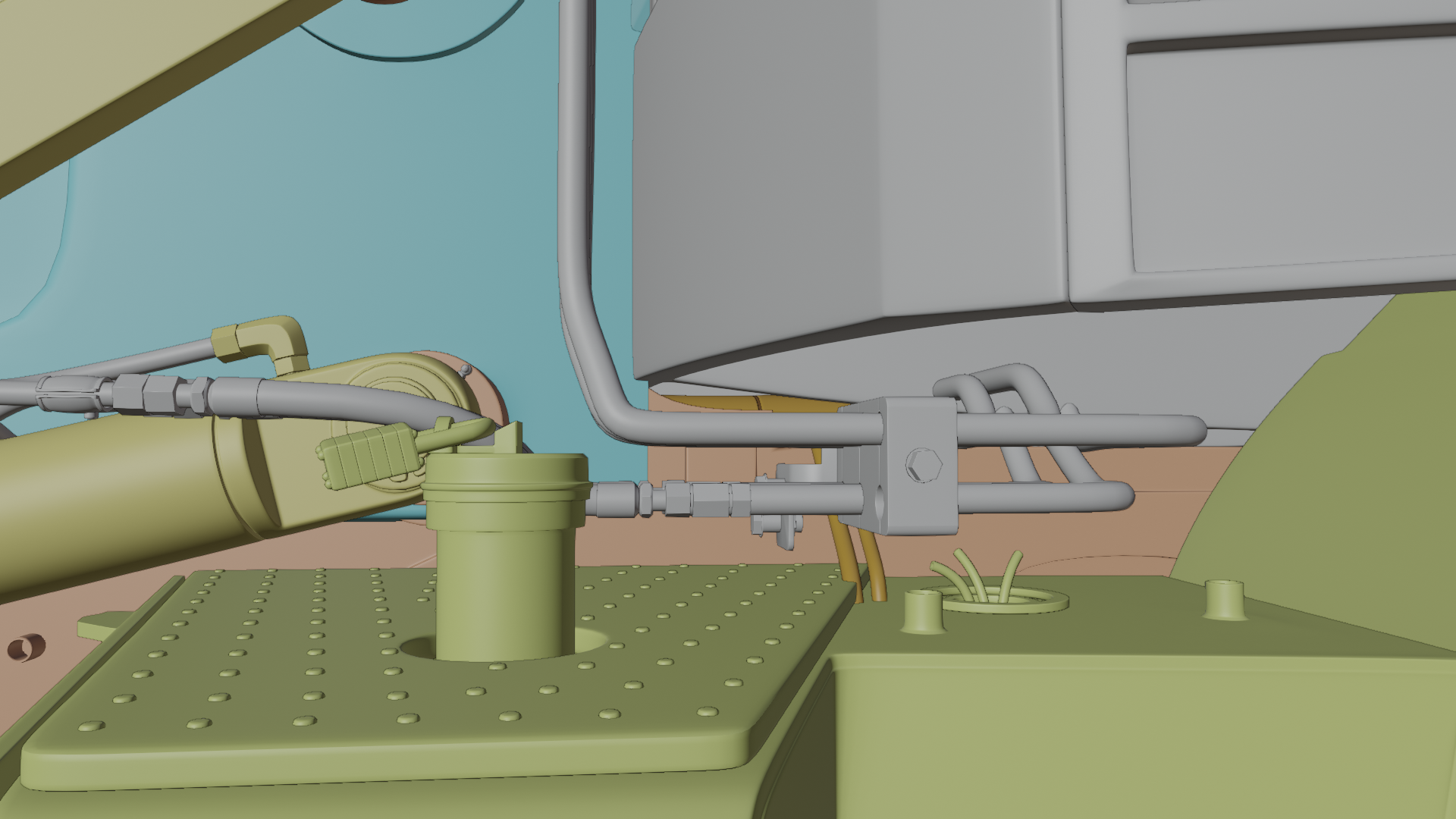
You should be able to adjust the position of the hoses now we are syncing properly @blanchsb
 July 19, 2020 at 1:42 pm #54693
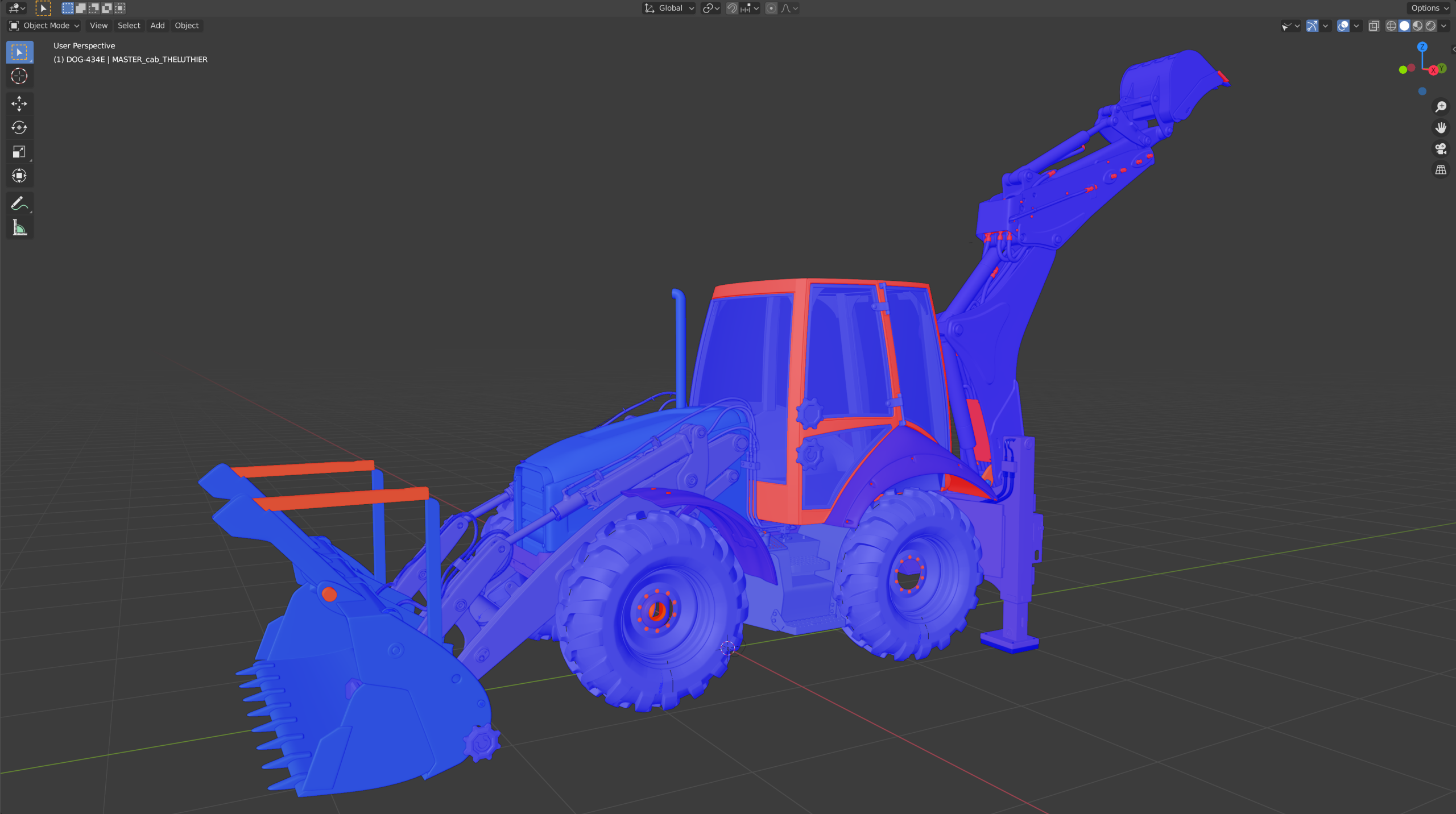
Normal’s alert. Faces are looking the other way. Never be afraid of looking head on.
 July 19, 2020 at 2:22 pm #54694July 19, 2020 at 2:34 pm #54695
Yes, there were crashing all over the place with other parts, now they are not.

But I didn’t move them in X like you said, just in Y.
Come one you can rewire those two little itsy bitsy cables, just be careful please, the battery is plugged in.
July 19, 2020 at 2:59 pm #54696July 19, 2020 at 3:13 pm #54697Yes that was solved as well.
 July 19, 2020 at 9:36 pm #54698
This is from the Brand Guidelines @spikeyxxx
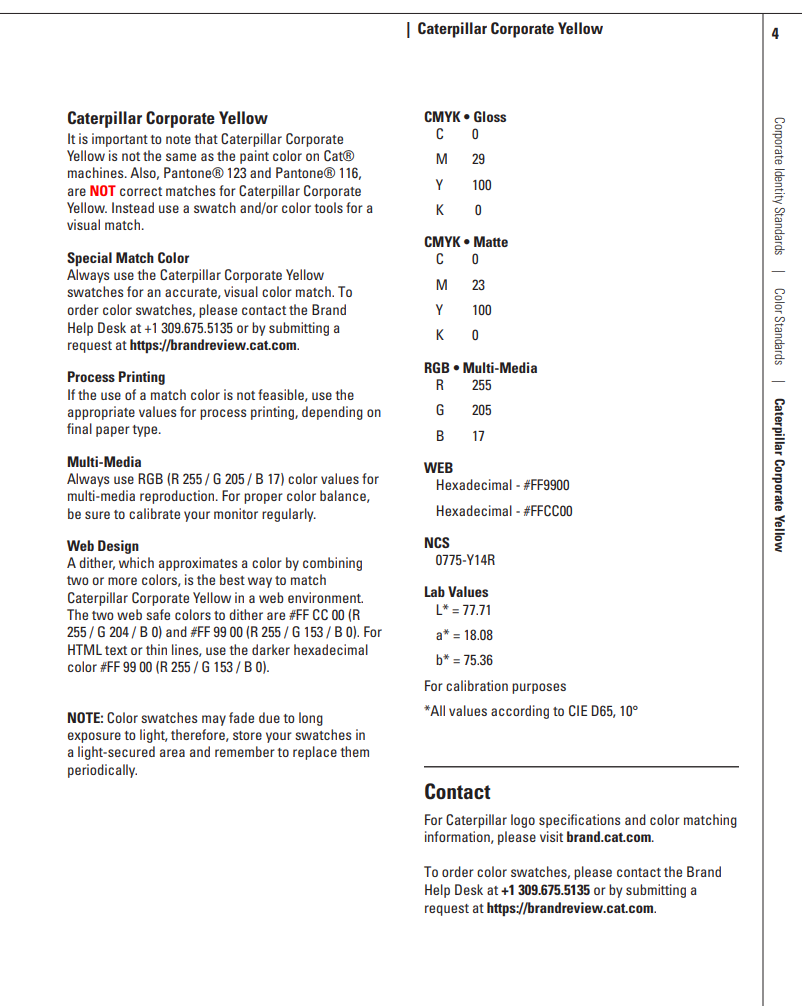
The latest CAT Color from their new CAT Hex logo announcement on their website is given below: based on a color picker the color code comes up as:
RGB: 233/175/16HSV: 29/209/117
HEX: E9AF10 (based on internet converter and cross-checked with color picker on Greenshot program).
I tried entering the RGB into blender as 233/256, 175/256, 16/256 but that resultant color is more washed -out. I don’t really understand why that would be. The HEX value comes out different too. The calculated HEX value is spot on though.
This is really close to the FFC500 though. All google searches I do come up with something similar to your results @spikeyxxx so
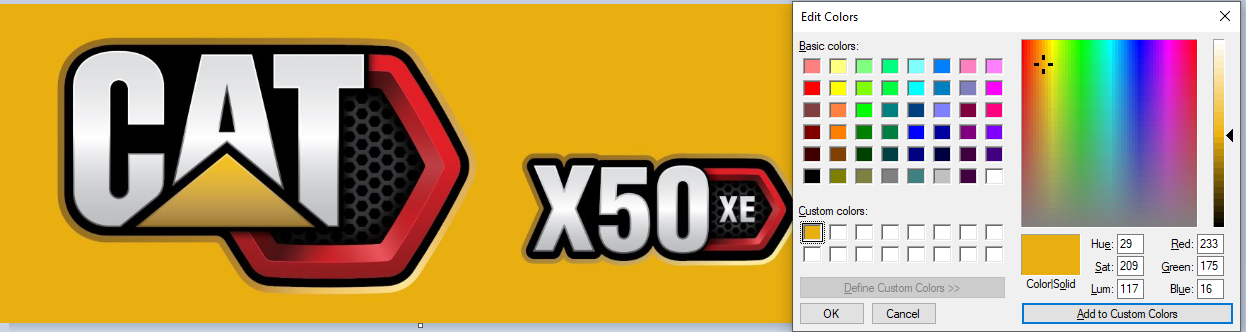
I’m not sure if my eye-dropper method is “fail proof” I say let’s use the FFC500. It is close enough.
July 19, 2020 at 10:50 pm #54699I made a tutorial video how to set up your Google Drive and cover a few more things. I’m posting a link to the Official Forum for File Sharing since it is a little wordy. You can access it here:
July 20, 2020 at 5:58 am #54700Great video Blanch, you’re a natural.
July 20, 2020 at 9:54 am #54701📣 Assignment #5: Finalize 100% of your chosen Exterior Part
July 20, 2020 – August 16, 2020
With everyone within the final 25% range of completing their exterior part, this month I’m confident we can all achieve 100% completion! Just keep progressing as you are, polishing off fine details, smoothing wobbles and finessing topology till it’s done.
The Masters of Loose Ends
As the complexity of this model continues to increase and contributors schedules / commitment being uncertain, I’m anticipating a potential tangle of nearly-finished pieces and collisions between various parts. I’ve with @blanchsb and @adrian2301 about spearheading this tangle, officially declaring them the “Masters of Loose Ends”. In this role we can expect them to communicate with contributors about collisions, possibly finish up nearly-finished parts from other contributors, and generally ensure that the final assembled backhoe model is done DONE.
However at the moment it would be a LOT of work to tie up all the loose ends; too much work. So at the onset of this month we need all committed contributors to finish up their respective parts. I know this project is a passion project for us and it should take a backseat to real-life. A few contributors have gone quiet and/or didn’t submit any progress this past month. If you’re mentioned in this list, I’m simply about the likelihood you will being able to finish your part this month:
If you could please reply to this thread with an update about finishing your part, it’s appreciated! Again, as a passion project, any and all reasons you may be unavailable to finish your part are completely OK!
For those already finished with their exterior part
I know several of you have finished your exterior part. If that’s you, please go ahead start on the interior!
- Choose an interior part from the assignment 6 spreadsheet by commenting your username under the part of choice. I will confirm your choice by pasting your username into the cell.
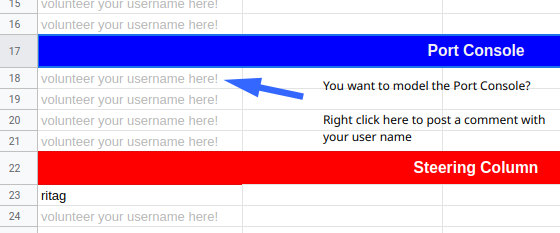
- Create a new forum thread called “Backhoe Contrib – Username – Interior Part Name”
- I will reply to your thread with info about beginning your interior part model. The reason being that I blocked out most interior parts and want to explain how to best start the process. If I don’t reply to your thread within 24 hrs of commenting on the spreadsheet, please mention me in your thread!
Assignment Submission
I’ve added 2 new tabs to the Google Sheet labeled #5: Finalize 100% exterior and #6: 50% interior
The names of contributors are carried over from the fourth assignment. To submit for assignment #5 or #6, contributors just need to make a comment containing a link to their .blend file in the Attempt cell beside their name
The DUE DATE for assignment submissions is AUGUST 16, 2020**
All aboard the File Sharing & Linking Train
A big update to our collaborative project organization is the utilization of File Sharing via Google Drive and .blend library linking. Please get setup ASAP! I’ve written an guide here, Shawn made a great video walk-through here, and Omar created a super helpful info graphic to make the process clear.
Everyone working this way will be important for streamline the process. Plus it’s a taste of how professional pipelines function.
Confusion is inevitable – Just ask!
I fully expect head-scratching moments with the new file sharing + linking approach. If you’re confused please don’t hesitate to ask! And that goes for anything about the project.
We’re so close. Let’s finish strong! 💪
Going into our fifth month, it’s been a long project; a long time to stay committed. I want to encourage us all to keep going on a little longer! It would be a real shame if we fizzled out now.
Trust me when I say that the end product is going to be worth it. Just look at this WIP assembly!
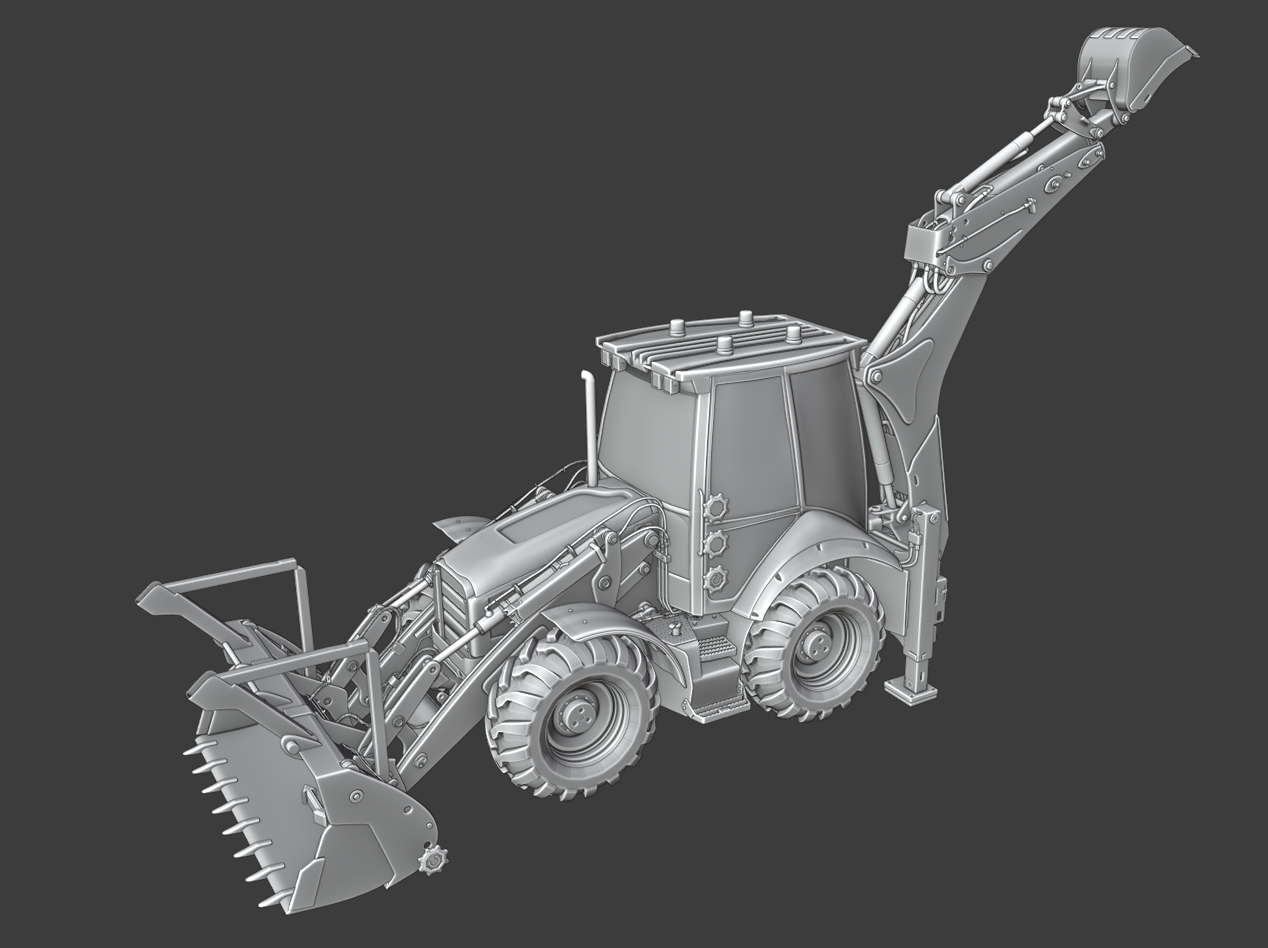
Nothing like this has happened before at CGC. The collaborative effort has been stunning. Finish it, we must!
July 20, 2020 at 9:55 am #54702What an infographic @dostovel! Seriously, thanks for putting that together 🤝
July 20, 2020 at 11:09 am #54703Thanks Omar!
Here’s the video how to Drive “The Google” on MacOS. I would still recommend watching the Windows video as I cover a few extra tidbits but this is enough to get you going!
July 20, 2020 at 11:20 am #54704Man that is looking soooo good.
@theluthier Are all of the interior (or extra) parts in the server now? If not, can you perhaps cover a little on adding any additional files to “The Google” collaboration? Are you going to add them or do you trust us? There is obviously a need a specific naming convention when adding ours.
I figured something to the effect of “ContributorsName_dog-434e_PartName_MASTER” would probably be appropriate.
July 20, 2020 at 12:58 pm #54705This is the specific issue that I’ve wrestled over on how to best approach. I couldn’t come up with an intuitive way to do it! I thought I could create placeholder files but they’re dependent on the contributor’s name and contributors haven’t volunteered for all the interior parts yet. That’s why I added these instructions:
- Choose an interior part from the assignment 6 spreadsheet by commenting your username under the part of choice. I will confirm your choice by pasting your username into the cell.
- Create a new forum thread called “Backhoe Contrib – Username – Interior Part Name”
- I will reply to your thread with info about beginning your interior part model. The reason being that I blocked out most interior parts and want to explain how to best start the process. If I don’t reply to your thread within 24 hrs of commenting on the spreadsheet, please mention me in your thread!
In other words I’ll have to explain on a case by case basis 😕 When a part is volunteered I’ll explain how to extract the basemesh I created for the interior parts (all except one) and how to save it for linking.
July 20, 2020 at 1:12 pm #54706Oh okay. Yeah I read that but I was unsure what it meant in regards to adding new files to “The Google” but I just read it wrong. Sounds like you got it covered well enough though!
- Choose an interior part from the assignment 6 spreadsheet by commenting your username under the part of choice. I will confirm your choice by pasting your username into the cell.
-
AuthorPosts





- The topic ‘Collab 2020: Modeling Heavy Equipment (Backhoe)’ is closed to new replies.