
Collab 2020: Modeling Heavy Equipment (Backhoe)
Forum Archive › Collab 2020: Modeling Heavy Equipment (Backhoe)
- This topic has 1,439 replies, 27 voices, and was last updated 4 years, 1 month ago by
Omar Domenech.
-
AuthorPosts
-
April 16, 2020 at 2:54 am #53957
I think the drawings found by Jake should be sufficient to model a backhoe that looks convincing and detailed enough for a good rendering. If they ask you for a login, then certainly for good reasons.
April 16, 2020 at 8:21 am #53958Awesome job on the chassis so far @adrian2301! It looks really nice and should prove crucial as we continue to assimilate all our parts together. I will aim to update the source file with your chassis today 👍
April 16, 2020 at 8:33 am #53959I completely agree. It’s exactly what we needed to boost this project forward authentically!
 April 16, 2020 at 9:56 am #53960
@blanchsb My mouth is watering looking at those colored (3d?) diagrams. But like Jake said, definitely don’t share anything you shouldn’t.
I still can’t believe you work at CAT 😅
April 16, 2020 at 4:30 pm #53961📣 Assignment #2: Finalize 25% of your chosen Part
April 15, 2020 – May 11, 2020
For the assignment period between stream 2 and stream 3 the focus is finalizing aspects of our chosen backhoe parts. By “finalizing” I mean that individual pieces have all details accounted for and are build for subsurf smoothing:
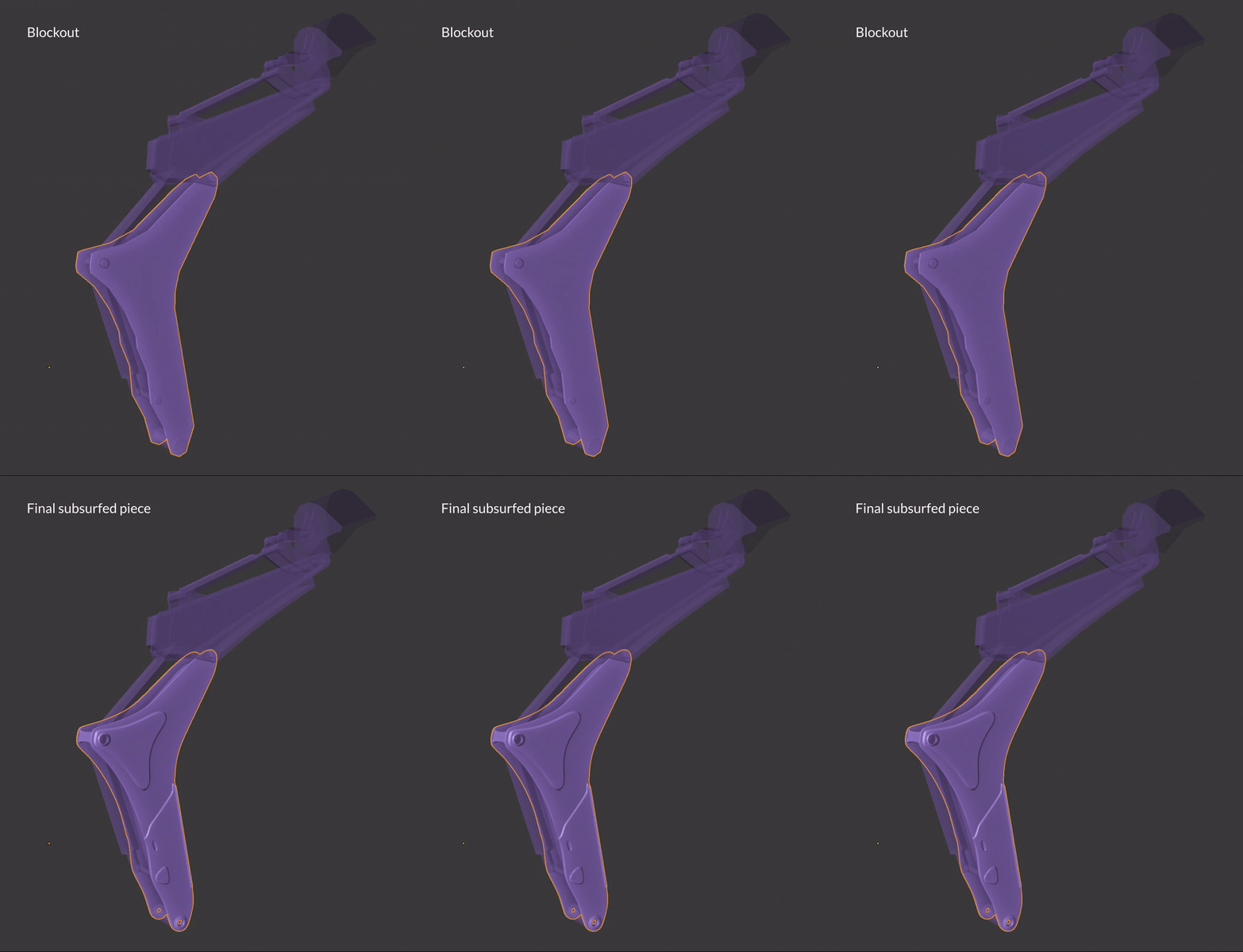
In stream 2 it took me 2 hrs to model one large piece of the digger arm. Since this kind of complex modeling is slow and tedius, my expectation for assignment #2 submissions is to complete at least 25% of your chosen part. This should get us in the groove of the workflow, hopefully making for smooth sailing for assignment #3 and beyond.
Everyone start from the same file
I still think this approach is best. After each stream I will upload a .blend for everyone to the corresponding stream page. For example, on the stream 2 page you will find the MASTER_caterpillar-434e_model_02.blend file available to download.
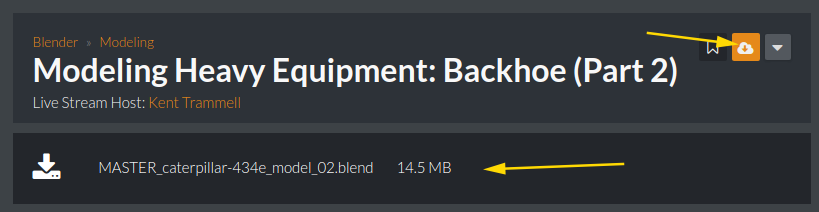
That file features the part I modeled on stream as well as the stabilizer / chassis part from @adrian2301. Try to model organized; keeping all your parts within your part’s collection.
Going forward I will continue to add each iterative MASTER .blend file to the respective stream pages in sync with assignment posts:
- The stream 3 page will be home to the MASTER_caterpillar-434e_model_03.blend model file (when the time comes)
- The stream 4 page will be home to the MASTER_caterpillar-434e_model_04.blend model file (when the time comes)
- And so on…
Assignment Submission
I’ve added a new tab to the Google Sheet labeled: #2: Finalize 25%
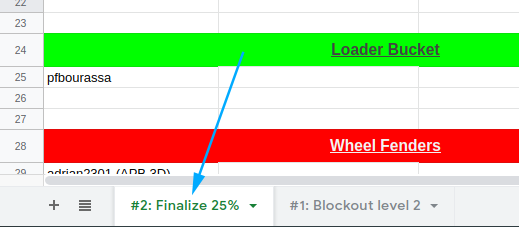
The names of contributors remain from the first assignment. To submit for assignment #2, contributors just need to make a comment containing a link to their .blend file in the Attempt cell beside their name
**The DUE DATE for assignment #2 submissions is MAY 10, 2020**
Resource Links
I’ve added links to the bottom of description of this thread (appears at the top of every page wihin): Online Resources and Reference Images. Thanks to everyone researching online, we’re developing a dense collection of helpful web pages including technical diagrams of individual pieces! Shoutout to @jakeblended for uncovering that gem 👏
I’ve outlined several relevant links from the directory but there’s plenty more where those come from.
The reference images are simply the modeling sheet and photo collage that I’ve been using on the stream for your download convenience. Note that these are now packed into the .blend file I mentioned above.
I will continue to update add links to this list as we uncover more online resources.
Organization
I’m trying to tie all the lose ends so we all can be on the same page through this collaboration. But I’m figuring it out as we go so don’t hesitate to ask questions or make suggestions!
April 16, 2020 at 6:41 pm #53962My only regret is that we won’t be able to take this thing for a ride once we’re done, maybe smash some ATM’s. But a render with alpha on the driver seat, we can easily put ourselves taking it for a ride.
 April 17, 2020 at 8:38 am #53963
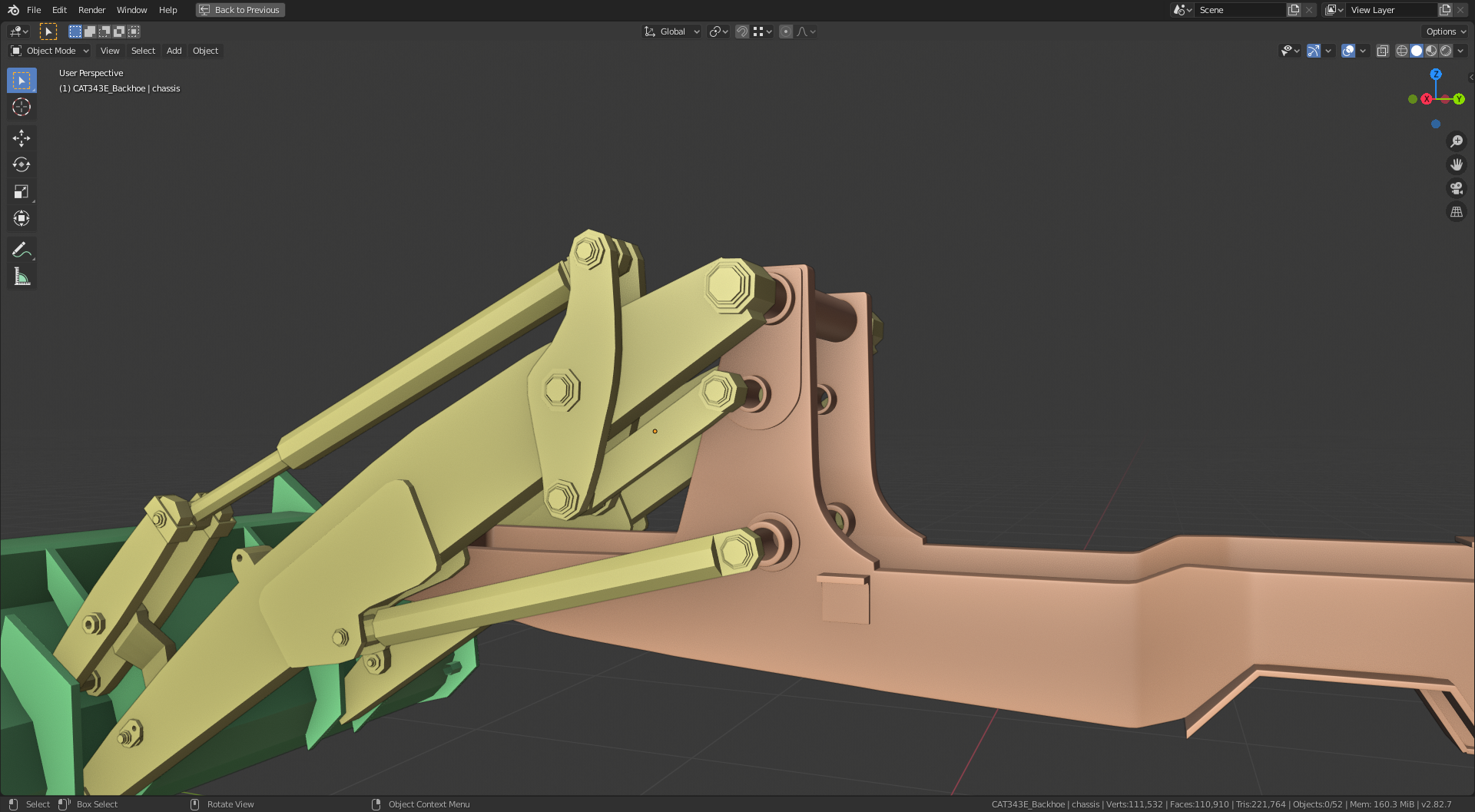
Thanks to @jakeblended ‘s treasure trove discovery, I have made some more adjustments to the proportions of the chassis and we can now see how the different parts will eventually come together. 👍
 April 17, 2020 at 9:56 am #53964
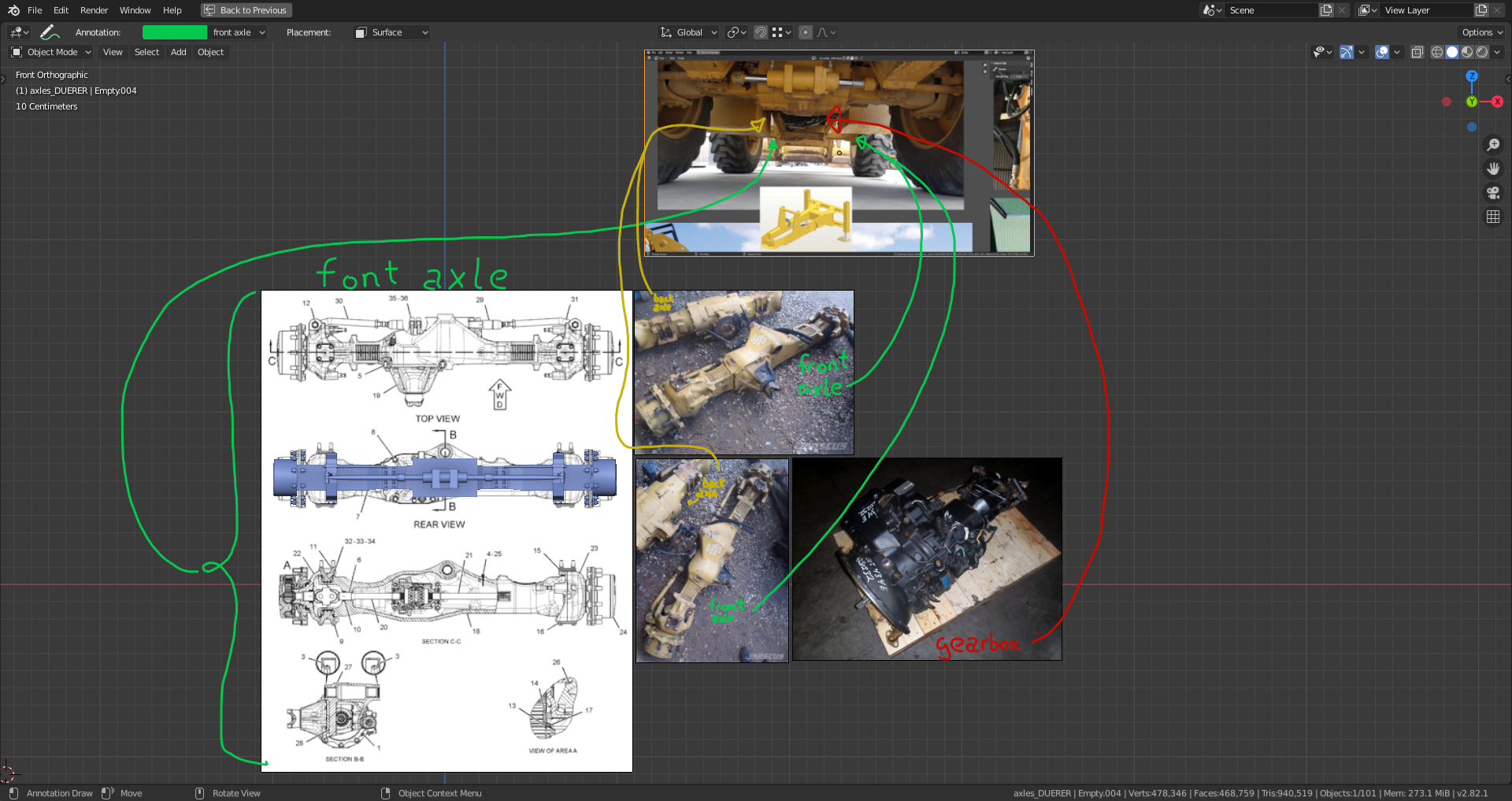
The front axle and the back axle of the Caterpillar 434E are – as I’ve already supposed – significantly different:
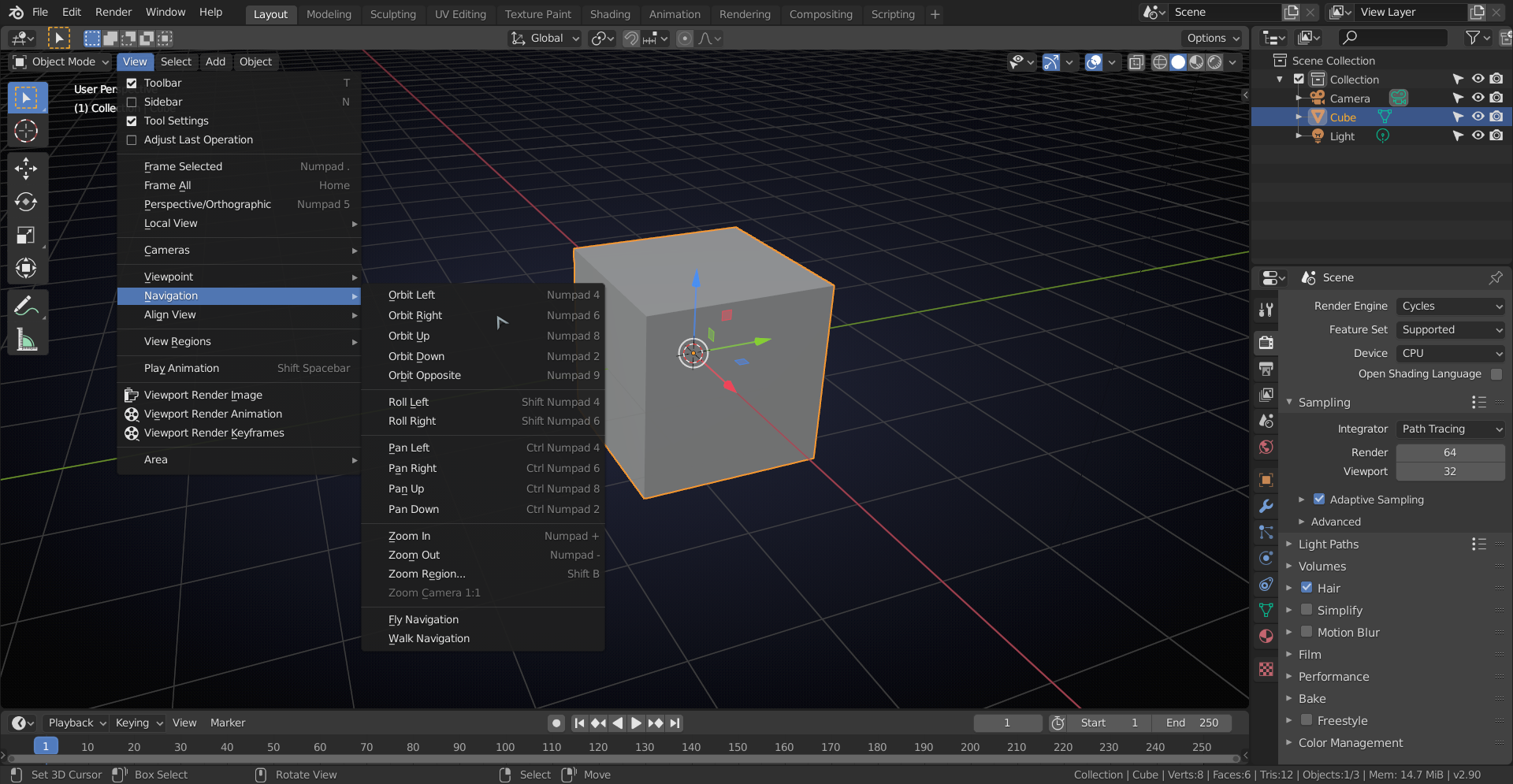
 By the way, if you wonder how to rotate your viewport in Blender 2.8, it’s called “view roll”:
counterclockwise: Shift Numpad 4
clockwise: Shift Numpad 6(see: Preferences => Keymap => 3D View => 3D View (Global) => View Roll)
April 17, 2020 at 10:29 am #53965We can now model everything anatomically correct thanks to @jakeblended !
As to the by the way: you can find and change many of those shortcuts (that I never use, due to the lack of a Numpad) here:
 April 18, 2020 at 12:59 am #53966
I installed blender 2.82a
April 18, 2020 at 2:47 am #53967Good idea, shanr.
April 18, 2020 at 2:51 am #53968I’ve just seen, that Shift + Numpad 4 / Numpad 6 was also the shortcut for “view roll” in Blender 2.79, but I only used CTRL + SHIFT + MOUSEWHEEL UP / DOWN. This last shortcut is no longer there in Blender 2.8 per default, but since it’s not used for any other action, I’ve defined “view roll” with these keys and the mousewheel by adding them as two new shortcuts and leaving the default shortcuts active.
April 18, 2020 at 8:38 am #53969@spikeyxxx totally off-topic. Is your Viewport/Grid utilizing a “centered circle gradient” of blue to dark blue???
If this is true how do you replicate that?! Is it available in the Themes section? Or is this one of the new 2.9 alpha features???
April 18, 2020 at 11:06 am #53970Since somewhere in 2.83 you can find it in Preferences > Themes > 3D viewport > Gradient Colors:
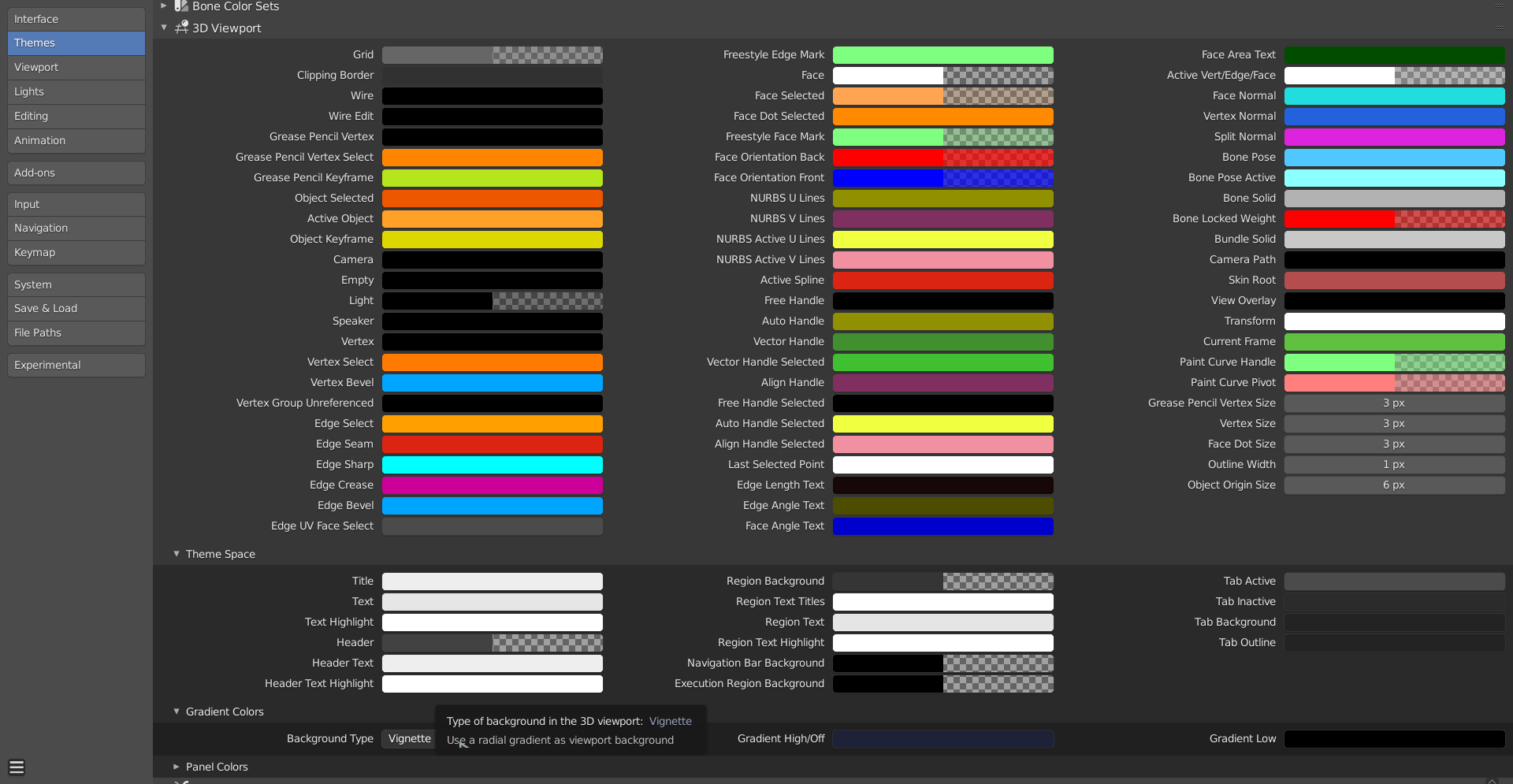
If you get the 2.83 Beta, you should have this option.
April 18, 2020 at 12:47 pm #53971I love it! Getting the Beta now.
-
AuthorPosts


- The topic ‘Collab 2020: Modeling Heavy Equipment (Backhoe)’ is closed to new replies.