
Chest Top E -> Alt S Different result
Forum Archive › Chest Top E -> Alt S Different result
- This topic has 14 replies, 3 voices, and was last updated 7 years ago by
Kent Trammell.
-
AuthorPosts
-
September 2, 2019 at 4:40 am #10621
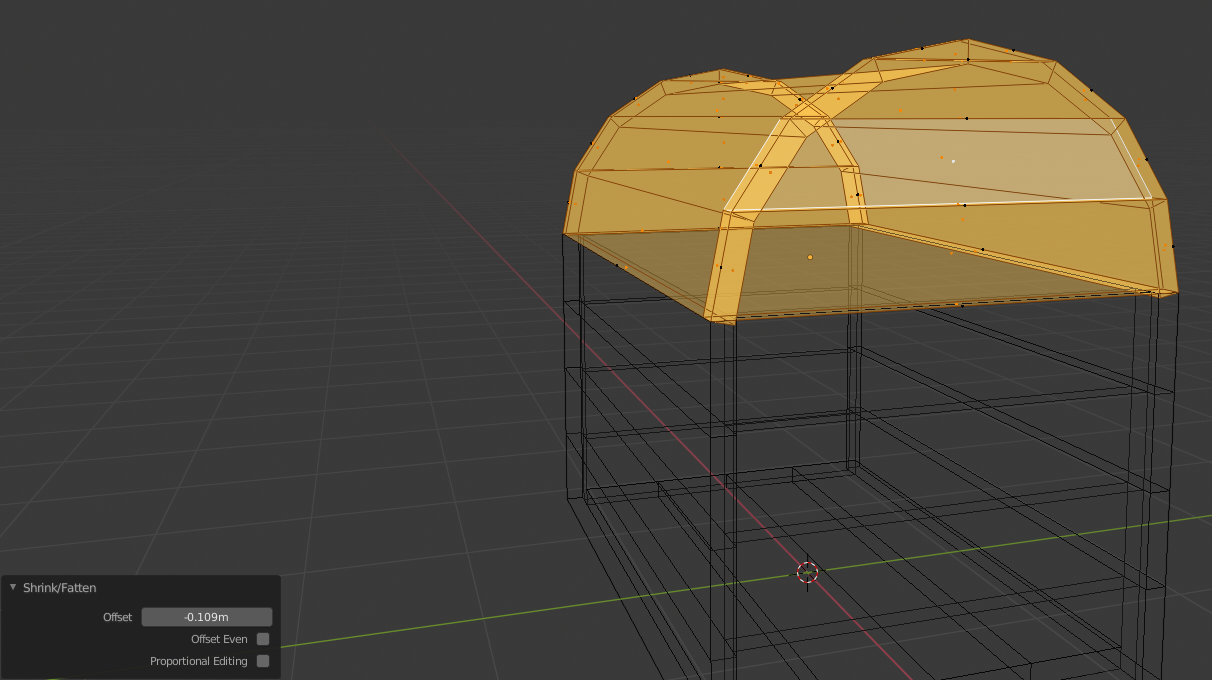 I’ve followed the tutorial exactly, but I am getting a different result when thickening the chest top after separating the side boards.
Select everything.
Hit E, right click to cancel. Alt S to scale, and I even have my mouse in the same location.
When i check my “shrink/flatten” mine says -0.109, while the video has a positive number, but a positive number for me goes the wrong direction.
Where am I going wrong here?
September 2, 2019 at 4:53 am #50598Hi @fighter2g , that will be because your normals are are facing the other way, compared to the video.
Select all (in Edit Mode) and press SHIFT+N to recalculate the normals.
ALT+S scales along the normals, so if the normals are flipped, it scales in the opposite direction.
September 2, 2019 at 12:00 pm #50599I’ve done SHIFT + N, and it didn’t help. I turned on normaaN3l visibility and it shows my normals facing correctly.
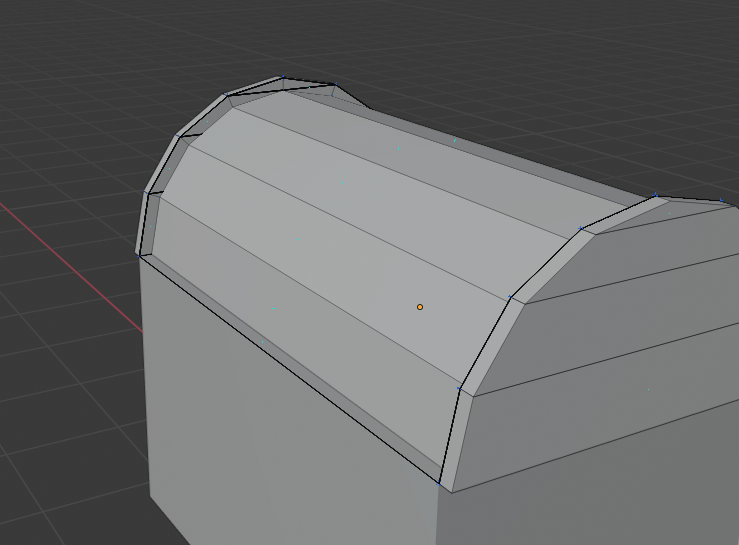
September 2, 2019 at 12:15 pm #50600So what I do know is that when I use alt S, my entire top area of this top part of the chest seems to indent inside, instead of making anything thicker.
Is E -> Right click to cancel move wrong here somehow? What’s going on?
 September 2, 2019 at 12:17 pm #50601
So that’s okay then. The minus says it’s shrinking and not fattening and that’s what you want;)
If it’s the other way in the video, then the normals were flipped there, I guess…
September 2, 2019 at 12:27 pm #50602I found the “face orientation” button, and yes my normals are inverted. I guess the option to show those little blue lines weren’t very clear.
September 2, 2019 at 12:31 pm #50603Even with flipping my normals to face the right way, it didn’t solve the issue. I still get the same end result. Alt S toward the inside simply pushes my faces inside, instead of making them thicker
September 2, 2019 at 12:32 pm #50604Even with flipping my normals to face the right way, it didn’t solve the issue. I still get the same end result. Alt S toward the inside simply pushes my faces inside, instead of making them thicker
September 2, 2019 at 1:02 pm #50605This is happening because the ’rounded planks’ are connected to the sides. But you scale them separately.
Try this: in edge select mode select the rounded edge loops like this:
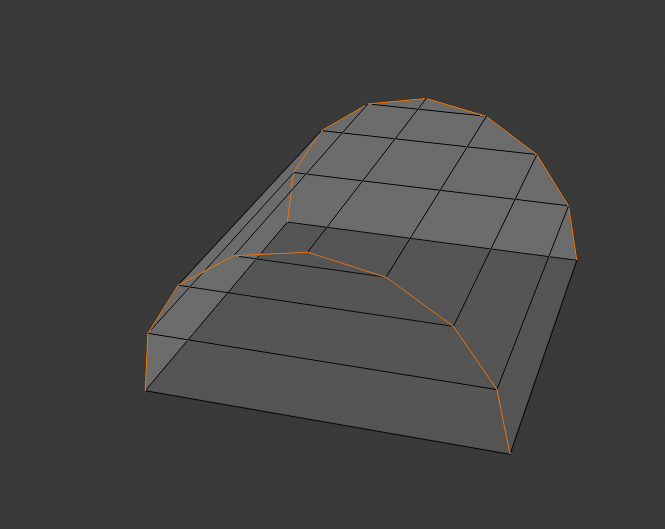
Then press V.
Now you can select the rounded planks by hovering over one of the edges and press L.
Go ahead and do what you tried before: E right click (or Escape) and then Alt S.
Extrude the sides separate…
September 2, 2019 at 1:36 pm #50606This creates the same issue still. I was also already able to select the rounded planks separately.
I do notice that when he is pressing E in the video he can move it anywhere, while i can only move mine in the Z direction, is there some setting that I’m missing?
September 2, 2019 at 2:39 pm #50607I don’t know what you are doing wrong.
I followed the exact steps Kent used in the video and got this:
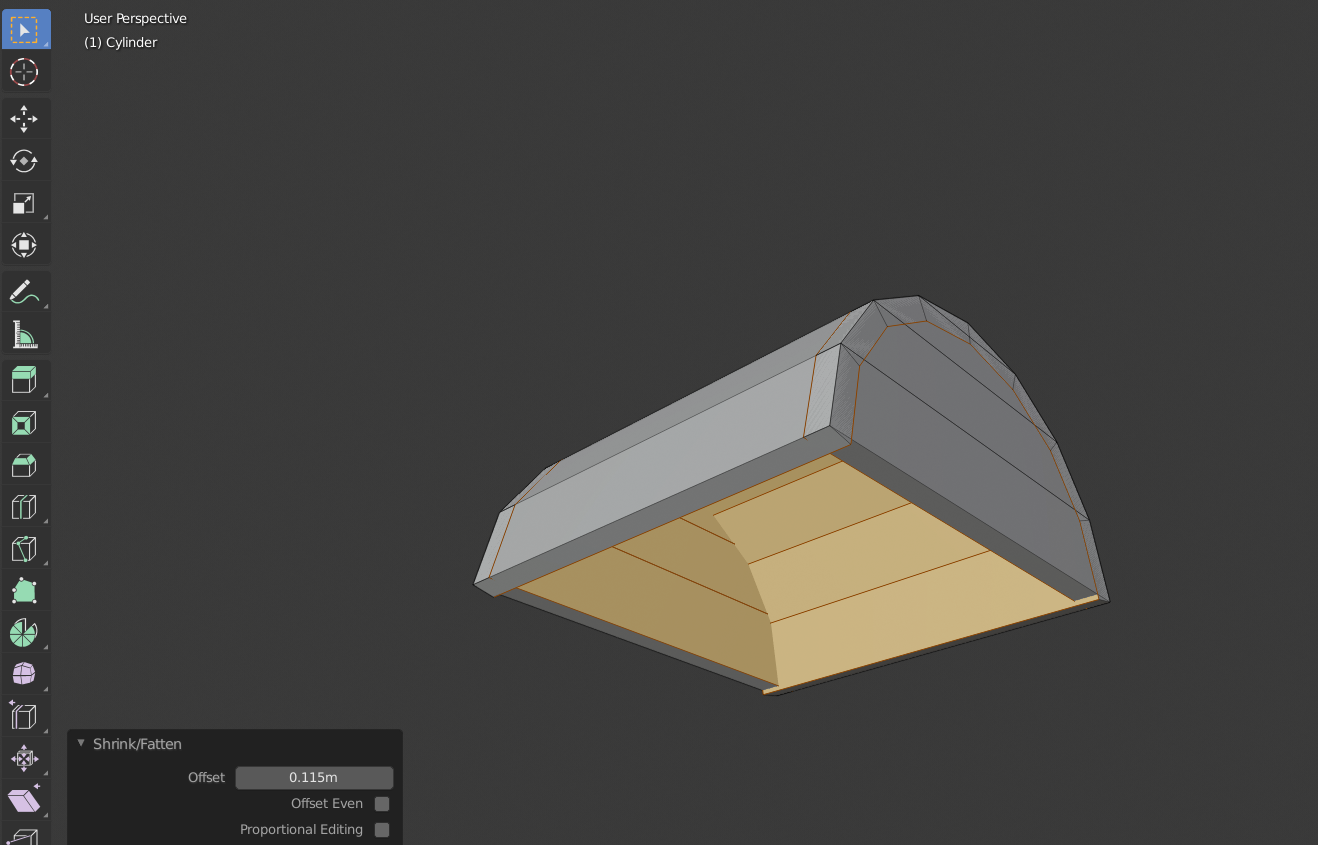
I suggest you start over with the lid and do exactly like Kent. Step by step. Now it probably works.
You’ve done something wrong somewhere, but I can’t figure out where or what.
(Also he couldn’t move it anywhere after Extrude, there was a blue line along which he could move it.)
September 2, 2019 at 5:13 pm #50608Thanks for the help. I’ll try redoing it.
September 3, 2019 at 12:08 am #50609Working now! I don’t know what i did wrong before, but now everything is great when i redid the whole thing.
September 3, 2019 at 12:27 am #50610Could be that you had some double vertices (maybe from extruding and then using CTRL Z to undo, which undoes the Transform, but not the Extrude). Then the rounded planks would be connected to those double verts, causing the ‘indentation’.
Something like this has happened to me a lot: I followed a tutorial to the letter, but at a certain point, my results were (completely) different! Then, when I couldn’t figure out what I was doing wrong, I just started over and then it worked (usually finding out what I did wrong the first time, by doing it again…)
September 3, 2019 at 9:26 am #50611@spikeyxxx Thanks for being so helpful here 👊
-
AuthorPosts


- The topic ‘Chest Top E -> Alt S Different result’ is closed to new replies.