CG cookie AIRPLANE

Forum Archive CG cookie AIRPLANE

Viewing 5 posts - 1 through 5 (of 5 total)
  • Author
    Posts
  • #9393
    Joshua Bouillion
    Participant

      Was curious, does this present a problem not having the (body) and (body_block) centered on the (y) axis? Should be able to see this from the side view next to the cone area. I’ll add a pic to show. Pretty sure I screwed that up when I started  moving those two around in object mode. Also, I currently working on the cone/nose area, that’s when it caught my attention. One more thing, how do I get my objects to load in the center again. For the cone by adding the new mesh(cylinder), it loaded in the top right corner of my 3D view. I’m guessing that has something to do with the cursor? Thanks for any feed back!
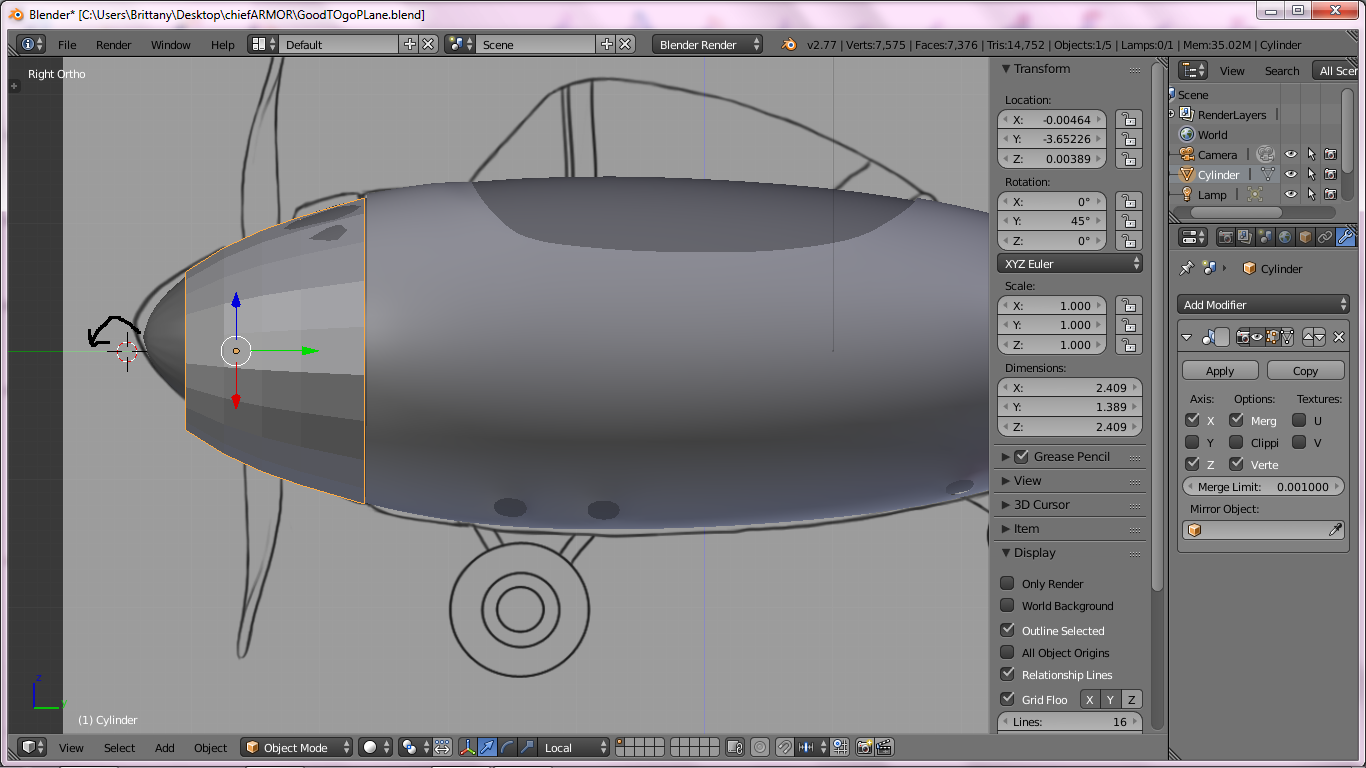

      #33095
      Paul Haynes
      Participant

        It shouldn’t be a problem as long as you aren’t doing any mirroring on the y-axis. If I remember correctly, you don’t mirror on the Y-axis in that course.

        #33096
        Joshua Bouillion
        Participant

          Paul Haynes

          Thanks Paul! Guess I was over thinking it. Also, does it matter if the nose cone isn’t lined up on the center of the Y axis? Close as possible would work well, I think? I just haven’t placed the cursor on the Y axis to extrude towards it yet. 

          #33097
          Paul Haynes
          Participant

            Doesn’t matter for that model.

            You’re doing fine.  Most of the time, you just want the artwork as a reference anyway – your model doesn’t have to match the artwork exactly. Get used to the different front/side views not matching. It’s a rare occurrence if they do match. Just fit it the best you can and keep moving forward.

            #33098
            Joshua Bouillion
            Participant

              I know. Trying to not be to picky, lol! Will do my best. And thanks again!

            Viewing 5 posts - 1 through 5 (of 5 total)
            • The topic ‘CG cookie AIRPLANE’ is closed to new replies.