
Center ‘Face’ Dots Visible on Back Faces – But Why?
Forum Archive › Center ‘Face’ Dots Visible on Back Faces – But Why?
- This topic has 14 replies, 2 voices, and was last updated 6 years, 4 months ago by
Shawn Blanch.
-
AuthorPosts
-
April 7, 2020 at 10:45 pm #11655
I can somehow see the Center Dots on the Backs of Faces while working in Edit Mode. I want the dots turned on but I don’t really want to see the irrelevant ones.
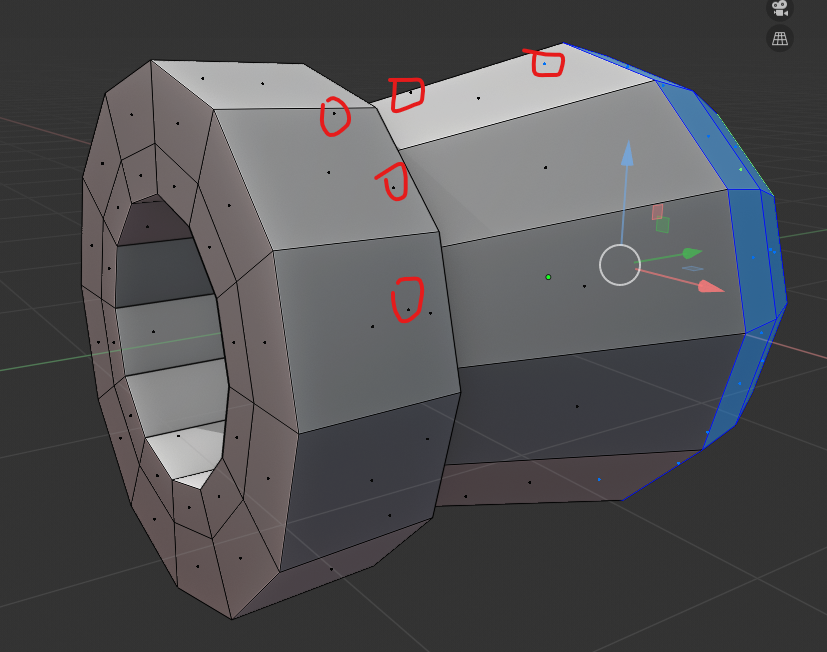
Does anyone know a decent way to turn this off?
I found a similar forum post here but I didn’t see any solution:
https://blenderartists.org/t/center-dots-show-on-back-faces-in-edit-mode-blender-2-8/1147387/5April 8, 2020 at 1:23 am #55693Hi Shawn, did you try appending the object in a new file?
That helped at least one person in that forum thread.
Or does this happen in all your files?
If it’s only in this file, could you post a link?
Also, always make sure your drivers are up to date.
This should not happen, I can’t reproduce it and have no idea what’s causing it.
April 8, 2020 at 8:05 am #55694Thanks Spikey, I wanna say it is every file but maybe it is a setting in my Theme I loaded.
I’ll try loading factory default settings but I hope it’s not a graphics card issue……..that would suck.
I’ll post a file and my theme when I have tried those suggestions if none of them work
April 8, 2020 at 9:24 pm #55695Okay.
So after some testing I am completely and utterly confused ha ha.
I loaded up a blank factory default vanilla blender and no Center Dots anywhere.
Okay this is progress.
I change Viewport Shading to MatCap and get stuff I like set up..
Nothing.
I loaded my theme, which also appears to load in my startup file that I had before also, and I have Center Dots………..on one of my Workspaces………. but not on the next Workspace
Workspace: Layout I see center dots on back faces as I rotate close to the edges of the back faces
Workspace: Edit Preferences: I don’t see center dots on back faces at all…………..!!!??? I tried making my viewport the same but not dice. I can’t get the center dots to show up.
I am uploading my saved default file and my theme do see if anyone can make sense of why or what setting is doing this on one workspace but not others.
Granted: I have add-ons filtered on the Layout workspace and not the other so perhaps an add-on could be contributing (I don’t know if any of my add-on’s add screen effects or not)
April 8, 2020 at 9:40 pm #55696Okay, so I got crafty and just deleted the problematic Workspace and then duplicated the Workspace that wasn’t experiencing the issue and renamed it to the first Workspace
Problem avoided, but not entirely solved. I wish I knew what it was exactly.
April 9, 2020 at 2:33 am #55697Right, the thing is (I didn’t know that), you can have different View Settings in different Workspaces.
You had the near clipping too low in some Workspaces, which caused the problem:
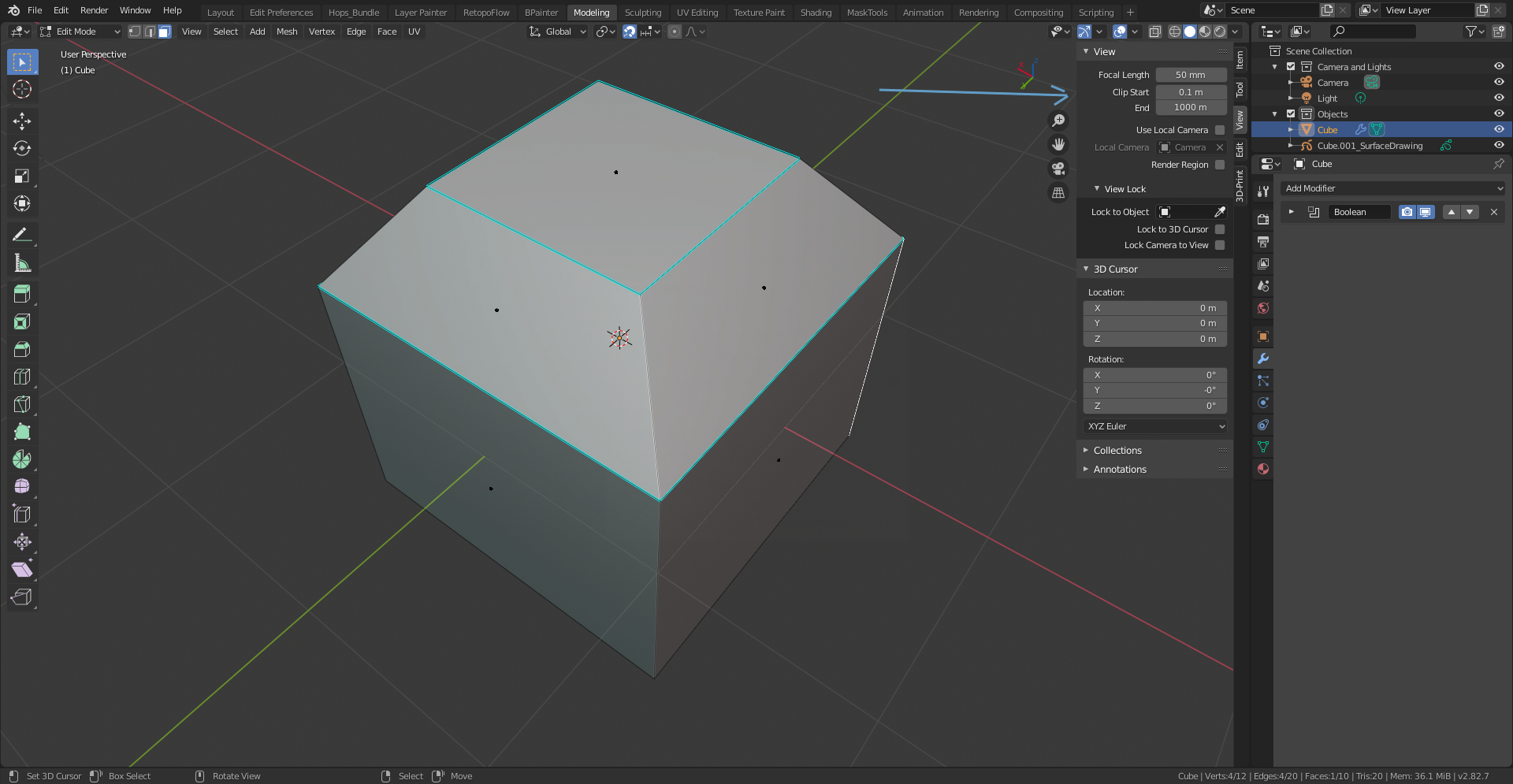
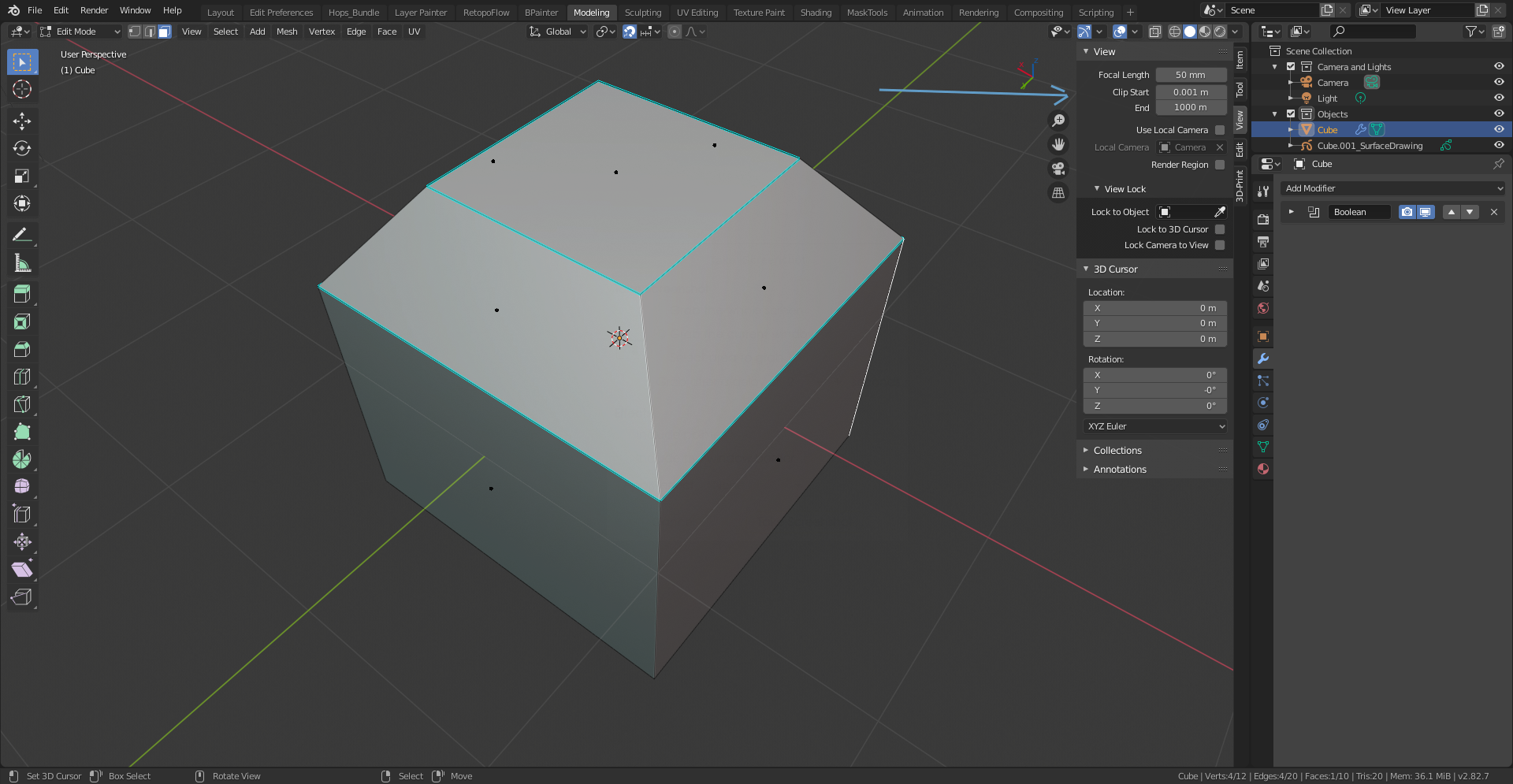
(Also Overlays can be different per Workspace, so you can have the Face Dots enabled in one and disabled in an other..)
That was all;)
April 9, 2020 at 7:47 am #55698Yeah I know about the face dots enabled and disabled per workspace, that was not the issue but the Near Clipping is indeed an interesting find!!!!! @spikeyxxx you are a blender warrior poet!
I have never played with that setting to my knowledge but maybe I adjusted it and forgot what it originally was. Is this still a bug that should be reported?
I do play with focal length because the camera clips my objects when I want to get really close in I adjust that
I wonder if that has anything to do with some add-ons changing those without me knowing, or perhaps some workspace default setups have different values there?
April 9, 2020 at 8:18 am #55699It is definitely not a bug!
I do not know if one of the addons you are using has changed the clipping values. It is possible; you can access these settings in Python (‘bpy.context.space_data.clip_start = 0.01’), but I find it highly unlikely that they would do such a thing.
April 9, 2020 at 12:48 pm #55700Hmmm….. I am the 👾 then Haha.
I guess I don’t understand why seeing those dots on the back faces would be a desirable outcome of adjusting the Start clipping? But it surely means i need more training with the camera view and clipping in general.
On a side note: I was experiencing what feels like a similar issue while in X-ray mode on a left or top view and looking at vertices that somehow disappear on one side of an object (like the left edge) but are visible on other parts (Like the bottom edge) just fine. Feels like camera clipping behavior too because when I rotate ever-so slightly I can see all verts.
I’m going to have to check to see if the clipping is part of that too. If not I’ll show a picture or new file or perhaps start a new post.
April 9, 2020 at 2:27 pm #55701It is not a desirable outcome, just a ‘side effect’ of how things are drawn…
I do not understand completely how this works, but some Overlays are drawn nearer to you than Objects.
You can play with the far clipping distance and make the default cube disappear but still see some of the Overlays:
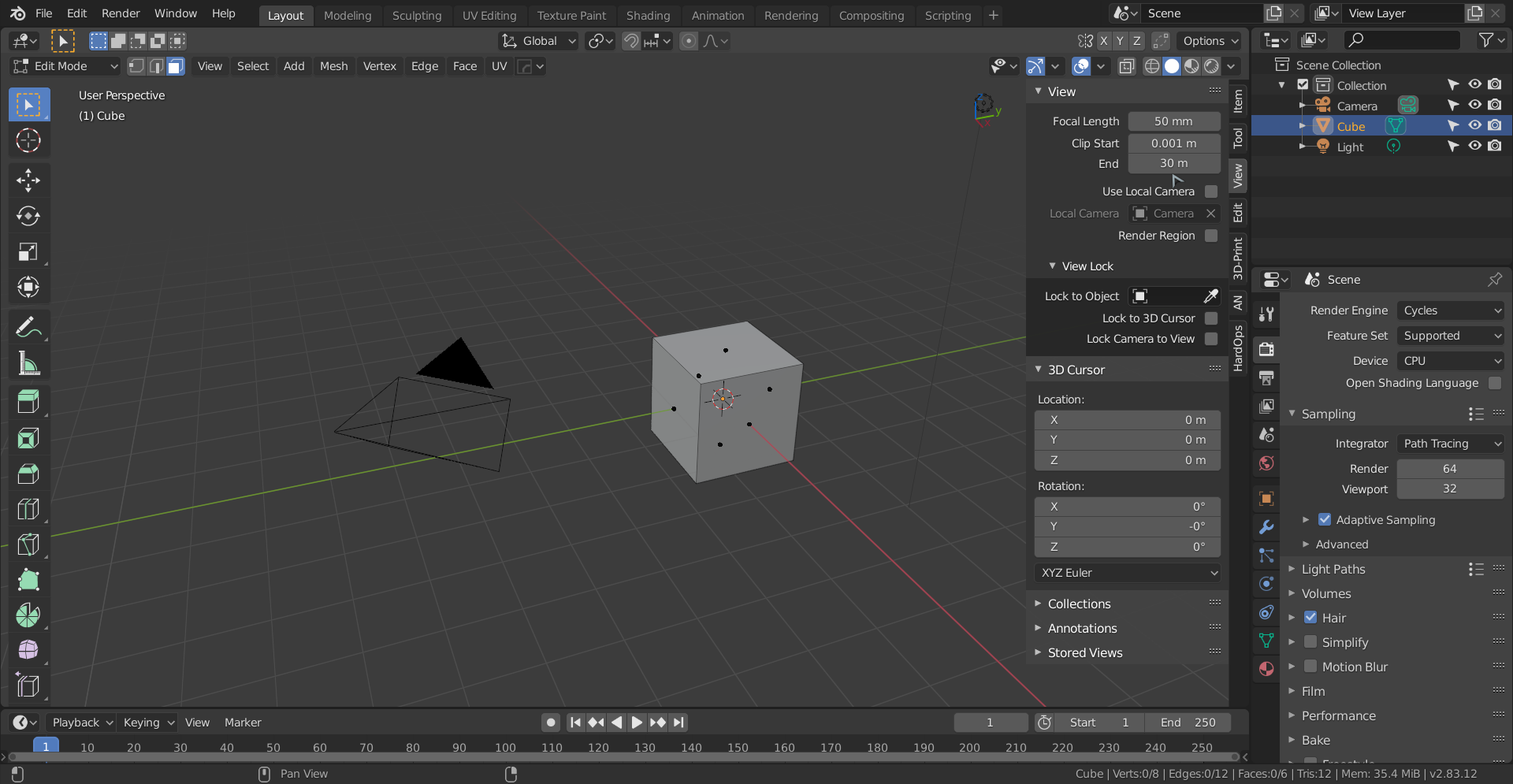
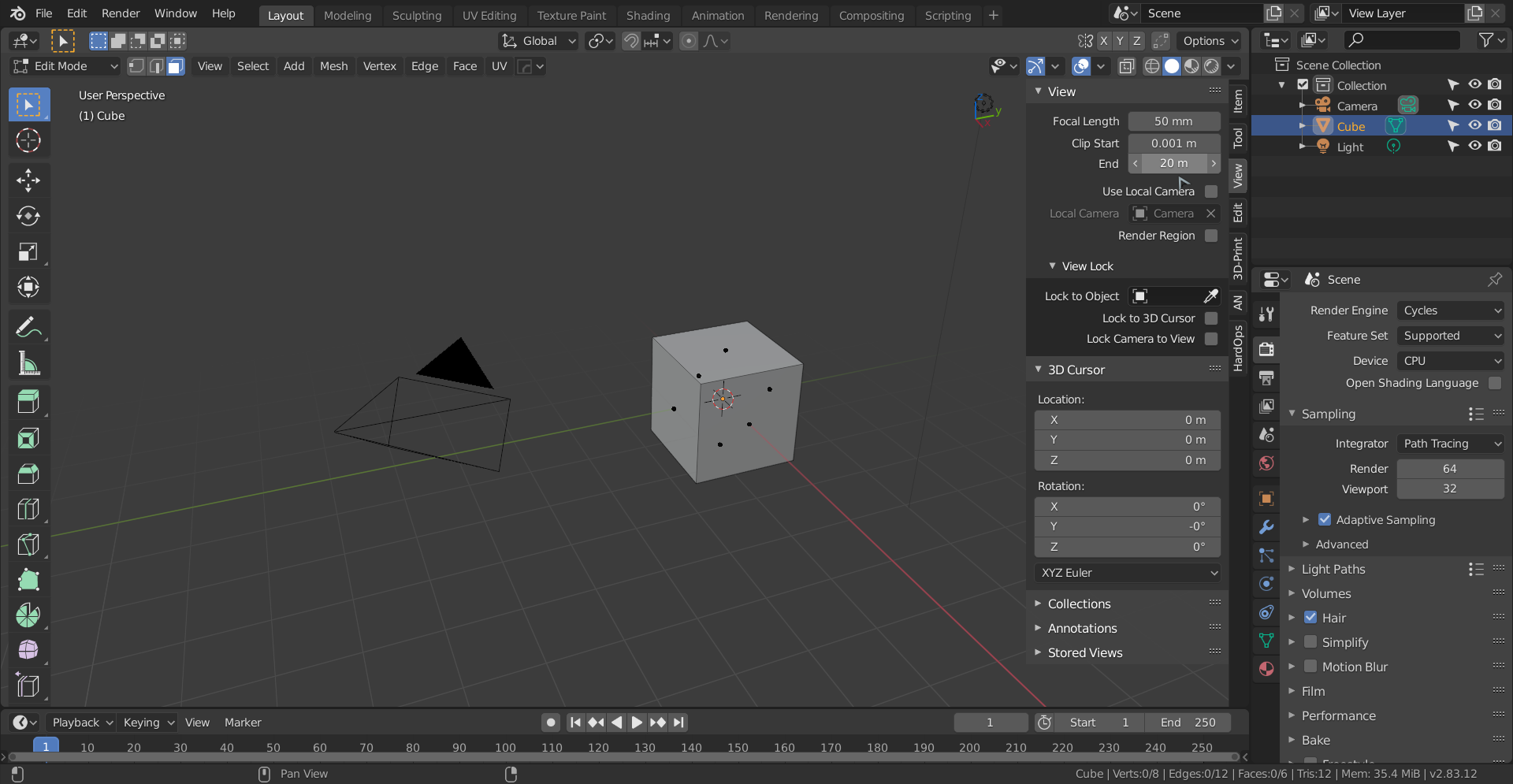
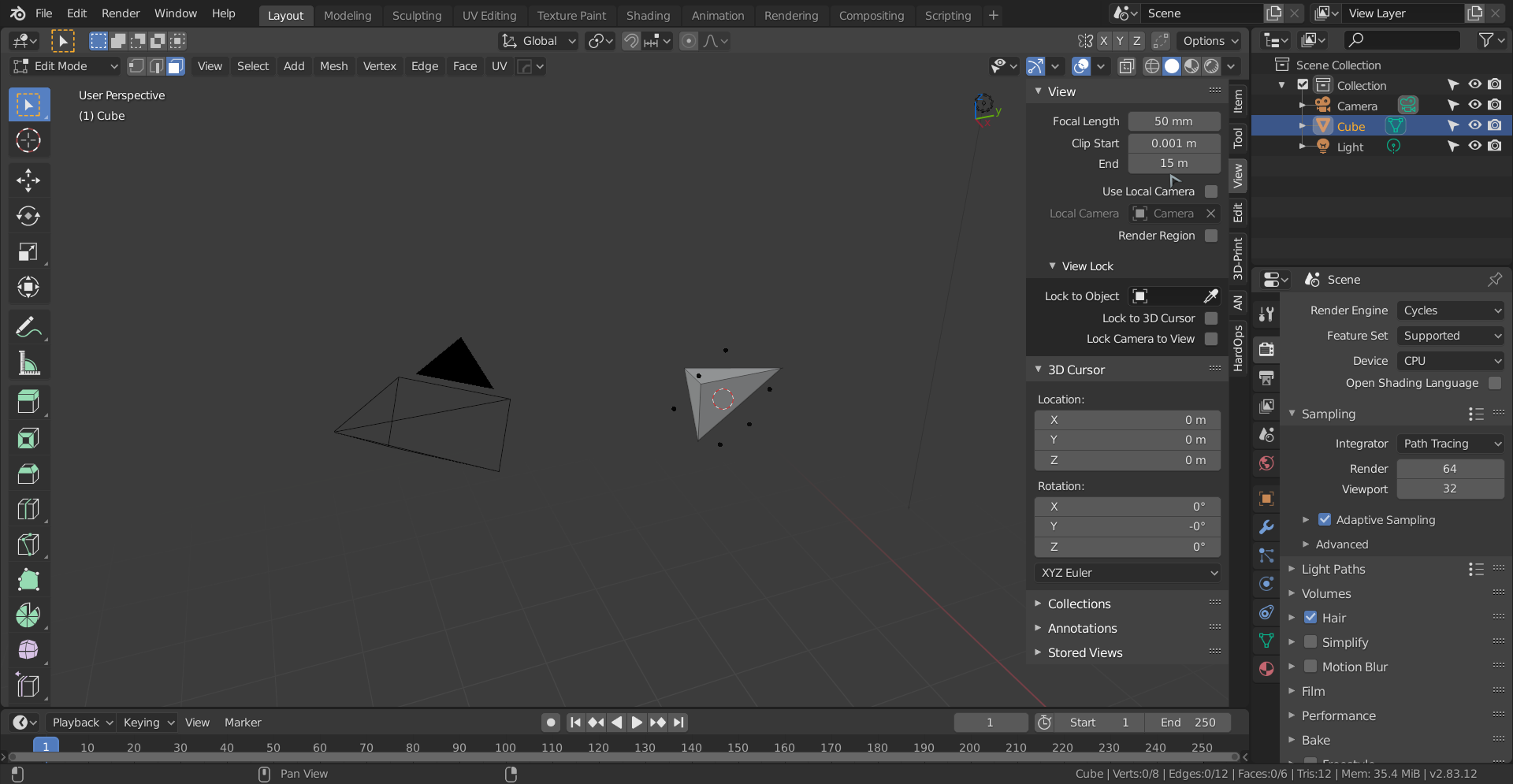
Like I said, this is not done for practical purposes, it’s just the way things are;)
April 16, 2020 at 8:43 am #55702@spikeyxxx I found this on the blender manual. It kinda explains what I am dealing with haha. It sounds like limitations of the code itself for 3D view rendering in OpenGL, not just in blender.
https://docs.blender.org/manual/en/latest/troubleshooting/3d_view.html#troubleshooting-depth
April 16, 2020 at 11:05 am #55703@blanchsb that is not exactly the same; what the manual is talking about is the difference in magnitude of the near and far clipping, so if far clipping divided by near clipping gets too large.
In your case, it’s only the near clipping that’s causing it.
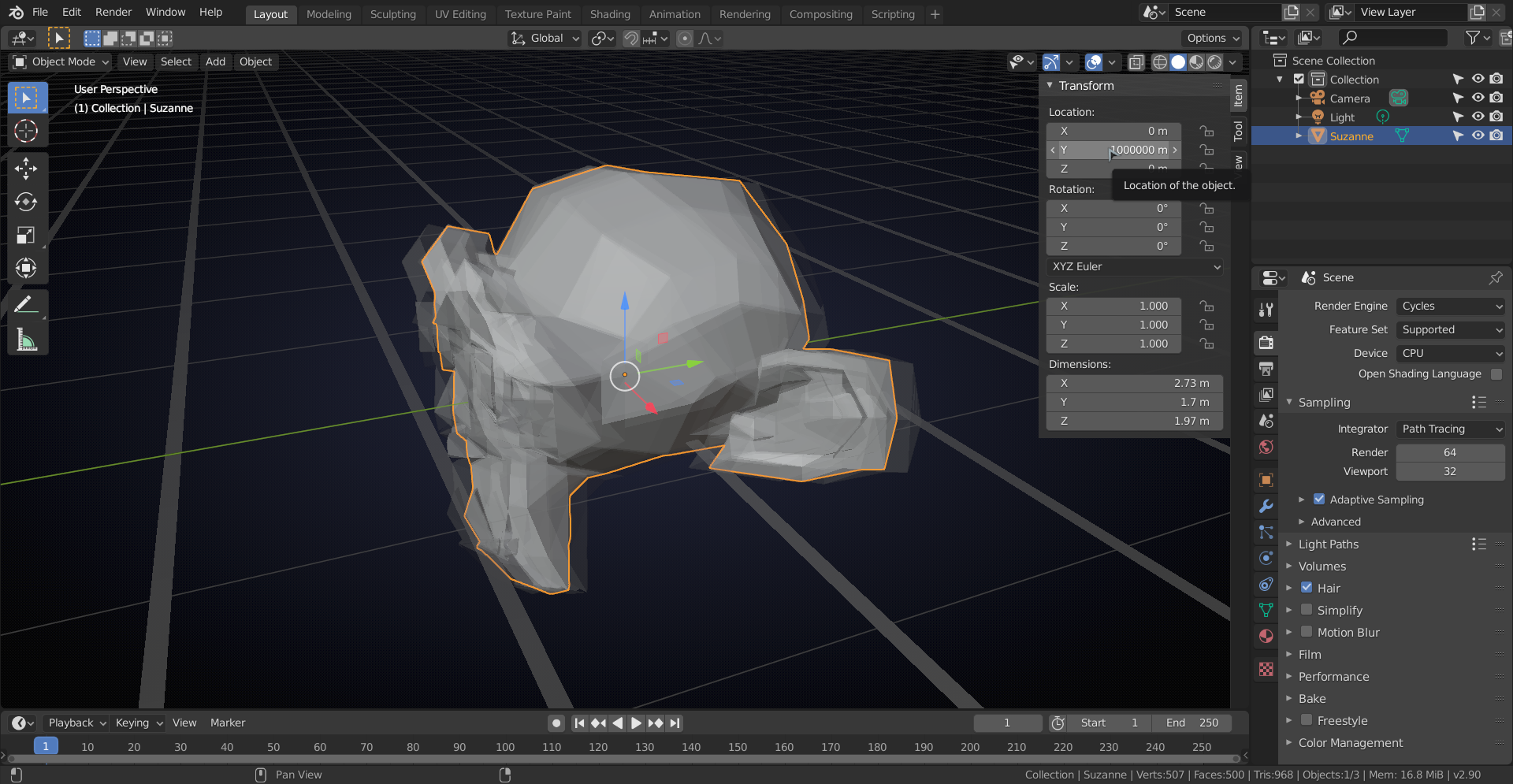
Fun fact, that is related to what the manual is talking about; if Suzanne gets too far away from home:
 April 18, 2020 at 9:51 am #55704
So I also noticed that if you have 1 object inside of another and go to the “inner” object in Edit Mode that if you turn on x-ray mode some of the verts stop displaying………. kind-of. Not sure which setting affects this. I found X-ray slider does but there is something else too.
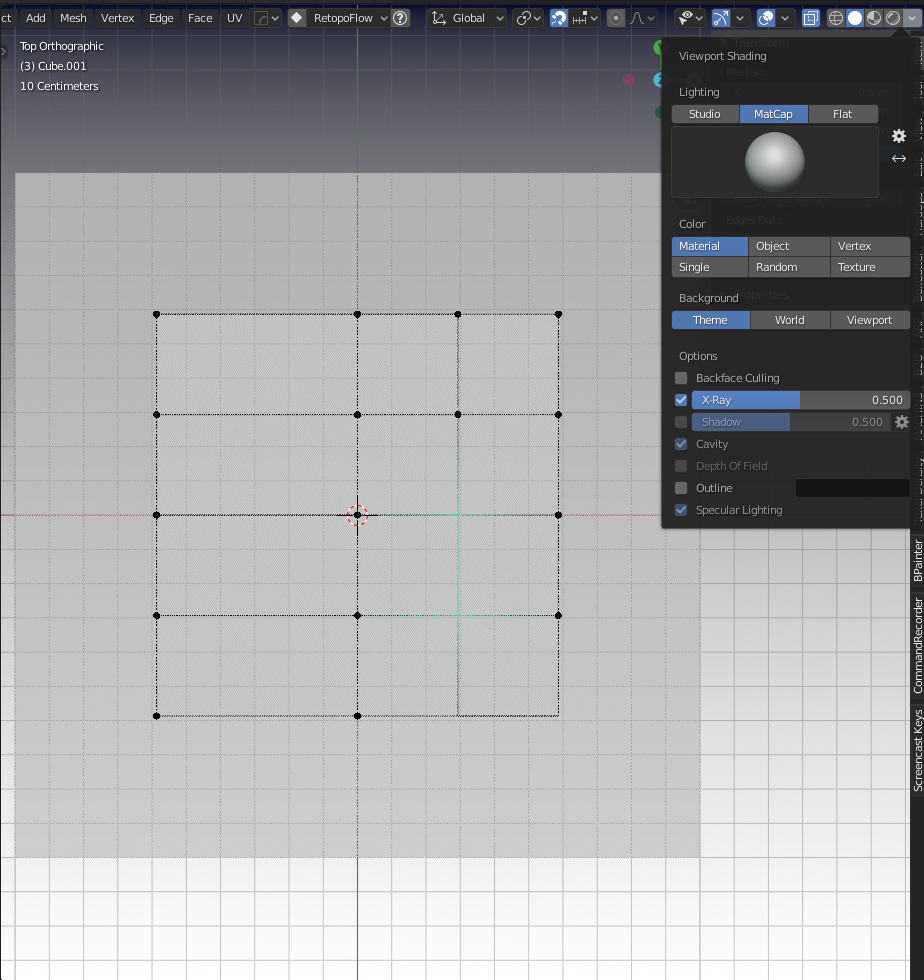
On one of the viewport Workpaces of mine Labeled “Edit Prefs” I have this happening. I toggle over to my standard “Layout” workspace and the behavior is gone completely……. I don’t get it haha.
I have found that if I change the X-ray slider in the Viewport Shading menu that I get those verts back if I go really low. But if I mimic the slider on both workspaces I can tell that something else is affecting it. I don’t see the clipping settings cause this behavior because they are the same on both workspaces.
Here’s my default “Layout” and I don’t seem to be experiencing this issue at all and my x-ray setting is normal (sorry about vertex color. I am still playing in the theme setting, but the verts are there below)
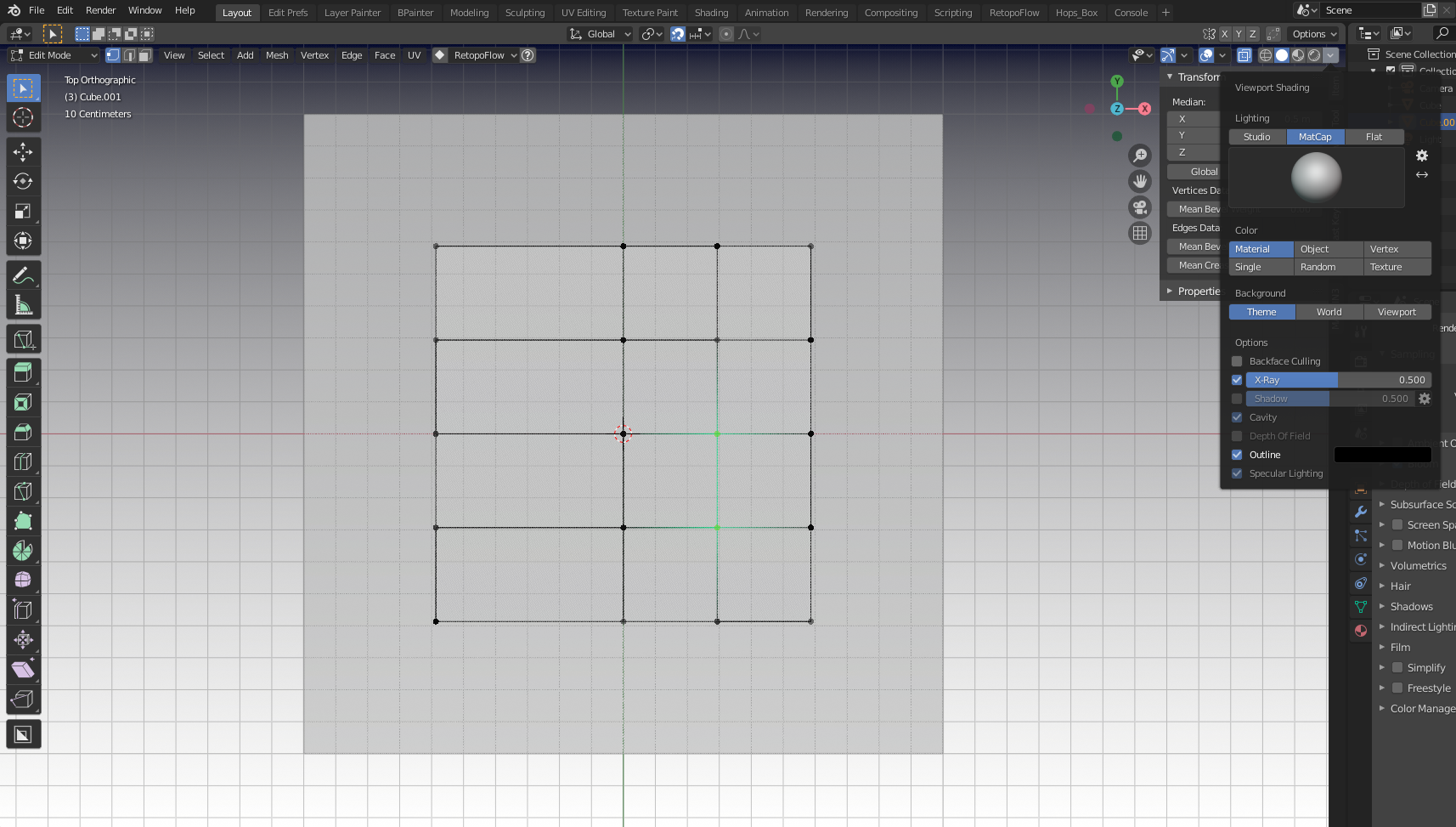
As always I just deleted the abonimation workspace and duplicated the working one to side-step the issue.
April 18, 2020 at 11:35 am #55705Man, what’s that? I know there were some Z-fighting issues that have finally been resolved, so I compared 2.82 with 2.83 and found this:
2.82

And 2.83
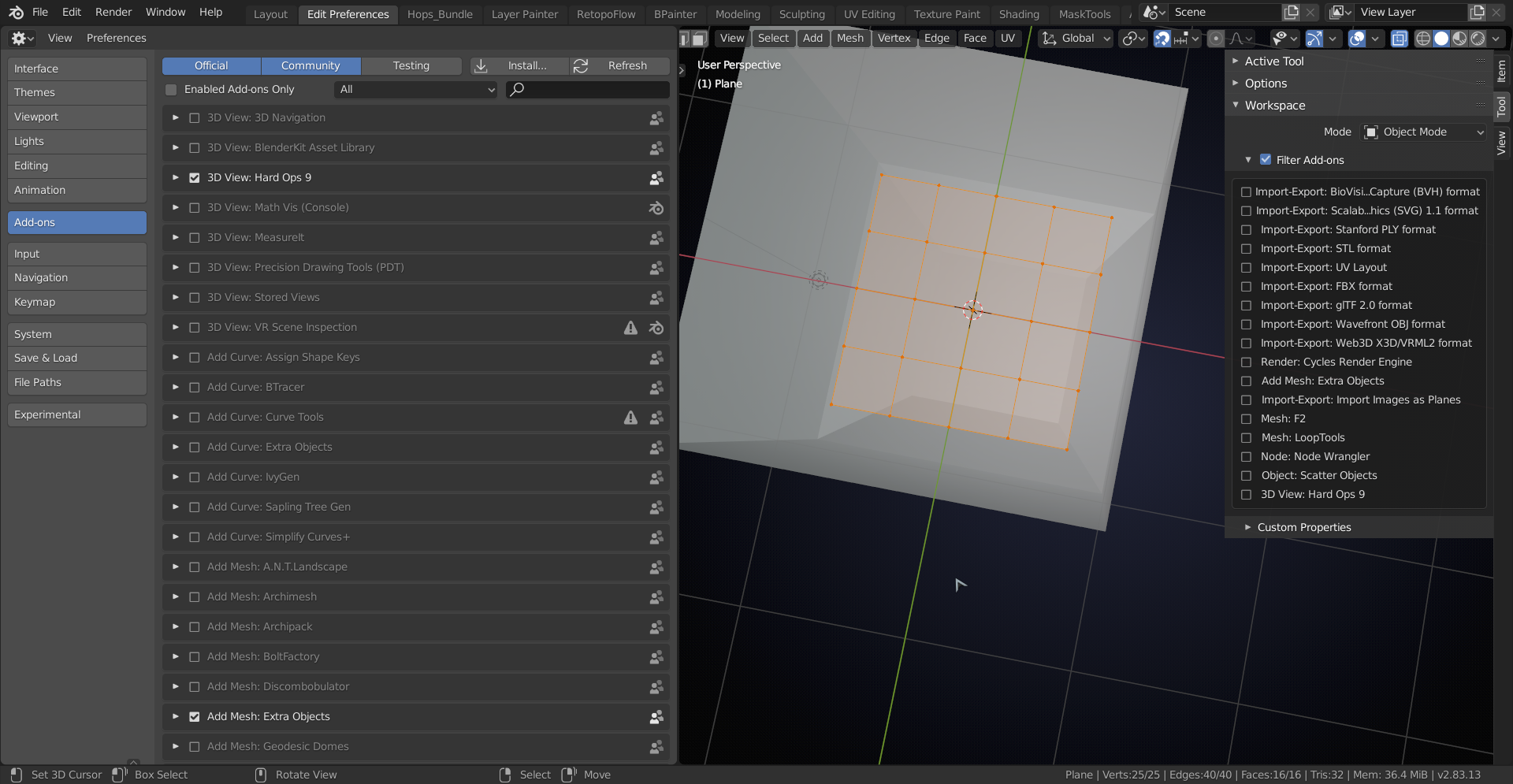
The issue is not Z-fighting, but it seemed to be resolved anyway…
Let me know if you still have this issue in 2.83 Beta or 2.90…
April 18, 2020 at 12:49 pm #55706Getting 2.83 beta now. Will update only if it replicates the issue
-
AuthorPosts


- The topic ‘Center ‘Face’ Dots Visible on Back Faces – But Why?’ is closed to new replies.