
Can’t render this video?
Forum Archive › Can’t render this video?
- This topic has 46 replies, 3 voices, and was last updated 5 years, 10 months ago by
Darrion Hunnicutt.
-
AuthorPosts
-
October 30, 2020 at 4:03 pm #61183
@mr_no_face Didn’t change any settings, apart from the output filepath and it renders without any problems on my old computer:
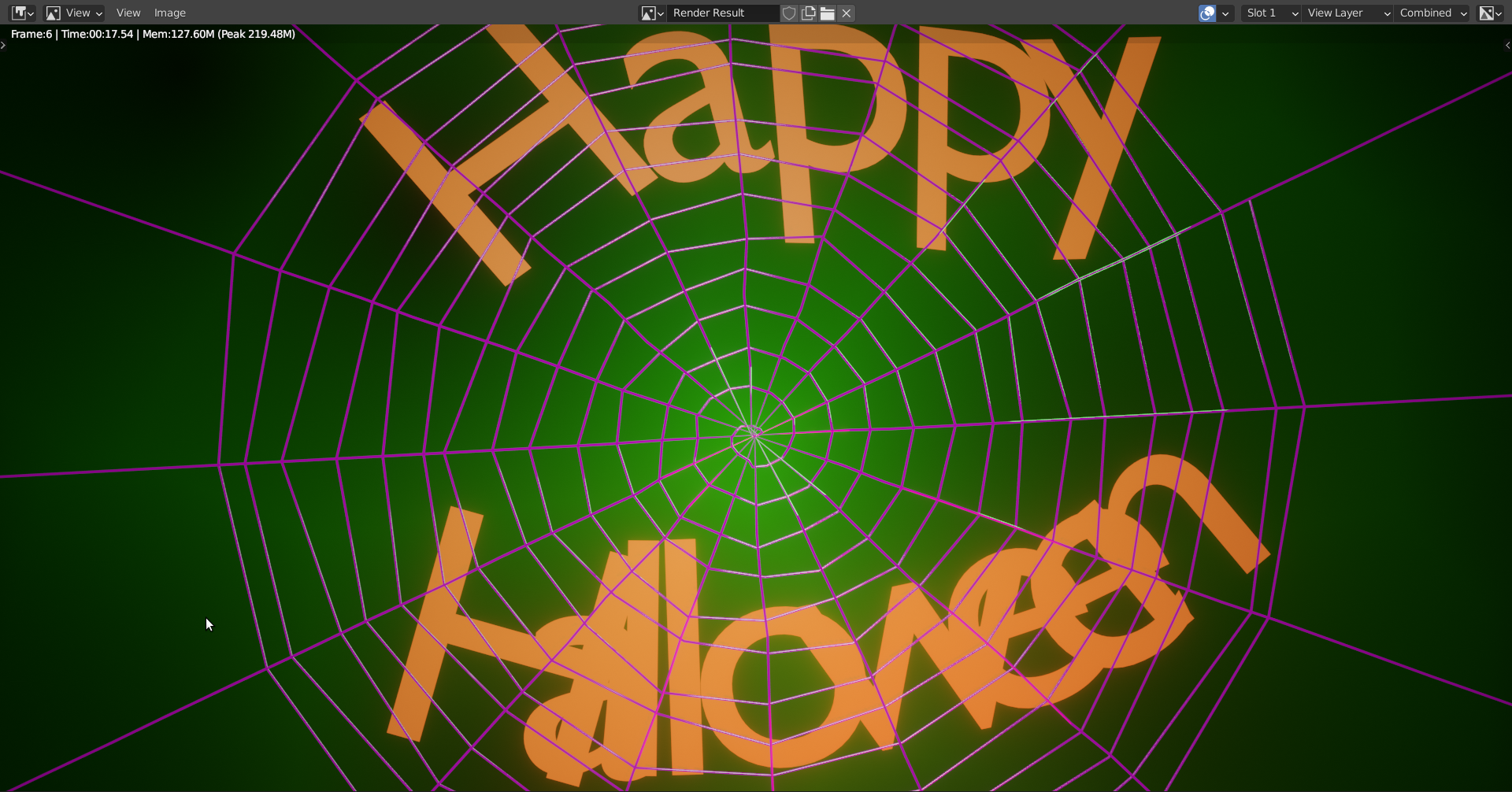
(just showing one frame, but it renders the animation as mp4, as you set it…)
You say everything should be up to date, but did you actually check your drivers?
October 30, 2020 at 7:07 pm #61184Just did a lot of googling to make sure I knew how to update my drivers and did so. Still won’t render. BUT it doesn’t close out immediately. So , progress has been made.
October 30, 2020 at 8:09 pm #61185Be sure to give it enough time to let it render!
It can take some time before you see something in the render window:
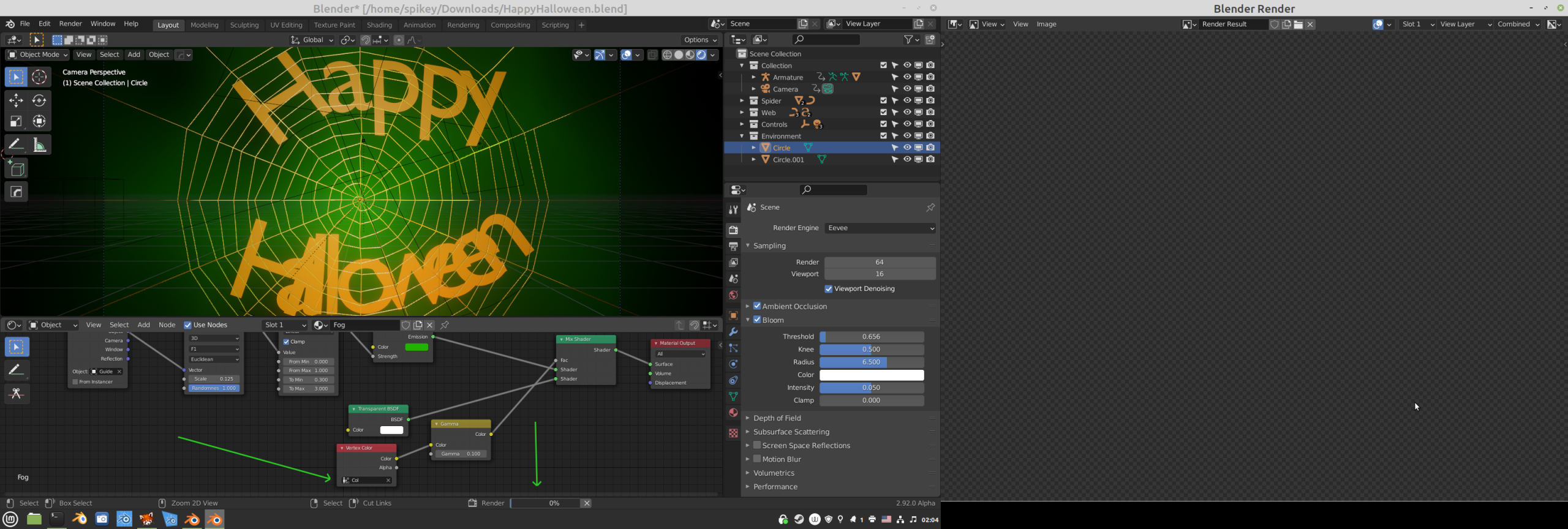
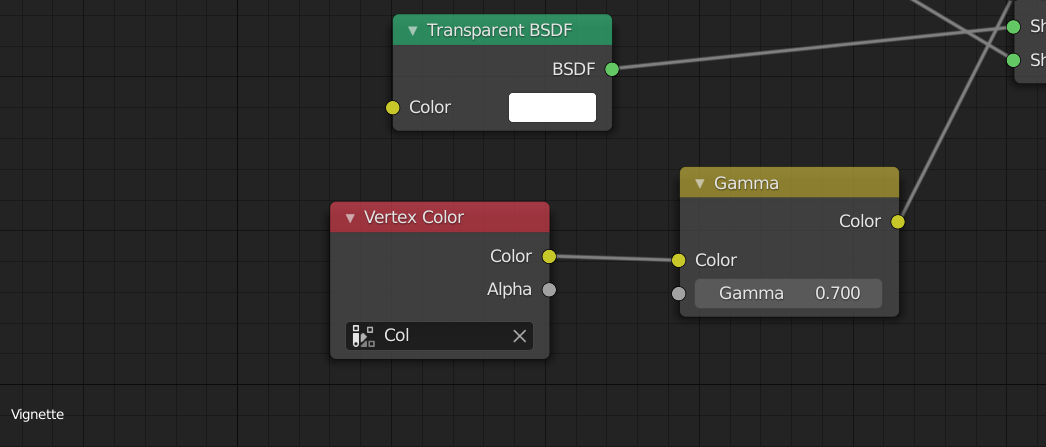
You might also want to fill in the field in the Vertex Color Node (use the name ‘col’) in your Fog and Vignette Circles (although that doesn’t affect whether it renders or not).
October 31, 2020 at 7:53 am #61186It gets about 4 frames in and then just shuts off completely. Am I missing something? I don’t think it is a matter of , me giving it time. It just doesn’t render past 5 frames and then leaves me with a corrupt or unsupported file. I’m at my wits end and this is making me sad man.
October 31, 2020 at 8:41 am #61187Try rendering the animation as PNG’s (this is actually common practice) and see if it renders all the frames, then you can make it into a video afterwards.
I am trying now to render the whole animation as mp4 on my old pc…I’m at frame 19 atm without problems. (Apart from missing textures;) )
October 31, 2020 at 9:02 am #61188Okay, I stopped the rendering process. This is how far I got w/o a problem:
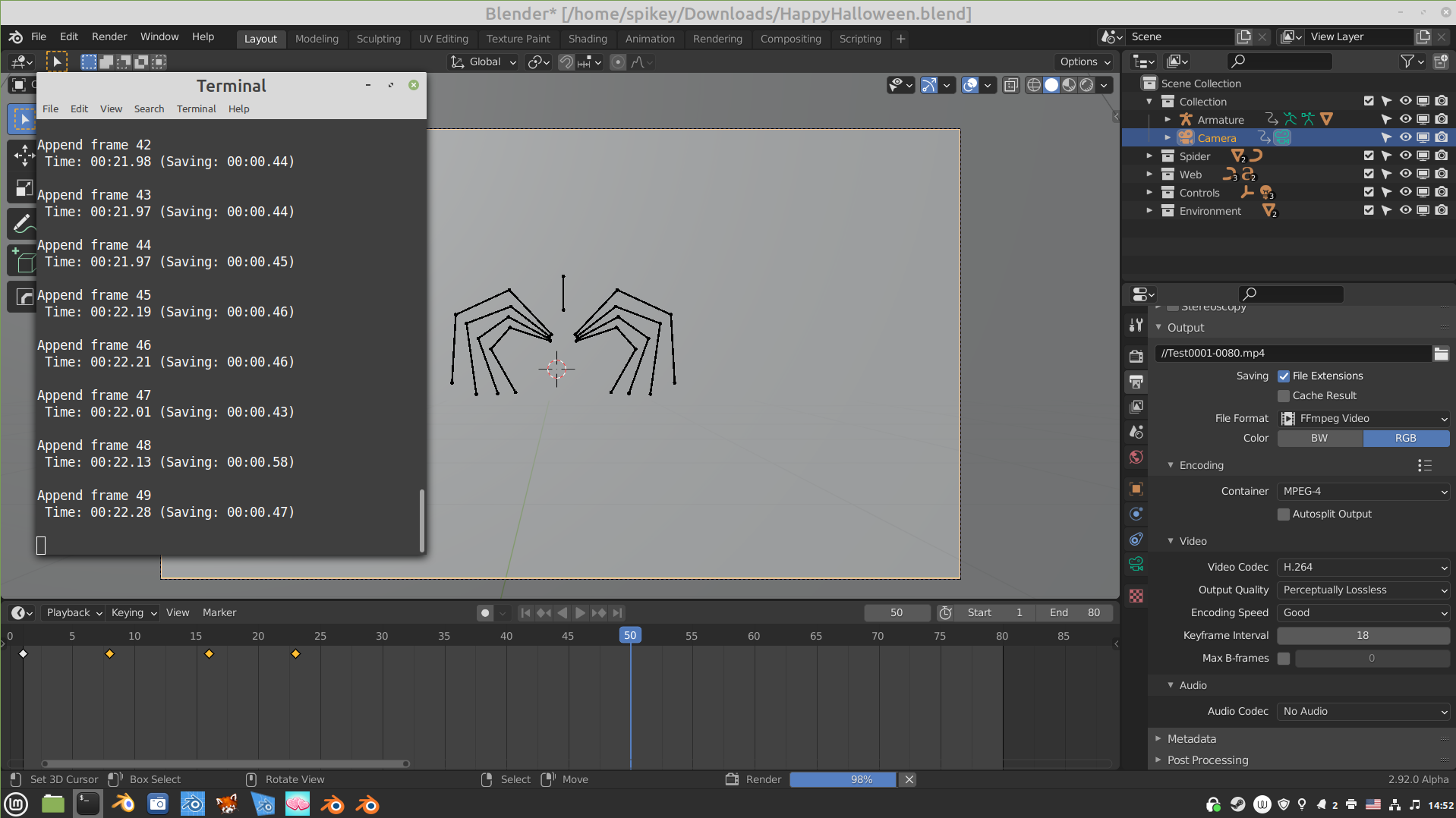
My guess is that it’s your computer that is the culprit.
In case the rendering in PNG’s doesn’t work for you, I can render out the animation for you, but you’d need to include your textures in the .blend file:
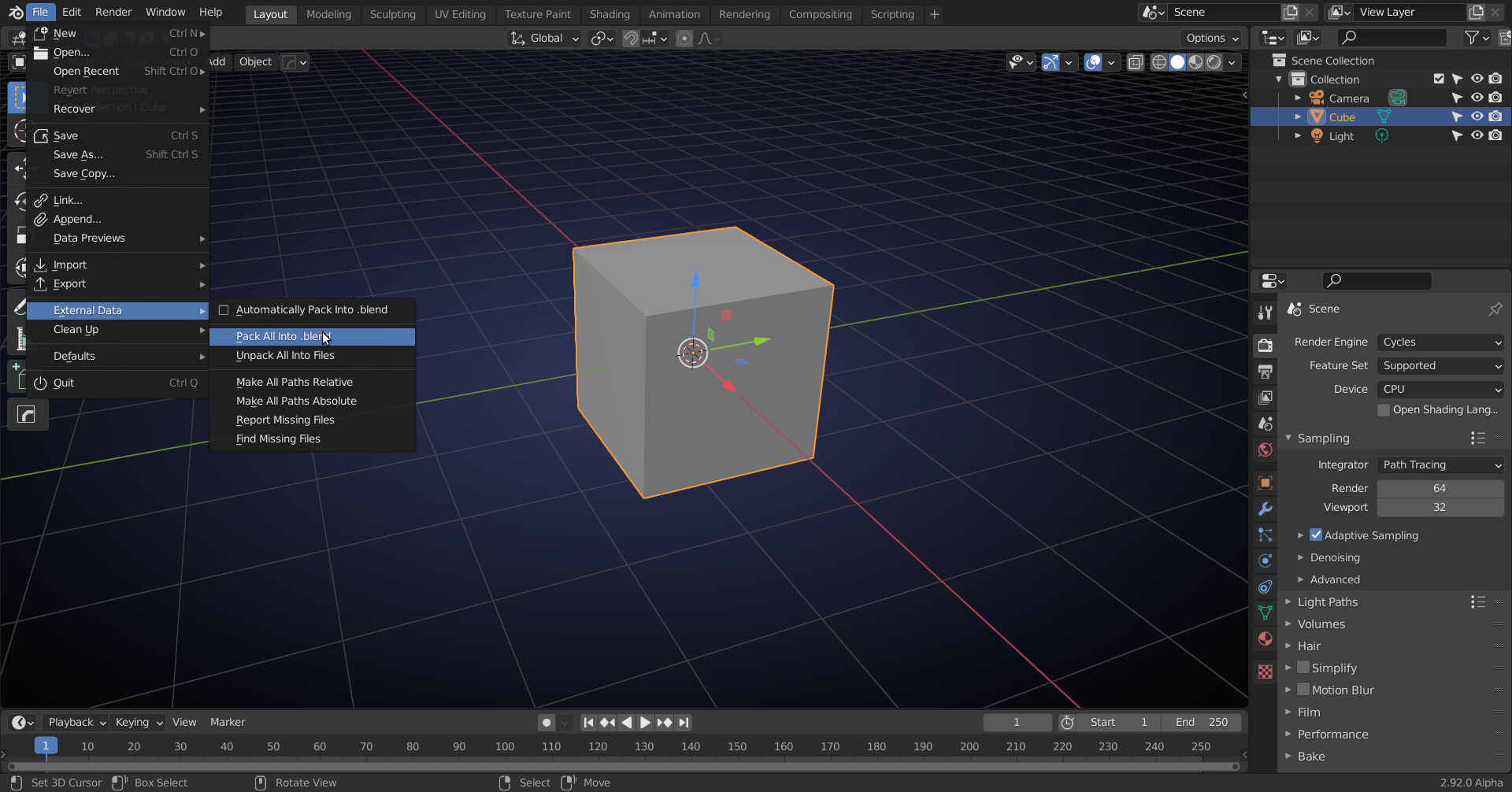
But rendering in single frames might work; still use CTRL F12 to render the animation, but set your output to PNG ( or JPEG, or TIFF,…..)
October 31, 2020 at 9:25 am #61189I’ll give this a try. In the mean time, how would I go about debugging whatever is wrong with my computer? It’s not out of date by any means and was / is primarily a gaming PC with smooth VR capabilities. If that is any testament to the power of the computer. I will continue to do research. Any suggestions welcome!
October 31, 2020 at 9:31 am #61190Gosh I am just fighting an uphill battle. I went to render it as a PNG , Jpeg, TIFF. Nothing worked. I went to ‘Pack all into .blend’ and it threw an error stating it couldn’t find 1, the font and 2. a file from another project entirely that shouldn’t be in this one at all.
Edit** I was able to get the font file into the .blend. Here is a new link with the updated file. never mind that other weird file I guess it doesn’t need to be packed if it doesn’t need to be associated.
https://drive.google.com/file/d/1vFkKSdOJPHkiqJyisUVLhDxejUbfK2CT/view?usp=sharing
October 31, 2020 at 9:32 am #61191This what I am using:
Operating system: Linux-5.4.0-52-generic-x86_64-with-debian-bullseye-sid 64 Bits
Graphics card: GeForce GT 630/PCIe/SSE2 NVIDIA Corporation 4.5.0 NVIDIA 390.138it’s a desktop computer from around 2012, 12 GB RAM
Can’t tell what’s wrong with yours…crashes and stop rendering after a few frames suggest that you don’t have enough memory.
October 31, 2020 at 9:38 am #61192This is still another language to me. Let me know if something is off.
Processor Intel(R) Core(TM) i5-8600K CPU @ 3.60GHz 3.60 GHz
Installed RAM 16.0 GB
System type 64-bit operating system, x64-based processor
October 31, 2020 at 9:42 am #61193Should be okay, but what is your GPU? (Eevee renders on GPU, I believe).
The errors I get when trying to pack external data are your World (HDRI): FirstRocket, your skull.png (which you should have) and your font:
 October 31, 2020 at 9:45 am #61194
IDK why it needs the first rocket.png that was the low poly rocket exercise?
My GPU is a NVIDIA GeForce GTX 1070
October 31, 2020 at 9:50 am #61195I DON’T EVEN HAVE THAT firstRocket.png FILE ON MY COMPUTER . Is this an error that will break the project? How do I get you the font? Do I need to add it to a google drive file to give you that ? I had ZERO issues with this same computer rendering the low poly rocket project when 2.8 first dropped. I need to figure out why this is such a hassle.
October 31, 2020 at 10:00 am #61196Your computer is better than mine 😉
That first rocket.png is an environment texture (maybe from that rocket course?), but I just use a different one, so no problem there.
I also filled in your vertex color field in the Vignette and Fog:
is this your font:
 ? (Downloaded it from some website)October 31, 2020 at 10:02 am #61197
Yeah that is it, or close enough to it. lol. I really appreciate all your help!
-
AuthorPosts


- The topic ‘Can’t render this video?’ is closed to new replies.