Can’t get my render to show up properly

Forum Archive Can’t get my render to show up properly

Viewing 11 posts - 1 through 11 (of 11 total)
  • Author
    Posts
  • #17030
    Justen Hootman
    Participant

      Heya

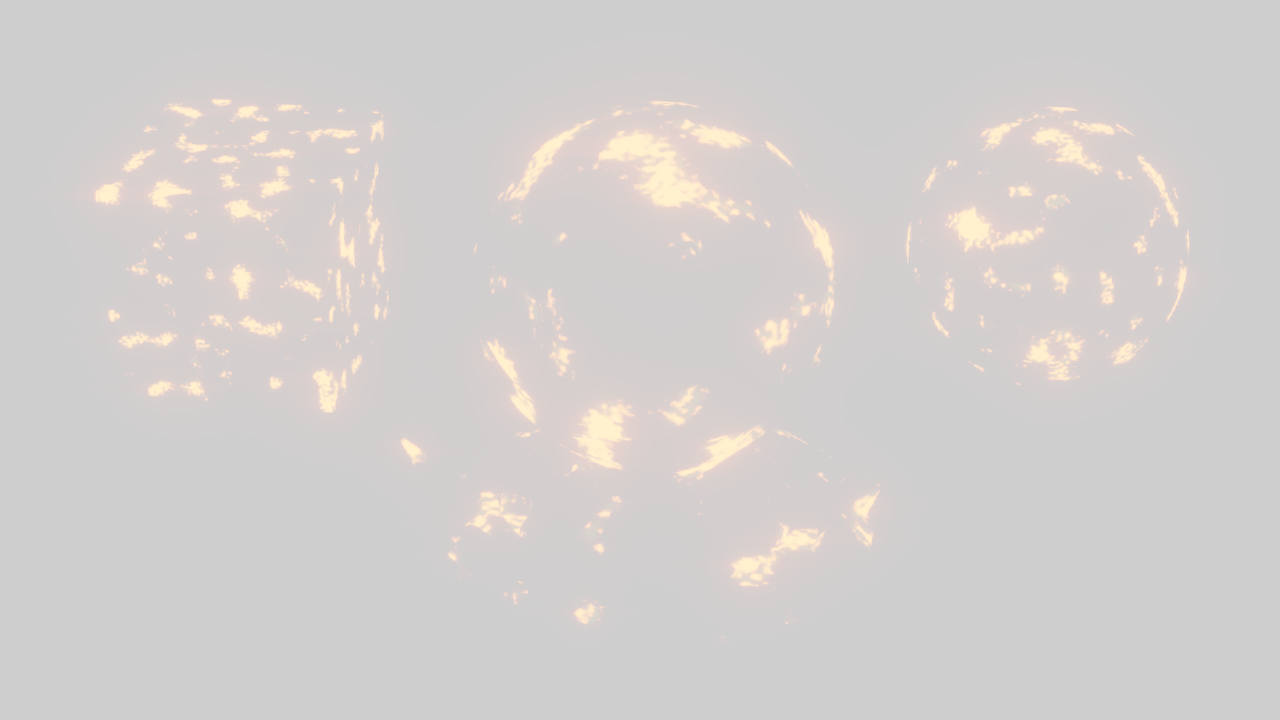
      I’ve gotten my shader to a place I think is good, but for some reason, can’t get my render to work properly. Everytime I try to render it out, the final render is extremely blown out and covers the screen in white so much to the point you can’t even see the objects. I’ve also tried rendering it out in cycles and the same thing happens. I’m not sure what’s going on. Any advice would be super appreciated.

      #81918
      Justen Hootman
      Participant

        okie_lava_result.png

        Here is the final render result btw

        #81919
        Martin Bergwerf
        Participant

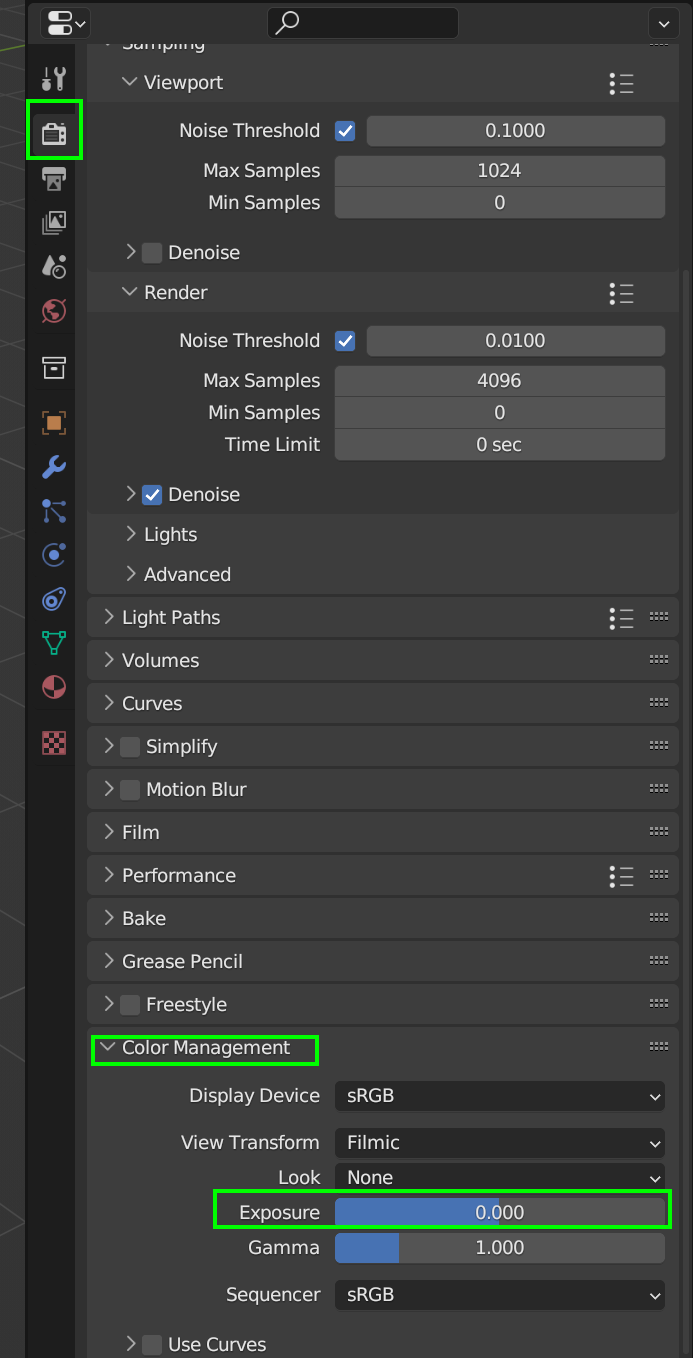
          Did you check your Color Management?

          Color.png

          #81920
          Jonathan Lampel
          Participant

            Another thing to check – are there any other objects in the scene that are hidden in the viewport but still enabled for the render? That’s often a cause of the difference. 

            #81921
            Omar Domenech
            Participant

              This is one of those problems where it could be so many different things. You can upload your blend file and post the link if you want us to take a look and try to diagnose the problem. 

              #81922
              Justen Hootman
              Participant

                Thank you guys! I will give these a shot it very well could be my exposure. I want to try and diagnose it on my own if possible. I feel like it could be a good learning opportunity so I will keep at it and let you guys know if I run into a dead end. Thanks again.

                #81923
                Justen Hootman
                Participant

                  Alright… figured it out. Turns out it was something to do with the compositing. I don’t know why. I didn’t touch the compositing a single time during this project and I know way too little about compositing to even diagnose fully why situation occurred to begin with, BUT the point is I got it to work haha. I will post the final render here for anyone that’s curious.

                  #81924
                  Daniel Rossi
                  Participant

                    Hey there, I’m having the same issue Justen did, and checking the base file with not alterations it’s producing a blown out render, but only right at the end. Do ya’ll have any updates to this file that fix this issue or advice on what to check in the compositor (as justen did) that might be the cause?

                    #81925
                    Daniel Rossi
                    Participant

                      Yep Can confirm it’s whatever you’ve setup as the base in the compositor. For future learners who are having this issue, when you Render, in the finished render window, you will see drop down that says Composite; Click that and you should be able to select View Layer; this should fix the issue and allow you to save a version without the composite nodes interfering or having to do any extra work to make the base render acceptable

                      #81926
                      Martin Bergwerf
                      Participant

                        Hey Daniel @Neverender ,

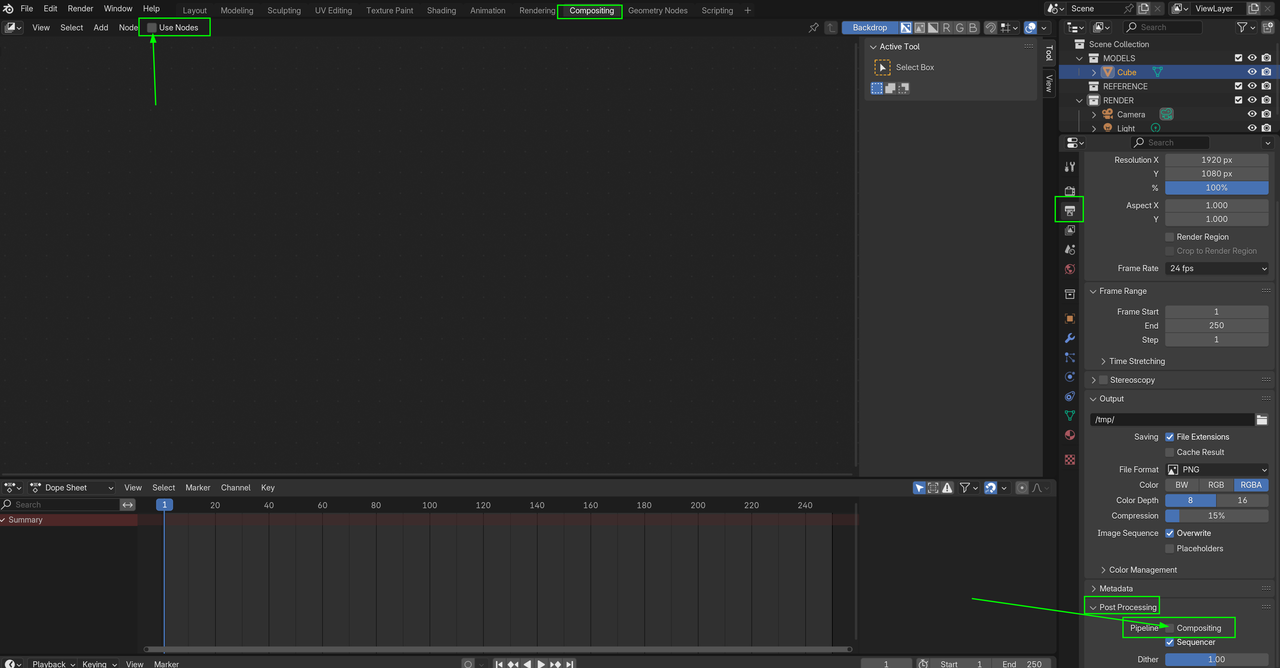
                        Here are two other places you can un-check to disable Compositing:

                        Compositing.png

                        (I am not sure, why you would have Compositing Nodes in this Course…Compositing (Use Nodes) is not enabled by Default.)

                        #81927
                        Daniel Rossi
                        Participant

                          Thanks for that! I don’t know why they were on already either, it was just like that when I opened the file 🤷

                        Viewing 11 posts - 1 through 11 (of 11 total)
                        • The topic ‘Can’t get my render to show up properly’ is closed to new replies.