Can’t get a closer result at all

Forum Archive Can’t get a closer result at all

Viewing 5 posts - 1 through 5 (of 5 total)
  • Author
    Posts
  • #18474
    Eralp Orkun Cihan
    Participant

      Hey everyone,

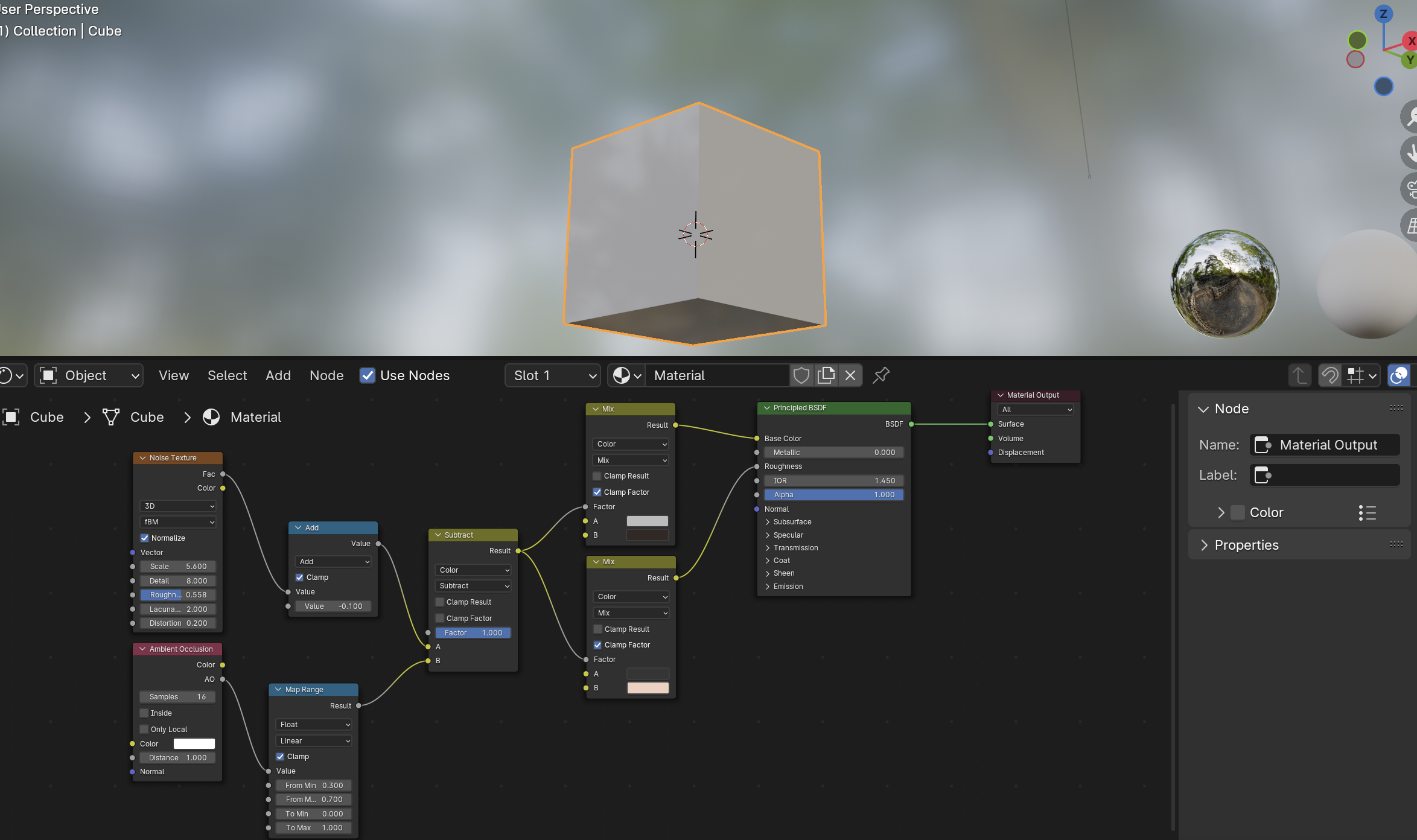
      I am trying to get similar results with Blender 4.1 but I could not even get closer to this. The Musgrave Node is merged with Noise Texture, AO is not working ( I tried both cycles and eeve, ao is turned on ) Whatever I try the result is just all over the surface and all the faders are changing the result drastically. Is there any other videos, tutorials you can recommend for newer Blender versions. Installing an old version is not an optimal solution.  

      #88206
      Adrian Bellworthy
      Participant

        Add a plane to the scene with the cube sitting on the surface. Basic AO works by simulating shadow, you need a second object or non flat surfaces on the object (cube).
        Currently there is no object close enough to calculate AO.

        #88207
        Martin Bergwerf
        Participant

          Like Adrian said, with your setup, AO just gives white.

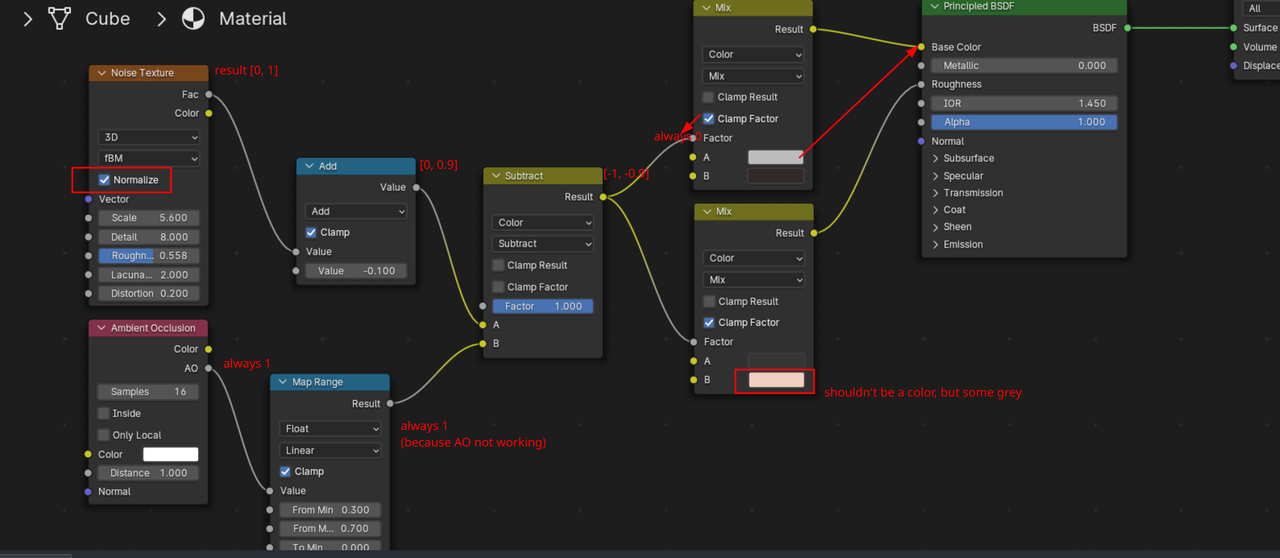
          Also, there are a few mistakes in your Nodes, summarized:

          Nodes.png

          #88208
          Martin Bergwerf
          Participant

            I also gave a formula for the Musgrave to Noise conversion here:

            https://cgcookie.com/community/18832-musgrave-texture-at-15-19

            #88209
            Omar Domenech
            Participant

              Also try and see the installing of a previous version of Blender as a legit optimal solution. When it comes to learning, the Blender versions is a none issue. If you want to read an interesting conversation about it, here’s a good thread, it’s a short read, maybe it can make you feel a bit different about it:

              https://cgcookie.com/community/18260-different-versions

            Viewing 5 posts - 1 through 5 (of 5 total)
            • The topic ‘Can’t get a closer result at all’ is closed to new replies.