Cannot move in walk navigation anymore, how can I fix this?

Forum Archive Cannot move in walk navigation anymore, how can I fix this?

Viewing 5 posts - 1 through 5 (of 5 total)
  • Author
    Posts
  • #11697
    Steven Vandegrift
    Participant

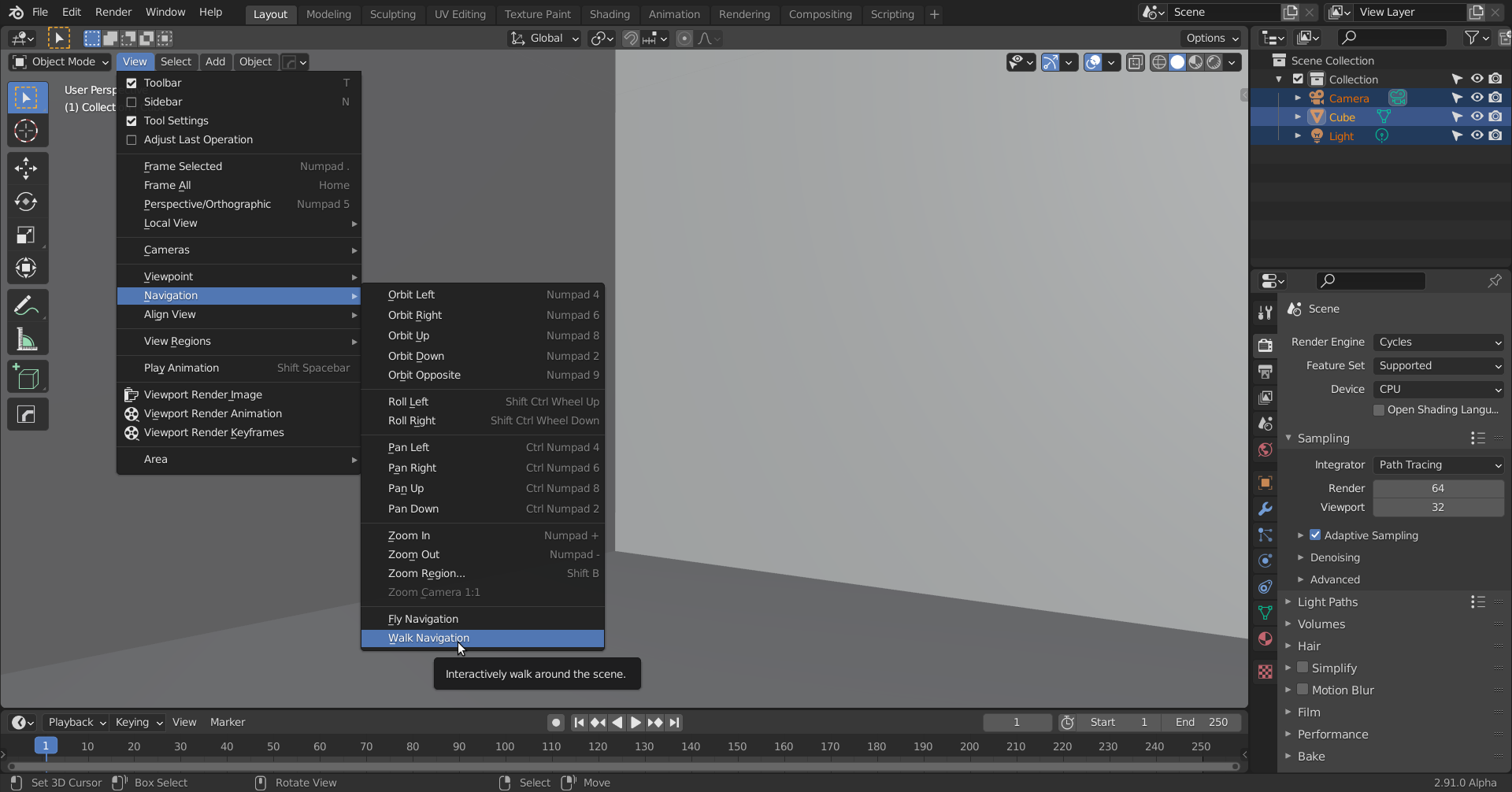
      When I clicked Shift ~ , navigation worked at first, but when trying to scroll to increase speed I accidentally clicked the middle mouse, it made the camera jump into the mesh and now WASD and Arrow keys no longer work (even after undoing) and I cannot move my camera anymore, just rotate it in place. How do I reset this mode to work like earlier?

      #55817
      canguneli
      Participant

        i think ctrl+c will unlock that i dunno why yet but i did had that same problem and ctrl+c worked

        #55818
        yogendraa
        Participant

          same problem…
          and ctrl +C not working

          #55819
          spikeyxxx
          Participant

            If you find yourself inside an Object, you can use your Scrollwheel to ‘back out’ again, or go to View > Navigation > Walk Navigation to get the WASD keys working again:

            Maybe even using the SHIFT~ again would return to Walk Navigation, can’t test that because ~ doesn’t work on my keyboard.

            #55820
            yogendraa
            Participant

              Thanks again, I restarted the file for now but I’ll remember this for future

            Viewing 5 posts - 1 through 5 (of 5 total)
            • The topic ‘Cannot move in walk navigation anymore, how can I fix this?’ is closed to new replies.