Can you have mesh particles that don’t intersect?

Forum Archive Can you have mesh particles that don’t intersect?

Viewing 4 posts - 1 through 4 (of 4 total)
  • Author
    Posts
  • #9819
    Ross Franks
    Participant

      Hey there I’m just wondering what I should be using if I’m after this result where there’s scattered randomly rotated pills that aren’t intersecting each other like this…

      https://www.istockphoto.com/au/photo/lots-of-white-pills-gm157683091-14412397

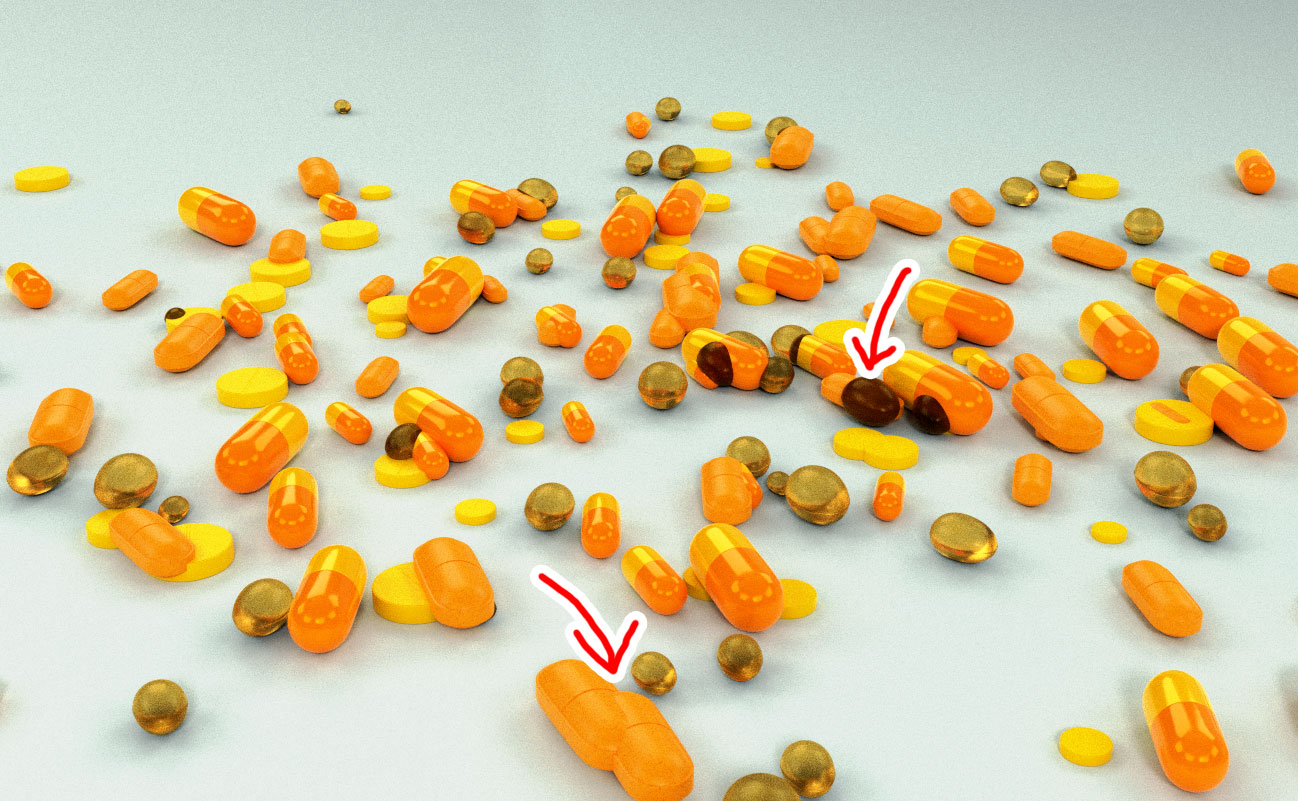
      At the moment mine looks like this where I’ve used a particle system but they’re intersecting.

      or should I be using something else like rigid bodies?

      Thanks in advance.

      #37522
      Ross Franks
      Participant

        in the end I think I’m just going to manually place them as I have more creative control and it was starting to suck up all my memory on my machine.

        So end up with something like this rather than the top view I was thinking of.

        #37523
        Jonathan Lampel
        Participant

          Yeah, unfortunately that’s a limitation of particles at the moment. The best bet would be rigid bodies if you need them to move, but placing them manually like you’ve done is probably faster if you just need a still image. 

          Looking good!

          #37524
          Thibaut Bourbon
          Participant

            @rfranks A workaround if you want to go with particles is to generate them and stop at a point were they are all in the air and turn them into mesh (SHIFT+CTRL+A, make duplicate real), and then use a simple rigid body simulation.
            In your case it’s overdriven but maybe if you have a scene with thousands of pills you might not want to place them one by one.

          Viewing 4 posts - 1 through 4 (of 4 total)
          • The topic ‘Can you have mesh particles that don’t intersect?’ is closed to new replies.