Building the topology

Forum Archive Building the topology

Viewing 8 posts - 1 through 8 (of 8 total)
  • Author
    Posts
  • #18869
    David Brico
    Participant

      Hi, how are you ?

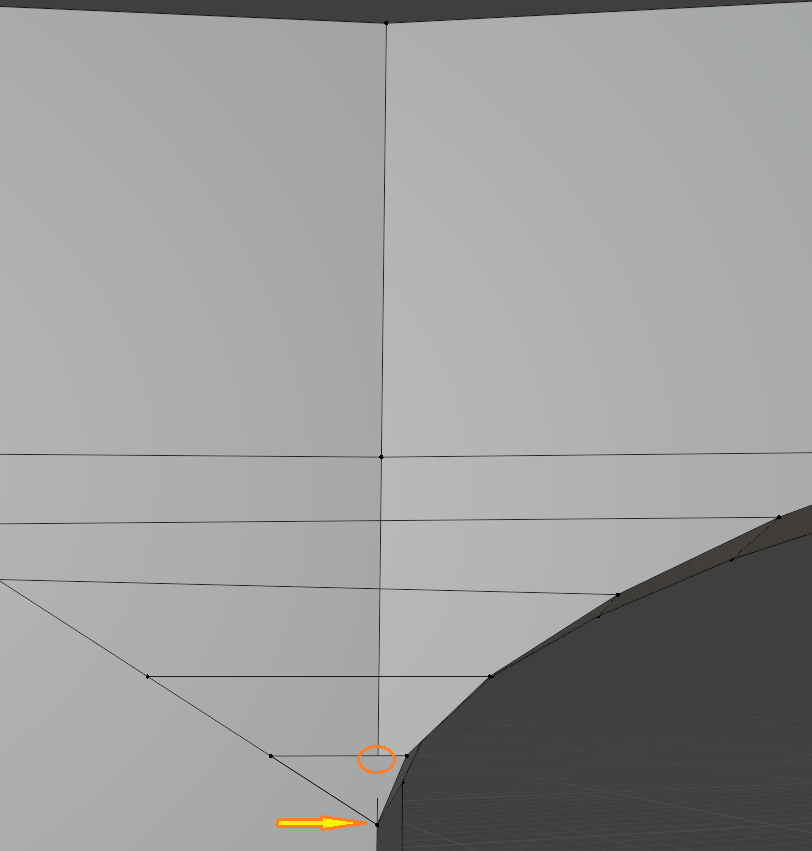
      Does anyone know what is my best option to connect my edges here please ? I was going to K and select edges to F. Also could have done a vertical bisect. 

      What do you think ?Sans titre.png

      #89958
      Martin Bergwerf
      Participant

        Hi David,

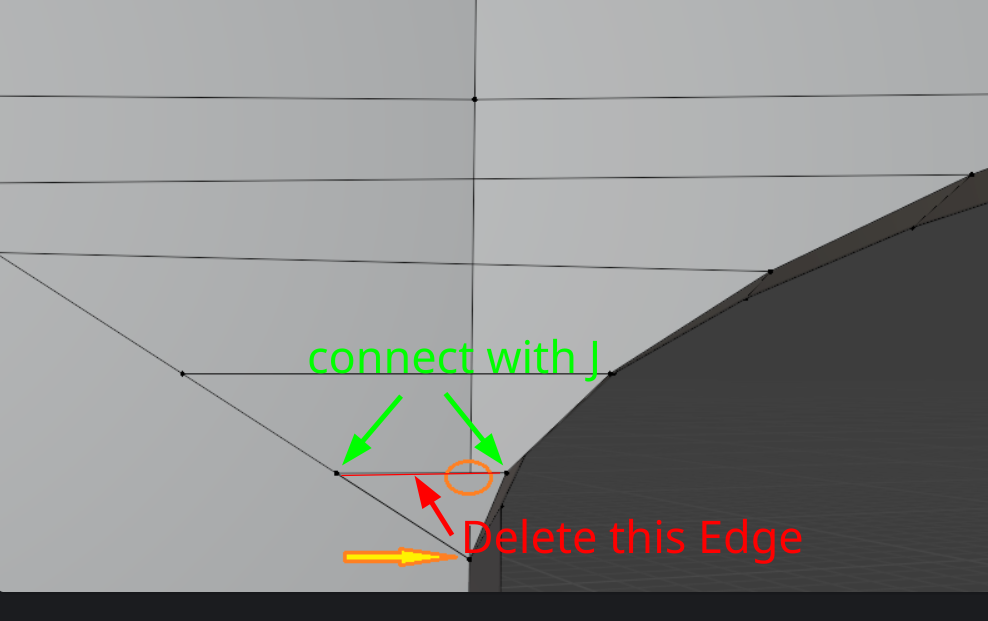
        If I understand it correctly, what you want to do is:

        Topology.png

        You might want to do that with the other (almost parallel) Edges as well.

        F just makes an Edge between the Vertices, that doesn’t ‘interact’ with the rest of the Mesh. J connects the Vertices ‘through’ the Mesh…

        That’s a bit of a clumsy explanation, but try it out, you’ll see the difference.

        #89959
        Omar Domenech
        Participant

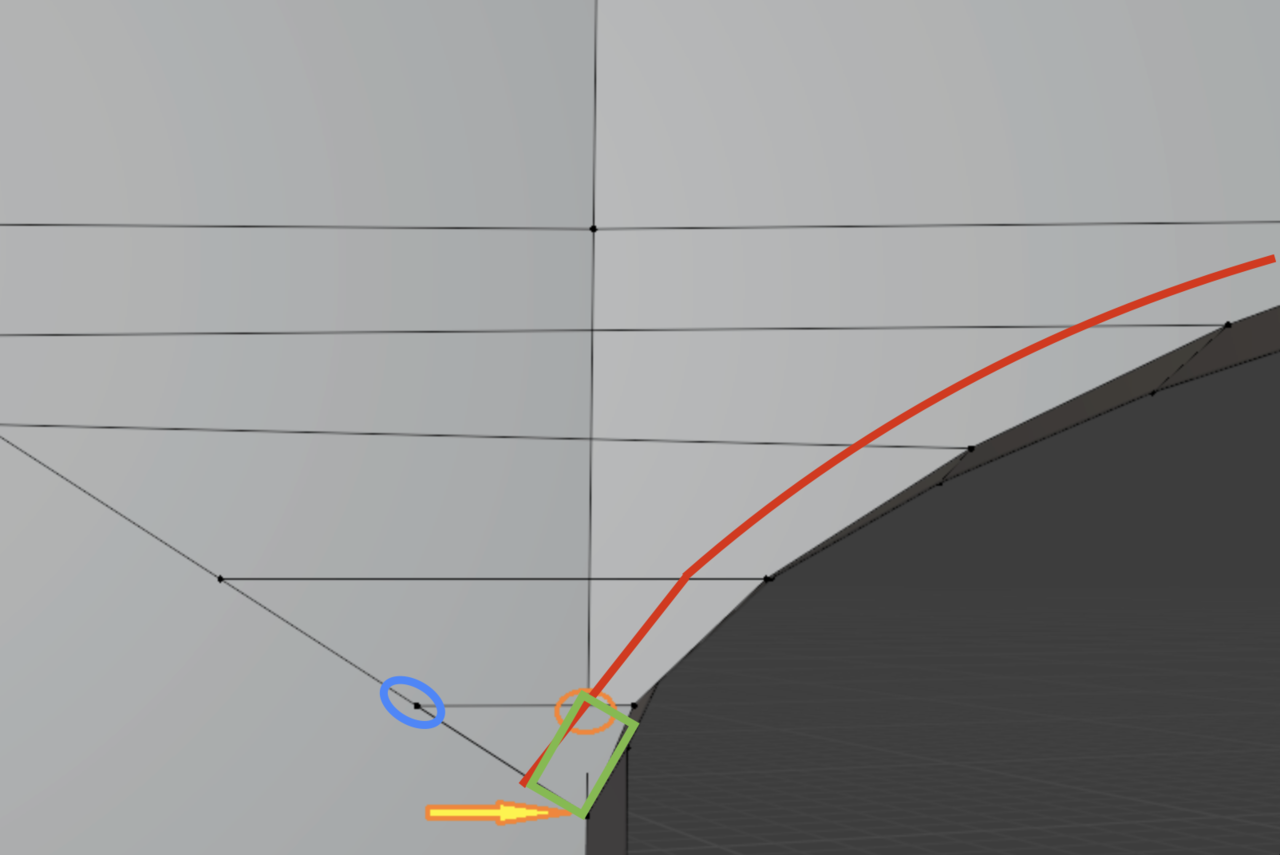
          I would trace a holding edge (red line) get that quad for free (green square) and just leave the triangle that is left live in peace or slide that vertex down (blue circle) to merge it and leave a big quad and get all quad geo.

          Geo.png

          #89960
          David Brico
          Participant

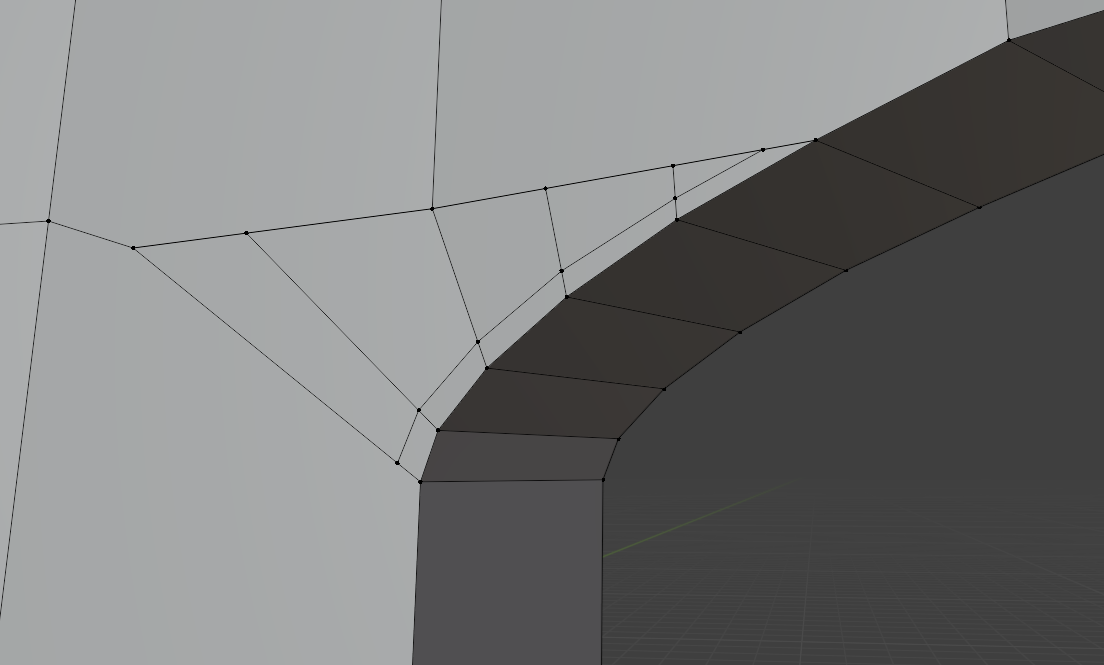
            Thank you. Was not easy to choose.

            Sans titre.png 

            #89961
            Leo
            Participant

              I would then draw the “support edges” over the entire mesh, for example, but I’m sure you’re aware of that too

              #89962
              David Brico
              Participant

                Than you Leo, i think it is what i try to achieve. 

                #89963
                Martin Bergwerf
                Participant

                  OH, I see!

                  I didn’t read that picture very well…

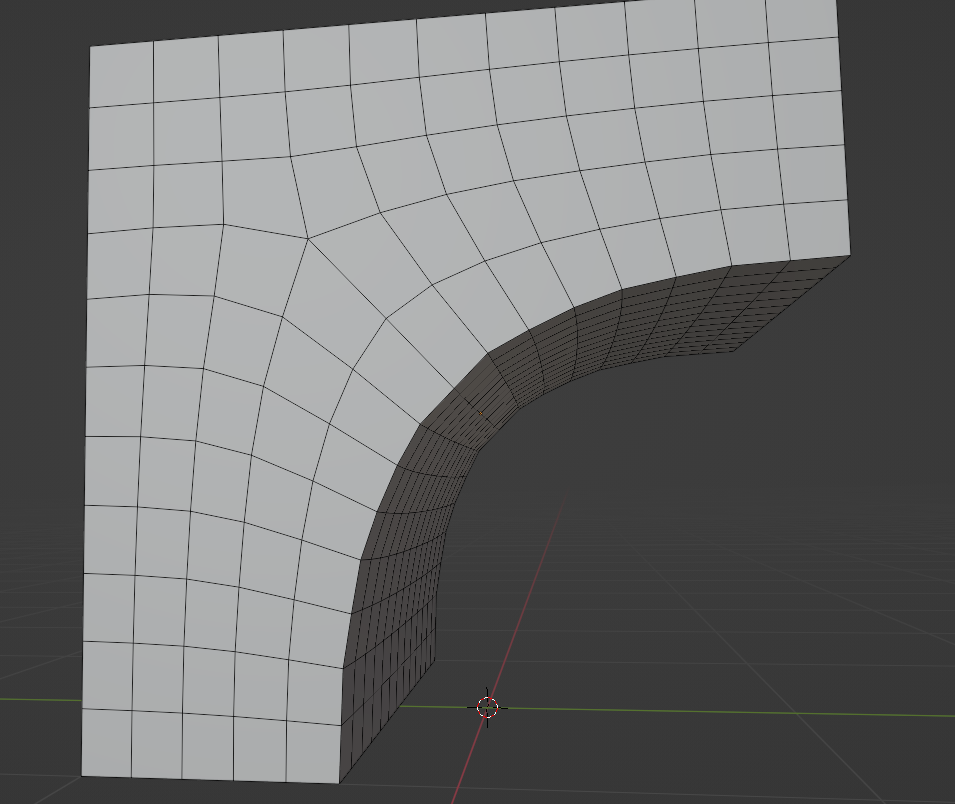
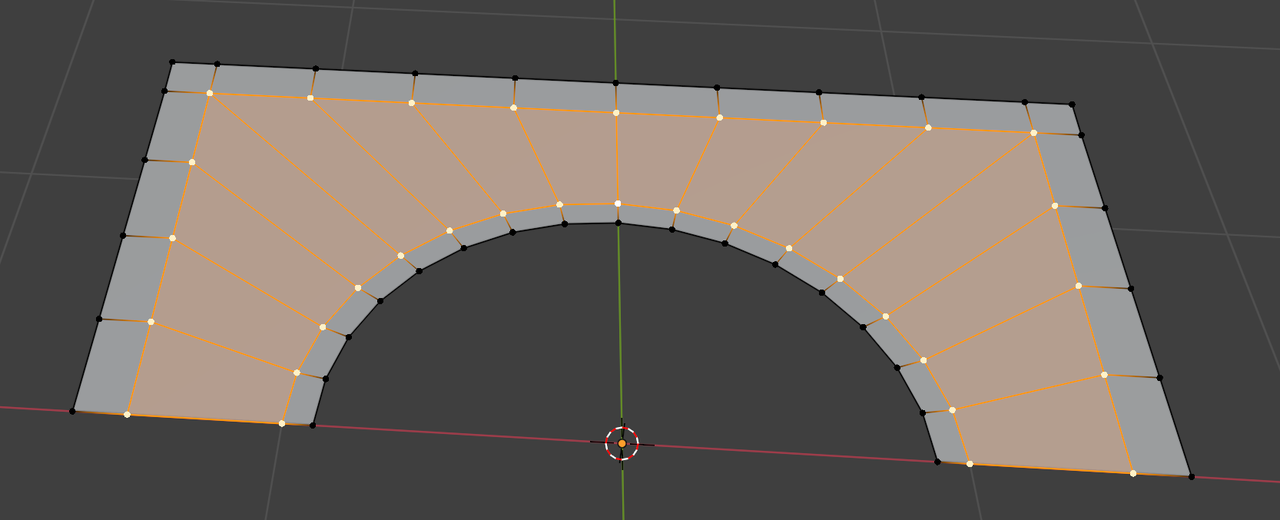
                  I’d take part of a Circle and Add a larger Plane (in Edit Mode) and Delete its Face and Subdivide it to match the Circle and then Bridge Edge Loops and extend outwards and inwards, something like this:

                  Bridge.png

                  You can Add Edge Loops where needed and give it some thickness (it is sometimes easier to start 2 Dimensional and Extrude afterwards…)

                  #89964
                  David Brico
                  Participant

                    Thank you for the diversity of your answers ! I have the choice. Since it’s for a wall with not so many details, I will go with light topology I think. Thank you again !

                  Viewing 8 posts - 1 through 8 (of 8 total)
                  • The topic ‘Building the topology’ is closed to new replies.