Using Luna, and the boots, the method of selecting pose -> shift click the geo -> entering weight paint shows zero weight mode and everything is fine. You can shift+click any bone and it selects it. I did the entire previous section this way, including the boots which are separate geo.
In the bracers something strange happens. I select it, and it doesn’t show zero weights overlay. If I try to weight paint like this, with weight paint mode active, it looks nothing like weight paint mode and nothing changes. Then I hit “A” (just a guess, or trying random things, I happened to notice it – in this context it is select all). This causes the bracers to turn black and be weight paintable, but I can’t select other bones. Even using the dropdown at the top. If I exit entirely, then select a bone, then redo the process I can get back into weight painting the bracer.
I noticed this is also extreeeeemely laggy. Everything else was very smooth, but as soon as I added the bracers, something happened and the framerate drops to seconds per frame. On a 1080ti – this is old, but most everything runs pretty smoothly, it is pretty beefy. Anyway, I think there is something going on with an option or setting or something on the bracers that is making them incompatible with the normal process. This is to be fair, Blender 4.1.1.
Not paintable image
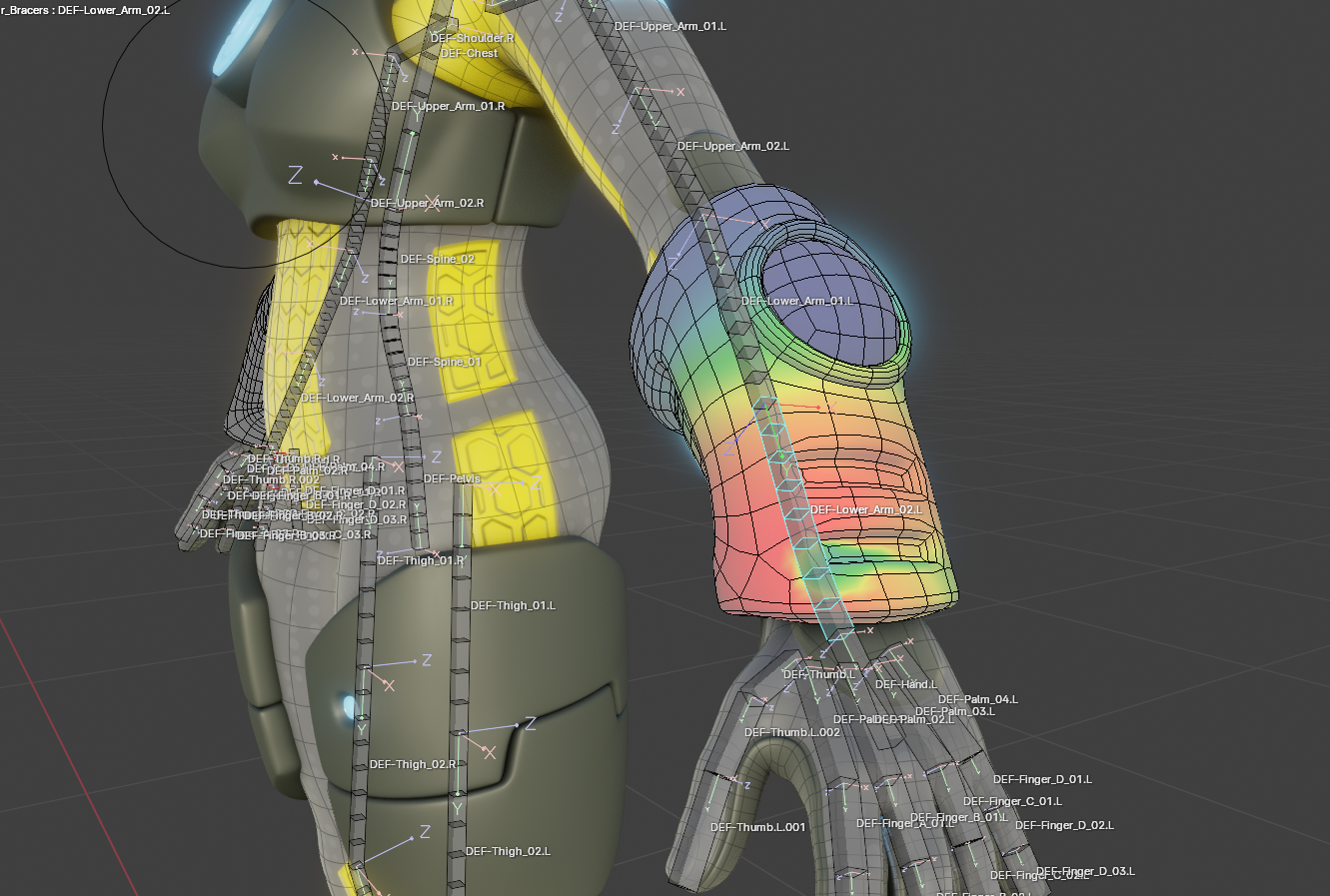
After some experimentation, Edge Split was the culprit for lag, and it’s back to smooth again after deleting it. It doesn’t look as nice but it’s workable. It doesn’t change the weight painting mode seen above.

.


