
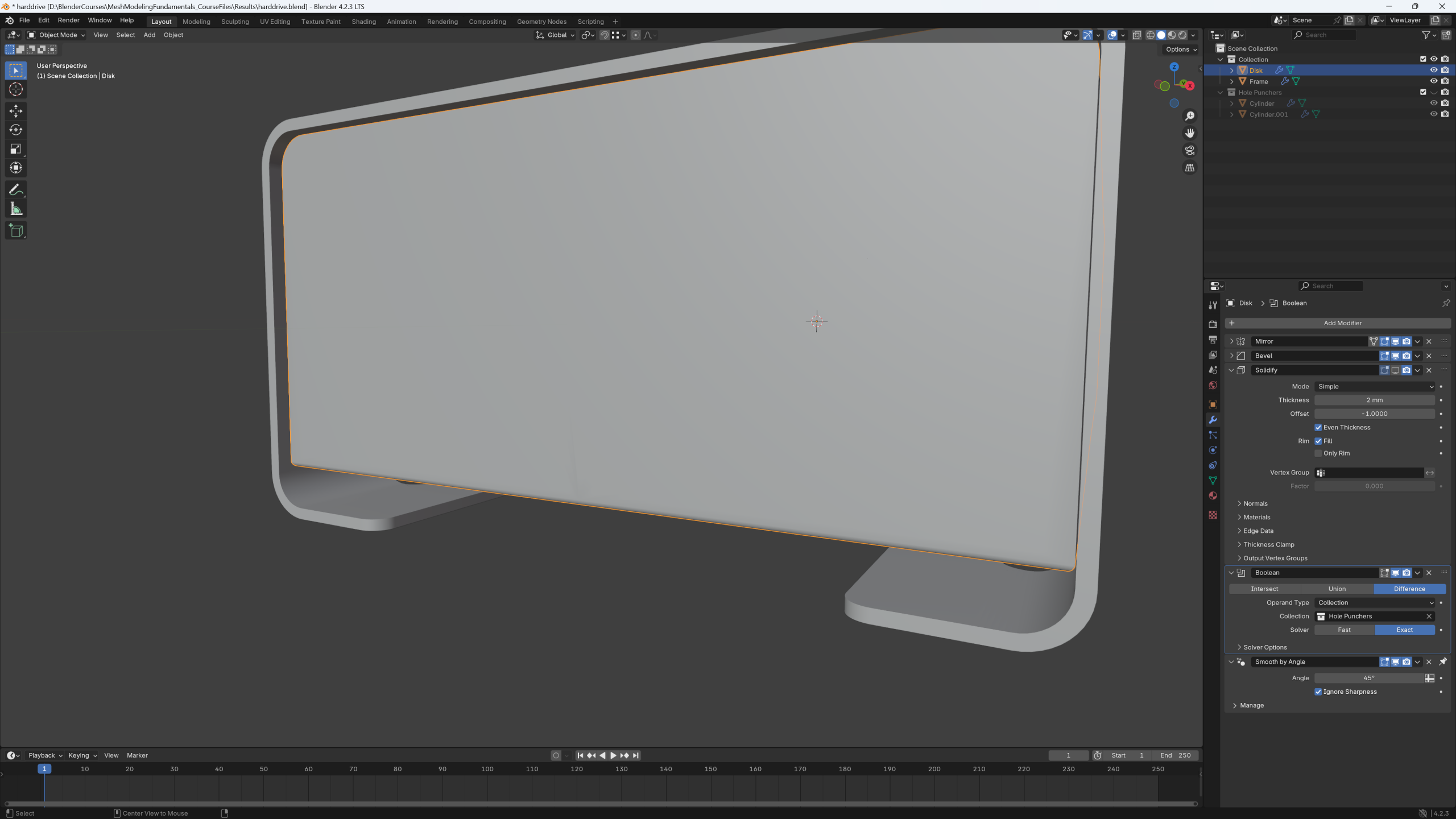
Boolean Modifier Exact not showing the holes

Forum Archive Boolean Modifier Exact not showing the holes

Viewing 3 posts - 1 through 3 (of 3 total)
  • Author
    Posts
  • #19147
    Julian Lenfers
    Participant

      I added the holes with the Boolean Modifier and in Simple Mode it works, at least when I set the Overlap Threshold to 0. Since it was a problem with the default threshold I tried using the exact solver for the boolean modifier and the holes just disappeared:

      It’s not a problem right now, but I would like to understand what I am doing wrong so I can do it right when I actually need the exact boolean modifier for something.

      #91045
      Omar Domenech
      Participant

        Oh I’d say not to worry about it, it’s not like you’re doing something too wrong per say, it’s just that the process result depends on a very finicky operation. When you use booleans most of the time it can go haywire for the simplest things and it’s too hard to diagnose why. So most of us just go along with it and try to change some setting or move things a little bit and hope for the best. In time you get the hang of it and you can tell when some geometry is going to cause problems. But in the end, it’s too chaotic to predict. JL comments on some of the things you can do when it becomes a minor headache in the course, but other than that I’d say just don’t try to control it too much and know it is going to act up from time to time.

        #91046
        Martin Bergwerf
        Participant

          You can try play with the Solver Options for the Exact Method…

          But it mostly is like Omar says. And if one of the Solvers work,  Fast or Exact, there is not really something you are doing wrong.

        Viewing 3 posts - 1 through 3 (of 3 total)
        • The topic ‘Boolean Modifier Exact not showing the holes’ is closed to new replies.