bone controls vertices dont follow in pose mode

Forum Archive bone controls vertices dont follow in pose mode

Viewing 8 posts - 1 through 8 (of 8 total)
  • Author
    Posts
  • #15239
    Christian Pohrer
    Participant

      Hi

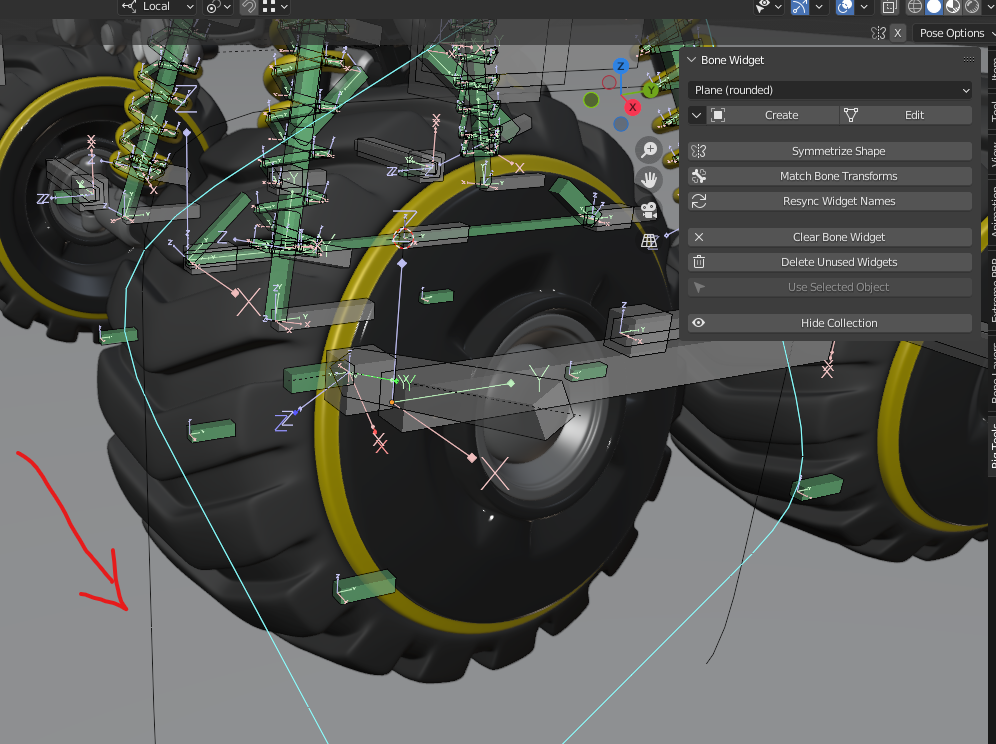
      When I try to move the bone controls this happens:

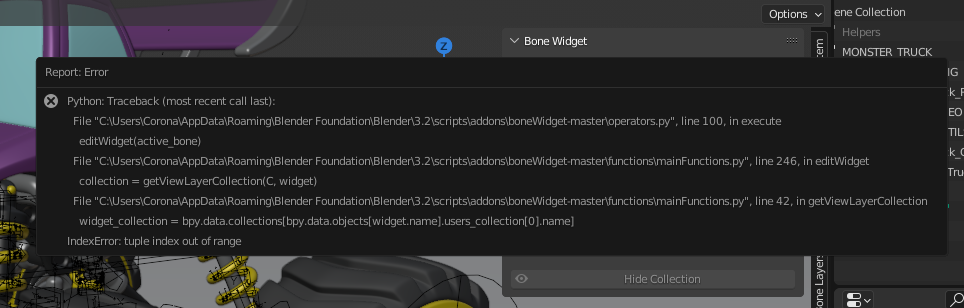
      I could fix that by simply deleting the vertices but then when I try to edit the shape again this error occurs: (probably because there are no vertices to change)

      #74644
      Omar Domenech
      Participant

        Rigging problems are difficult to troubleshoot. Again, there’s little I can do but I would follow Wes Burke advice if it all got too complicated, Delete it and start over. It sounds crazy but it is great if you follow it. Give this short article a read and see if it resonates with you.

        https://blog.cgcookie.com/delete-start/

        #74645
        Shawn Blanch
        Participant

          @pohrerhub That python console error is referring to a collection that may have been deleted. There is a variable named `widget_collection` that is being assigned to the first parent collection of the widget. That parent collection was either cleared or has been deleted. If you send me the file I can probably help you troubleshoot it. I haven’t gotten to that point in the course but check your collections and collection parenting for the widgets. I hope that makes sense.

          #74646
          Christian Pohrer
          Participant

            Here a little video how I create the controls: Maybe I’m doing something wrong

            aaaand the blender file: Download Blender File 
            The top control is with the vertices which are still there and the bottom control is without the vertices (with the python error when I try to edit it)
            #74647
            Adrian Bellworthy
            Participant

              Everything looks fine to me, 
              Notice when you create the bone shape the WGTS collection is hidden, when you click edit this now becomes visible.

              The WGTS collection is only used to hold shapes (widgets)  for use by the bone as a custom bone shape.

              Once you finish editing a shape in the WGTs collection you should hide this collection again so you only see the custom bone shape and not the widget.

              Hope this makes sense.

              #74648
              Wayne Dixon
              Participant

                You are using it correctly Chris, although you can just back into pose mode by hitting the “To Bone” button. It’s the same one that said “edit”.  If you jump back “to bone” with the button it will automatically hide your widget shapes (not the bones)

                What you are seeing stay behind is the shape that is used for the bone – not the actual bone.

                Another way to hide this collection is by using the “hide collection” toggle button, or even in the outliner.

                If you can record a video of how you got it to throw the error that would be helpful.
                I will try to fix the code to stop that from happening, or at least explain what might be happening instead of breaking.

                #74649
                Christian Pohrer
                Participant

                  Ooooh thanksI didn’t notice the WGTS in the outliner and forgot to click on “to bone” :D.

                  Here the error video:

                  #74650
                  Wayne Dixon
                  Participant

                    ok yeah
                    it’s erroring out because that the object doesn’t exist.
                    Technically the mesh data is still in the scene but it is not connected to an object anymore, because someone deleted it….we don’t know who, or why…but it happened.

                    Thanks for the video.
                    I can’t stop the user from doing this, but I may be able to get it to display a message for a possible cause for the error….rather than it just erroring out.

                    Thanks Chris

                  Viewing 8 posts - 1 through 8 (of 8 total)
                  • The topic ‘bone controls vertices dont follow in pose mode’ is closed to new replies.