Blender doesn’t create a new face when extruding

Forum Archive Blender doesn’t create a new face when extruding

Viewing 5 posts - 1 through 5 (of 5 total)
  • Author
    Posts
  • #14183
    itdidnotcomehome
    Participant

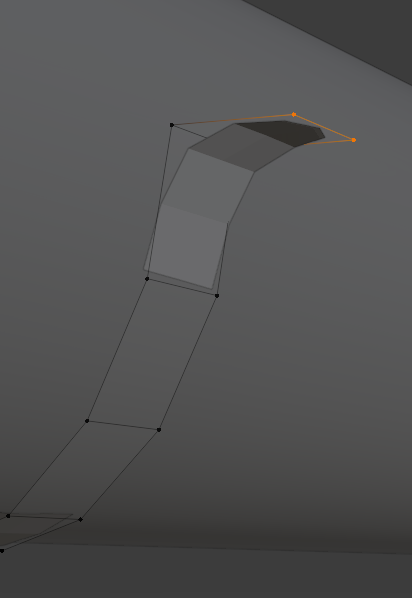
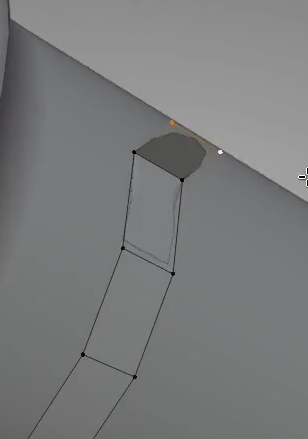
      Hello there! I apologize for my lack of knowledge, but for some reason, whenever I try to extrude certain edges, Blender doesn’t create a new face as expected, but simply stretches the edge as if I were to hit G. The strange thing is that it only happens on certain edges, but others work fine.

      How it should look (screenshot from the video):

      How it actually looks for me:

      Anyone have a solution to this?

      #69736
      Adrian Bellworthy
      Participant

        Hey @itdidnotcomehome , it nearly came home , next year we will bring it home ⚽ 

        You have it right, the effect you are seeing is the subsurface modifier smoothing the corner making it look rounded.

        In the example shot from the lesson, Kent actually had duplicated verts some how, which is why it looks different. Just after this Kent fixes the problem and continues to have geometry just like yours.

        You may have extruded a little further but yours looks good. 👍

        #69737
        itdidnotcomehome
        Participant

          Ah, I see, so this is how it is supposed to look anyway. Thanks a bunch

          (Italy v England was intense, excellent plays on both sides. But I agree, it will come home next year! 🏴󠁧󠁢󠁥󠁮󠁧󠁿⚽️)

          #69738
          itdidnotcomehome
          Participant

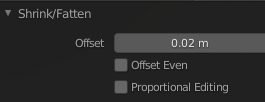
            Also, I’m just wondering, around the 8:10 minute mark, is it ok if the offset of the Alt + S operation is positive instead of negative as shown in the picture?

            #69739
            Adrian Bellworthy
            Participant

              That would depend on the direction of the faces.

            Viewing 5 posts - 1 through 5 (of 5 total)
            • The topic ‘Blender doesn’t create a new face when extruding’ is closed to new replies.