Blender 2.8 viewport display

Forum Archive Blender 2.8 viewport display

Viewing 4 posts - 1 through 4 (of 4 total)
  • Author
    Posts
  • #10788
    radius688
    Participant

      Hello,

      I am following the tutorials, and at about the 1:34 mark, the cube is shown painting the plane in real time. In Blender 2.8, I can’t seem to find the display mode that allows this to be shown. Can you tell me how I can see in the viewport the vertices of the cube painting the plane in real time?

      Thanks!

      Joe

      #51197
      spikeyxxx
      Participant

        @radius688 Hi,

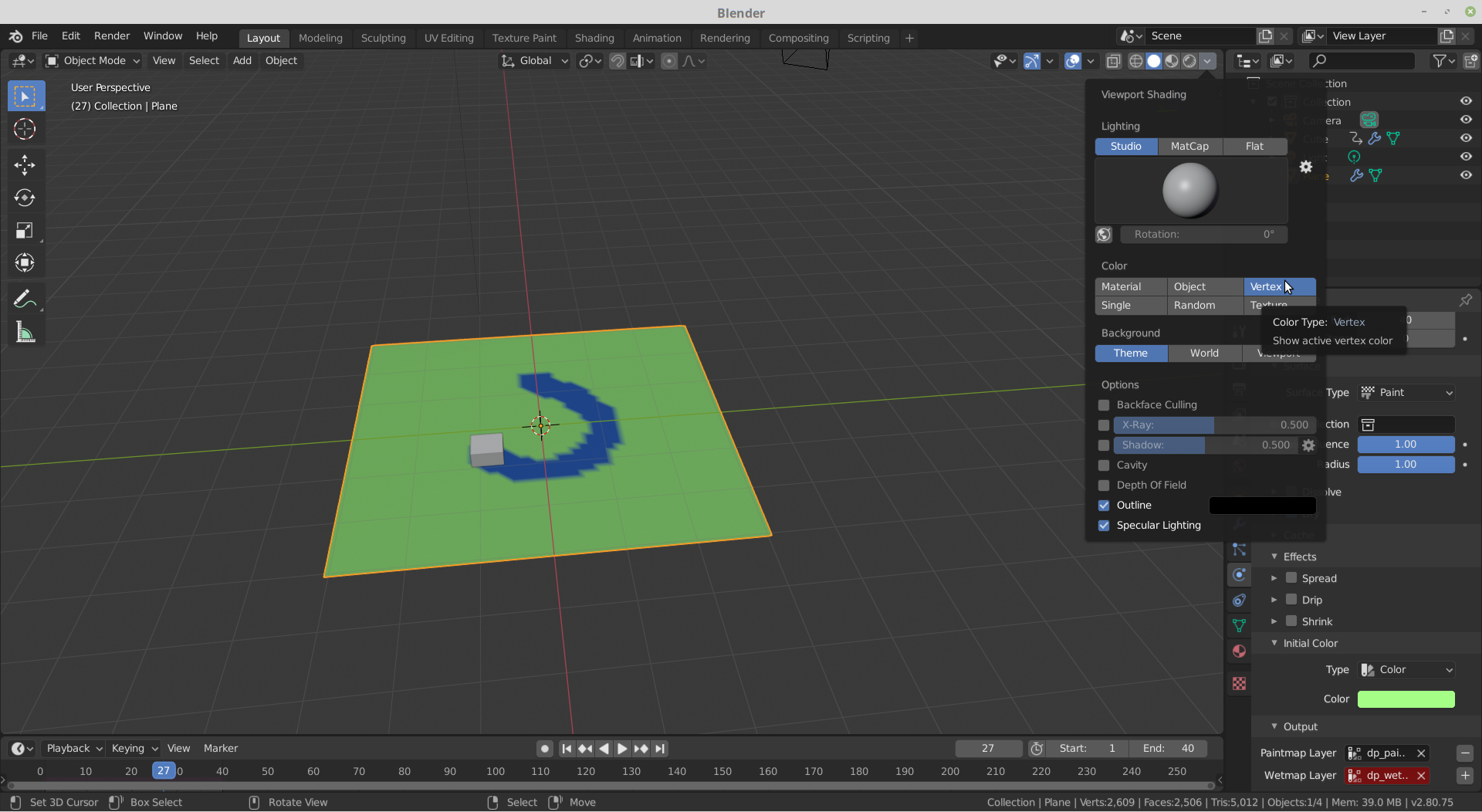
        there are a few things to do: set the Viewport Shading (the dropdown menu at the top right of the Viewport) to Vertex.

        Make sure that on the Canvas under Output the Paintmap Layer is not red; if it is, click the + next to it.

        You can give the Canvas an Initial Color, otherwise (if it’s set to None) it will paint on a black Canvas.

        And play around with the Effects and so on…

        If you select the Brush, you can also change the Paint Color (default is blue).


        #51198
        radius688
        Participant

          Brilliant! Thanks, Spikeyxxx!

          Joe

          #51199
          Ingmar Franz
          Participant

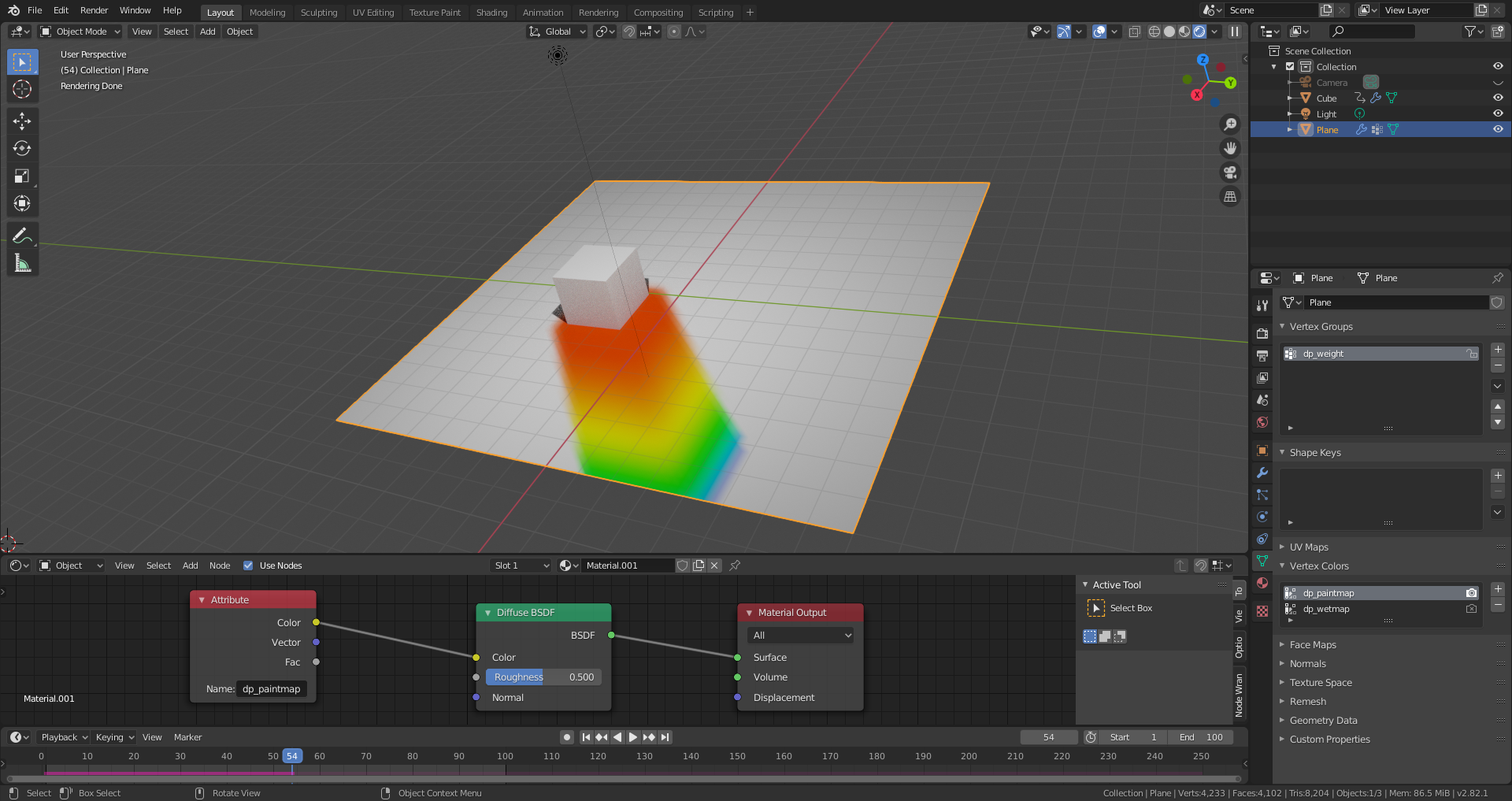
            With “Viewport Shading” set to “Material” or “Render” and an “Attribute Node” with the name of your “Dynamic Vertex Paint Map” plugged into your shader’s colour input, you can also see this with “Material” colours:

            File is here.

          Viewing 4 posts - 1 through 4 (of 4 total)
          • The topic ‘Blender 2.8 viewport display’ is closed to new replies.