Blender 2.8 Render

Forum Archive Blender 2.8 Render

Viewing 9 posts - 1 through 9 (of 9 total)
  • Author
    Posts
  • #10909
    mihailmihno
    Participant

      I’m trying to be more into 2.8, but I don’t know why it is so hard for me… Looks like I have to learn blender again. Is it only me?

      Currently I’m trying to render some results that I have, but I can’t see robot on the final render. I thought that I broke it and took original scene again and select Render->Render Image. And it is the same – just background.

      I checked “Show in Render” and it is on. What am I missing?))

      #51557
      Wayne Dixon
      Participant

        It sounds like your filters might not be visible in the outliner and the collection (or object) might be disabled in the render.

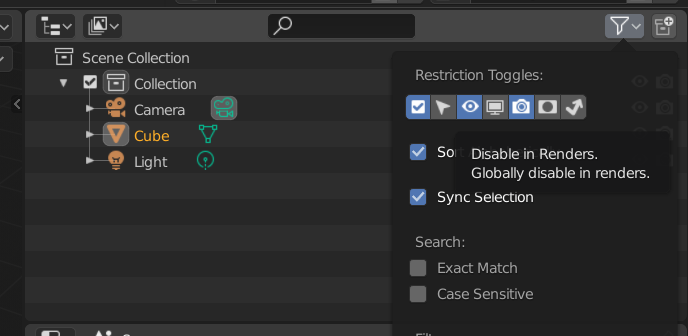
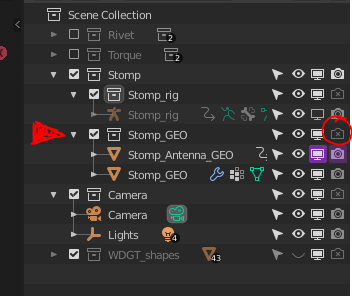
        Click on the funnel in the top right of the outline and make sure you can see that the Restriction Toggles are enabled for renders. (the one that looks like a camera)

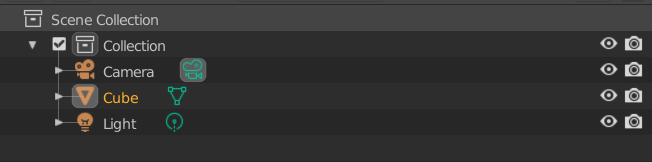
        Can you see how this is an eye ball and a camera icon for each object AND the collection.  This is not visible by default…which is silly in my opinion.

        Hope that fixed it for you.

        #51558
        mihailmihno
        Participant

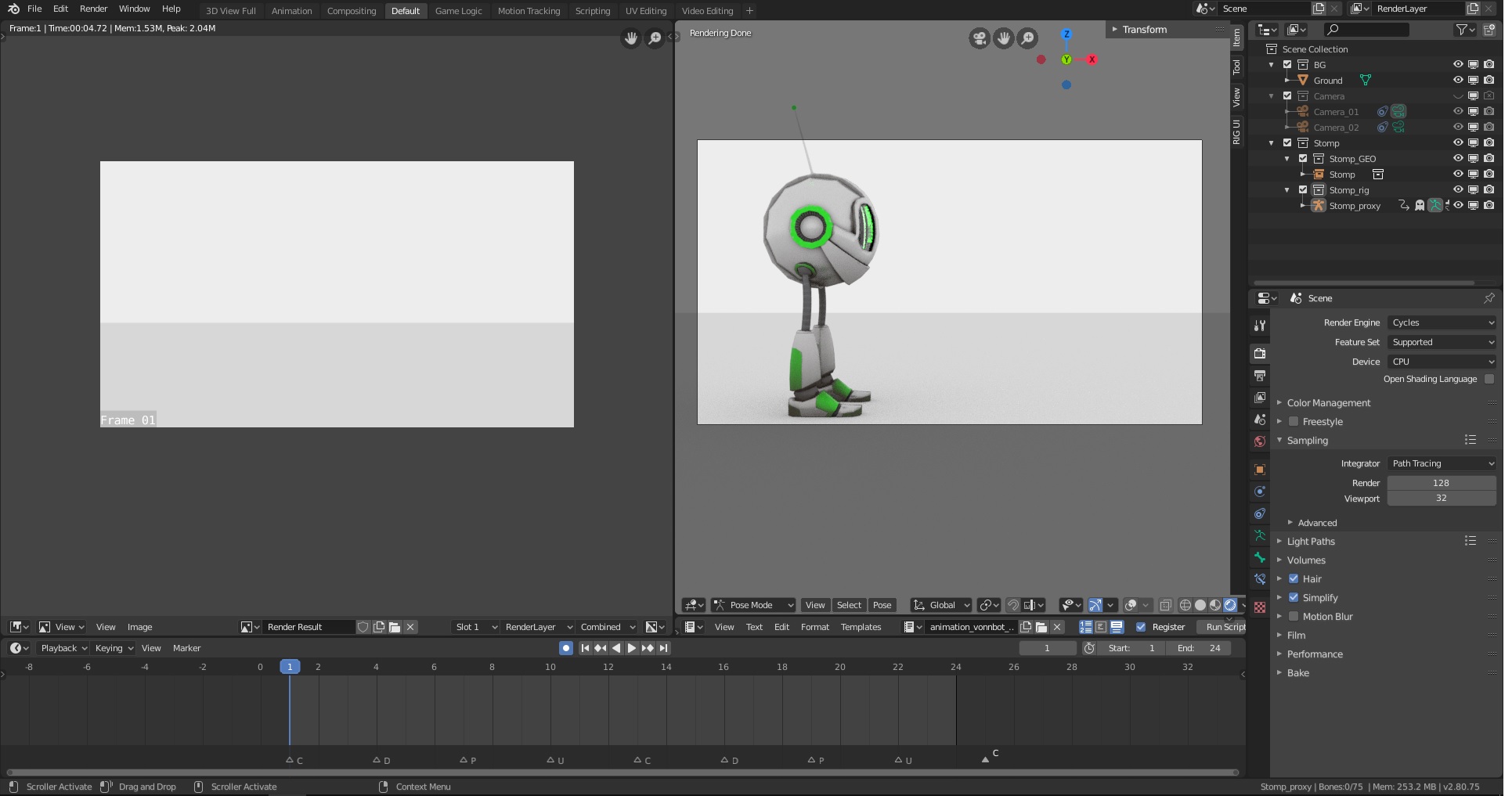
          Yeah. I checked it from “Properties” tab. It has same toggles as this funnel))… But unfortunatelly it didn’t help me. Same problem:

          I took this archive (2.80_exercise_11_stomp-walk_source-files) and tried to render it as is without any changes and then checked render as on screen… Theoretically it shouldn’t work on every computer)) Will try tomorrow on different one, just to remove suspicion from my home PC)

          #51559
          Wayne Dixon
          Participant

            You can try downloading the rig again from the Resource section to make sure everything is fine.

            There was only 1 small change I made (from the top of my head) between the Resource version and the version that is downloadable in the bootcamp files.

            That was the name of the collections were captitalised vs lowercase.

            (Capitals is what I use now to easily tell what to import)

            So it shouldn’t affect anything else….but who knows haha.

            #51560
            martinsinko5
            Participant

              Hi there,

              I’ve got exactly the same problem as the user “mihailmihno” described above.

              Stomp just doesn’t show up in my renders, only the background shows up.

              I tried EEVEE, workbench, and cycles. Nothing seems to work.

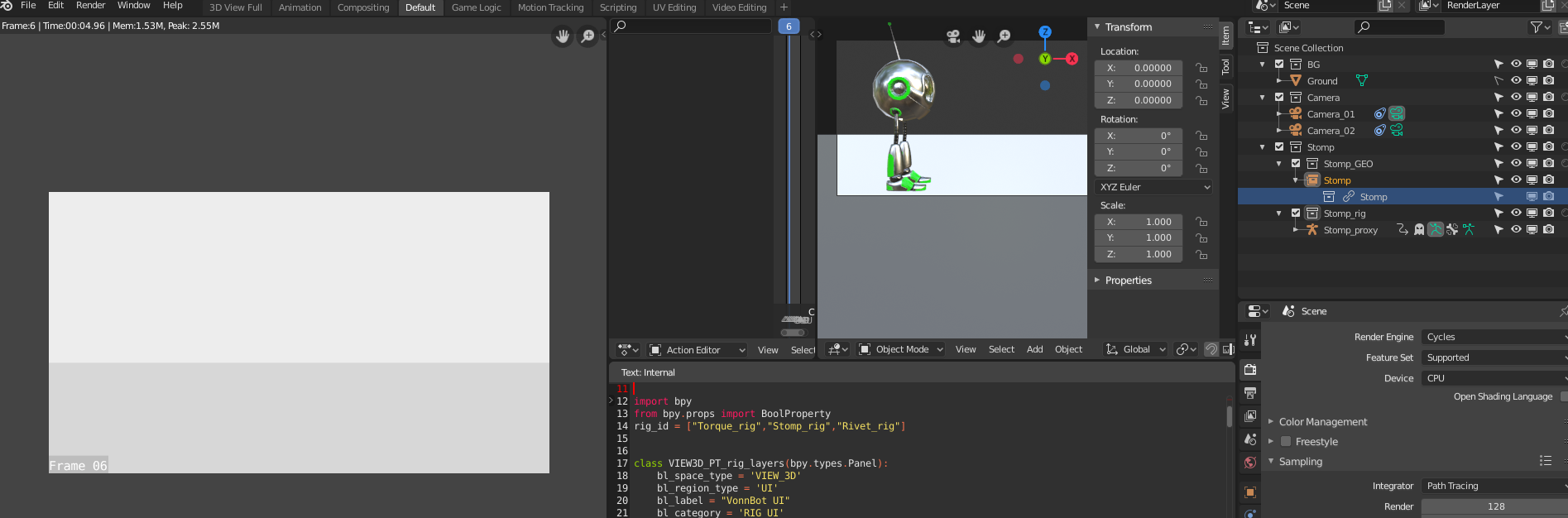
              I also double-checked restriction toggles and they are enabled for renders (for Stomp).

              The weird thing is, that I can see Stomp in a 3D viewport in viewport shading as render preview as you can see below.


              #51561
              Wayne Dixon
              Participant

                Hmm – what operating system are you on @martinshin?

                I have a feeling that it could have been the version of Blender it was saved with (beta) and the official version having issues on certain operating systems. (I’m going to guess you’re on a Mac like me – which has about 4 times as many bugs as Linux/Windows)

                You can try downloading the rig again or relinking the character to a fresh file rather than course source file while I dig into it.

                (I’ll try to get to the bottom of it)

                #51562

                  @waylow 

                Wayne, in the VonnBots_2.80.blend (the file thats linked into the other file) the Stomp_GEO collection is set to not render. I think thats the problem.

                @mihailmihno You can fix this yourself for now if you want but its obviously something they will fix on the CGcookie side as well. 🙂

                #51563
                Wayne Dixon
                Participant

                  Thanks @3dioot 

                  It turns out I’m intellectually mild.

                  Bootcamp files are fixed. And now the names of the master collection have changed (to capital letters eg – STOMP instead of Stomp)

                  #51564
                  Parker Bourassa
                  Participant

                    Side note to this, to get the eyes to show up correctly, I had to check on Screen Space Reflections in the Render tab,  and then Refraction under it as well.

                  Viewing 9 posts - 1 through 9 (of 9 total)
                  • The topic ‘Blender 2.8 Render’ is closed to new replies.