
Blender 2.66.1 “Pick shortest Path” not working

Forum Archive Blender 2.66.1 “Pick shortest Path” not working

Viewing 3 posts - 1 through 3 (of 3 total)
  • Author
    Posts
  • #12776
    Ingmar Franz
    Participant

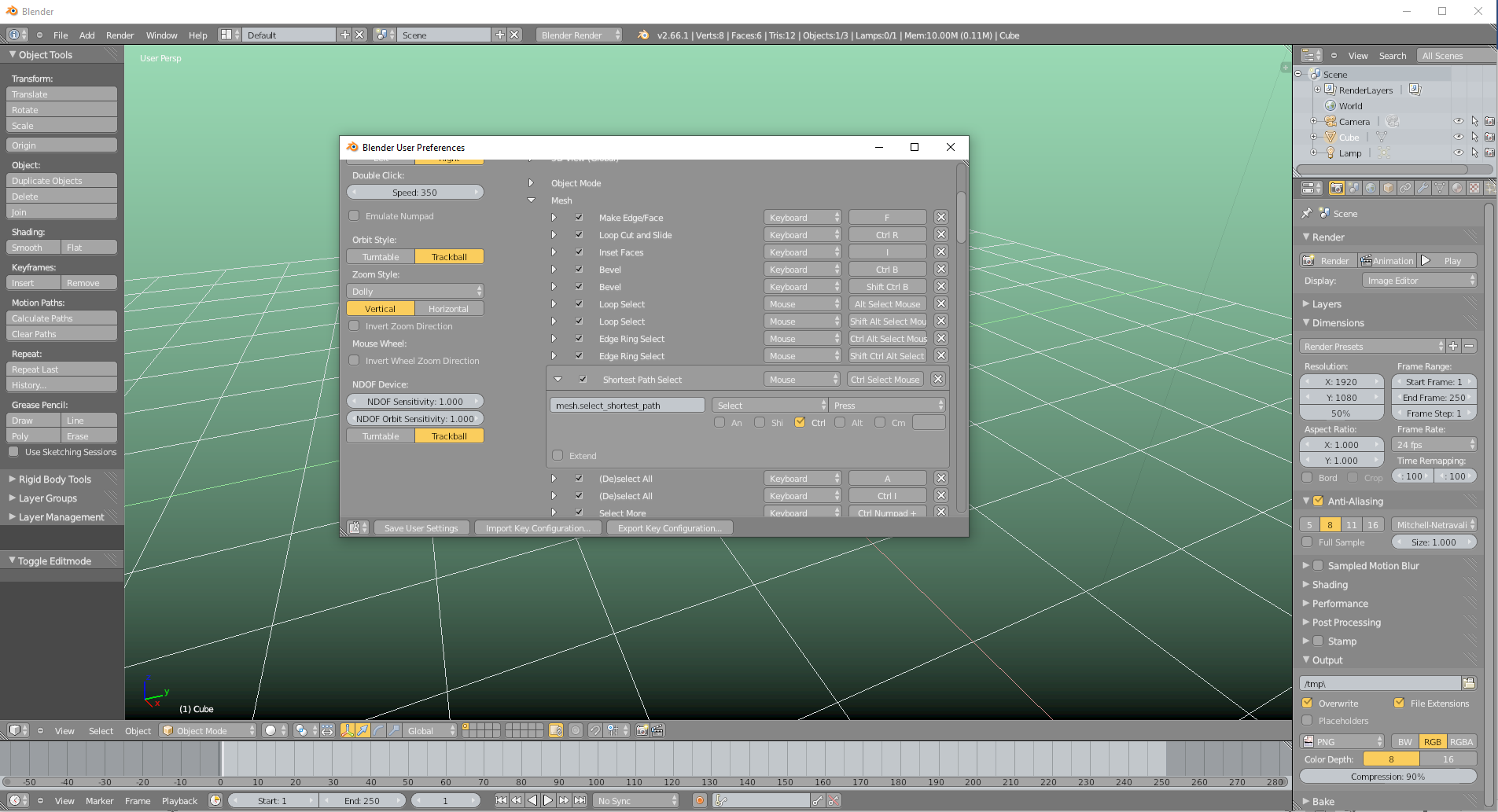
      In Blender 2.66.1 “Pick shortest Path” is not working although it’s active in the default keymap settings:

      CTRL + Right Click should do the job but nothing happens whereas CTRL + Left Click creates a new vertex as it is supposed to do.

      #60433
      spikeyxxx
      Participant

        That’s weird…

        It does work in Face Select Mode though. Maybe with Vertices and Edges is just a newer, more advanced thing.

        #60434
        Ingmar Franz
        Participant

          Thanks, @spikeyxxx, I’ve just seen that Kent is  in “Edge Select Mode”  of the same Blender version when demonstrating “Pick Shortest Path” from 4:00 to 4:16 in his video. And it works in my Blender 2.66.1 copy as well as it does in “Face Select Mode” like you described it. Only “Vertex Select Mode” doesn’t offer this possibility. Blender 2.67 behaves the same but Blender 2.71 allows “Pick Shortest Path” in “Vertex Select Mode”. I suppose that this has changed with the transition to version 2.70.

        Viewing 3 posts - 1 through 3 (of 3 total)
        • The topic ‘Blender 2.66.1 “Pick shortest Path” not working’ is closed to new replies.