Bevels on the curve

Forum Archive Bevels on the curve

Viewing 5 posts - 1 through 5 (of 5 total)
  • Author
    Posts
  • #14820
    vaidher
    Participant

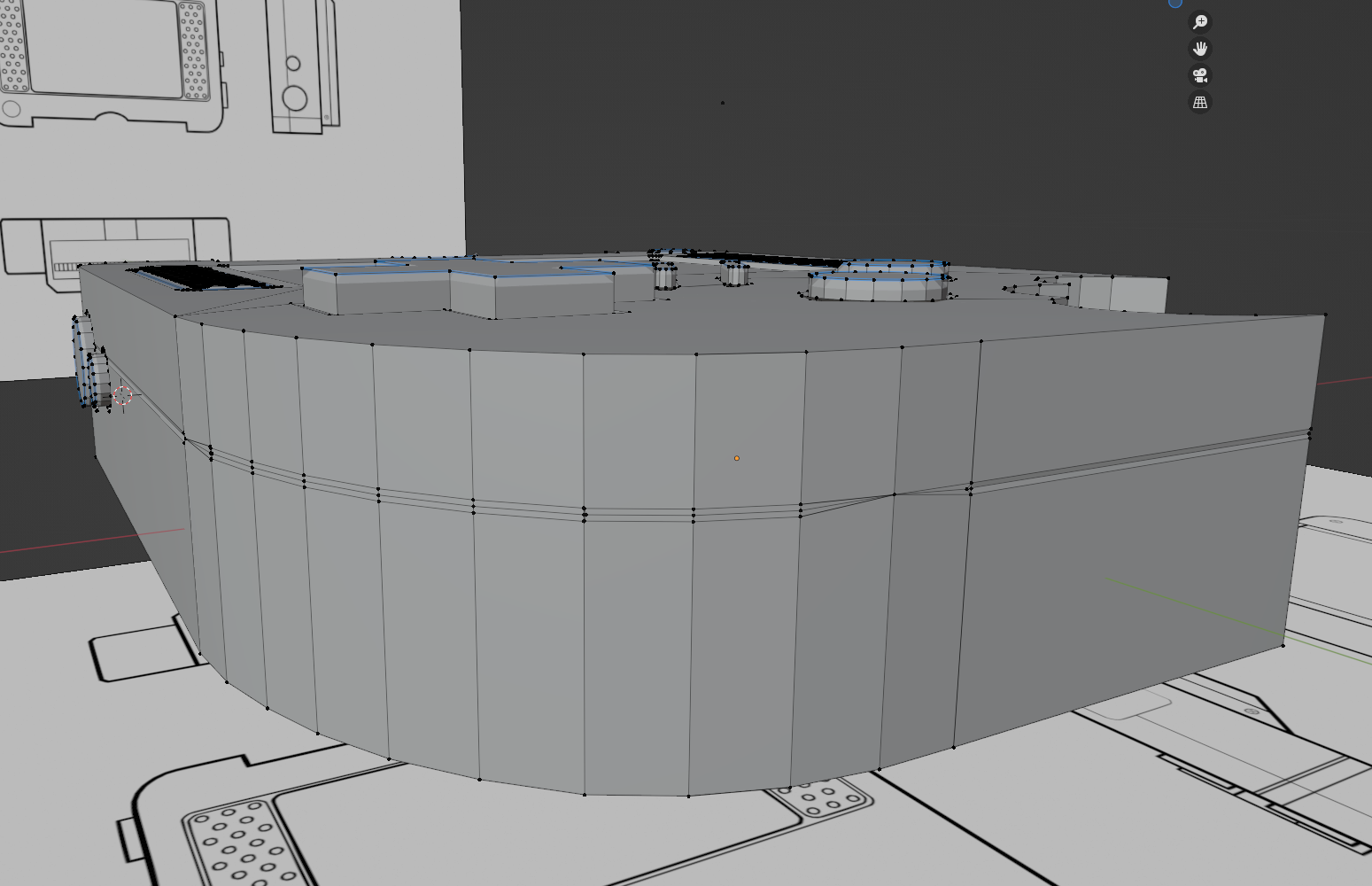
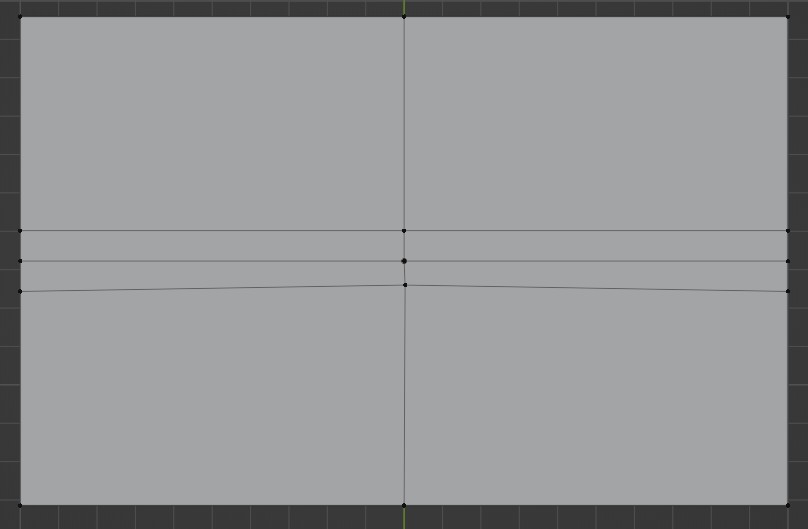
      Got the bevels to work except on this curve due to these two spots where they all join at one point….how can i fix this?

      #73256
      Vue Thao
      Participant

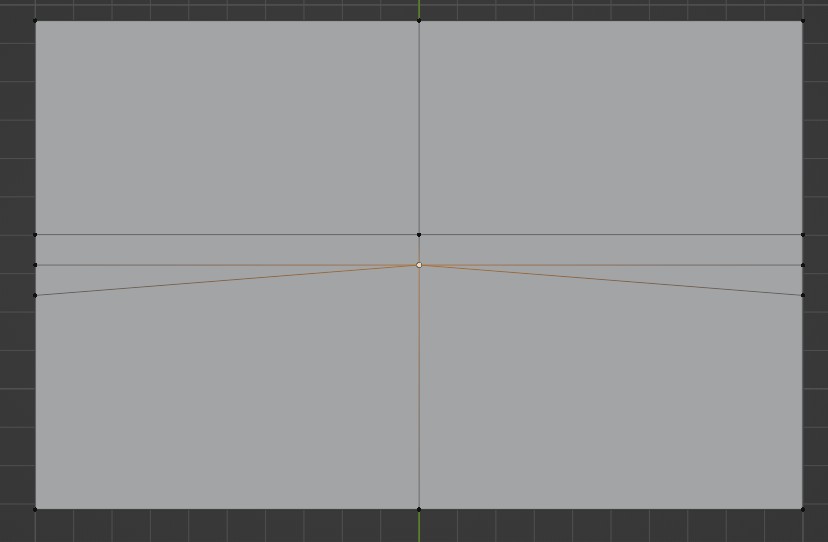
        Press K on the keyboard to bring out the knife tool. Cut across the plane from one vertex to another.
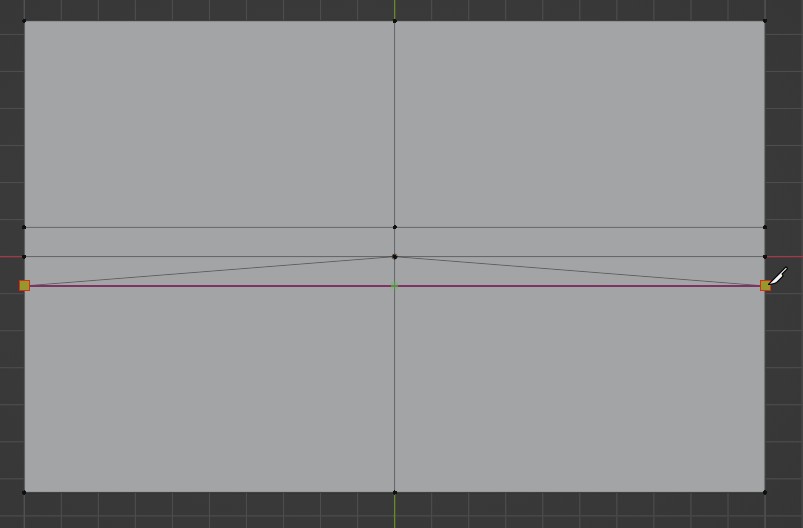
        Nice edge established. 
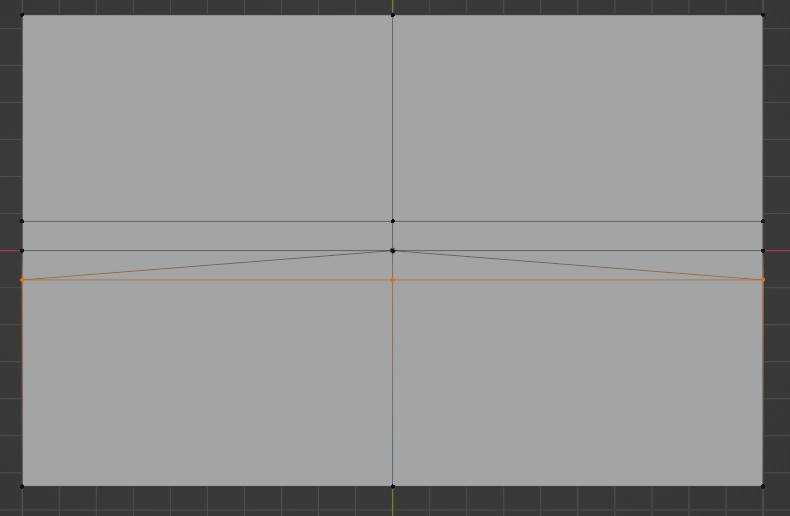

        Press #2 at the top of the keyboard, not on the Numpad. #2 refers to edge mode. For instance, #1 as vertex mode, #2 as edge mode, and #3 as face mode.
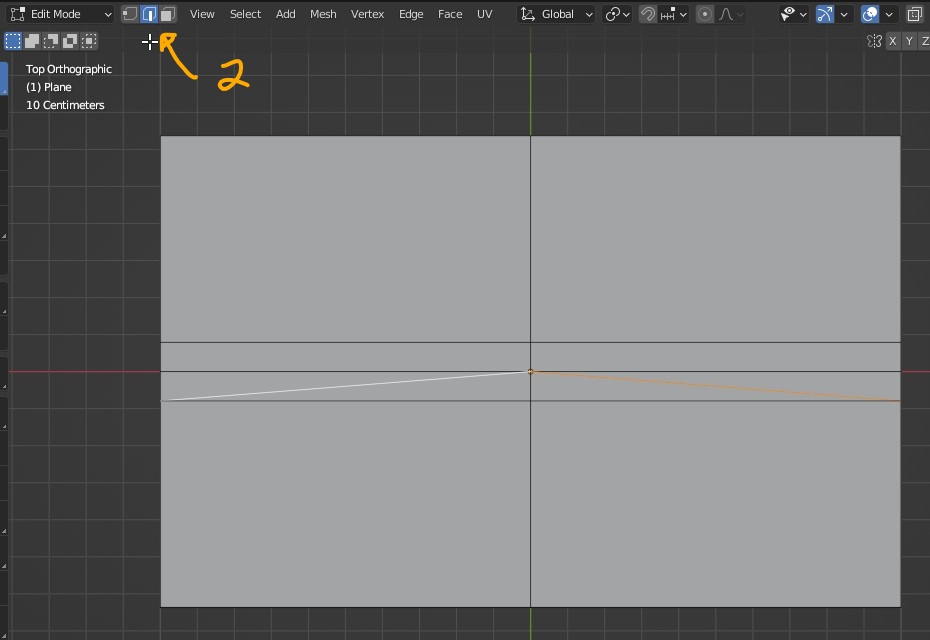
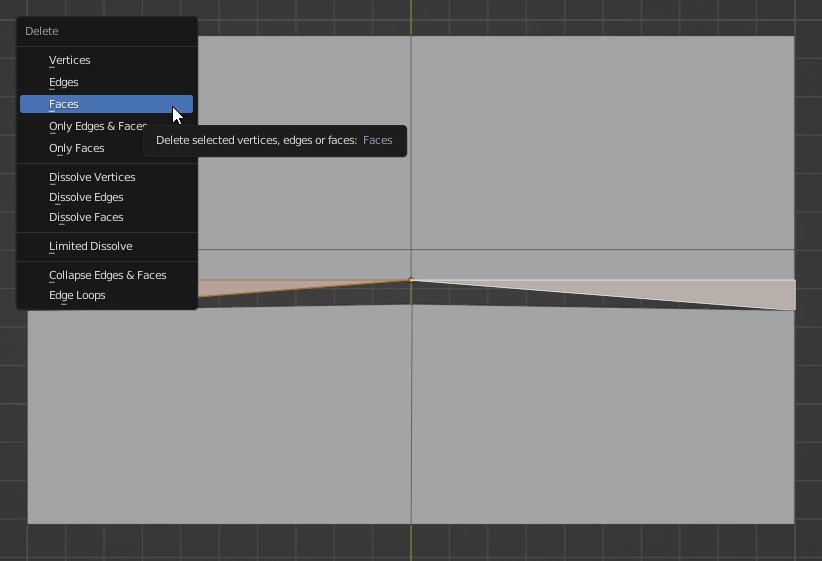
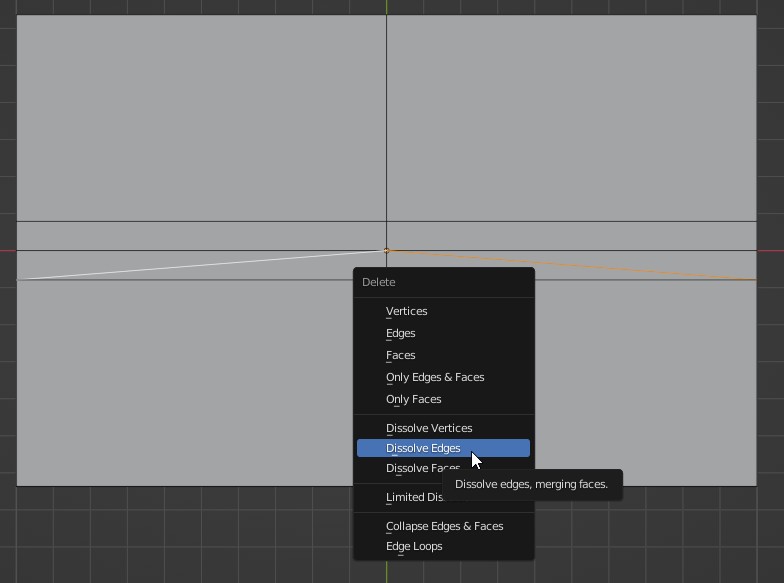
        Select two opposing edges and press the X key to bring out the sub-menu. Go down to where it says “Dissolve Edge” to get rid of the edges completely without affecting triangular faces. What will happen if you accidentally delete edges? The triangular faces will be deleted along with the edges you selected a moment ago.
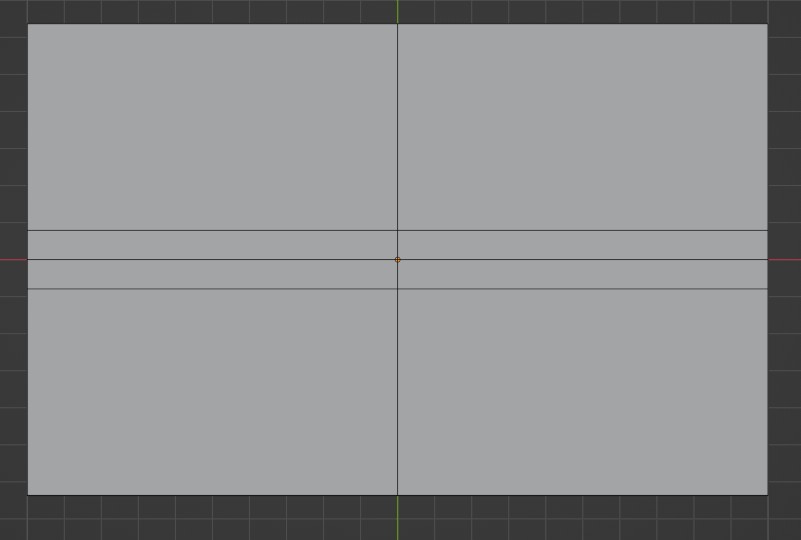
        And violas! Problem solved.
        #73257
        Vue Thao
        Participant

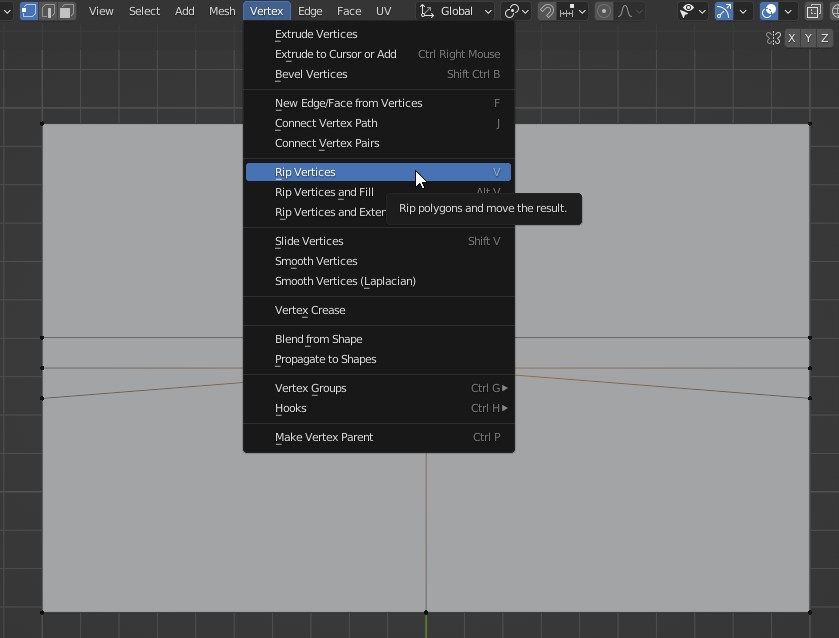
          Another method is to remove the middle vertex.
          Select the middle vertex.


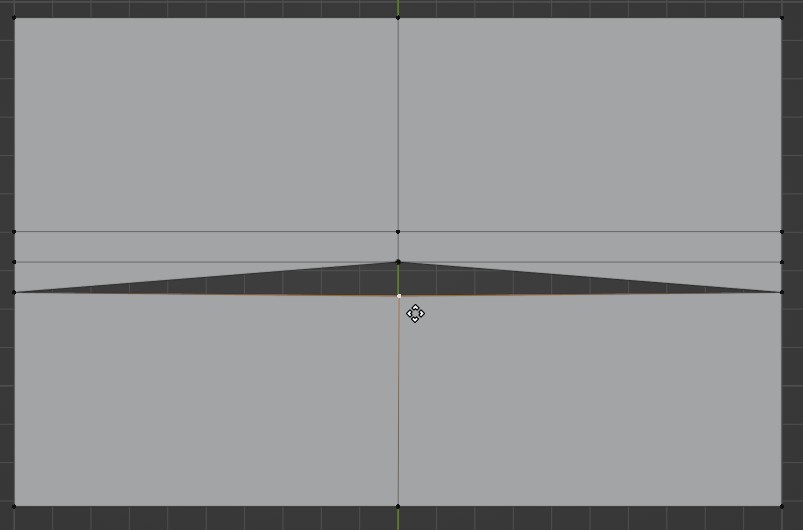
          Press the V key to rip off the vertex to the desired location.


          Select two opposing triangular faces and delete them.

          Press #1 on the keyboard to go to vertex mode and select all four vertices. Press “F” key to filling in the face. Do the same to another sidea

          #73258
          vaidher
          Participant

            @Vue .. Thanks! that worked! It also kind of opened my mind how to fix these issues! Such a simple solution, I was putting too much thought into it. Thanks again!!!

            #73259
            Vue Thao
            Participant

              You’re welcome. I’m in the same shoe as you’re having when I first started Blender in 2019. 

            Viewing 5 posts - 1 through 5 (of 5 total)
            • The topic ‘Bevels on the curve’ is closed to new replies.