Bevel Shader & Low Poly Geometry

Forum Archive Bevel Shader & Low Poly Geometry

Viewing 8 posts - 1 through 8 (of 8 total)
  • Author
    Posts
  • #17994
    Syed Uddin
    Participant

      Is my understanding correct that the effectiveness of the Bevel Shader depends on the poly count of the normals for the object I’m applying it to? My buttons, top ridges of the console, and screws don’t seem to bevel as aggressively to smooth the geometry as they do in the video, and I suspect it is due to me using lower edge-count when creating the circles for the buttons for example. I tried to edit the radius of the Bevel Shader to be either smaller (0.0001) or larger (0.1) but seem to be getting diminishing returns.

      #86132
      Omar Domenech
      Participant

        I’m not sure if the bevel in the shader depends too much on how many polygons the object has, but I tend not to use the bevel in the shader. I don’t know why I think it is too taxing on the render calculations and I overall it’s better to have bevel either in the modifier or in the actual geometry. Even if JL uses it on the tutorial, you can do it differently.

        #86133
        Martin Bergwerf
        Participant

          Is my understanding correct that the effectiveness of the Bevel Shader depends on the poly count

          No! Absolutely not!

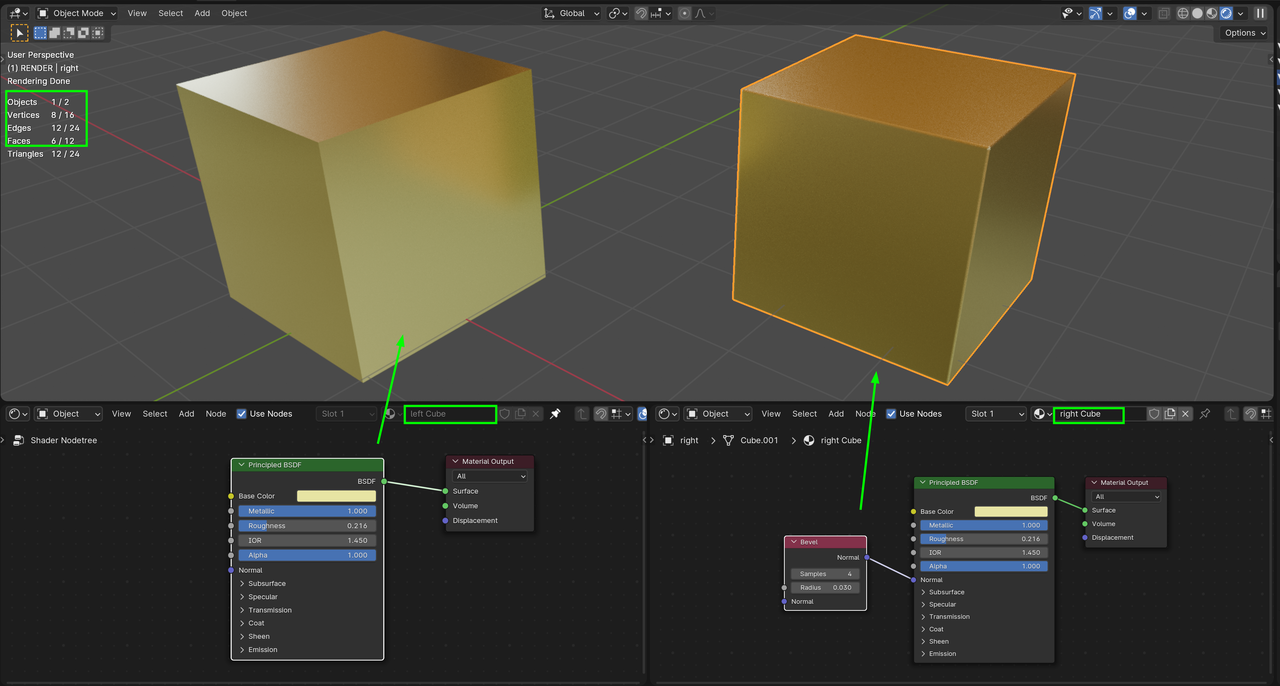
          The Input > Bevel fakes Geometry that isn’t there:

          cubes_01.png

          #86134
          Martin Bergwerf
          Participant

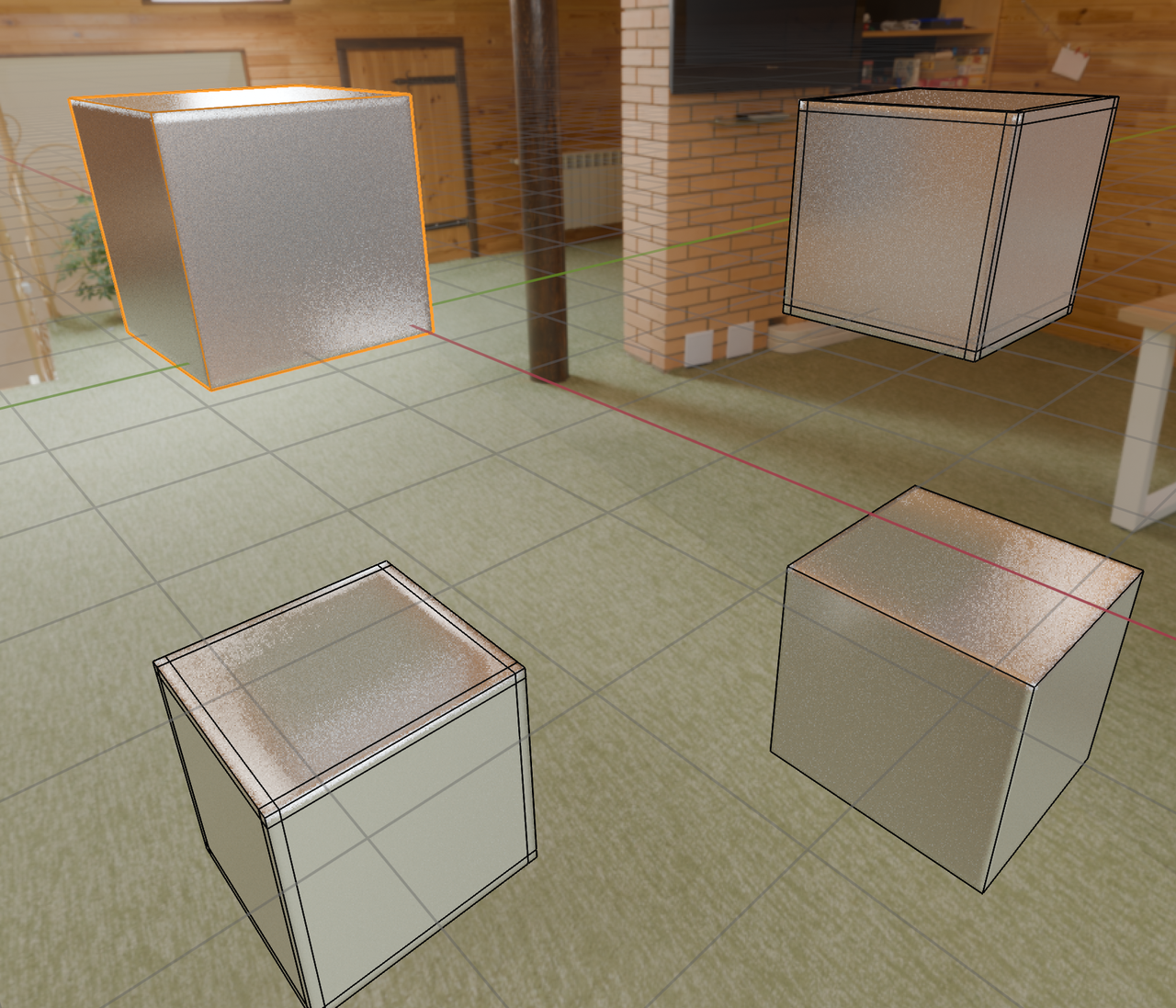
            To be fair, here’s the opposite comparison; All 4 cubes have the same Shader (with Bevel), but two have more Geometry:

            Cubes_02.png

            #86135
            Syed Uddin
            Participant

              I’m not sure if the bevel in the shader depends too much on how many polygons the object has, but I tend not to use the bevel in the shader. I don’t know why I think it is too taxing on the render calculations and I overall it’s better to have bevel either in the modifier or in the actual geometry. Even if JL uses it on the tutorial, you can do it differently.

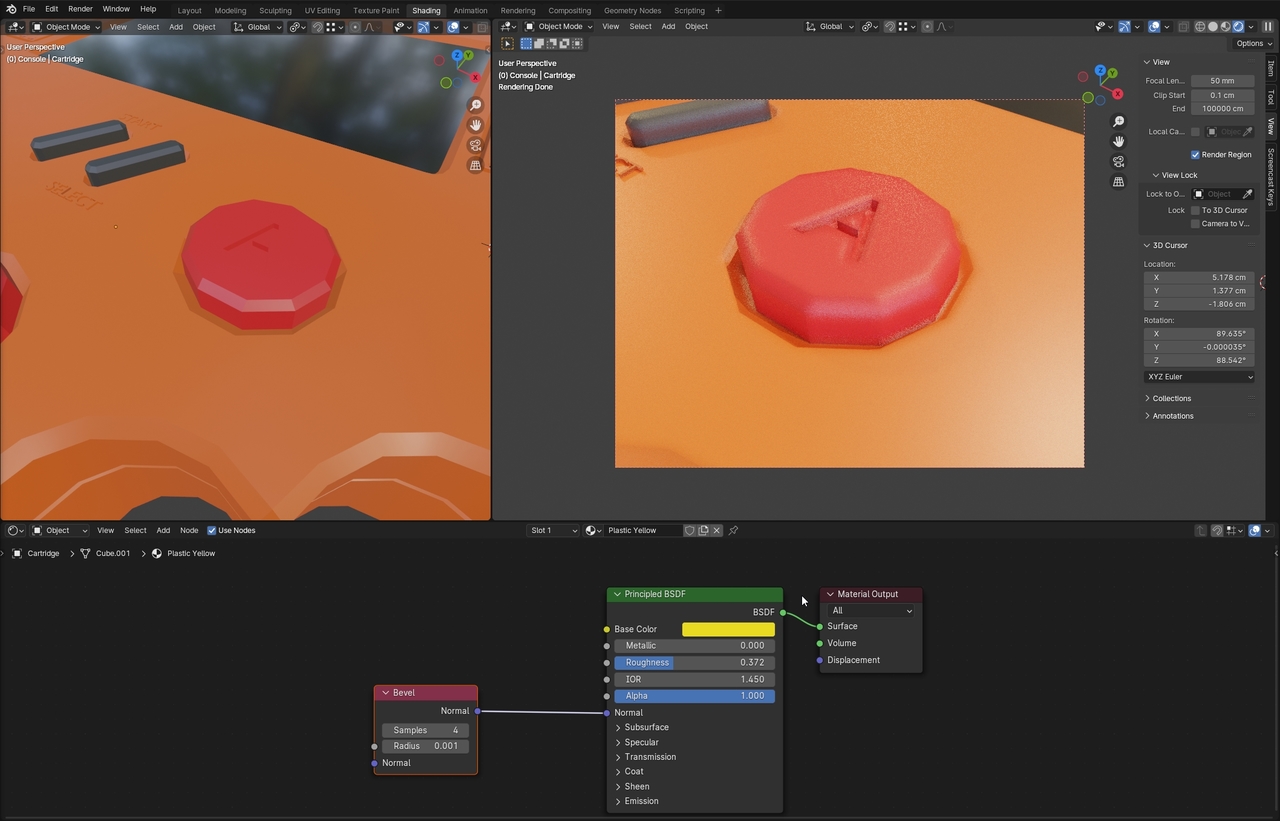
              Right, I understand your point that it might not be the best way in future workflow. My question was to understand why the Bevel Shader didn’t fully smooth out my buttons, and I was assuming that it was due to the lower edge/poly count of my button

              The Input > Bevel fakes Geometry that isn’t there:

              Right, my issue was that it isn’t smoothing out my buttons as it does in the tutorial. I did use a lower edge-count for my buttons when I created it’s circles. If my edge-count is lower then the fake geometry that the Shader tries to create will not have much geometry to work with from the start.

              ender_2hUZyyq8b7.jpg

              #86136
              Syed Uddin
              Participant

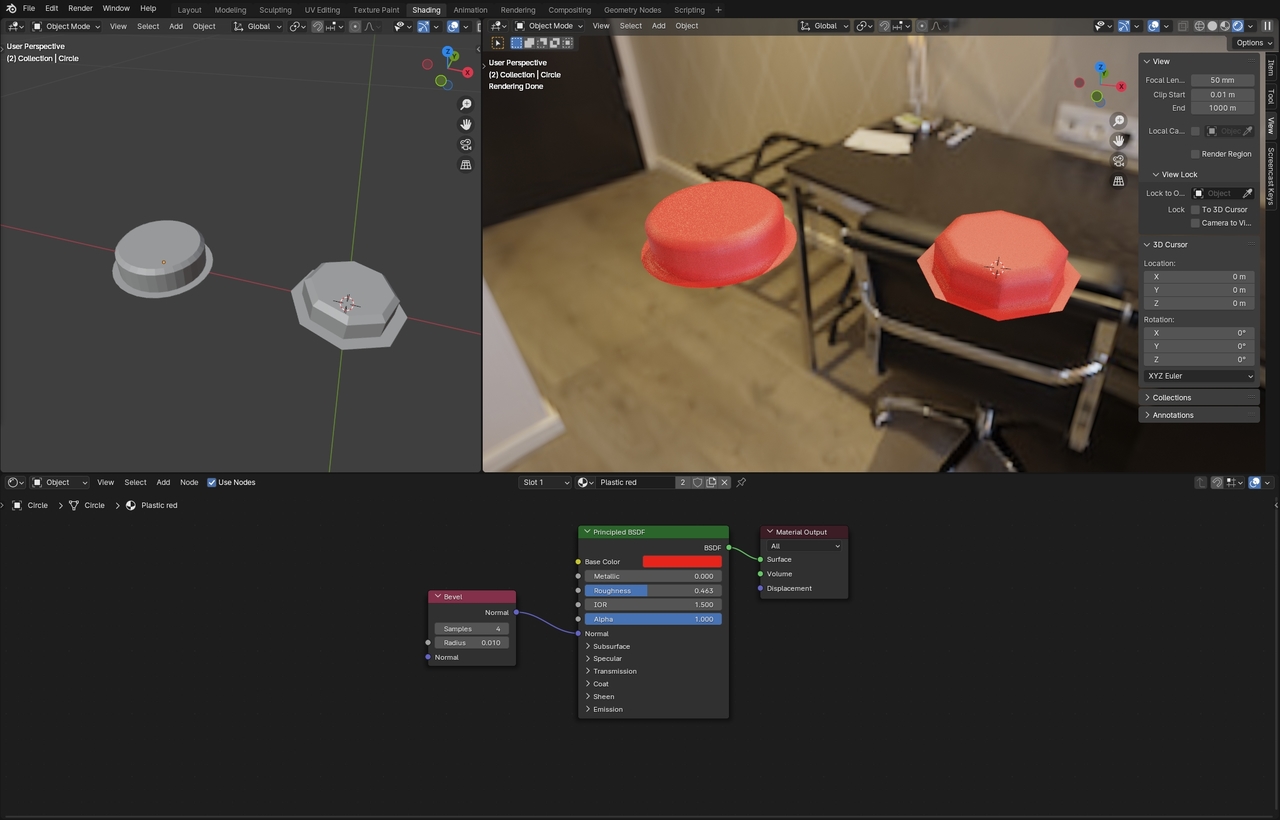
                Okay I think, yes, it was the polycount in the end that wasn’t creating more curved surfaces with the Bevel Shader

                I tried to create the buttons again and used the same material+shader on bothender_Rye2HYVyEX.jpg

                #86137
                Martin Bergwerf
                Participant

                  Oh right, I think I see what you mean now!

                  The amount of Vertices in the Circle, does make a difference; the Bevel Input, can’t make a low-poly circle into a high-poly circle.

                  It has more to do with the angle between Faces, than with the amount of Geometry.

                  To be honest, this goes rather deep (especially for a beginner).

                  But as Omar already mentioned, the Input Bevel Node, is not used that much.

                  It’s just good to know it’s there, because in some special cases, it can be an absolute life-saver!

                  #86138
                  Omar Domenech
                  Participant

                    Yeah when it comes to the resolution of the circle itself, geometry is very important in that case. But Martin already explained that. This is why a screenshot makes all the difference, you see it and it’s like oooh ok, I see what you mean now.

                  Viewing 8 posts - 1 through 8 (of 8 total)
                  • The topic ‘Bevel Shader & Low Poly Geometry’ is closed to new replies.