Bevel not working right

Forum Archive Bevel not working right

Viewing 15 posts - 1 through 15 (of 16 total)
  • Author
    Posts
  • #11221
    product346
    Participant

      At about the 16min mark. Trying to bevel where the cube.002 and cube 001 meet. When go into edit more and select a, it grabs both so when I bevel it, it goes in and doesn’t curve right.

      #52749
      Kent Trammell
      Participant

        Can you post before and after screenshots of what the bevel is doing to your mesh? Or better yet a GIF of the issue. I don’t quite understand what’s happening..

        #52750
        sprinklelicious
        Participant

          Yeah I will in a few, Pretty much when I hit Ctrl b to bevel, it’s doing the edges, but making them sharp and not round like in your video. So if I were to bevel and click off, my corners are pointy. Give me a little bit and I’ll send a screenshot.

          #52751
          Kent Trammell
          Participant

            @sprinklelicious Ok that sounds like Profile setting in the bevel options is set to 1.0 and not 0.5 (default).

            #52752
            product346
            Participant

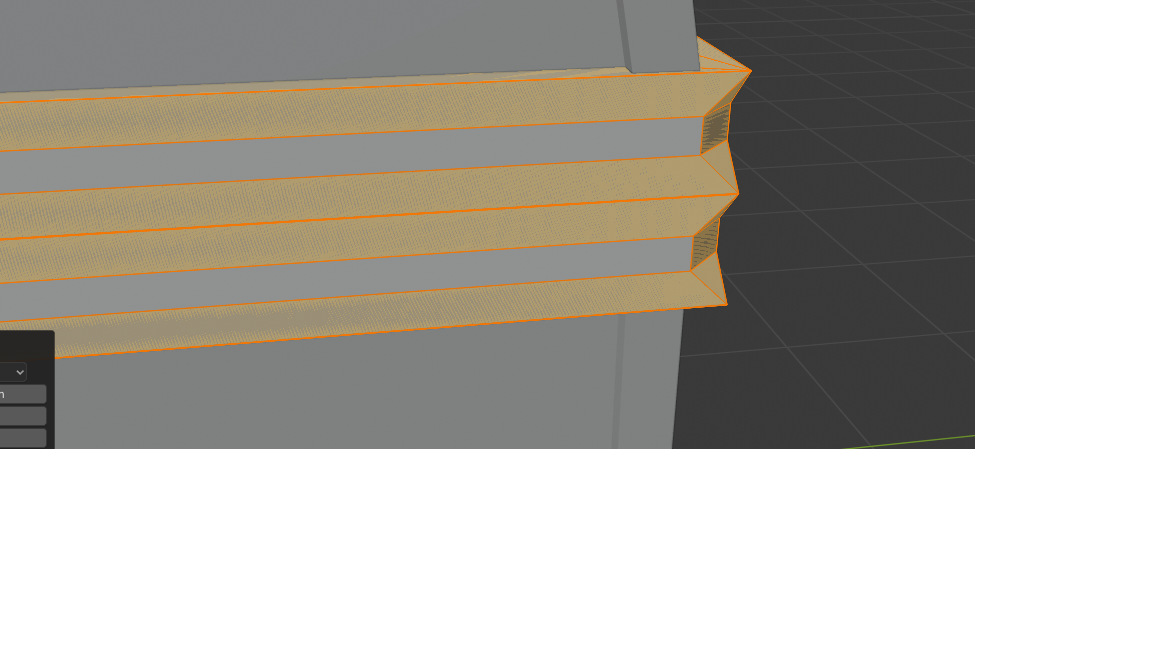
              Here’s a picture. 

              #52753
              Kent Trammell
              Participant

                @product346 What in tarnation…Can you provide a download link to your .blend file so I can take a closer look? The best way to do this is by uploading to dropbox, google drive, or equivalent file hosting service and copy + pasting a link.

                #52754
                product346
                Participant
                  #52755
                  product346
                  Participant

                    I really don’t want to have to restart but I will if need be. Was going to last night but thought I should try for help first.

                    #52756
                    spikeyxxx
                    Participant

                      Hi product346!

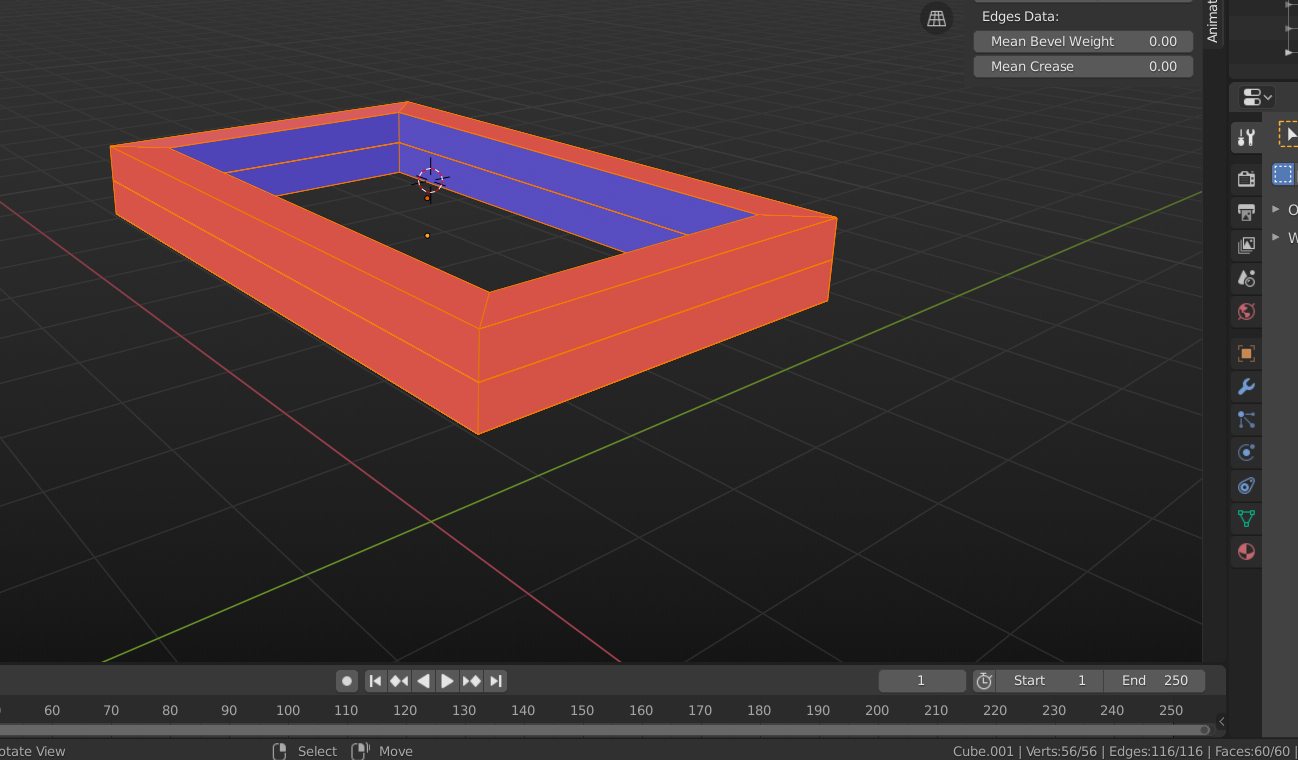
                      I can’t see your .blend (access denied), but from your Screenshot i’d say that your Normals are not consistent.

                      A bevel (with one segment) is created by making a plane, perpendicular to the Normal. An Edge bevel makes it perpendicular to the Edge’s Normal. An Edge Normal is calculated as the ‘middle’ (angle-wise) of the Normals of the two adjacent Faces.

                      Here is what I think happened in your case:
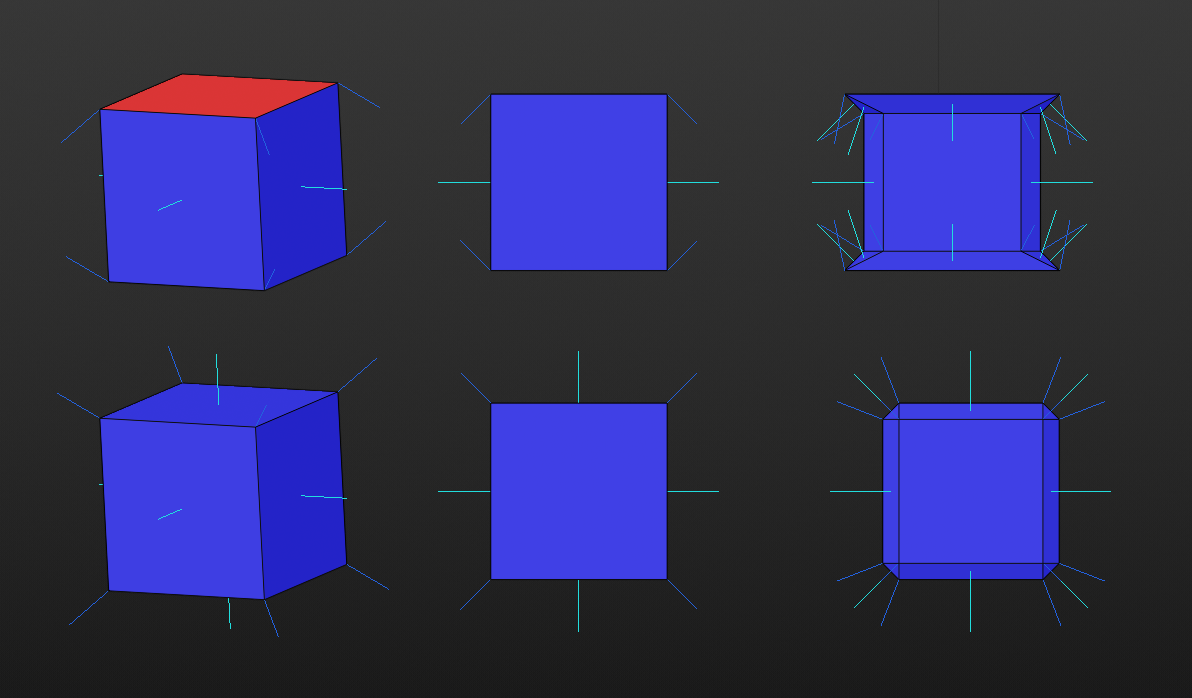
                      There are three very important shortcuts, that you should use all the time:

                      SHIFT+N to recalculate your Normals (in Edit Mode with everything selected).

                      ALT+M > Merge by Distance (to remove double vertices).

                      And last but not least: CTRL+S to save your file!

                      #52757
                      sprinklelicious
                      Participant

                        I will try and re upload it when I get home. I’ll try what you said first though. Worst case I’ll restart. Could use the experience being it’s been a while since I’ve done this.

                        #52758
                        spikeyxxx
                        Participant

                          BTW. here’s another thing that can happen when your Normals are messed up (that’s why this is called abnormal behavior..).

                          https://blog.cgcookie.com/forums/topic/collab-2021-wip-duerer/

                          #52759
                          product346
                          Participant
                            #52760
                            spikeyxxx
                            Participant

                              You didn’t only have messed up Normals, but also double vertices:

                              Look at the number of Verts (bottom right). That should be16 (4 at each corner, it is only one ‘Cube’).

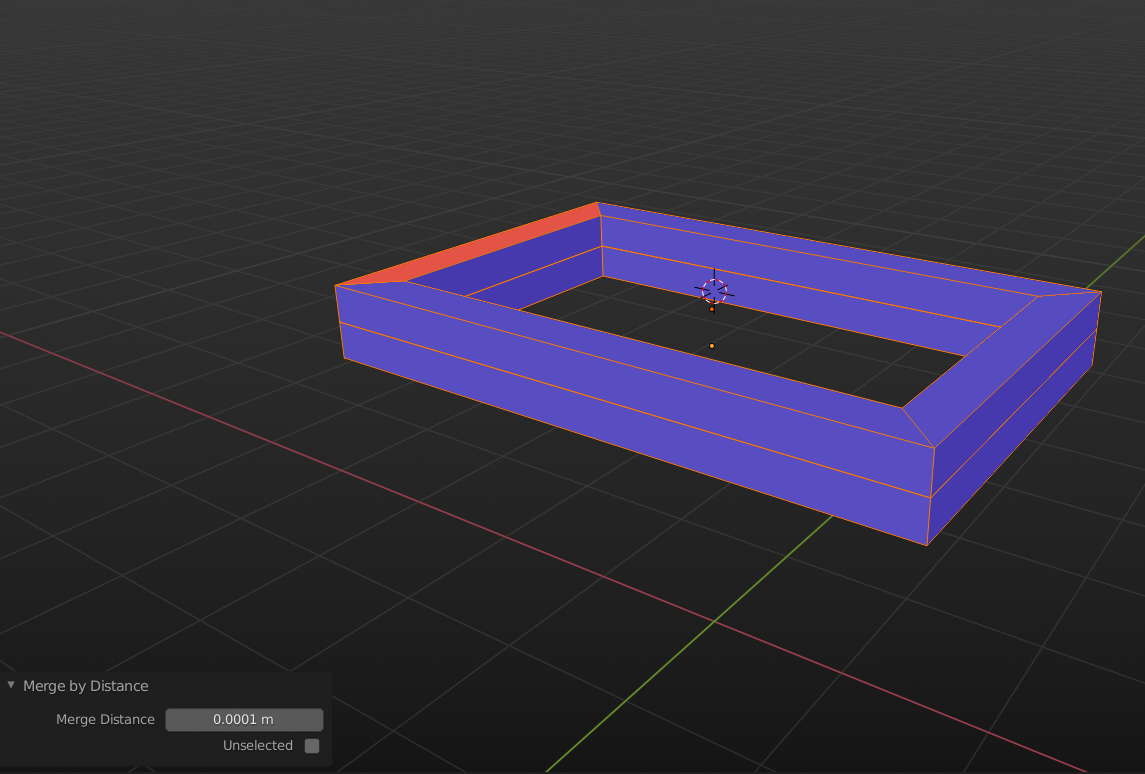
                              Select all and ALT+M, this will remove 40 Vertices and leave you with this:

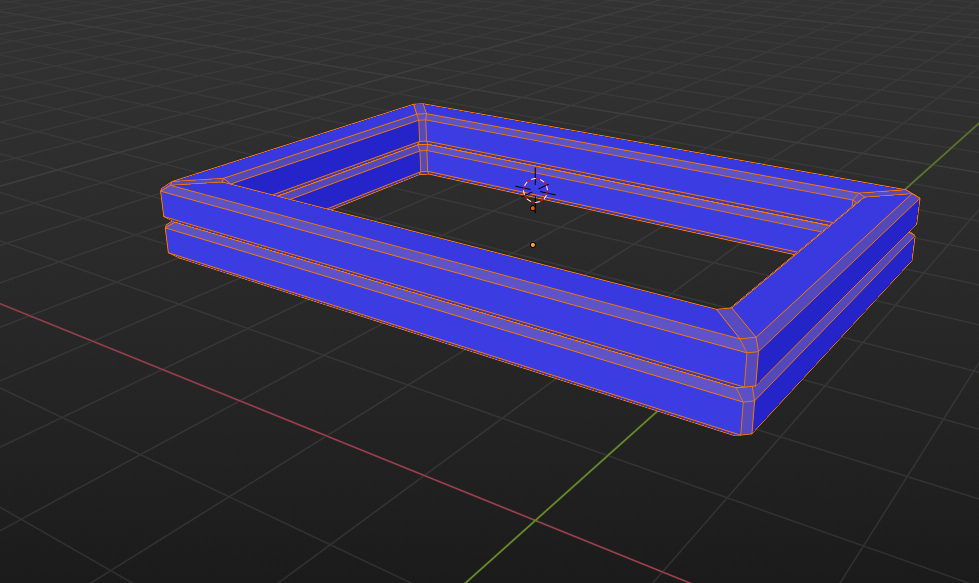
                              Now use SHIFT+N to recalcluate the Normals (because they are not all blue) and you’re good to go. Bevel away:

                              #52761
                              sprinklelicious
                              Participant

                                When I do alt m it just deletes them

                                #52762
                                sprinklelicious
                                Participant

                                  Nevermind, got it. Thank you so much for the help.

                                Viewing 15 posts - 1 through 15 (of 16 total)
                                • The topic ‘Bevel not working right’ is closed to new replies.