Bevel not working on the slots

Forum Archive Bevel not working on the slots

Viewing 11 posts - 1 through 11 (of 11 total)
  • Author
    Posts
  • #15949
    Akram Latifi
    Participant

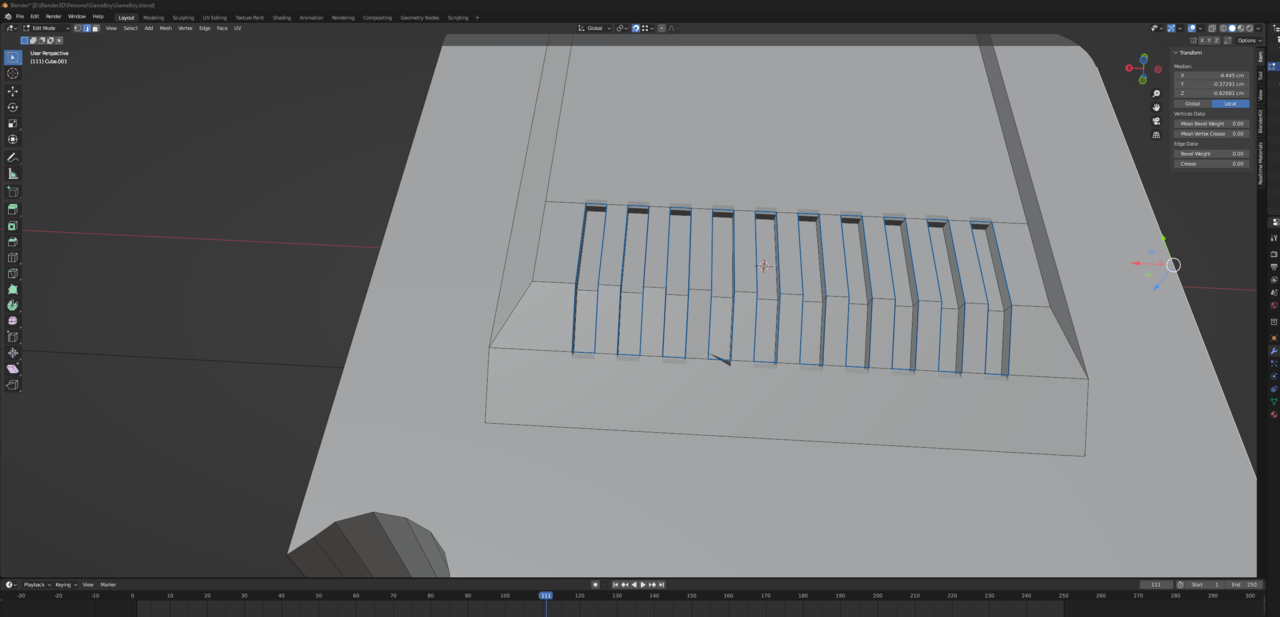
      I tried almost every suggestion in the previous answers to the same problem but it seems none of them is working, 

      #77594
      Akram Latifi
      Participant

        the bevel works only in the top and bottom edges with one exeption,

        now i want to cancel and redo everything but this is saved i have no clue how to revert the slots steps and redo them from the begining i dont want to restart the whole model again

        Below is my file if somone will be kind to have a a look where i messed-up

        https://drive.google.com/file/d/1Hew0yuIUQKdhnjC1WeqLdpbXNlaqP3p6/view?usp=sharing, https://drive.google.com/file/d/1p7vti14q4im74kI1_JM68uOqI6l9WCcQ/view?usp=sharing

        023-02-05 082047.png

        #77595
        Martin Bergwerf
        Participant

          There are 2 links and both say “Access Denied”…

          I’d really need to see that file, to be able to troubleshoot.

          Did you already have a look at this:

          https://blog.cgcookie.com/top-5-blender-questions-from-the-cg-cookie-community/   ?

          #77596
          Omar Domenech
          Participant

            Restarting and starting from scratch is not a bad thing. We have to do that a lot in the beginning. In modeling, lots of times is easier to start over than fix the mess we got ourselves into. Plus you level up faster and your brain start to know what to avoid and what gets you into trouble. 

            #77597
            Akram Latifi
            Participant

              I have tried my best and redone the entire cartridge section, but I am still experiencing the same issue. I noticed that when I apply the bevel to individual vertices, it works, but when I select all the vertices to give a unified bevel amount, it does not work. i made the drive link accessible to all . Can you please help me understand where I am falling short in my approach?

              #77598
              Omar Domenech
              Participant

                It wont let me download, I get this message:

                Trash.png

                #77599
                Akram Latifi
                Participant
                  #77600
                  Martin Bergwerf
                  Participant

                    Hi @Akram ,

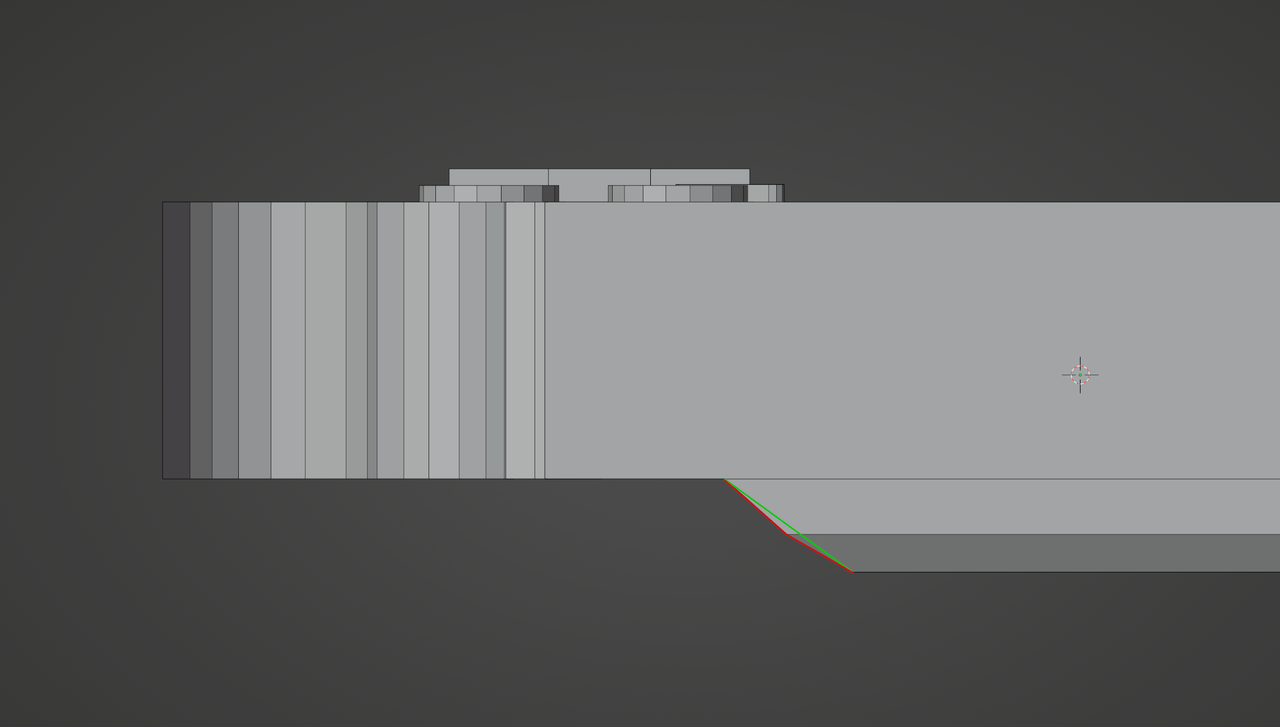
                    You say that you tried almost all suggesttions….but I think you missed the correct one. The problem is this angle:

                    Bevel_problem_7.png

                    This is discussed near the bottom of this thread: 

                    https://cgcookie.com/community/14683-i-cannot-beval-the-slots

                    #77601
                    Akram Latifi
                    Participant

                      i fixed the angle and still not working and i went through the entire thread nothing helped me

                      #77602
                      Akram Latifi
                      Participant

                        i disabled clamp overlap and now its working, so sad that in the video this small detail wasn’t mentioned, thank you for the help 

                        #77603
                        Omar Domenech
                        Participant

                          Yeah, Jonathan removes the clamp overlap at some point when it was giving him trouble, but it’s a one off and maybe it’s easy to miss if you don’t know what that’s all about. But don’t worry about the troubles you’re going through, the model may be beginner friendly but there are core concepts involved and it takes time to soak them in. Just keep practicing and learning, things start to click after a while, Blender is a huge beast.

                        Viewing 11 posts - 1 through 11 (of 11 total)
                        • The topic ‘Bevel not working on the slots’ is closed to new replies.