BC1-1908 work in progress/UV layout problem

Forum Archive BC1-1908 work in progress/UV layout problem

Viewing 9 posts - 1 through 9 (of 9 total)
  • Author
    Posts
  • #13999
    jesse94
    Participant

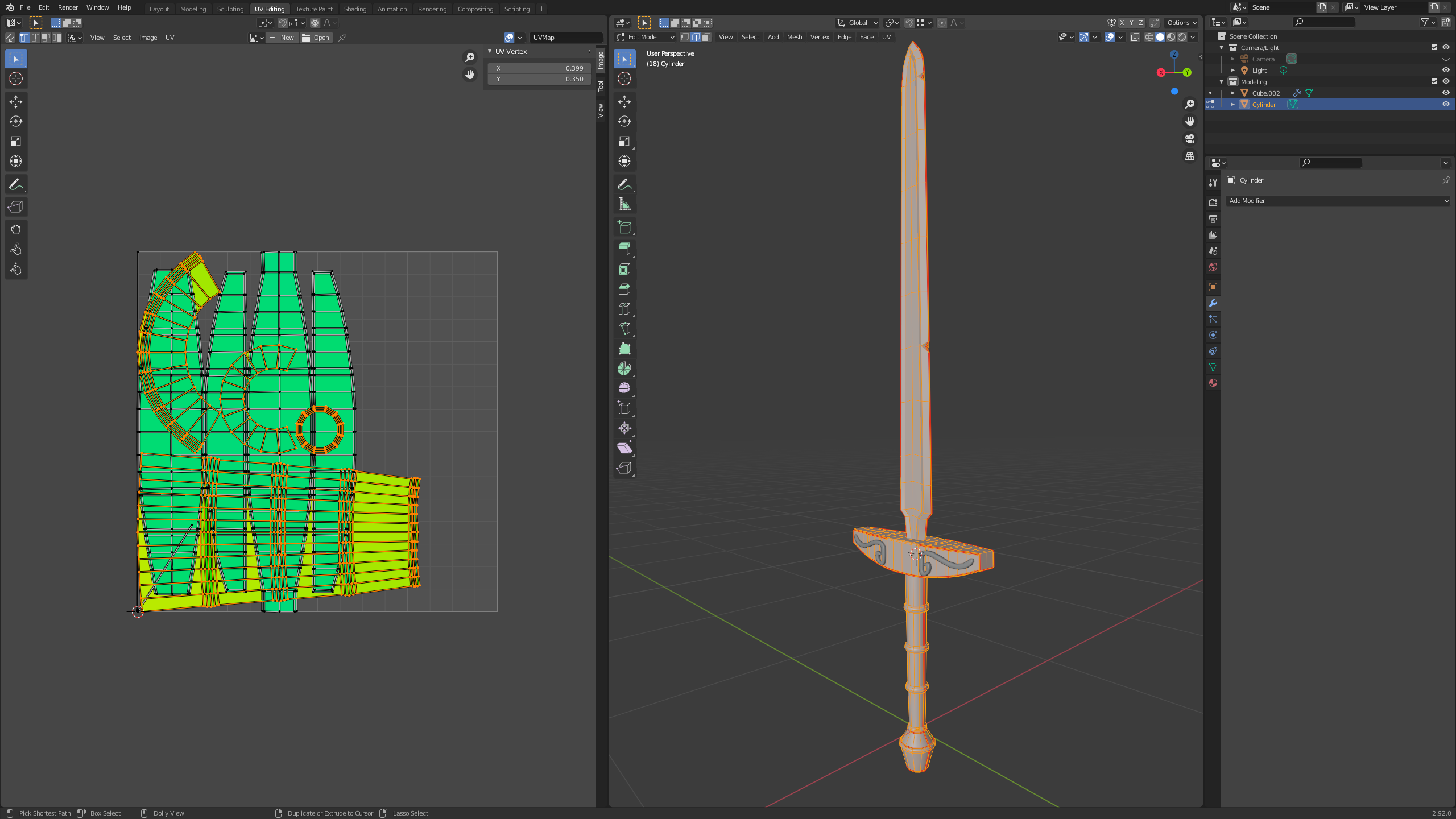
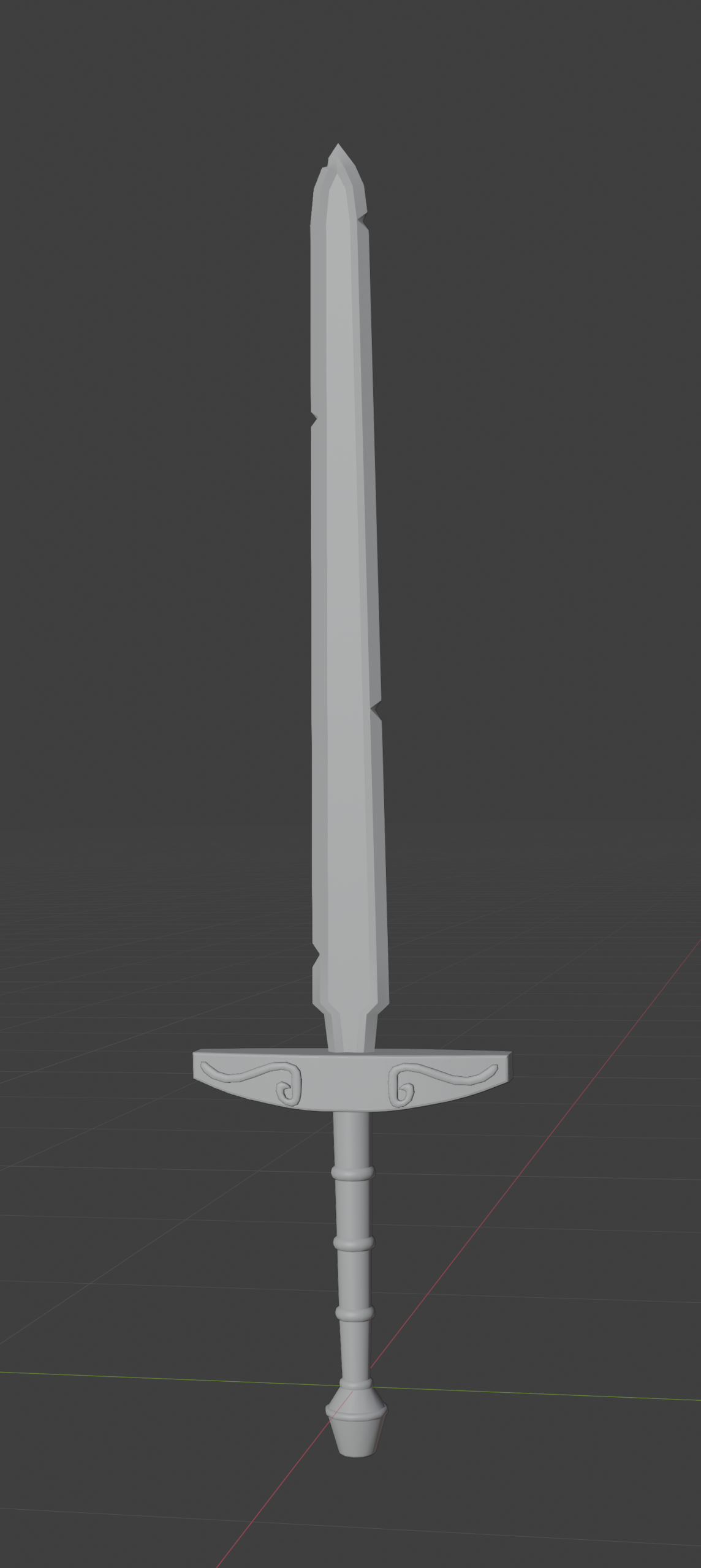
      I’m been watching the BC1-1908 livestream/video . Here what I have so far.

      I have gotten to week 2 and I’m having problems with the UV layout. I selected all of the right edges on the sword that was shown in the livestream/video but the UV layouts did not turn out right when I turn on the display stretch in the UV editor all my UVs are a green colour. Please help

      My blend file https://pasteall.org/blend/2279700d051044cf933c61a2eaec2868.

      #68754
      silentheart00
      Participant

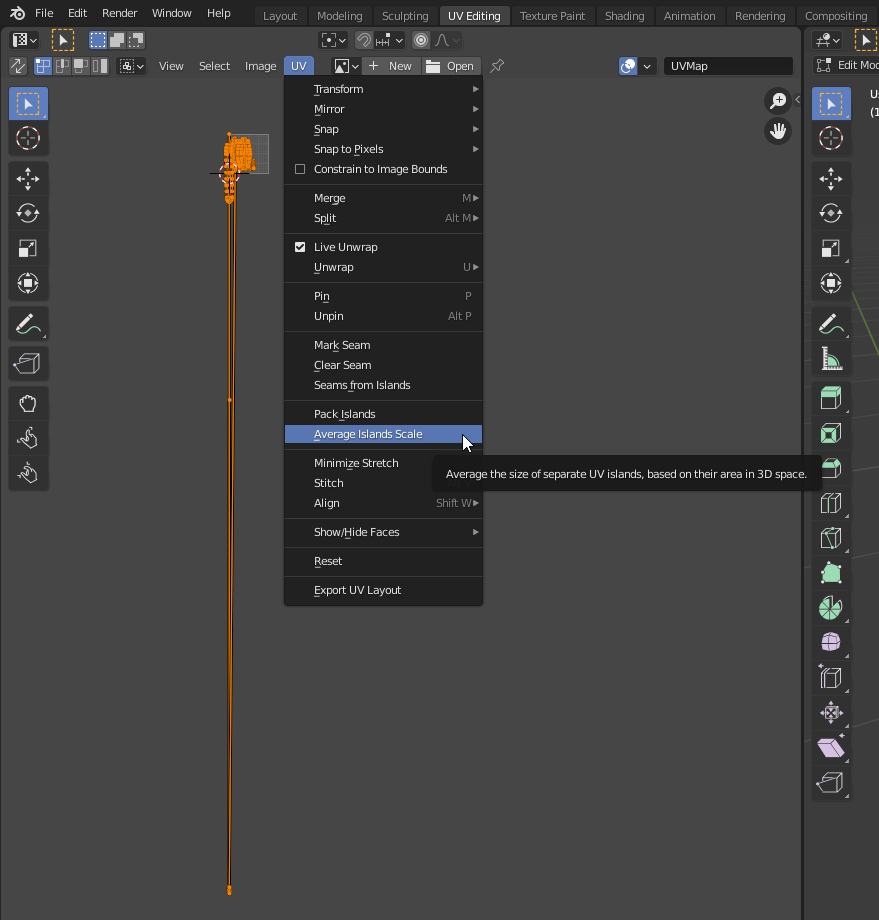
        Did you try Average Islands Scale?  If they’re not averaged, it shows which UVs have more pixel density with the different colors, which is confusing when you’re using it to find stretching.  Also you have a funky hidden face somewhere, which is also probably throwing off the colors.

        #68755
        silentheart00
        Participant

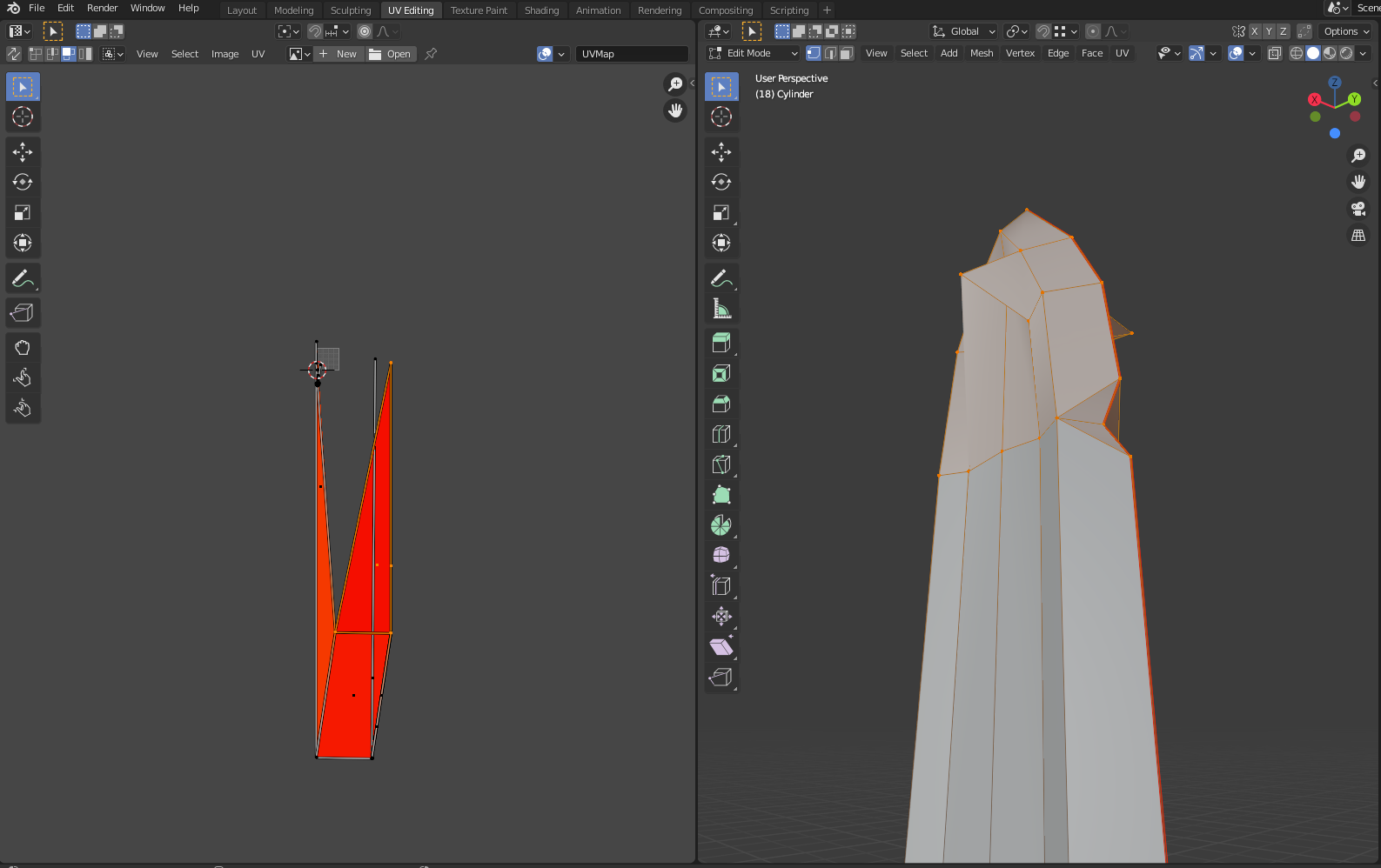
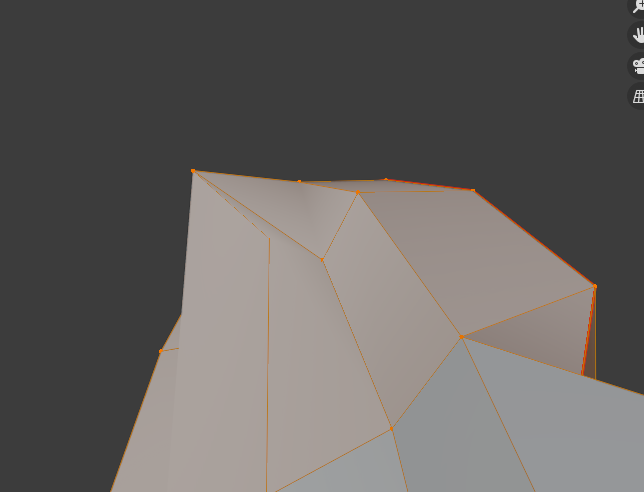
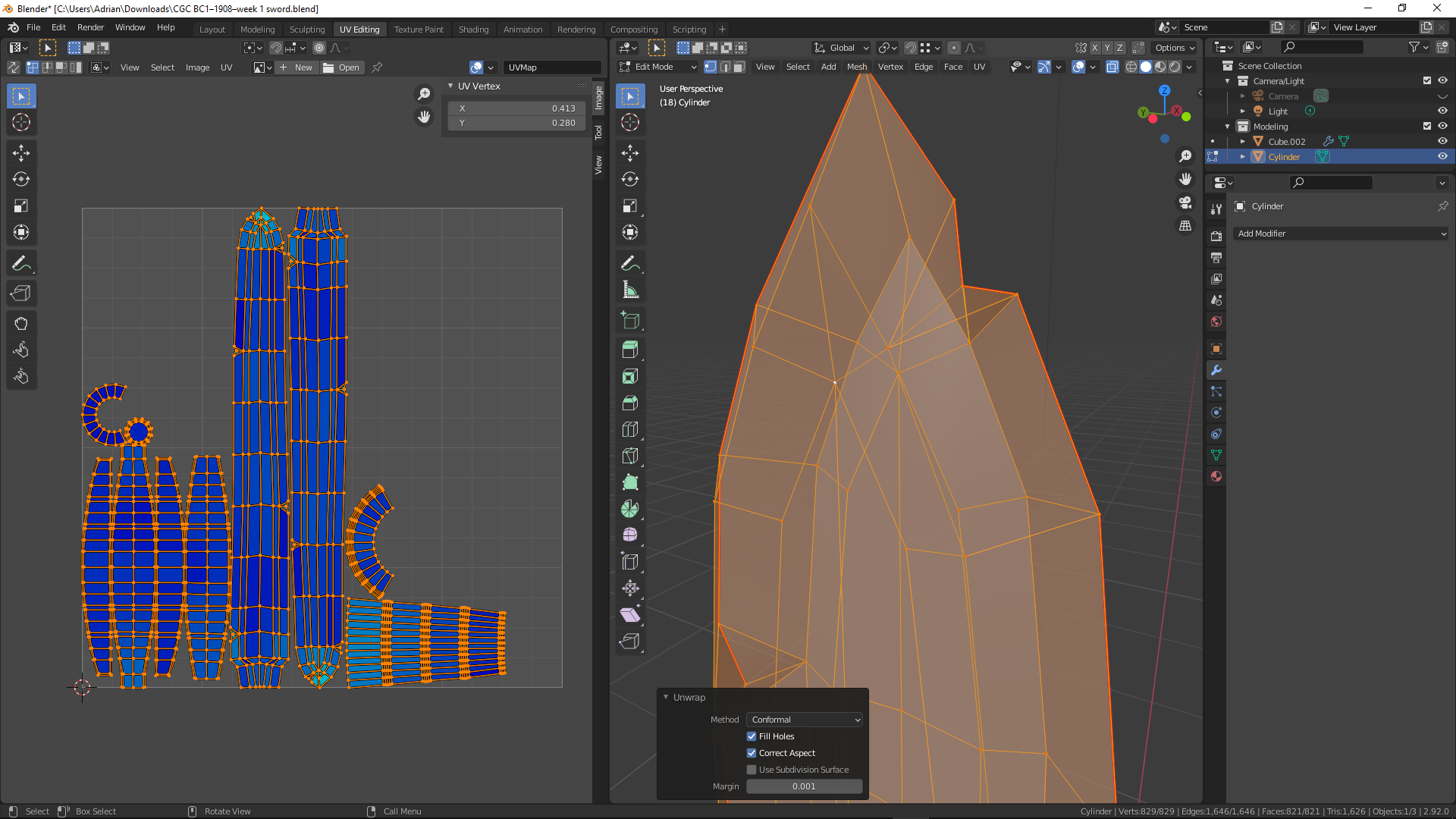
          I have isolated the funkiness in your sword.  It’s in the tip area where some verts look like they were merged, but actually were not.  Hopefully these images help.

          #68756
          jesse94
          Participant

             Selecting the whole sword and pressing Average Islands Scale in the UV editor did not work for me.  

            #68757
            spikeyxxx
            Participant

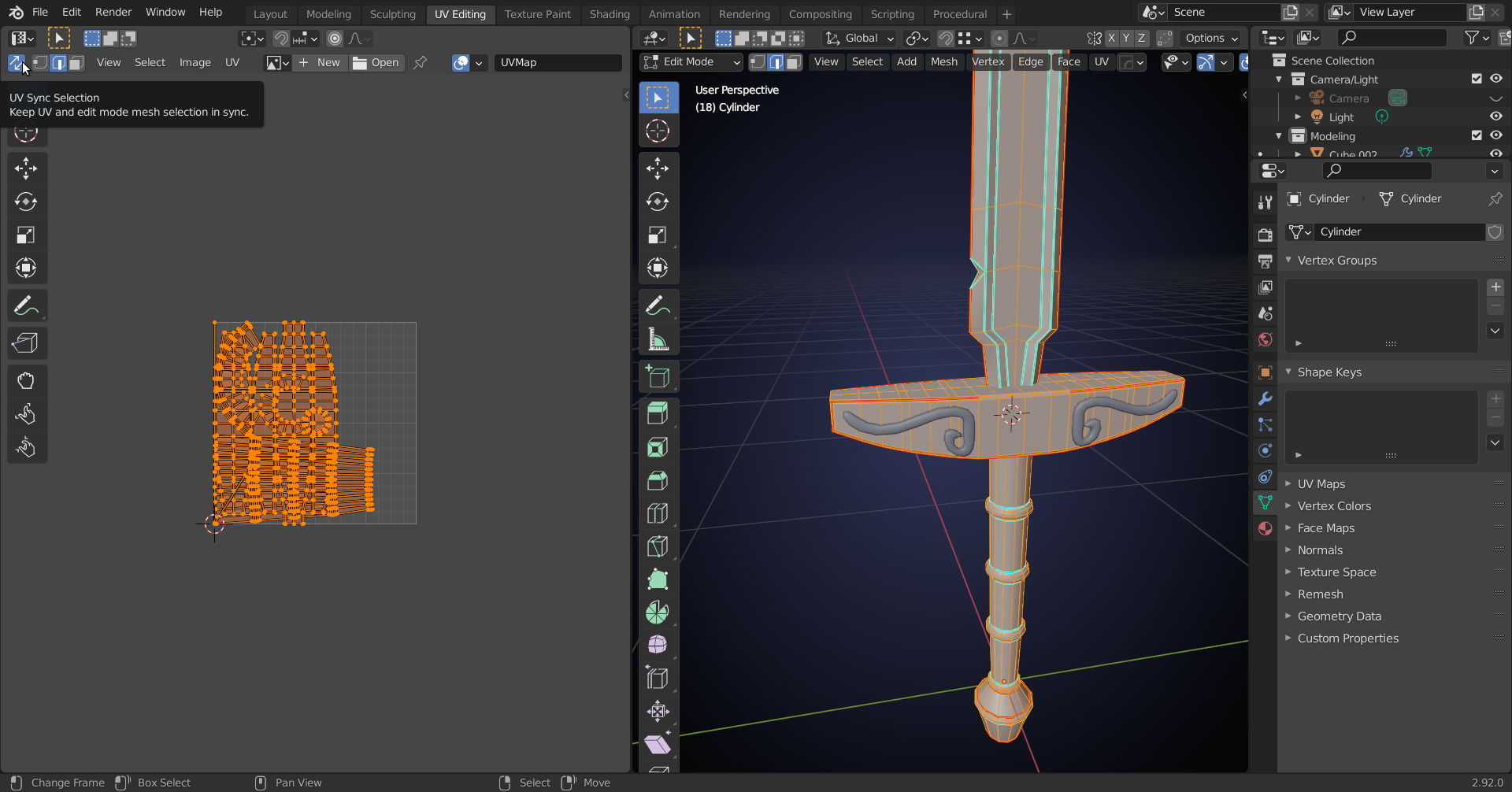
              @jesse94 you also need to select everything in the UV Editor for Average Island Scale to work!

              Or you can enable Selection Syncing, so that happens automatically:

              #68758
              Adrian Bellworthy
              Participant

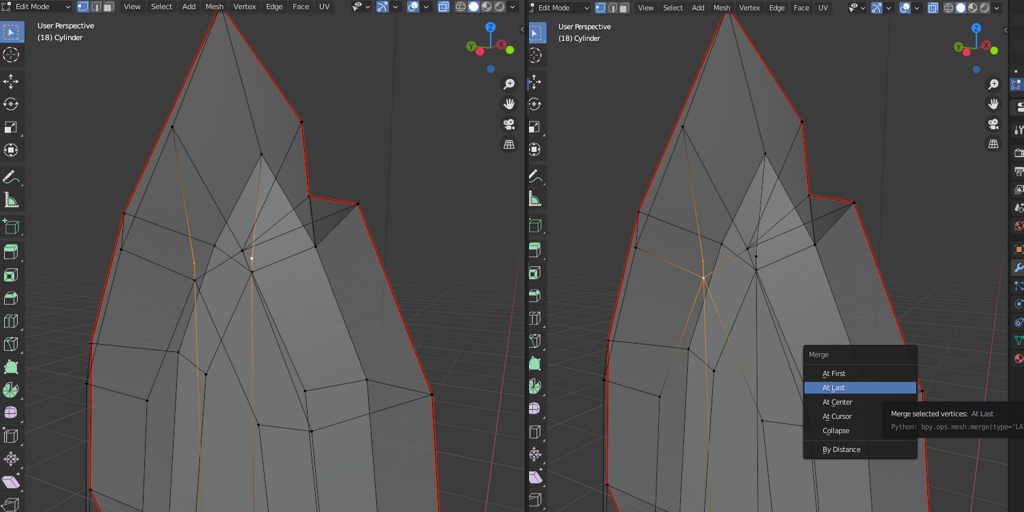
                You have an issue with the mesh, a couple of stray verts.

                one on either side of the sword (left image), see how the orange line passes the vert next to it and continues to the next vert? 

                if you merge each vert with the one next to it (right image) this should solve your problem.

                select everything and unwrap again, everything is a lovely shade of blue. A slight greeny blueish on the tip of the sword but nothing to worry about.

                #68759
                jesse94
                Participant

                  How to you get a clean layout of the VUs? When I unwrap its a mess all the UVs are on top of each other. 

                  #68760
                  jesse94
                  Participant

                    Never mind  I found that I had to press unwrap again

                    #68761
                    silentheart00
                    Participant

                      That’s where the selection syncing went!  Thanks Spikey!

                    Viewing 9 posts - 1 through 9 (of 9 total)
                    • The topic ‘BC1-1908 work in progress/UV layout problem’ is closed to new replies.