
BC1-1908 Homework – Philip Rampa
Forum Archive › BC1-1908 Homework – Philip Rampa
- This topic has 26 replies, 8 voices, and was last updated 7 years ago by
Philip Rampa.
-
AuthorPosts
-
August 7, 2019 at 1:43 pm #49261
@theluthier Thank you Kent. 🙂 Yes, I have been watching & creating the treasure chest alongside this course. It helps me a lot to first do it all on the chest and then on a completely different object. Thank you and the course is great. ^^
August 9, 2019 at 7:46 pm #49262WIP-Update for Week 2
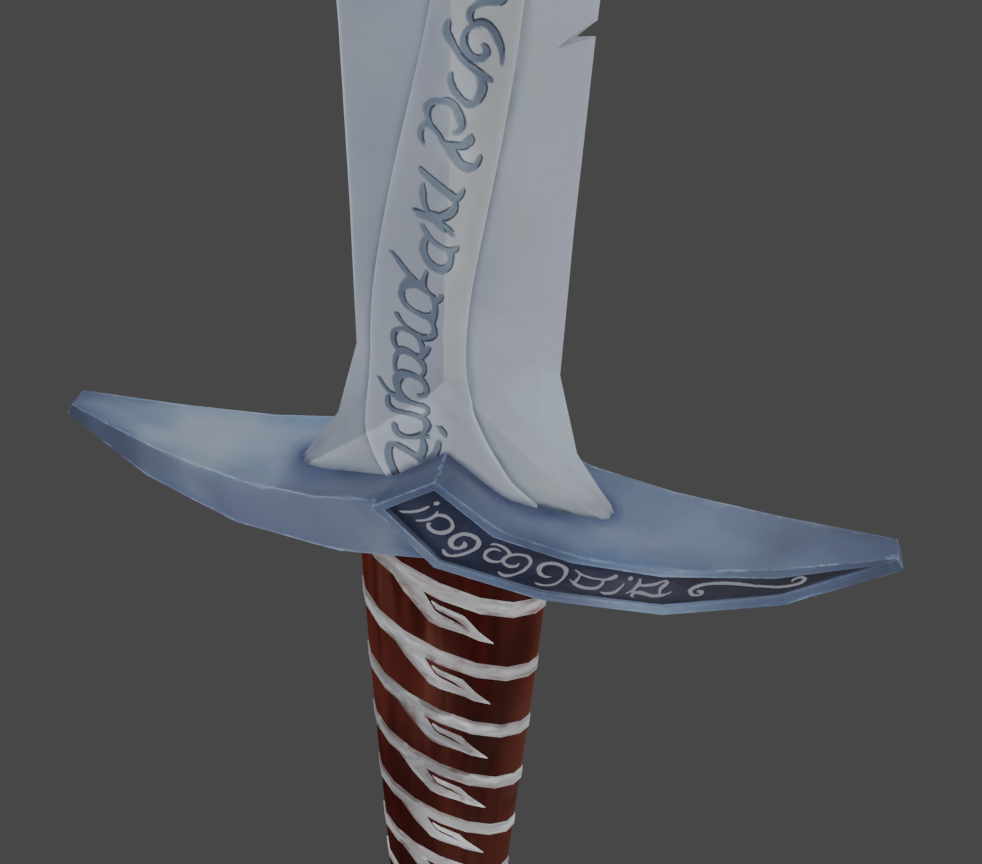
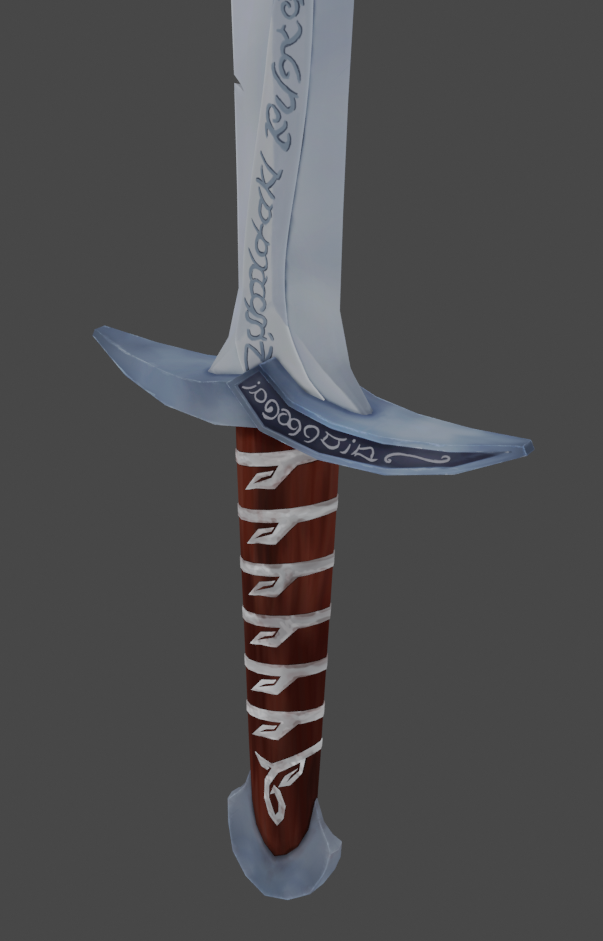
I have unwrapped my objects as good as I could but it was very difficult and I am sure there would have been some better solutions. Although bevel makes many things look better, It is so confusing to place seems when there are so many edges. I cut the blade into 4 pieces because I had a problem with it when it was only two elements but after spending a few hours on painting, I think that was a mistake and it would have worked just fine if the blade was in two elements.
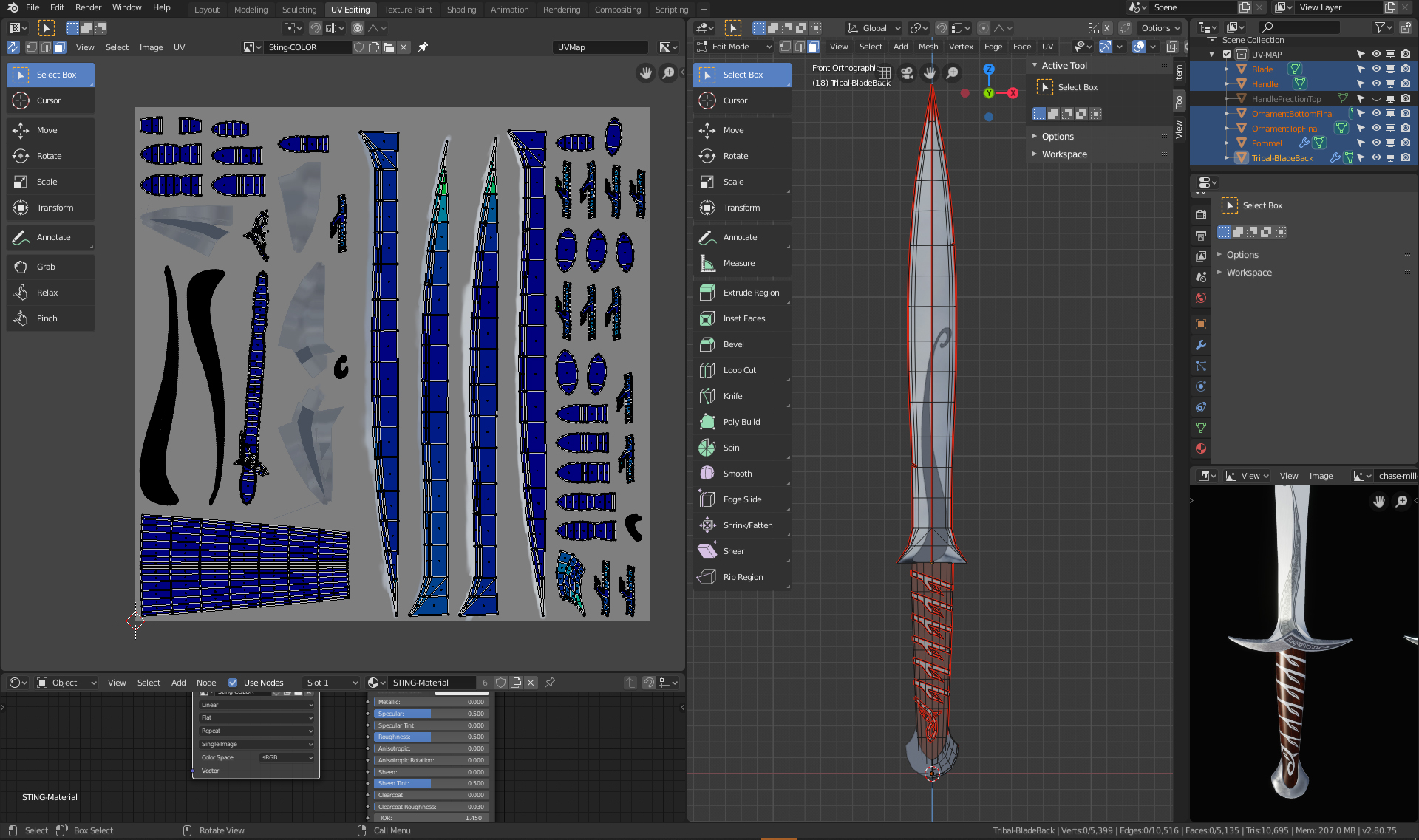
Once I got to the handle protection the problems got worse. I didn’t lay out the UV Map very well and it ended up having some issues with verticies and faces, so that when I painted the metal above the handle, the color turned up on more than one place. 🙁
I changed the seems but when I tried to unwrapp it again, the uv map were not laying on the correct places anymore and I would have lost all my previous painting work. After many tries I decided to unlink the material of my handle from the rest (Object > Relations > Make single user > Material) and created a second Material with a new texture only for my handle. This way I was able to keep the blade and work with a new uv map layout for the handle.
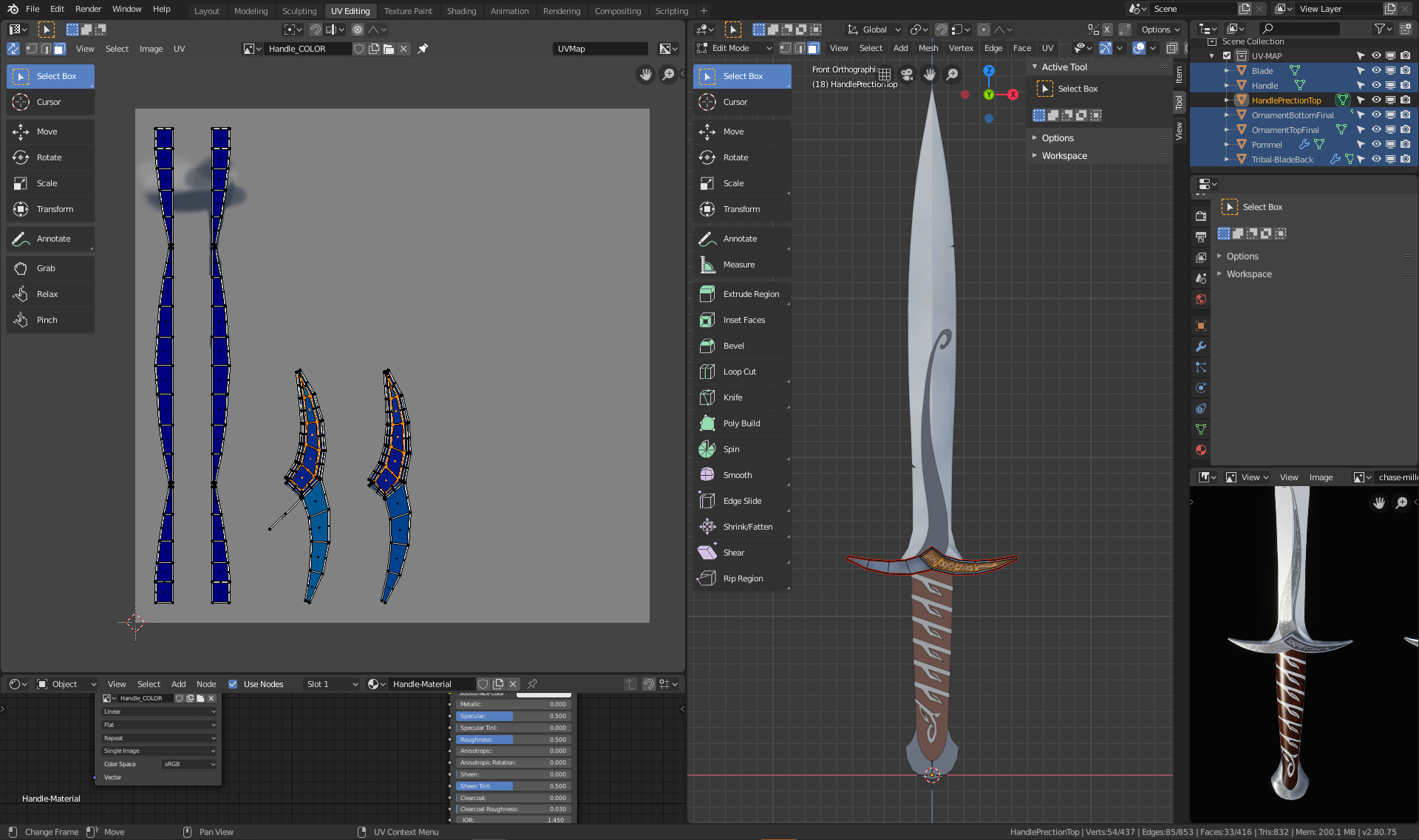
I don’t know if there would have been a way to place the uv maps exactly at the same place again but I was so glad I was able to keep the blade bc painting is taking me forever. 🙂
The UV unwrapping is very difficult and it seems almost impossible to get all blue on rounded elements … but maybe with more practice this also gets easier.
August 9, 2019 at 9:26 pm #49263@philip79 Trust me, UV unwrapping is practically an artform in it’s complexity. There’s no true right way and you’ll always be learning about it. In a way it’s a good thing! But if you want my advice, I would’ve personally made one seam in the middle of the blade mirroring the UVs, like you suggested. Just don’t forget that you can resize the UVs in the editor so you’re using up more space and can therefore get more details in!
August 10, 2019 at 3:19 am #49264@thecabbagedetective Oh your are absolutly right, I totally forgot that I could have maximised the new texture! There are so many things to keep in mind … ^^
August 11, 2019 at 3:32 pm #49265Week 2 Homework Submission
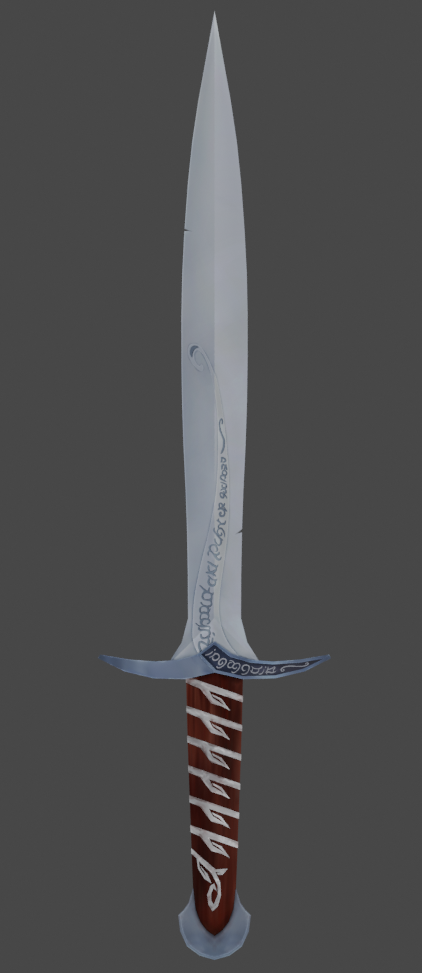
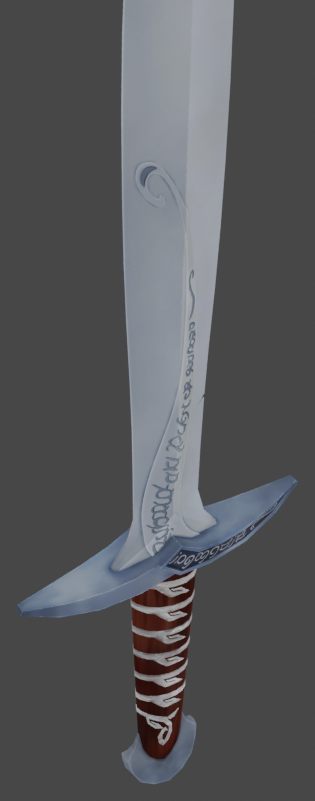
This part of the project was sometimes a bit frustrating when I suddenly noticed that I had some minor mistakes in the uv map. In the future I will know better what I need to keep an eye on. 🙂 The painting in blender was fun but because I didnt use a mirror modifier it was difficult to make sure both sides of the sword look similar. I had to unwrapp the ornament on the blade again on one side b/c with the mirror modifier the form was not running correctly compared to the handle protection. But because I already painted one side I had to do it again on the other side because the lighting of the blade was on the opposite side of the blade. ^^
 August 11, 2019 at 5:00 pm #49266
@philip79 Looks great! I especially like the details on the handle.
August 14, 2019 at 3:23 pm #49267@philip79 Painted sting is a beauty! As Jake said, the handle especially is wonderfully detailed. And all the elvish writing… it looks as glorious as it does tedious haha. Really nice work you’ve put into this.
My only note is was going to be that the lighter metal of the blade looks a little plain (lacking tonal variety) compared to the cross guard and pommel metal. But the more I look at it the more I think there is tonal variety, it’s just more subtle. Which makes sense considering sting is something of a pristine weapon as I remember it. It’s not battle damaged or poorly maintained. So the subtle tones are probably a better choice.
I’m really excited to see this shaded! It’s an A from me this week 👏
August 14, 2019 at 4:06 pm #49268@theluthier Thank you Kent 🙂
August 15, 2019 at 3:55 pm #49269@philip79 Late to the party. That sword is looking great! Good effort!
August 17, 2019 at 4:51 pm #49270Homework submission – Week 3
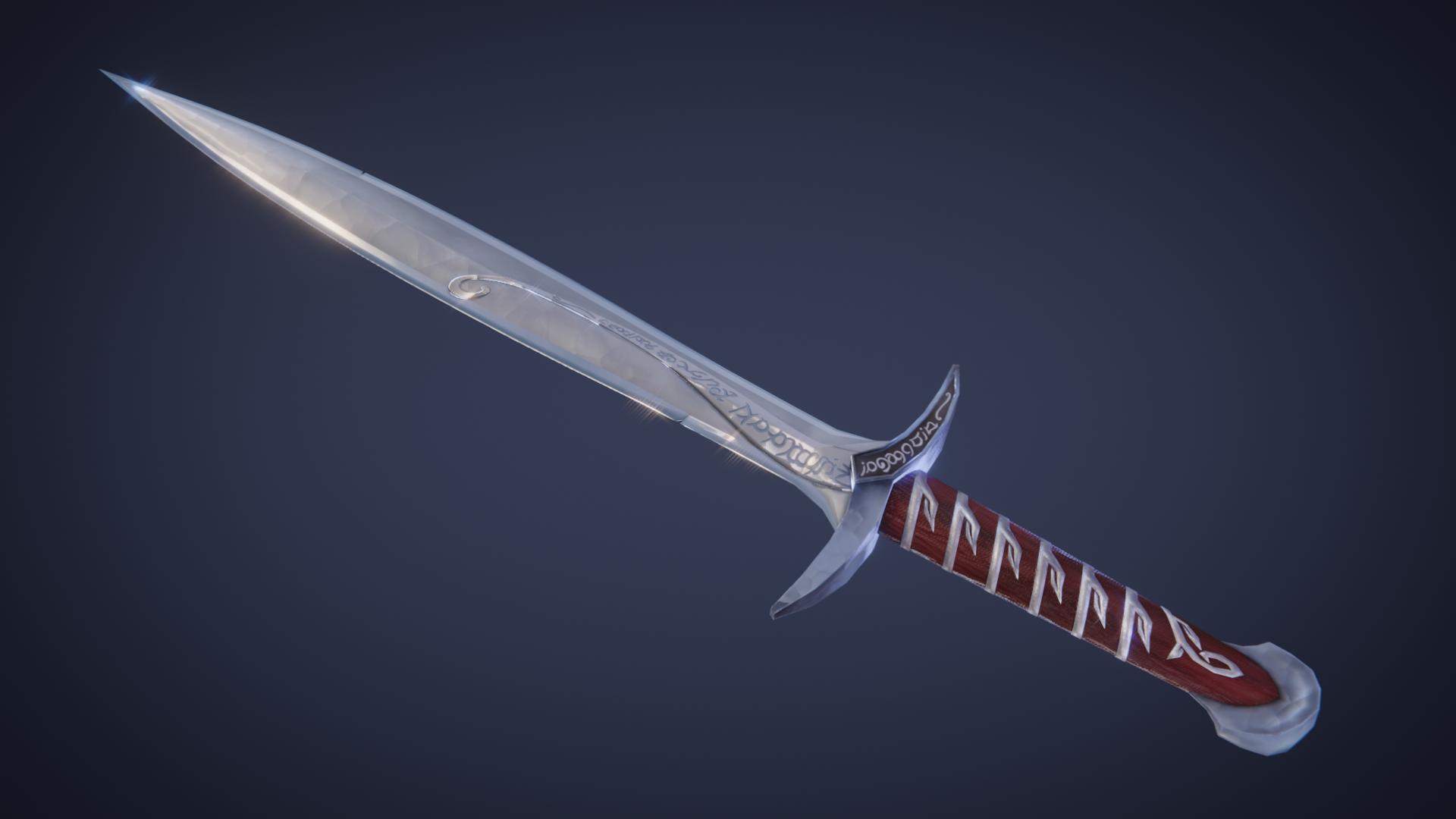
Well, this project has been a real challange but I learned a lot and I can’t wait to continue with my learning flow here on cgcookie with blender 2.8. I understand much better now, how important it is to have a clean mesh from the beginning. It was interesting to see how some mistakes I had in my mesh have created problems all the way to the end from UV unwrapping to texture painting, shading and even in the compositing. I have learned a lot. 🙂 Although I reached a few times the point where I questioned myself whether I should even continue to learn 3D because it is so complicated I am still hoping that one day I will be able to get some nice work done by myself. 🙂 Thanx for the great course and I hope there will be more courses in the future.
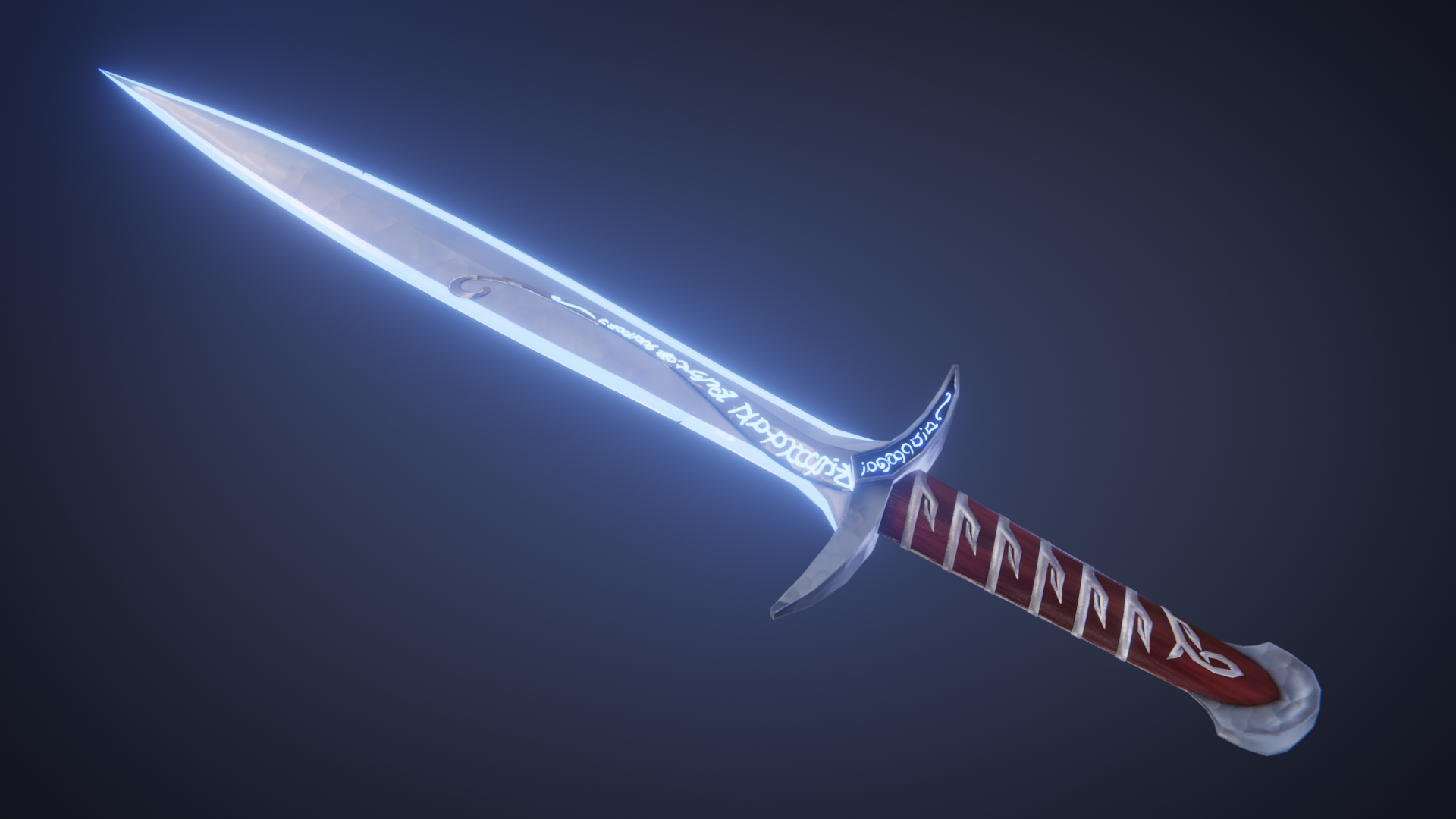
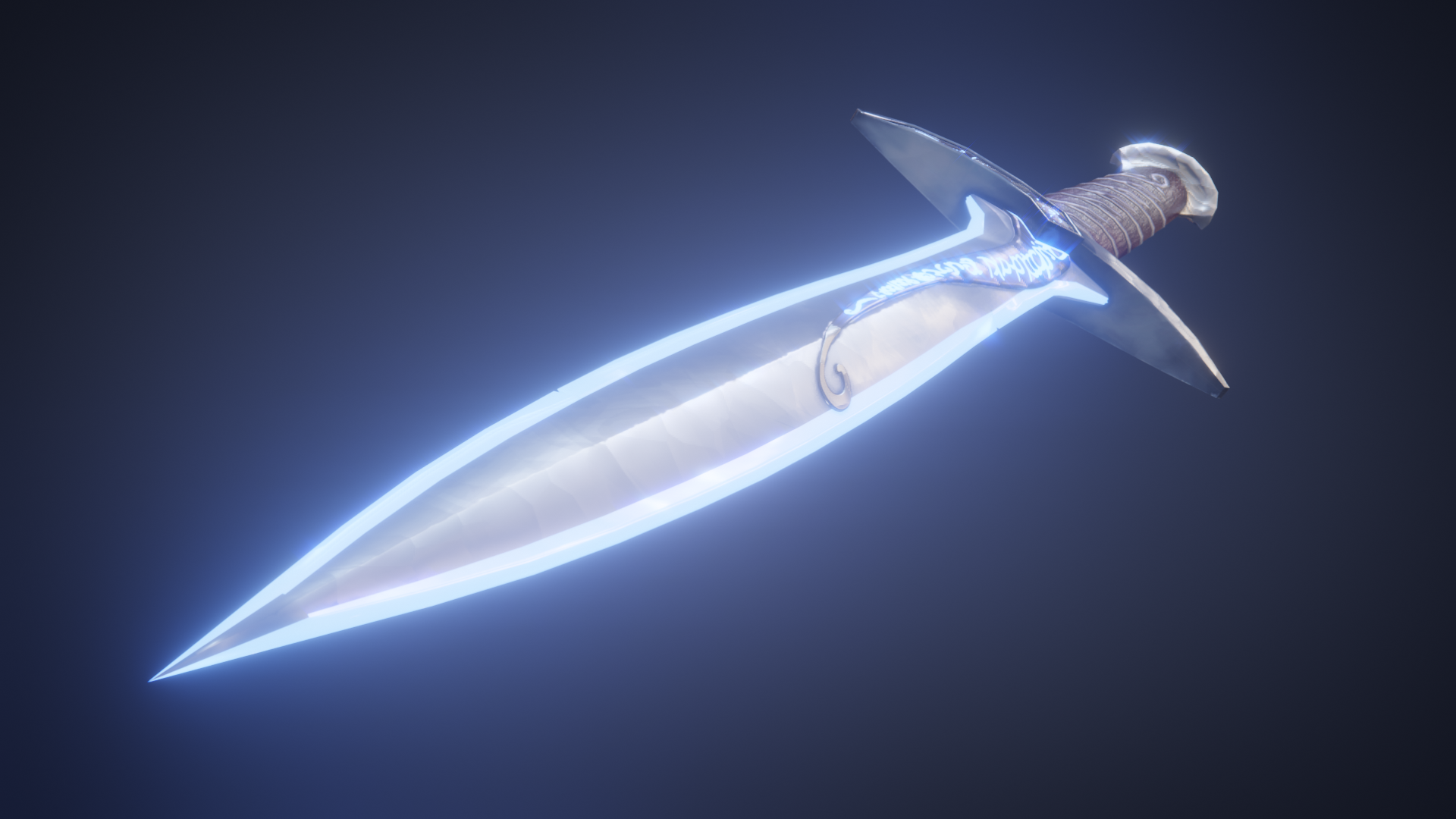
To my Homework: As Kent mentioned the blade looked a bit plain. I tried to apply all elements of shading taught by Kent in the treasure chest course and the live streams. Since it is a special blade that glows when Orcs are near, I was curious if I could get that effect to work on the sides of my blade. I tried many things but in the end I was actually able to give the blade and the text in my texture a glow. 🙂

 August 21, 2019 at 4:13 pm #49271
@philip79 You finished strong, Philip! If I didn’t know better, I’d think this was a screenshot from a Lord of the Rings video game. Both the glowy and non-glowy versions look awesome: Authentic to the source material and executed well with Blender + Eevee.
Nothing really to critique…you’ve earned an A easily. Great job this month, Philip 👏
I’m so happy to read that you learned from the class and that you persevered through struggle and doubt. You’re developing real skills. I expect to see much more from you ✊
August 22, 2019 at 1:50 am #49272@theluthier Thank you Kent. It really was a great course and I have learned a lot. I will continue now with the learning flows here on cgcookie. I think it is great that you will give another course in about a year. This gives me time to get better skills for the next course and I will also try the older courses that you have done 🙂
-
AuthorPosts


- The topic ‘BC1-1908 Homework – Philip Rampa’ is closed to new replies.