
BC1-1908 Homework, Blanchsb
Forum Archive › BC1-1908 Homework, Blanchsb
- This topic has 63 replies, 10 voices, and was last updated 7 years ago by
smurfmier1985.
-
AuthorPosts
-
August 14, 2019 at 9:26 am #48626
…but it flopped terribly. This is an area I am quite novice at and I should have stayed basic like with the hammer…
@blanchsb You don’t need to think of it that way. It’s a learning experience! Being a novice, you should feel accomplished that you took a risk to achieve an effect by exploring brush tools not covered in the class. Even if the effect didn’t result 100% intended, you surely learned stuff along; added tools to your own “Blender utility belt”.
Rest assured that the best artists learned their way through the novice stage too 🙂
August 14, 2019 at 12:07 pm #48627@theluthier oh I agree. I learn through failure. Yeah I try to spread my unconventional wings a little to branch off but kinda stay on topic. I’m not giving up, moreso it lit a fire under me. I have gone back to the model to work it some more to get the look that i want. Then I will take another stab at the texture. Shading is an area I have a little more experience in (not much but I at least know some stuff from a few courses on the shader forge series) and I think I should be able to get a better result. Thanks for pushing me along. I need this kind of feedback to push me harder.
August 14, 2019 at 11:43 pm #48628Back to the drawing board on the textures….. Working the hammer head. I made some dents/nicks/slashes to represent some intense battles.
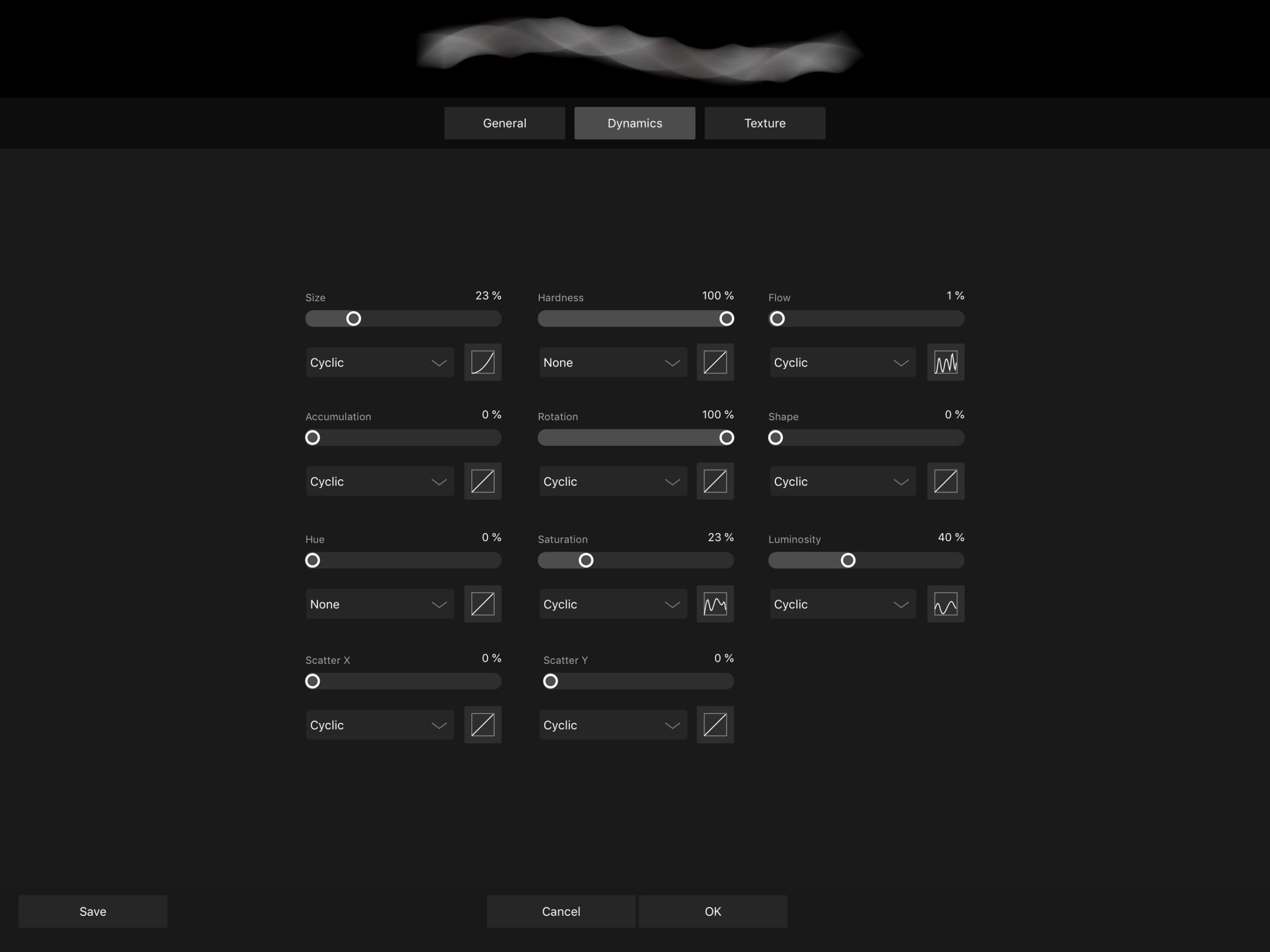
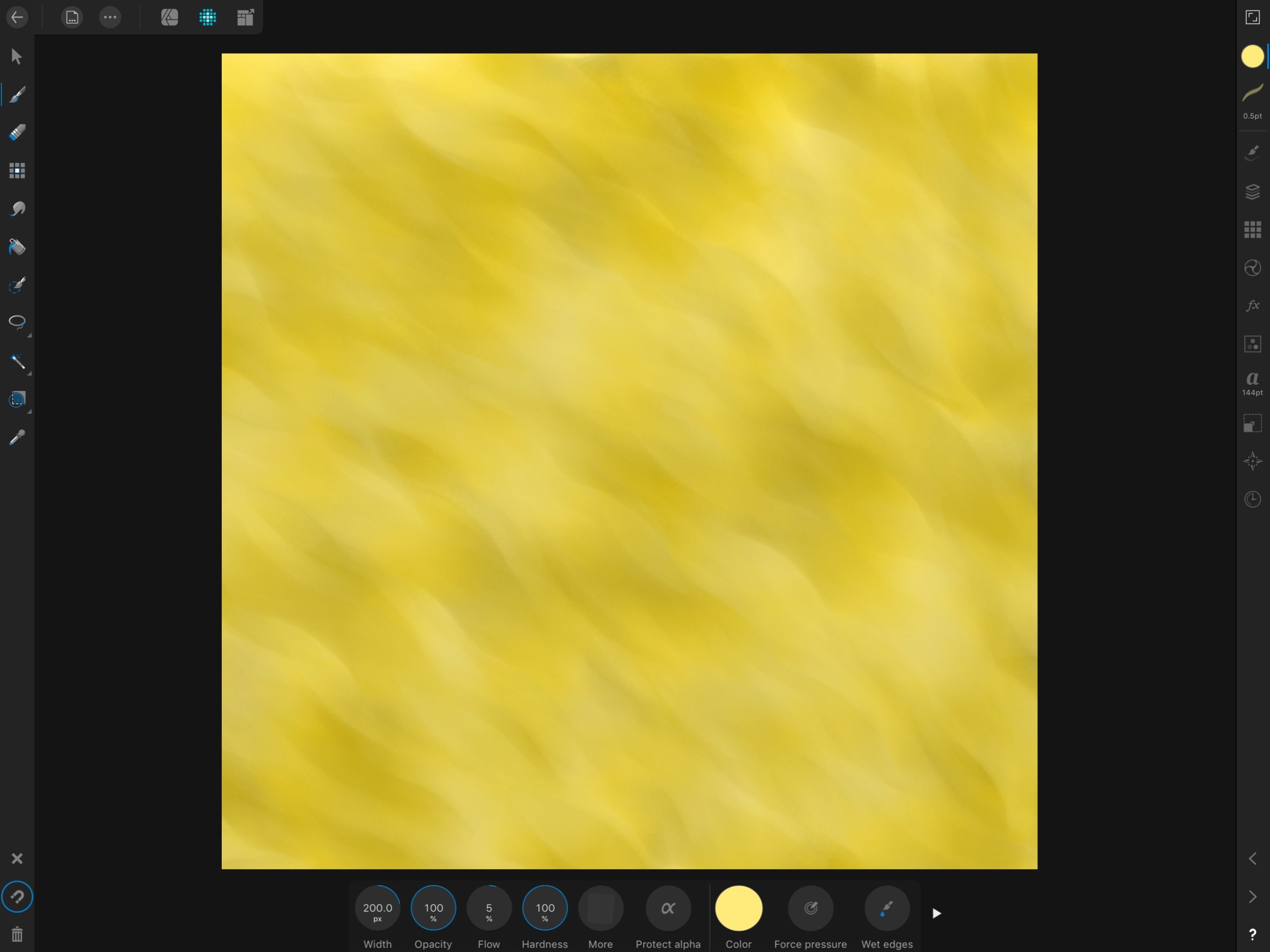
I exported the UV’s to Affinity Designer on my iPad Pro and then made a base color for the metal using a texture brush (has a gritty rectangle) that I spiraled around as it painted in a custom curve for size/luminosity/rotation/and color saturation (I guess I didn’t really need the UV’s much for this part LOL) and then reimported the image to paint details within Blender.
I am using my iPad Pro and AstroPad connected to my MacBook. Turning on emulate 3 button mouse helps a lot when using that workflow.
I want a semi toon/stylized feel from the texture like in Jack’s textures.
I only got the Hammer Head 2/3 done tonight. Long treck tomorrow and into the weekend to make up for mistakes/learning from what not to do haha. Challenge accepted.
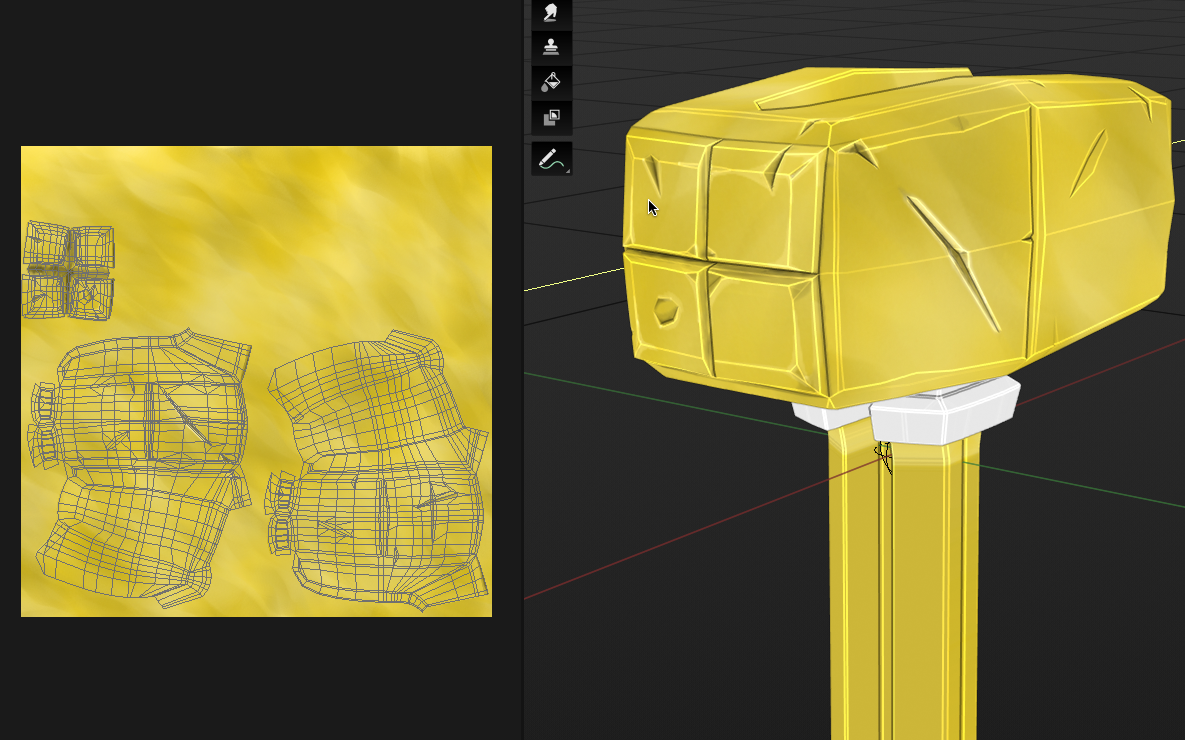
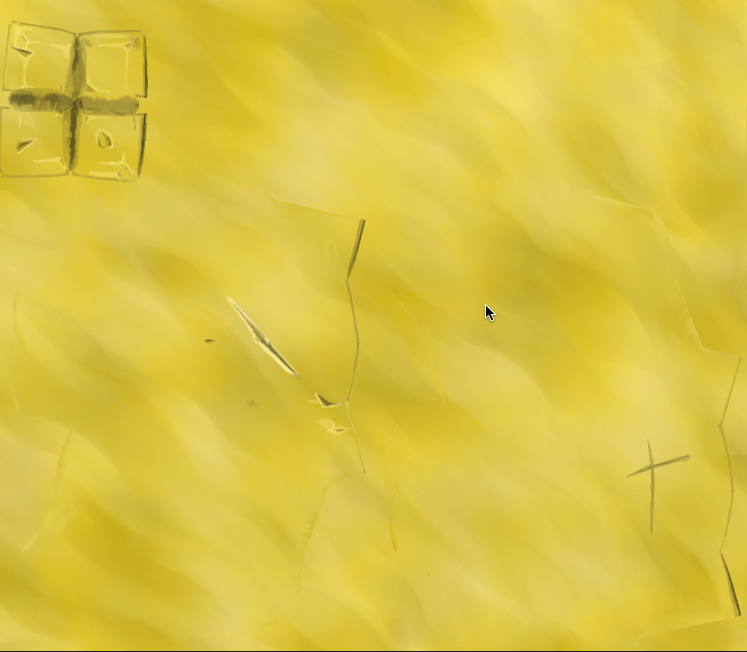
Not sure how to turn that wire frame off while in texture paint mode on the left there. But here are some close ups of the painting…..oh wait just changed modes from Texture Paint Mode to Object Mode and it turns off…….. I found that the viewport Flat Shading Setting with Cavity and intensity turned up on the hills and valleys really helped me see the sharper edges better so I didn’t have to paint over those darn wires in 3D mode. That helped a lot.
 August 15, 2019 at 12:00 am #48629
@blanchsb Sorry, I’m late to the party. Yeah, that looks like a good solution! The texturing this time looks like a better attempt. As for the tints and shades, it looks like you’re adding just white and black to the colors. Have you watched the Color Course, specifically the Hue Shifting video? By using white and black, it tends to dull down your base color. It can be tricky to implement hue shifting for something like a shiny metal, but give it a try and see what kind of result you get. Otherwise, there’s good attention to the edges and crevices to add depth. Overall, good work.
August 15, 2019 at 1:53 am #48630@blanchsb don’t fear failure. embrace it and use it. somewhere along the way i’ve read following quote “if you are strugling, it means you are out of your comfort zone and pushing forward” and that certainly rings true for me. That said, it doesn’t mean you have to struggle all the time. 🙂 just when you need to learn new things. 🙂
August 15, 2019 at 8:14 am #48631@louhikarme thanks for the encouragement. Yes I am very familiar. It is okay to completely botch a job as long as I learn from it. I remember the feeling of submitting on Sunday night and thinking, “wow, this was the wrong direction” but then I got some good feedback and I continue to receive it. I am glad to see so many VA;s and other peeps helping Noobs like me.
Also, thanks for recommending the smooth shade idea. I ended up using the smooth shading with sharp edges (I just didn’t know about the AutoSmooth part, or I forgot it) it helped a lot. I drove myself crazy trying to keep all quarts perfectly planar and was getting very frustrated when making the cuts and dings due to faceting. You and @spikeyxxx hit it on the head and at the end the loop tools add-on and sharp edges helped me push it through.
A followup question: Is there a way to get a Render with the same effect as the Cavity effect that Eevee utilizes for the viewport? What Node does that? Bump with Normal and/or Fresnel perhaps?
@silentheart00 I almost went down the road of using some hue but I backed out at last minute. I knew I could get some decent results with just a 2 color shift in the dark and light directions of the gold color, but maybe I need to visit that some more. I know I can apply a Hue filter effect to my drawing in Affinity or perhaps it would be better to paint with some hue shifts in another layer and I can blend it as I want. I’m always up to see some more content to help me on my path. Thanks for the video I will take a loot at it today during work.
August 15, 2019 at 10:27 am #48632@blanchsb Looks a lot better! Way to go!
One of the great things about Blender though, is that you don’t need other software. Now I know that when you are used to using certain software, you tend to keep using it, and sometimes things can be done better or easier in other software, but I think it’s a good thing to try and do it in Blender. Sometimes it’s easier to do everything in one program, than constantly exporting and importing…
Now, I’m a huge fan of Blender, so don’t just take my word for it, but what you did in Affinity Designer, can easily be done in Blender as well. ( If you paint with a texture, under Texture, if you set the Mapping to View Plane, you have an option called Rake)
Or something abstract like this:
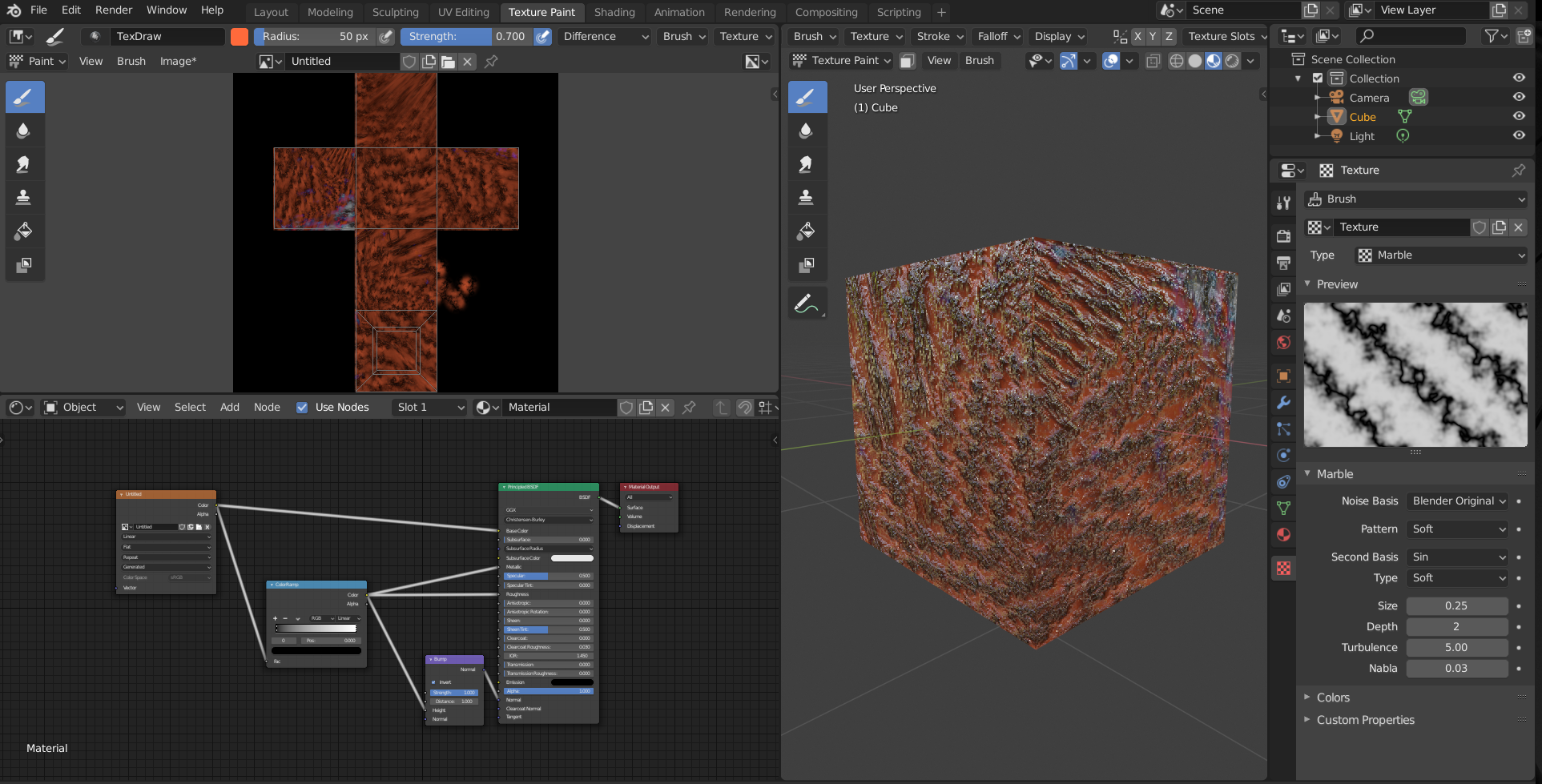
which took me less than a minute.
Just saying, you don’t have to do everything in Blender, but it’s a lot more powerful than you think.
This is what I accidentally discovered a few days ago (two minutes work):
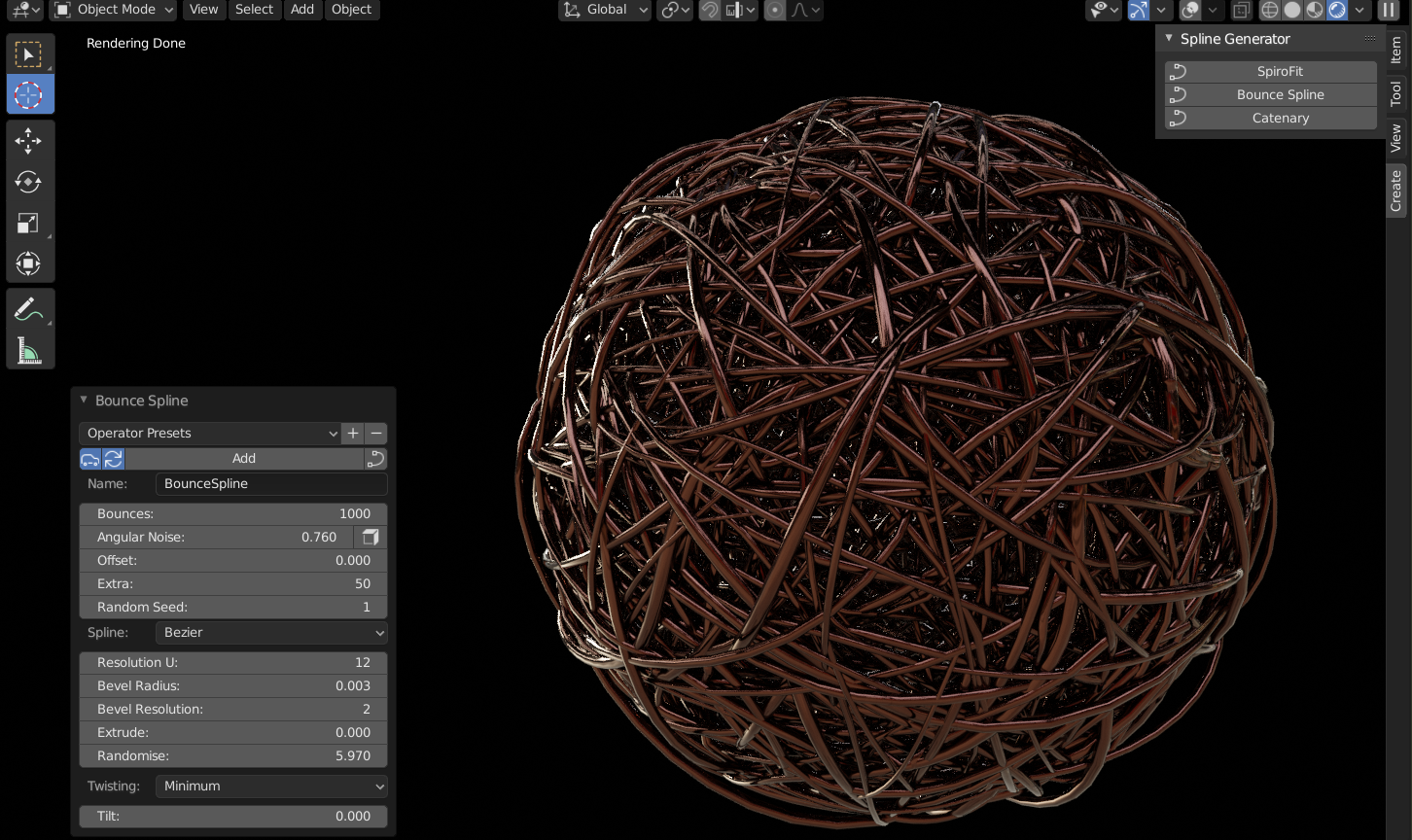
Any way, enough blabbering from me; get on with your work, it’s going to be great!
August 15, 2019 at 1:09 pm #48633@blanchsb This is looking way better! The tonal variations in the gold (pretty wild that you achieved the pattern on your iPad) the damage and edge highlighting are all fantastic additions👏
August 15, 2019 at 1:26 pm #48634Thanks Man! For being a free software I really am scratching the surface of what Blender can do. I have seen that “Textures” section before and then I run away screaming like a little girl who wants to be Alice but fears the rabbit hole I could get lost in. Some days I feel like Blender is Underland: the more I explore -> the more I find -> and therefor the more I don’t know. Get’s overwhelming at times and I find myself getting lost down seemingly-forbidden paths haha.
What is a good place to start looking into the blender texture workflows?
I think I will still juggle blender and Affinity sometimes because I don’t always have my laptop handy but my iPad is so portable that I can export an image and work on it away from home. But I agree working in 1 program is so much easier than trying to juggle multiples. I spent hours figuring out how to set up cloud workflows where blender and affinity share the same files remotely. It does make it nice once I got it setup because all I have to do is click “Reload Image” in blender and the texture file updates.
August 15, 2019 at 9:17 pm #48635Not sure what the heck happened but when I woke my 2011 MacBook Pro from sleep today 2 things happened. One is a common blender 2.8 thing the other is a first…….
Glitch #1 – Repetitive and not sure why (like a snake in the bush sometimes): I got this weird effect on the blender app where all of the text everywhere turns into some kind of hieroglyphics. I have to close blender and reopen it in order for things to work again…….
Glitch #2: Opened my file……now Eevee is now acting extremely…………..slow and glitchy. Some objects are rendering quite pixelated. After Eevee figures it out I still have some ghost effects and nothing seems to work on the shading engine side…..
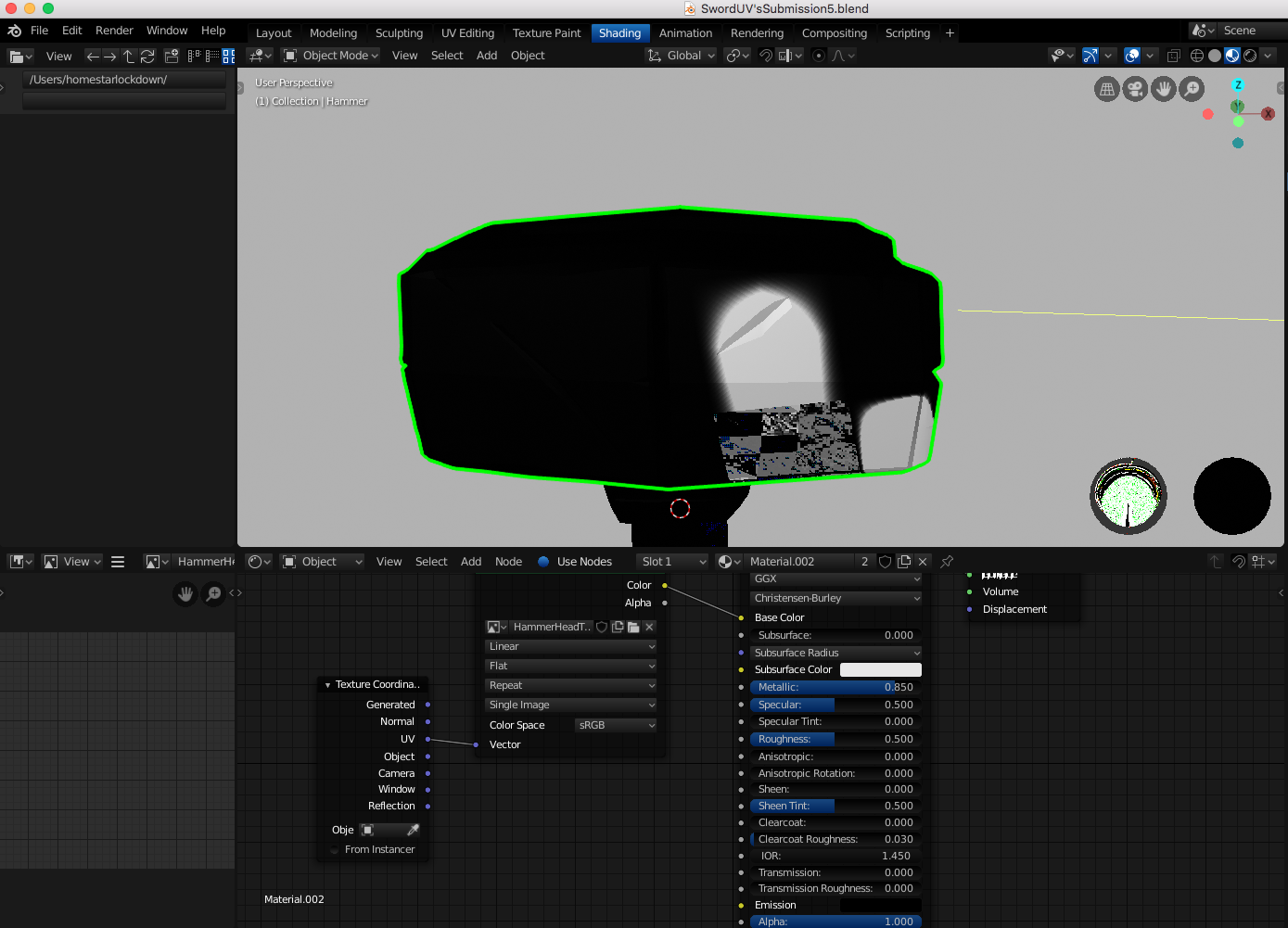
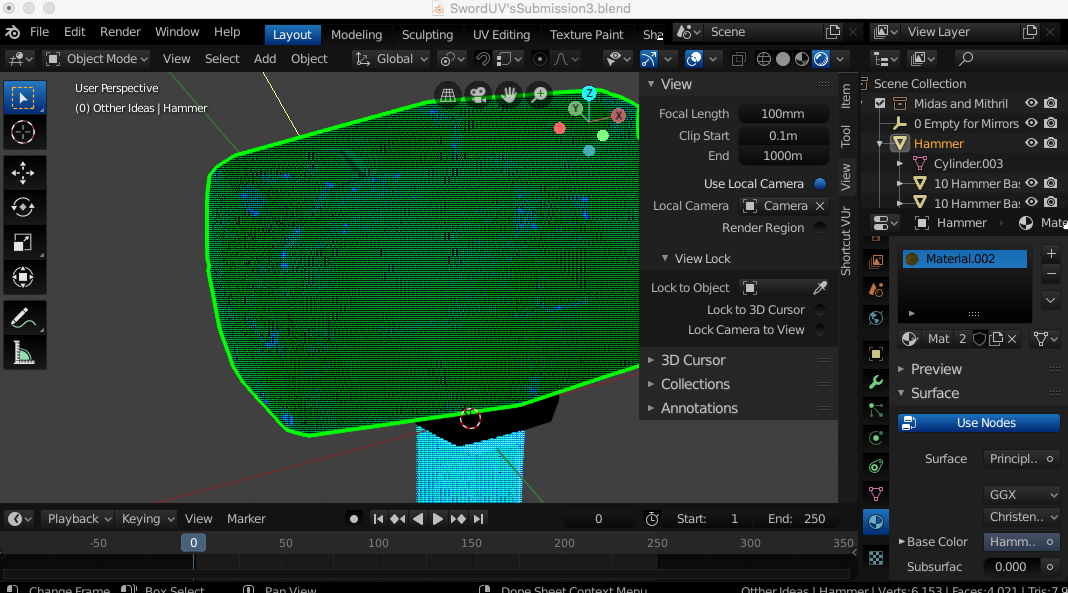
Wondering if my graphics took a dump (this computer doesn’t have a compatible graphics card so not sure what is happening). I can work fine in the workbench mode though…….
Update: I decided to uninstall blender (sigh) and it actually fixed whatever the issue was for the second issue. The hieroglyphics thing is most likely going to come back after the waking part but I think this part is solved.
August 16, 2019 at 8:37 am #48636@blanchsb Hi Shawn, don’t worry about feeling overwhelmed.
The first few years, when I was learning Blender, a new version came out every three or four months. With changes and new features. I thought I would never be able to catch up; Blender was developing faster than I could learn…
I have never used texture painting, but I watched a lot of tutorials and just picked up things here and there. So I couldn’t tell you where to start.
Good you found a comfortable workflow, so just keep using that until you know more about how to do this inside of Blender.
Sorry to hear about your recent problems, but I can’t help you there; there are definitely more issues on a mac, for one, because Apple no longer supports OpenGL and as you already mentioned, your GPU isn’t compatible with 2.80.
Good luck with everything!
August 16, 2019 at 9:45 am #48637@spikeyxxx I’d rather feel overwhelmed than underwhelmed, haha. Means there is always more to learn. Yeah I like the workflow I am using currently only because it is the one I painfully created. But I’m always open to suggestions for improving it. Took all night to get my new blender working again and I lost some time on that. I may only finish the hammer after all of the rework, we’ll see.
As far as MacOS and OpenGL support it saddens me to learn this too, but I don’t think I will be leaving my Mac anytime soon. I’ll just trudge along through the glitches unless things get unworkable. I read somewhere that there is work on that front as far as the transition, I can’t imagine Blender dropping MacOS support entirely due to OpenGL being dropped by Apple. I hope some solution comes over the next few years.
I’ll take a look at some tutorials regarding texturing if I have time this week (or after this project).
I did look into that one you posted for someone else in the live streams on layering textures in the node editor, that was pretty sweet! You seem to post gold nugget training links so I look forward to gleaning more off of you (indirectly or directly haha).
August 16, 2019 at 10:07 am #48638@blanchsb I don’t think Blender will ever drop MacOS support, if only because the big (literally and figuratively) boss and founder of Blender, Ton Roosendaal, uses a Mac.
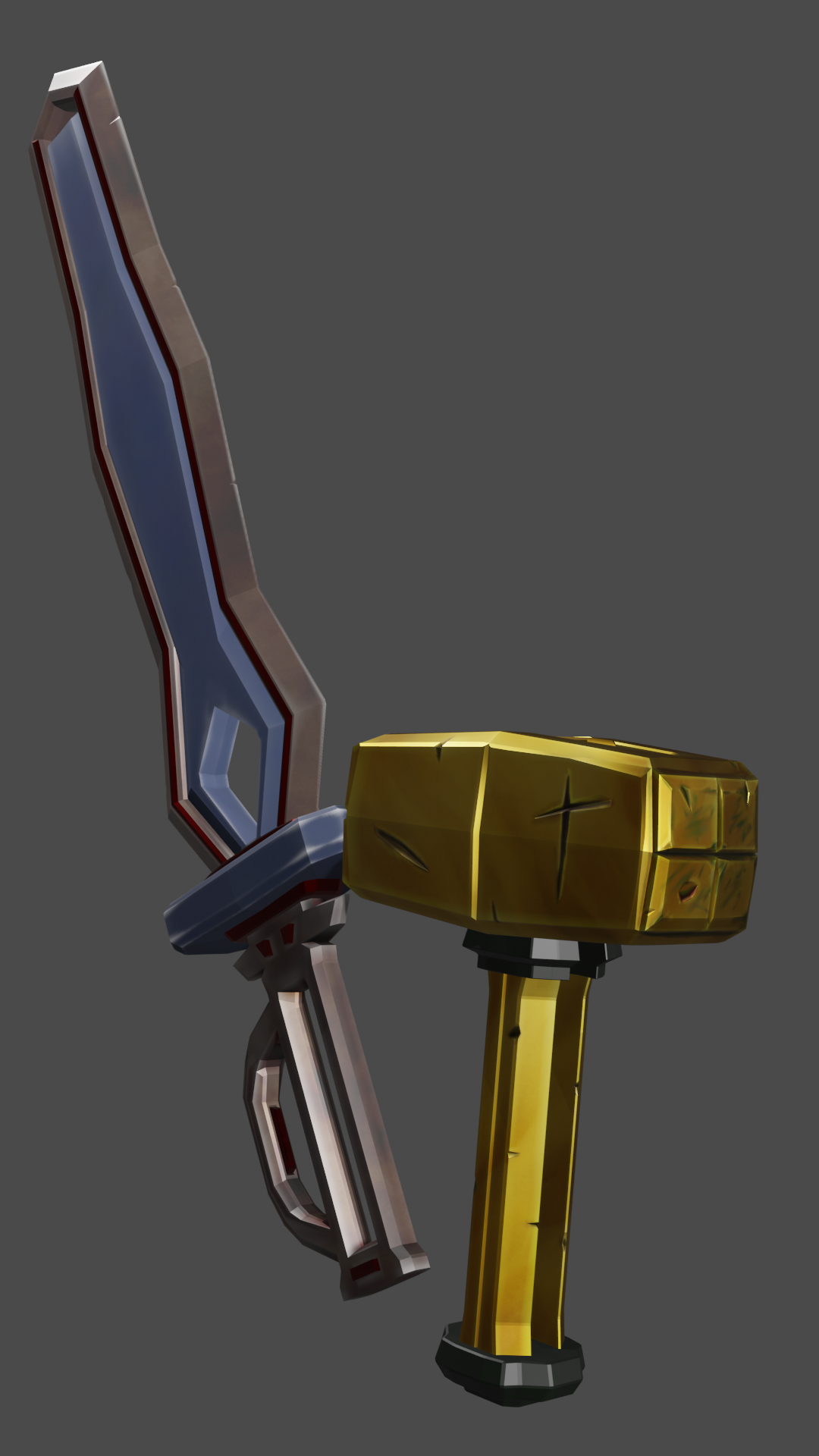
August 19, 2019 at 8:39 am #48639Due to some computer issues and losing my work it had a couple of extra setbacks this week. I was able to retexture Midas (the Hammer) much better. The dirty vertex trick did much better at making the edges and cavities pop.
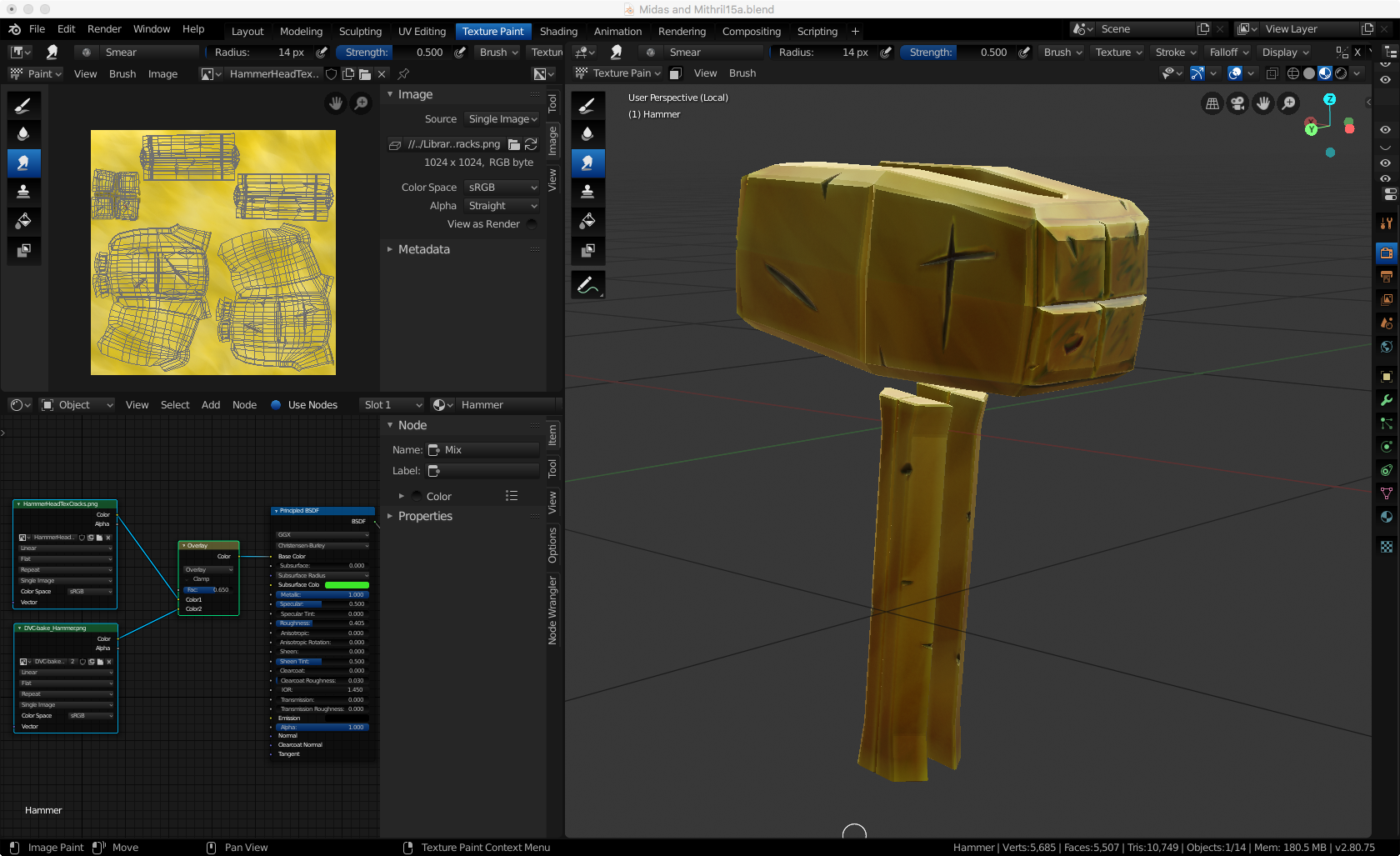 August 19, 2019 at 8:42 am #48640
Homework Resubmission Week 2 – some shaders are present but I haven’t completed the week 3 shading yet.
-
AuthorPosts



- The topic ‘BC1-1908 Homework, Blanchsb’ is closed to new replies.