
Backhoe Contribution – PFBourassa – Loader Bucket
Forum Archive › Backhoe Contribution – PFBourassa – Loader Bucket
- This topic has 47 replies, 5 voices, and was last updated 5 years, 11 months ago by
Shawn Blanch.
-
AuthorPosts
-
May 14, 2020 at 9:51 am #11948
Just starting my individual thread.
May 30, 2020 at 3:00 pm #56599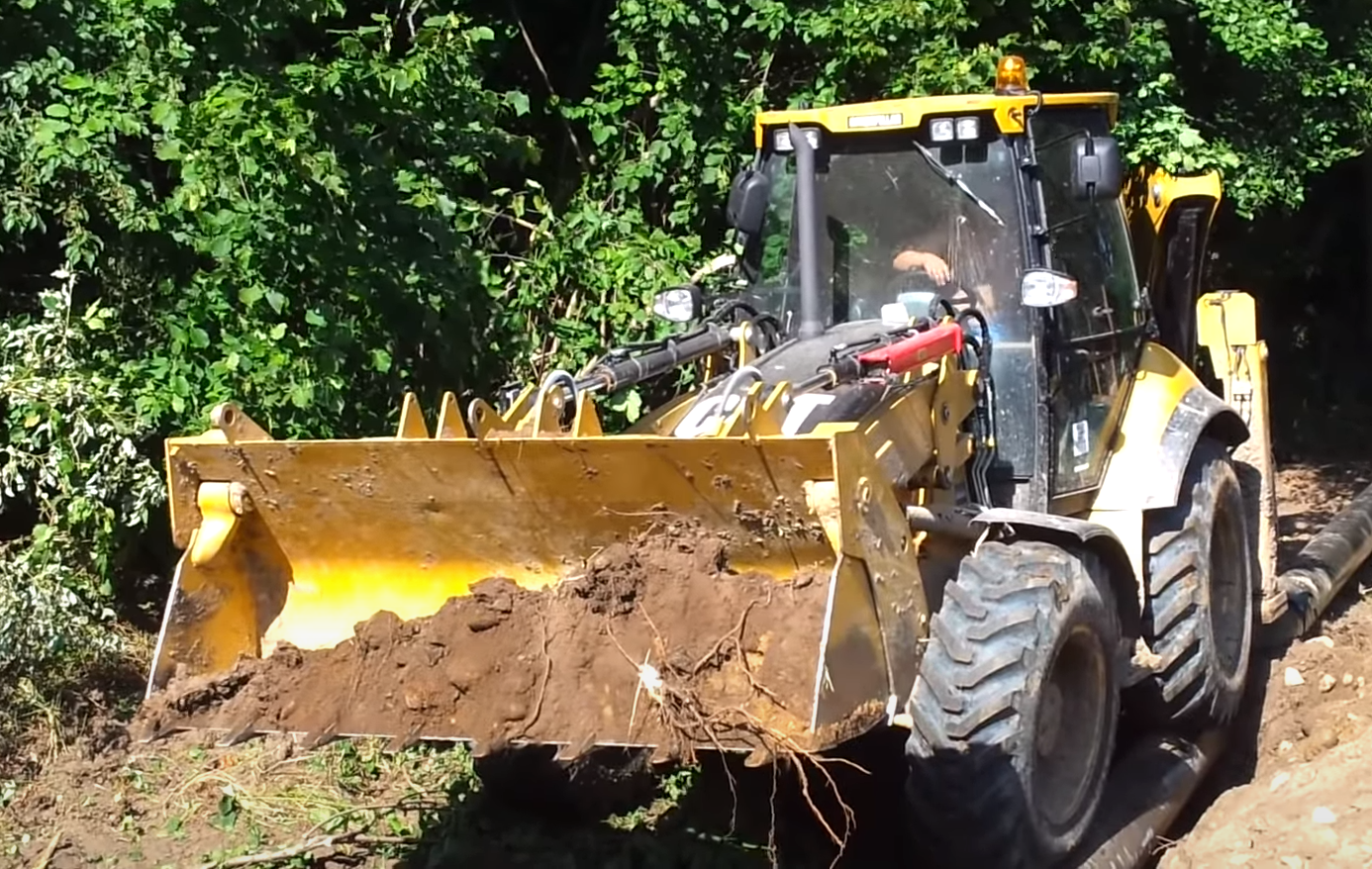
@pfbourassa. Here is a decent close up of the front of the bucket. There are some unique angles of the 434E on this youtube video:
June 1, 2020 at 1:46 pm #56600That’s a great angle! I re-did mine to bring it closer to this, but there is still work to be done.
And I shifted my holes around so they match your arms.June 1, 2020 at 1:47 pm #56601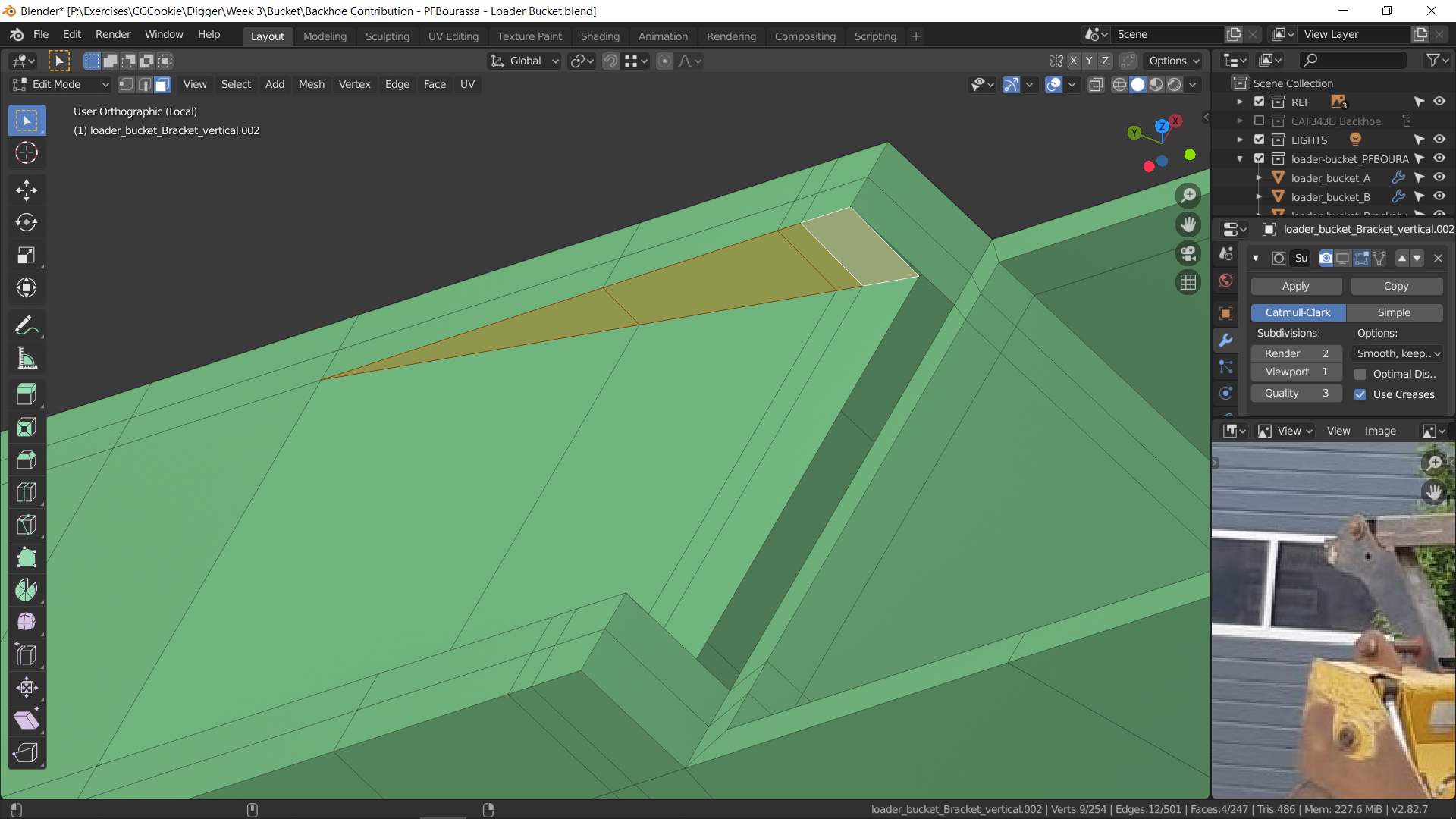
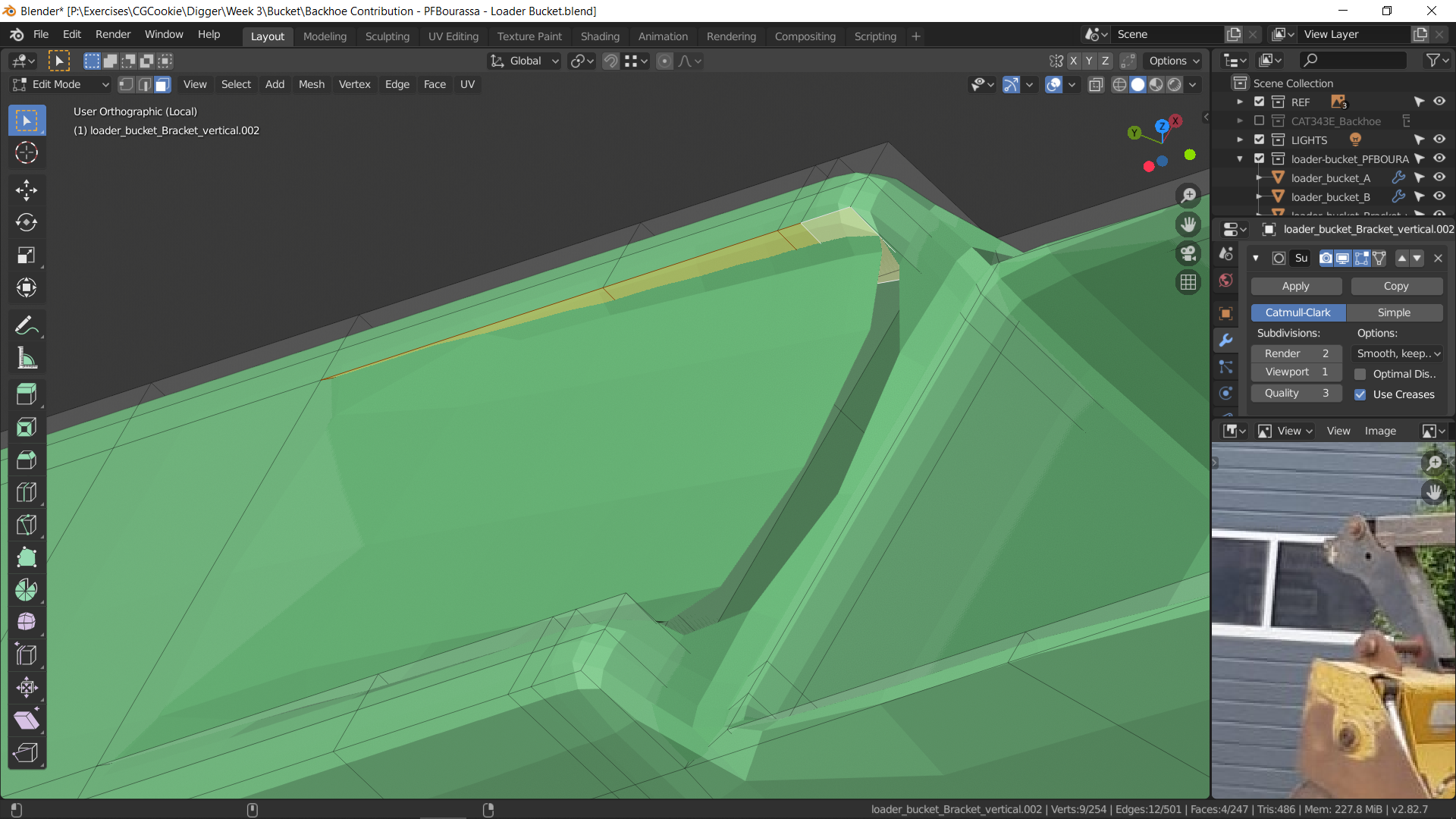
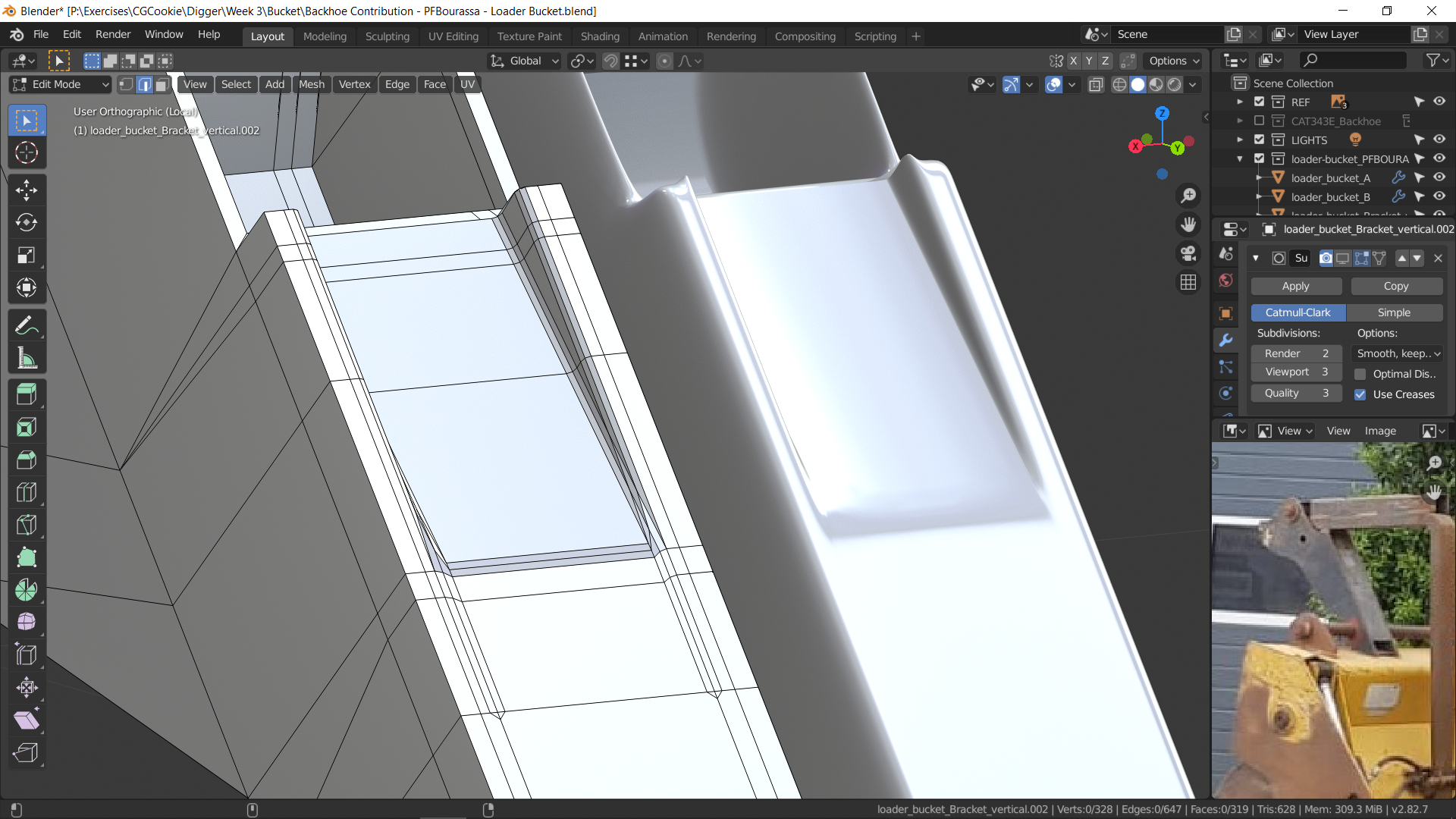
I’m having trouble with shapes like this in a few places. I’m not sure how to get it to subdivide nicely.
June 1, 2020 at 2:59 pm #56602I suppose it depends on how rigid you need the triangular edges to be. I think if you added holding edges to them it would smooth nicely as a hard-edged shape.
Is the smoothing meant to be more broad though? As in not hard edged but more of a scallop? Perhaps posting a photo of the shape you’re after will help me give best advice.
June 1, 2020 at 3:13 pm #56603@theluthier It is meant to be sharp. The shape is in the screenshot, but it’s just rotated differently. It’s actually a little hard to tell what the shape is, but my best guess is a fairly sharp slope inward.
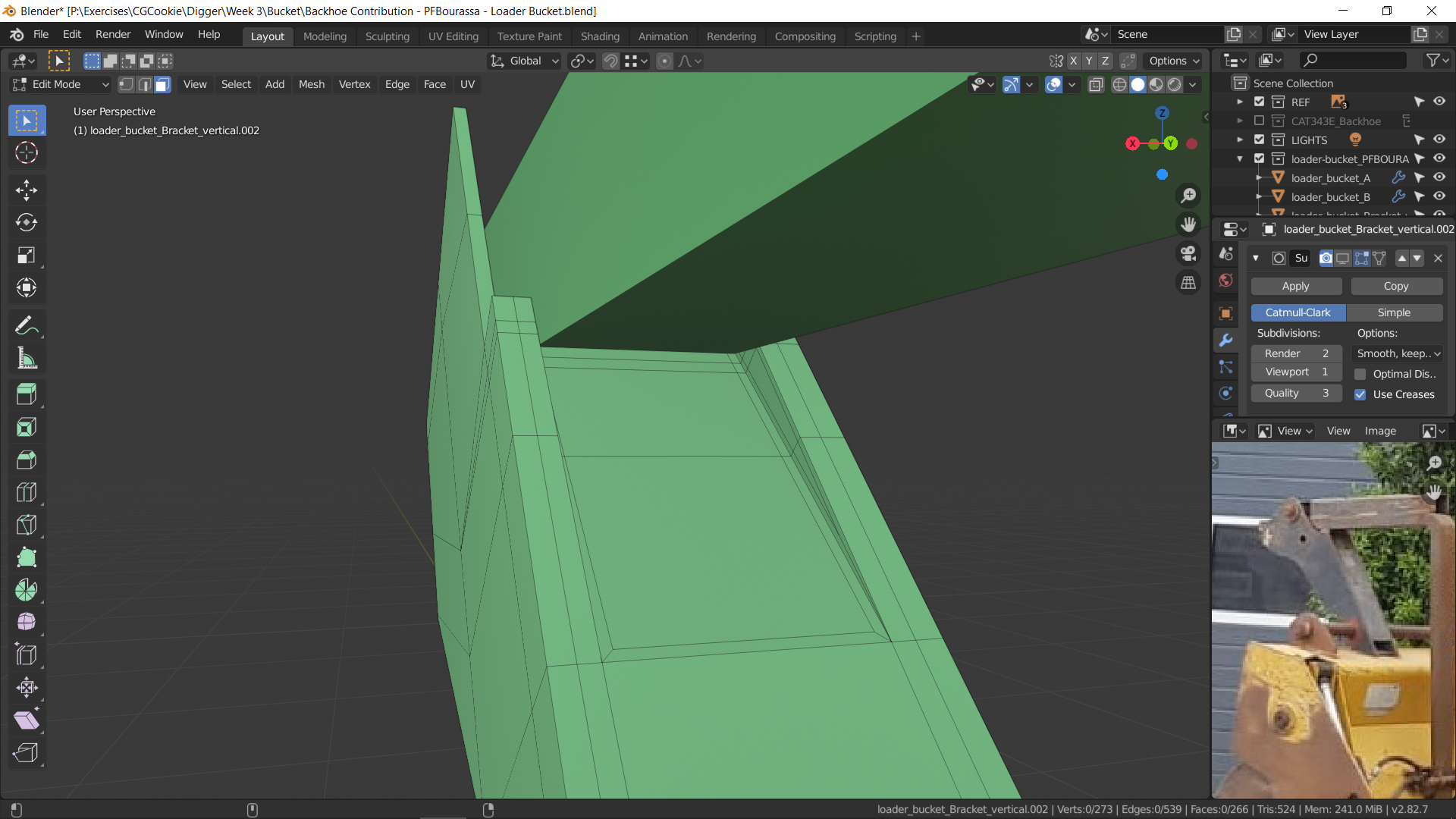
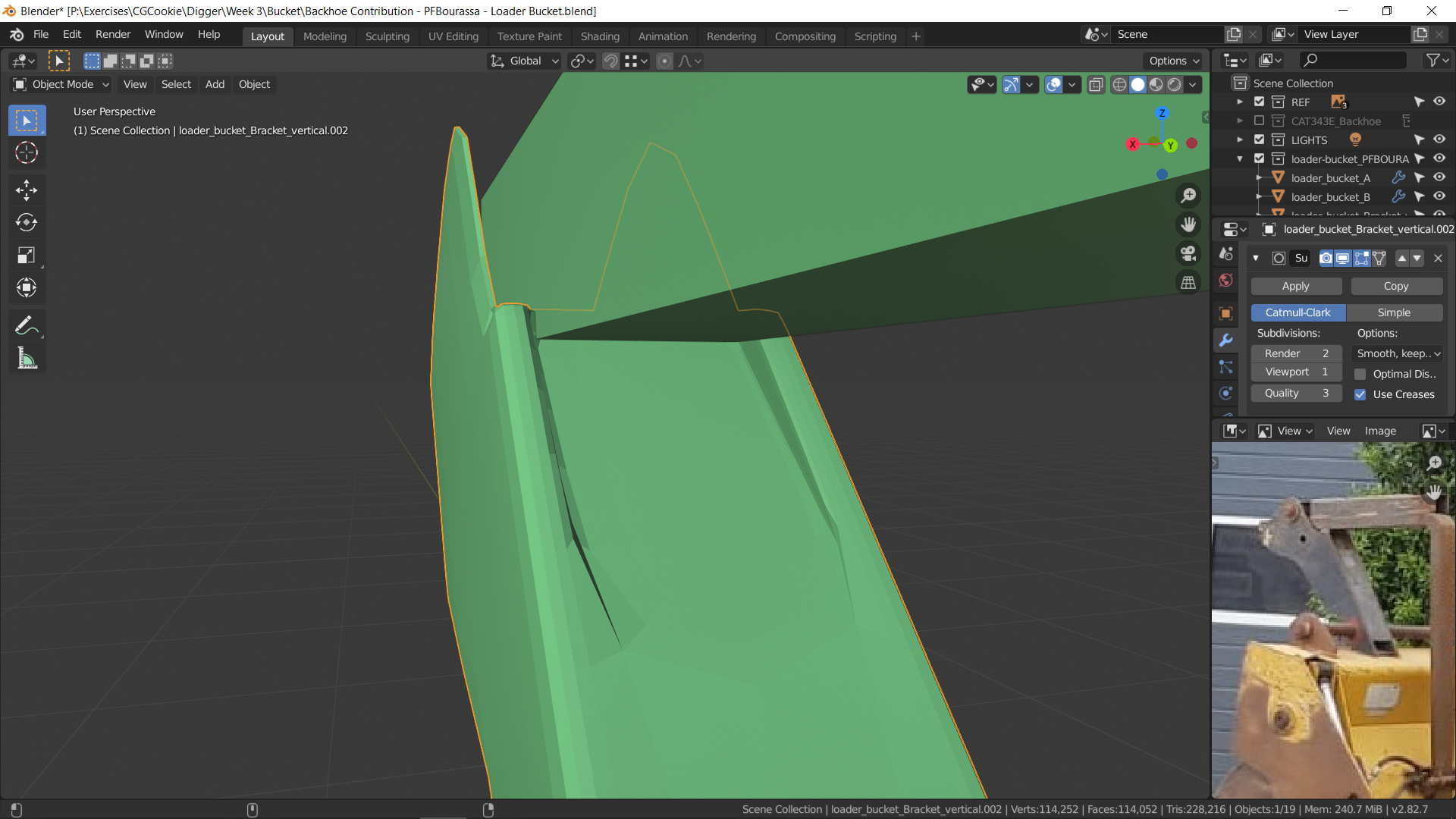
In this example, I tried creating holding edges by beveling the flat surfaces in a little.
I think it’s giving me trouble because it’s inherently triangular, and I’m trying to keep good topology.June 1, 2020 at 3:45 pm #56604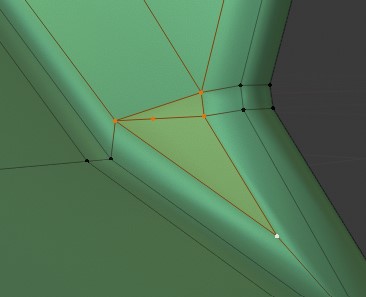
Here’s an example I was struggling with before. I found a hacky solution for this one.
June 1, 2020 at 3:55 pm #56605Here’s an example trying to match your situation. Starting with the basic shape first:
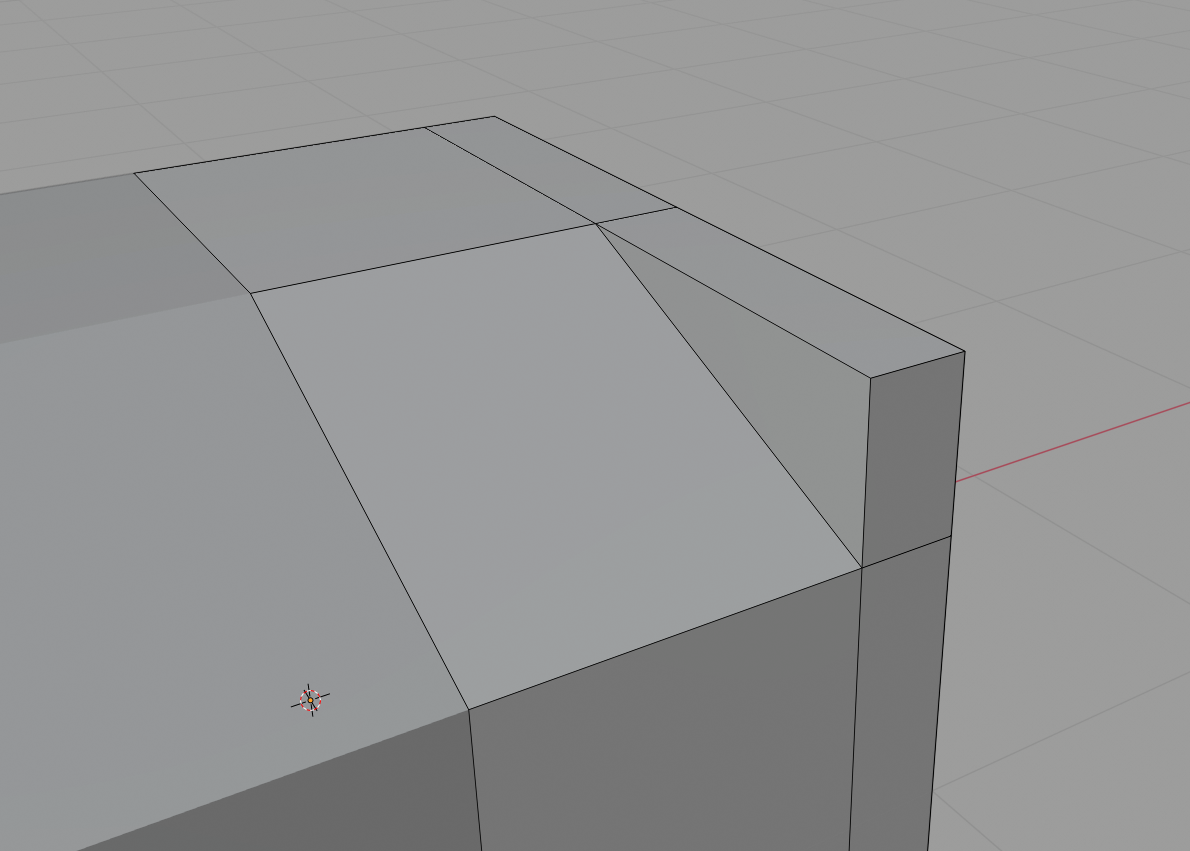
This is where I like to select all edges I want hard and use the bevel operator to establish quick holding edges that I can clean up later:
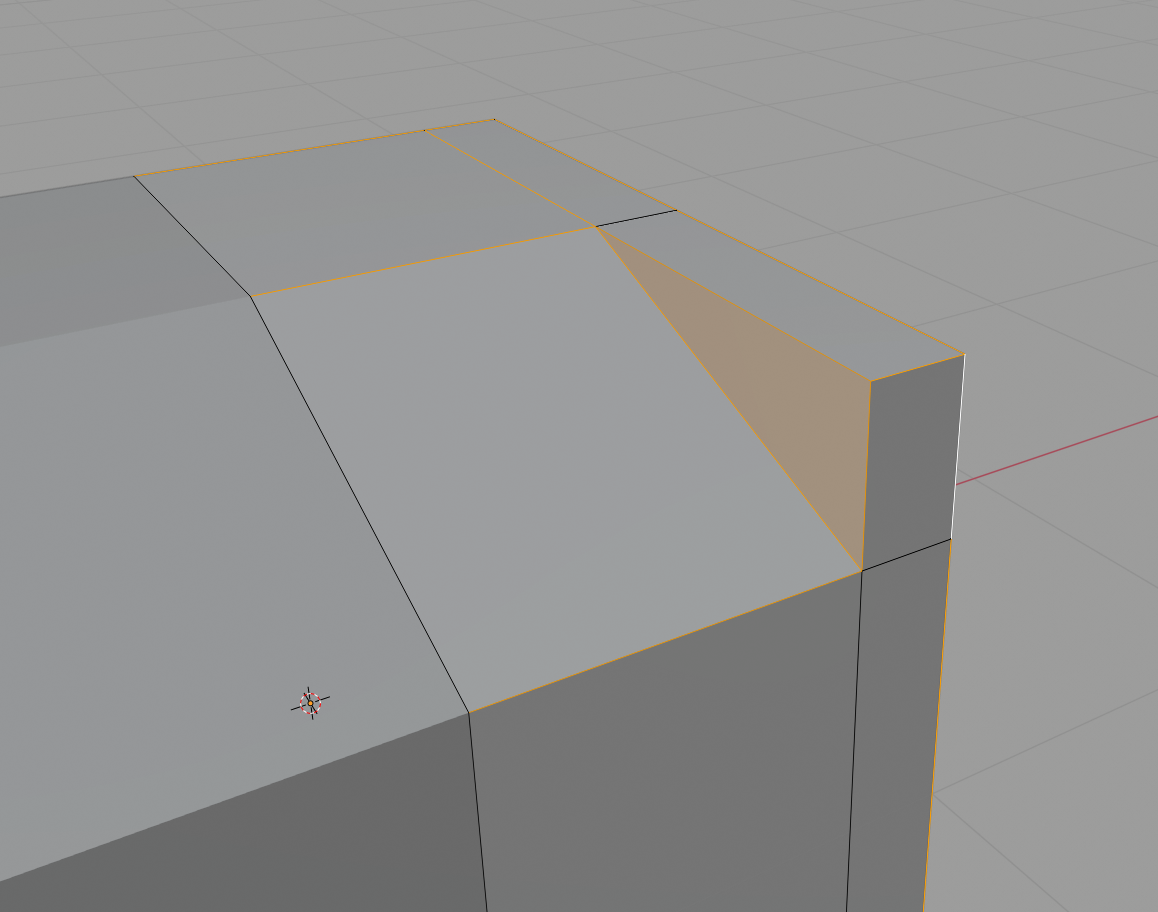
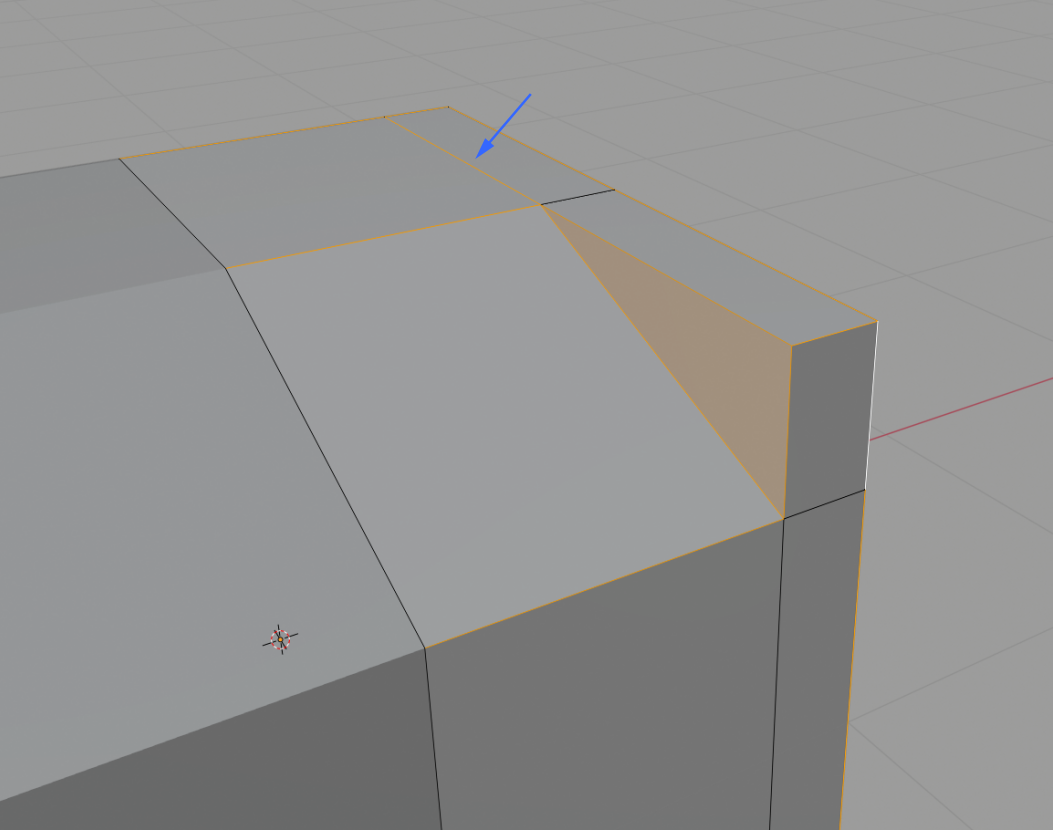
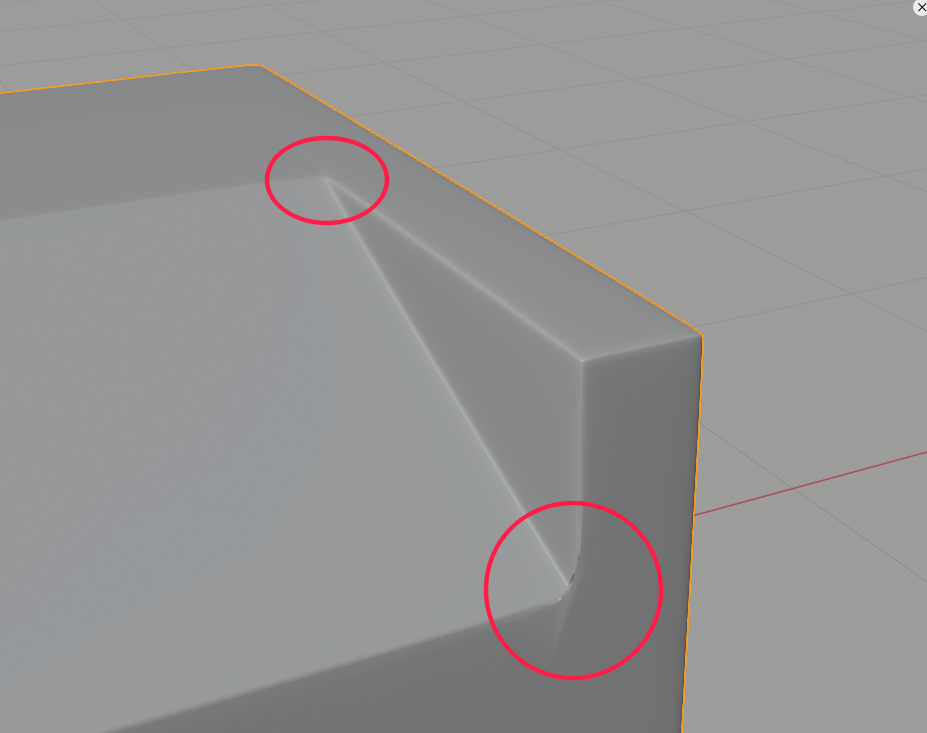
This gets us most of the way with only the corners needing cleanup. Note the blue arrow pointing to a “utility edge”. This is not meant to be hardened but I overshot the triangular corner so the bevel operation is clean as it exits the corner. I can simply collapse this next:
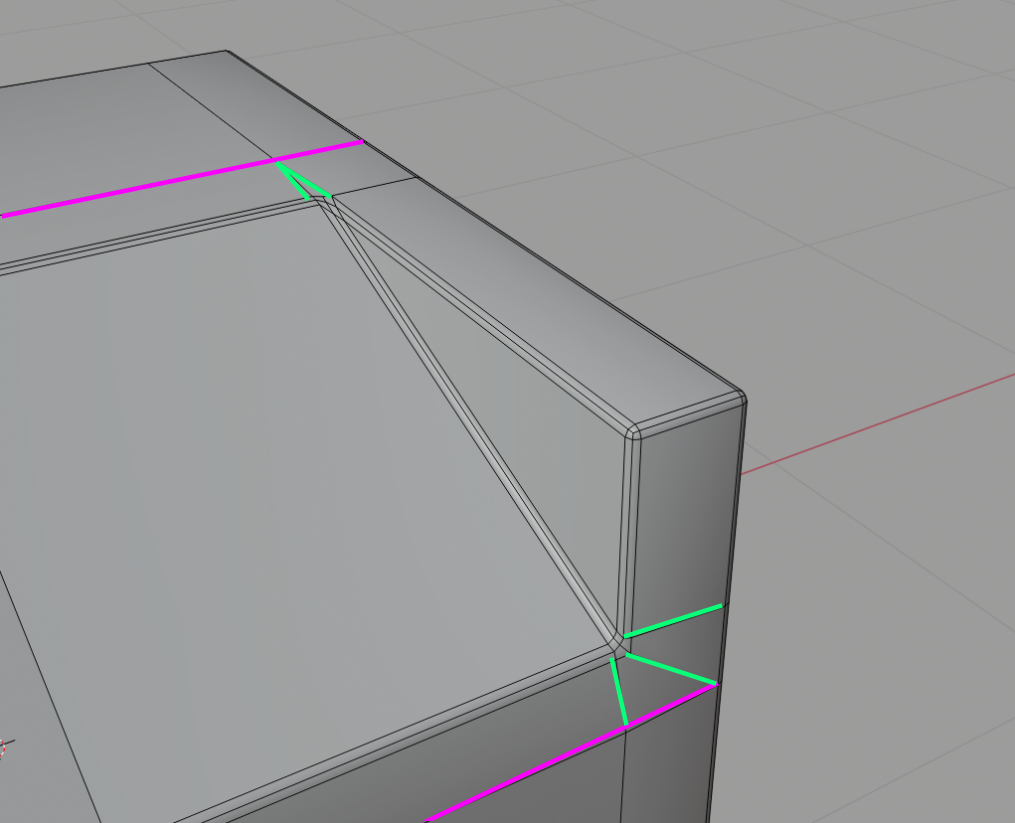
Add the secondary (magenta) edge loops so the cleanup doesn’t stretch awkwardly far. Collapse the upper triangular corner and spread out the lower triangular corner.
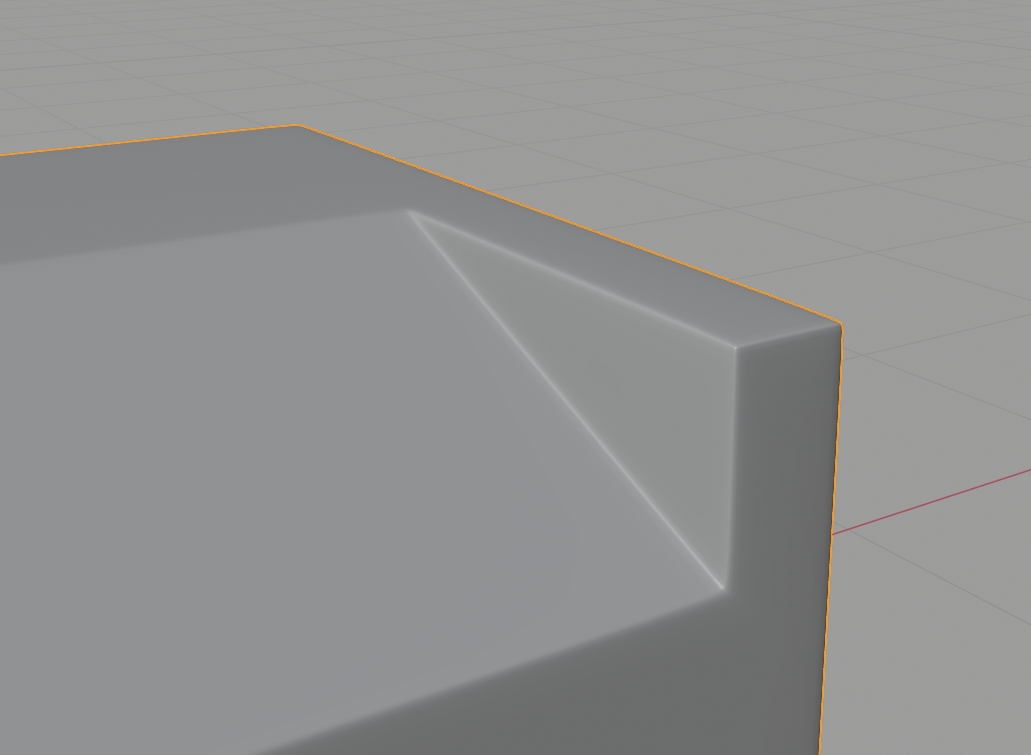
Hope that makes sense. I made a note to possibly demo this example during next week’s stream.
June 1, 2020 at 4:00 pm #56606Also anytime you want to turn an intentional triangle / wedge into quads you just need to “split” one end of it like this:

For hard surface I don’t think this is strictly necessary since the actual shape *is* a triangle…but for our modeler’s OCD it can be solved 😅
June 1, 2020 at 4:05 pm #56607@theluthier Thanks!
This is the best result I’ve gotten so far. It still looks curved in a way I don’t want, but that might be a problem with my other geometry.
 June 2, 2020 at 5:58 pm #56608
Oh man @pfbourassa I need to shift the top pieces on the loader arm over a little. See my forum posting for some of those changes. Sorry bro. It’s gonna be the best move I think and I should not have to shift them over again after this.
June 10, 2020 at 2:54 pm #56609@blanchsb
My plan is to do the cables in green, and leave the blue stuff off for now. I think they are more closely linked to the arms, and we can attach them during rigging.Dog Pound,
What is your interpretation of the orange areas?
The flaps on top seem like they might just be there to allow room for the pistons. Not sure if they should move… or how exactly they are attached.
The thing on the side looks like a control panel, but I don’t see what it would be connected to.
In the photo reference, 1-2 looks like a sticker, so maybe that is too?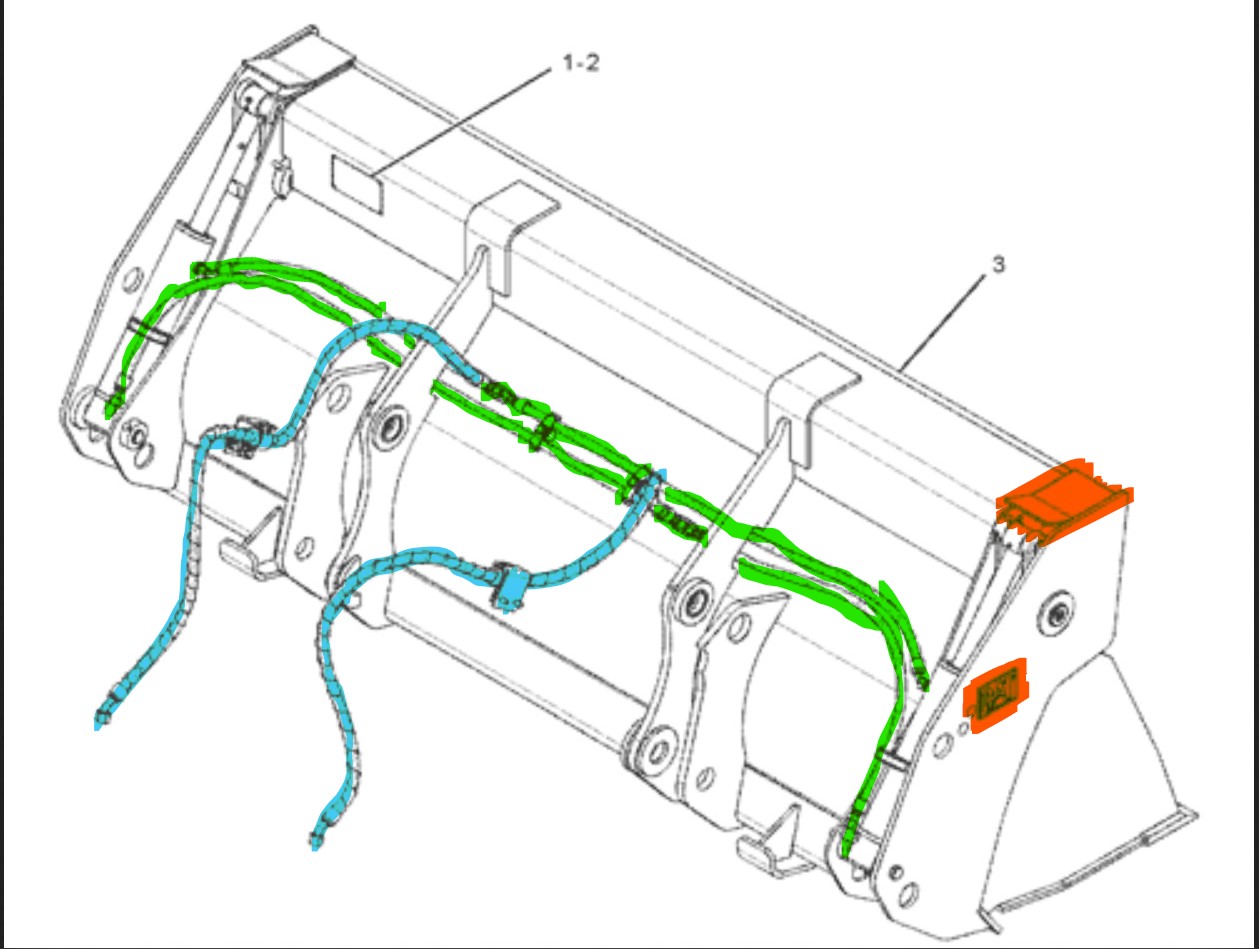 June 10, 2020 at 6:12 pm #56610
The side orange piece is the CAT logo
June 10, 2020 at 6:15 pm #56611The top orange piece is just a cover for the hydraulic as far as I understand it. The 1-2 piece is probably a data plate describing the loader bucket. Containing info like part number, serial number etc…..
Yeah do the green hydraulic lines. when you work on them can you place a couple of empties where the T-union is going to be where the blue lines join in? Then could you send me the file and I will bring my blue lines over to them so that when we both submit they should just join up.
June 10, 2020 at 6:59 pm #56612Maybe I can sneak some easter eggs into those stickers 🙂
I’ll stop at the T-union and place an empty. -
AuthorPosts


- The topic ‘Backhoe Contribution – PFBourassa – Loader Bucket’ is closed to new replies.