Auto-smooth by angle in Blender 4.1

Forum Archive Auto-smooth by angle in Blender 4.1

Viewing 5 posts - 1 through 5 (of 5 total)
  • Author
    Posts
  • #17877
    Donburi Frog
    Participant


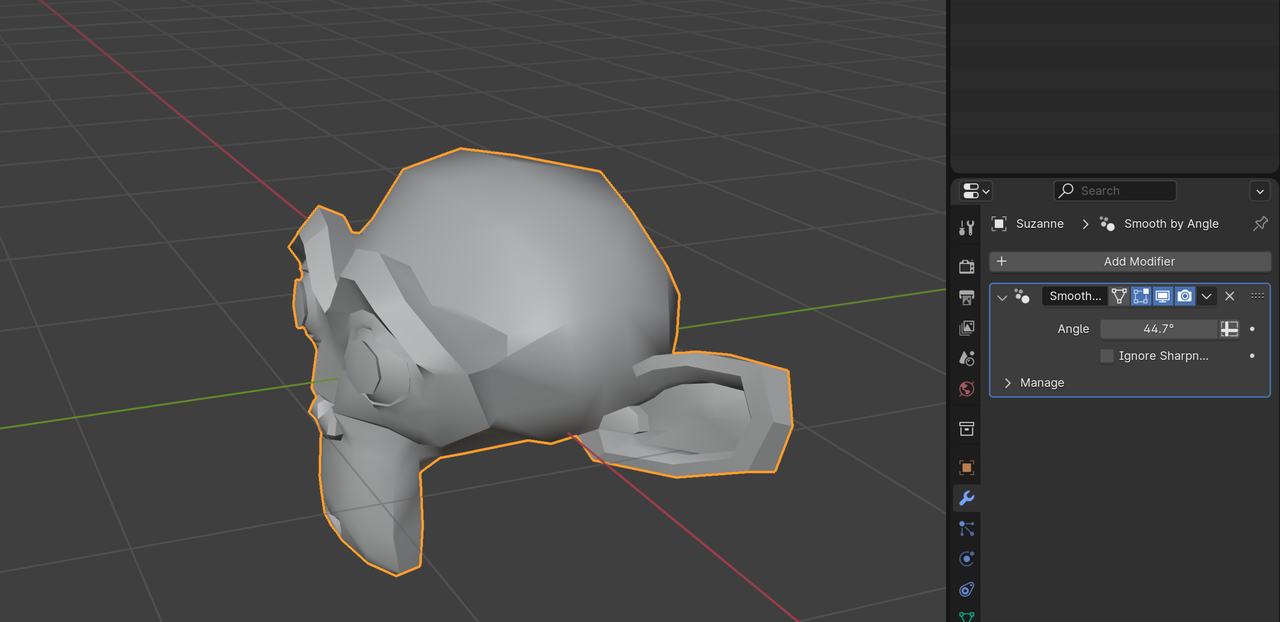
      I think they switching it from Data tab to modifier? I found a modifier ” Smooth by Angle” but it doesn’t really work as in video, still a lot of sharp edge when at 180 angle, not sure how it work yet.
      I don’t think it’s a big problem , just leave it here for future question if someone can’t find it at Data tab.

      #85665
      Martin Bergwerf
      Participant

        Hi @OshiKatsuFever ,

        That can be confusing, yes. You’ll need to go to Object Shade Smooth and then the Modifier will work as expected.

        #85666
        Martin Bergwerf
        Participant

          Alternatively, there is also a checkbox to ‘Ignore Sharpness’ that seems to be doing the same thing (not 100% sure if that’s the case in all circumstances though).

          #85667
          Donburi Frog
          Participant

            Thanks for the reply,  last part of the video mentioned about ” Mark sharp” and showing sharp edge, Auto-smooth with 180 degree angle , but the Modifier doesn’t really work as intended, might due to how Modifier work ?
            Anyway as Jonathan said, it only showing Normal and how reflect work ,don’t worry about it !

            #85668
            Martin Bergwerf
            Participant

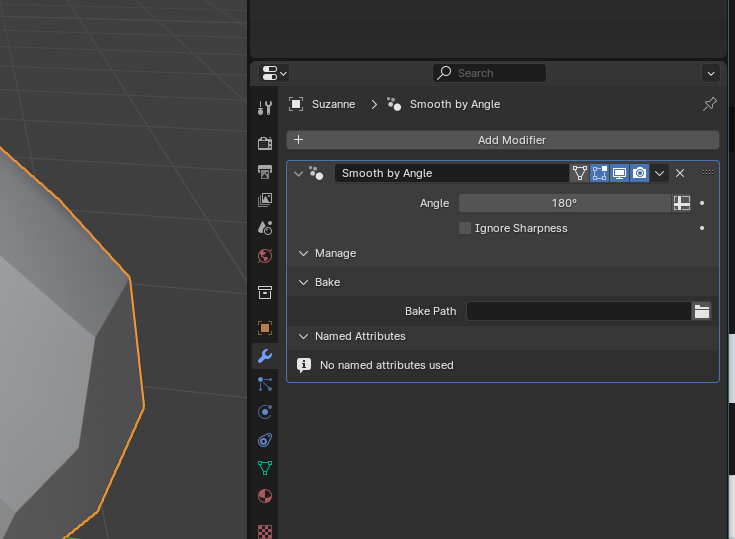
              The Modifier works fine, but the Object needs to be set to Shade Smooth:

              Smooth_01.png

            Viewing 5 posts - 1 through 5 (of 5 total)
            • The topic ‘Auto-smooth by angle in Blender 4.1’ is closed to new replies.