At aprox 0.55 in the first part of the car model, how did you create a surface in thin air?

Forum Archive At aprox 0.55 in the first part of the car model, how did you create a surface in thin air?

Viewing 5 posts - 1 through 5 (of 5 total)
  • Author
    Posts
  • #13577
    Ulf Nilsson
    Participant

      Hello!

      I saw a strange thing at approx 0.55 in Part 1 of this tutorial. You selected a vertex and clicked somehow outside and got a filled area. I could not for the world see how or what shortcuts you used. Please give me some more details 🙂

      Best regards from Sweden

      Ulf

      #63700
      chukabiggs
      Participant

        i think that was the fill command. You select 3 or 4 vertices and tap “F”, it’ll fill them in

        #63701
        spikeyxxx
        Participant

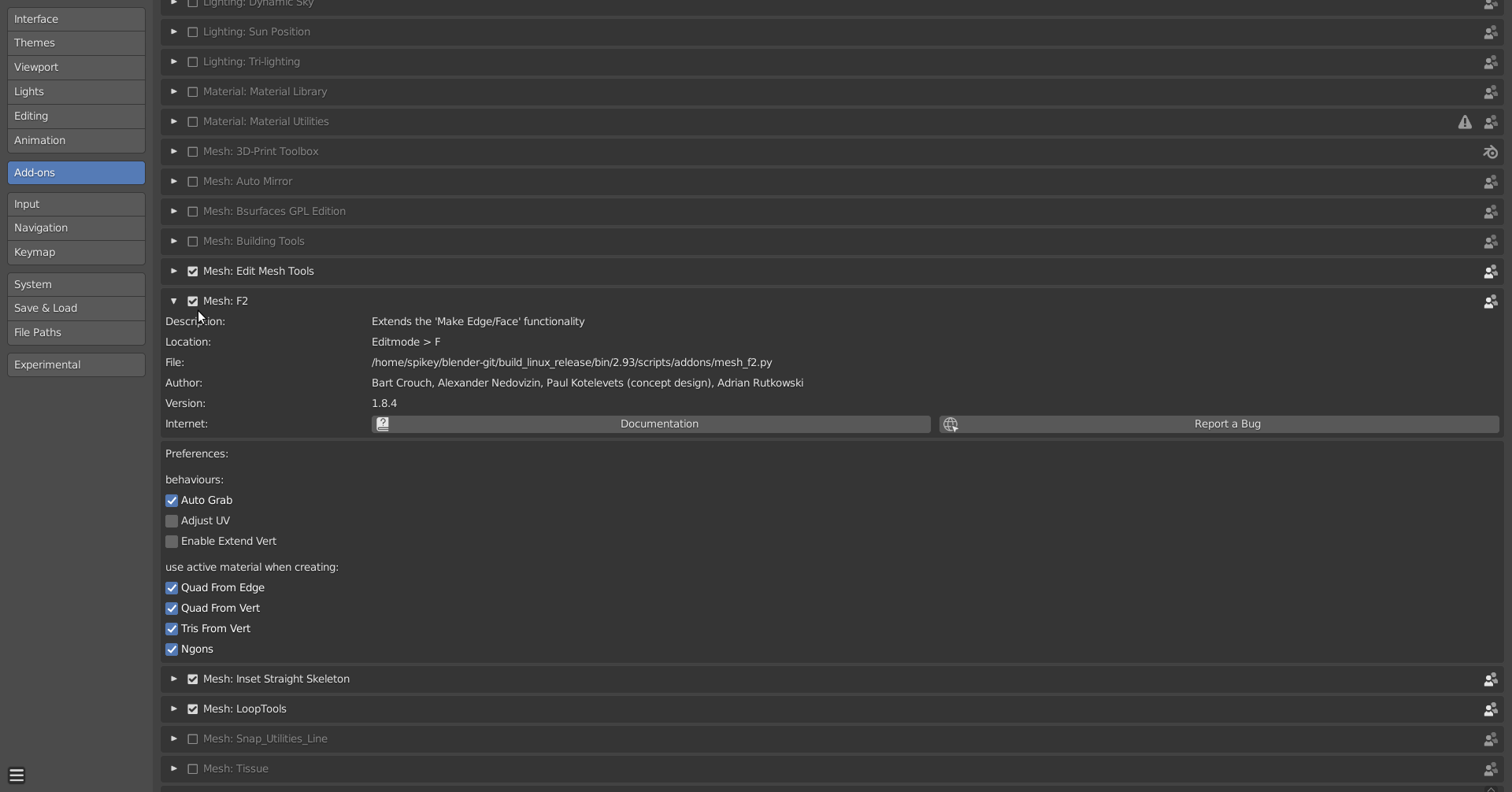
          He actually selects only one (corner) Vertex and then makes a filled quad. You will need to enable the F2 addon, that comes with Blender, to be able to do that:

          #63702
          Ulf Nilsson
          Participant

            Amazing! Thank you for your reply! 🙂

            #63703
            Chunck Trafagander
            Participant

              Yessir, spikeyxxx has it! F2 is a fantastic tool, can highly recommend adding it to your workflow. 🙂

            Viewing 5 posts - 1 through 5 (of 5 total)
            • The topic ‘At aprox 0.55 in the first part of the car model, how did you create a surface in thin air?’ is closed to new replies.