
Aspect Ratios of textures?

Forum Archive Aspect Ratios of textures?

Viewing 5 posts - 1 through 5 (of 5 total)
  • Author
    Posts
  • #21129
    dbro0808
    Participant

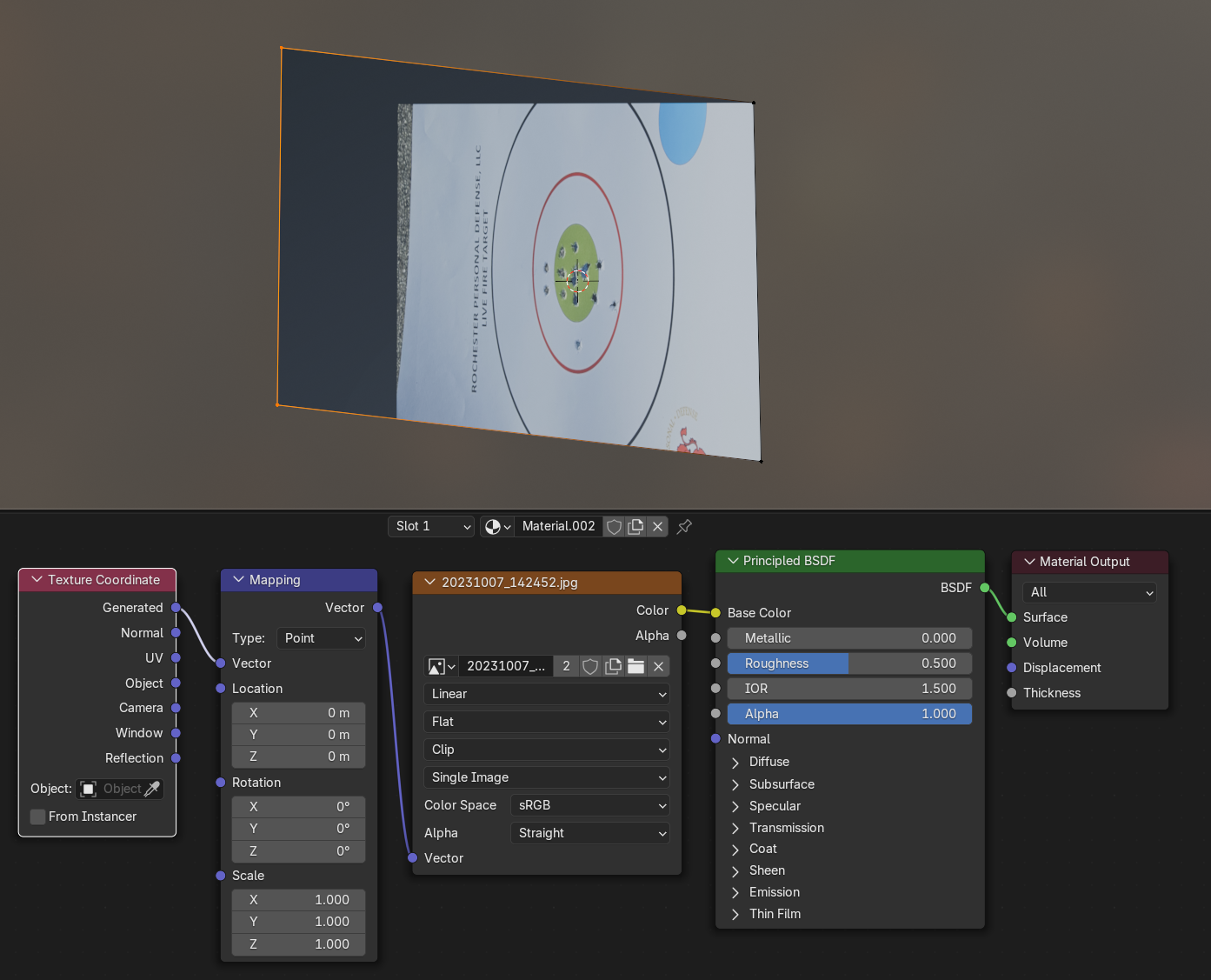
      I would like to have an image projected onto the surface such that I can move the verts around and not have the image distort. I have found that Generated and Object coords give me this option, but Object forces the aspect ratio to be a square and Generated depends on the aspect of the geometry when the texture was applied. Is there any way to do this where the image gets projected as is and I can move the geometry to fit the projection? Or is my only option to UV unwrap or try match the aspect of the image and geometry from the start and use Generated? Here is an example of the affect I am looking for: 

      I’ve dragged the verts away and the image hasn’t stretched with it, but the image is squished to a square aspect ratio here.

      #98585
      Adrian Bellworthy
      Participant

        UV unwrap is the way to go.

        Once the UVs are unwrapped the texture will be mapped to the UV map, then moving the vertices in edit mode will stretch the texture but won’t change the UV map.

        Use the UV output on the texture coordinate node.

        Note: You’ll need to add the image in the UV Editor and adjust the UV’s to the image as a starting point.

        #98586
        Martin Bergwerf
        Participant

          Hi @dbro0808 ,

          If I understand you correctly….use Object Coordinates.

          It forces it to be a square Aspect Ratio, because that’s what the Object was, when you started. You can Scale the Object and (this is about the only time you want this) do not Apply the Scale.

          Alternatively, use an Empty as Object in the Object Texture Coordinates. Then you can Move and Scale and Rotate the Empty. It will use the Empty as the Object’s Origin for the Texture Coordinates.

          #98587
          Martin Bergwerf
          Participant

            Another thing you could try, would be to use UV Coordinates and (in Edit Mode) enable Correct Face Attributes in the Options.

            That might actually be more what you are looking for.

            #98588
            dbro0808
            Participant

              Thank you for the input, I will give these a try.

            Viewing 5 posts - 1 through 5 (of 5 total)
            • The topic ‘Aspect Ratios of textures?’ is closed to new replies.