
Artifacts in Render
Forum Archive › Artifacts in Render
- This topic has 9 replies, 4 voices, and was last updated 3 years, 1 month ago by
John Sanderson.
-
AuthorPosts
-
May 11, 2022 at 1:08 pm #15130
Below is a summary of a conversation from the CGC discord about this issue:
The artifact:
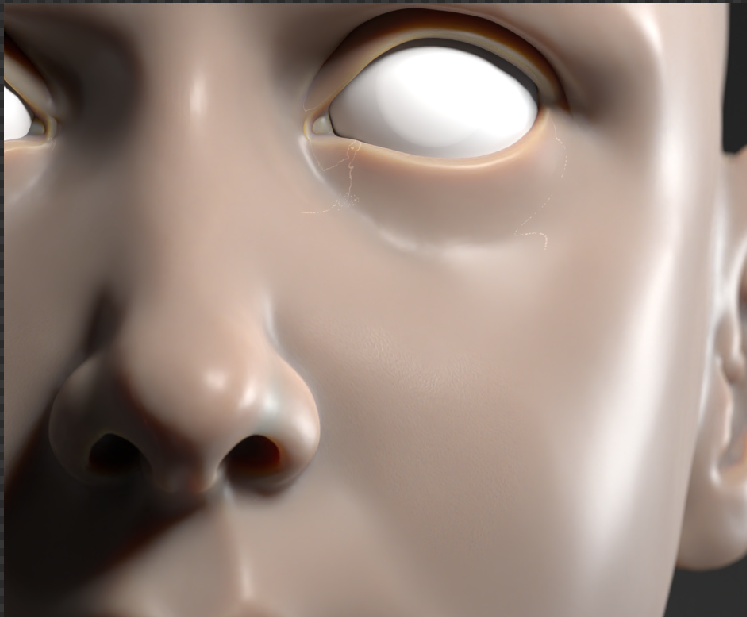
The solution:
My mesh was at 25 million vertices at the 6th multires level because my retopo was more dense than Kents. The mesh was simply too dense which created these artifacts in the render. To fix this issue without having to redo the retopo I had to add edge loops in edit mode (and vertex smooth as needed) until level 5 had 12 million verts, then I deleted the multires modifer and restarted from the shrinkwrap step.
Here is the original comment from Kent on the discord:
“You could solve this by lowering (deleting edge loops) or increasing the retopo polycount (adding edge loops). I would just go a bit higher to retain the shape. Lower could risk some shape fidelity. To go lower, the goal would be to end up around 12-17 M at level 6, higher would be 12-17 M at level 5 “May 11, 2022 at 1:08 pm #74298Comment to show the question is answered.
May 12, 2022 at 3:38 pm #74299Thanks for copying this info over from discord! I’m still skeptical about the polycount causing the artifact…makes me think something about the topology was freaking out and adding another edge loop refreshed it or something 🤔
Either way I’m glad you resolved it.
May 21, 2023 at 5:07 pm #74300UPDATE 2
Problem found: the Geometry Node’s Pointiness attribute is quite sensitive to the size/scale of the object to which it’s applied. My head sculpture was already shrunk to “actual” size. Kent is using a giant head here, which he shrinks later.
Solution (if you’ve already shrunk your head): create a copy of your head sculpt, scale it about 15x in edit mode, make all the bakes, save the images and delete the copy.
Refs:
https://cgcookie.com/community/12023-white-artifacts-on-pointiness
————————-
UPDATE 1
When we bake the skin-utilities_PORES.png file we use the Geometry Node’s Pointiness property and the artifact appears on the baked image.
I had already sculpted all the pores, lips, ears and wrinkles and wanted to find a “solution” without going all the way back to the retopo step.
The solution that seems to work (for now) is to open the artifact ridden baked pores image in GIMP and
1. Color replace the white and other bright pixels with the “background” grey. (https://thegimptutorials.com/how-to-change-one-color-to-another/)
2. Paint over the artifact “lines” with the “background” grey color.
This is not the best solution. If it does not work, I will update the post again. If you read nothing below, then it worked well enough for my learning process and this draft of the portrait.
————————–
Original post
TLDR; These artifacts are of no consequence. The skin material applied by the end of this course does not cause them. (Grrr … I was wrong. Read at very bottom for a “solution”.)
@Kent — maybe my findings can shed some light, if you’re still curious about this issue.
Following the course to this point, I got this:
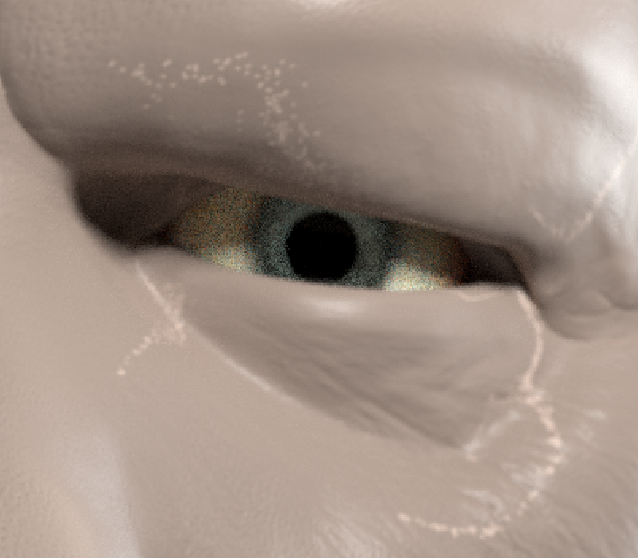
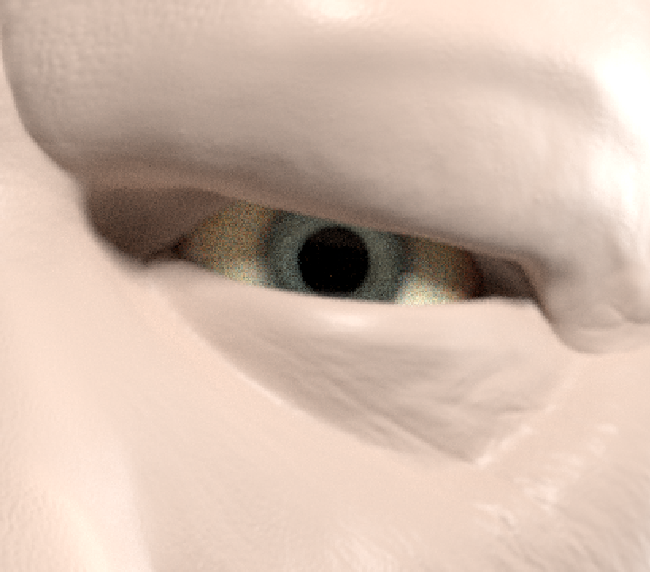
After playing with it, I found that if the “pore-depth-test” material’s Geometry and ColorRamp nodes are removed the artifact goes away. Or if the sliders of the color ramp are adjusted to 0.2 for black and 0.48 for white, the artifact goes away and I get this:
Since I complete the course once before, I appended and applied the “skin” material used by the end of the course and got this:
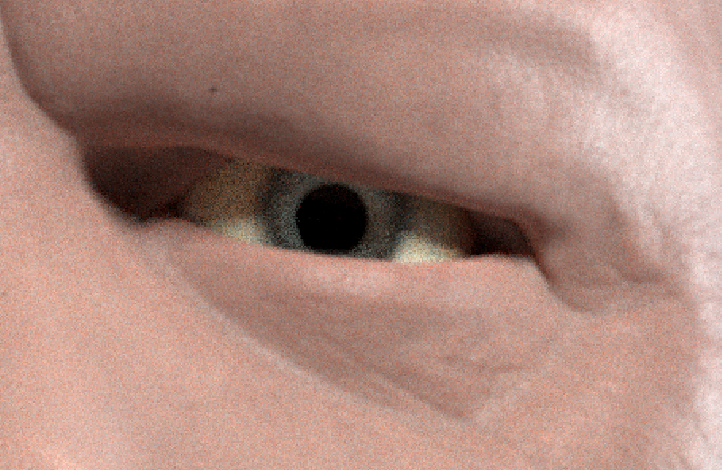
So looks like the Geometry node’s Pointiness or at least its confined values via the ColorRamp is causing the artifact.
But it’s all for naught because the skin material applied by the end of the course does not cause the artifact. Whew!
Hopefully this saves some people some headache and sheds some light on the root cause of the issue for experienced Blenderers.
————————————————-
May 22, 2023 at 9:41 am #74301May 22, 2023 at 10:02 am #74302Dang, that’s flattering 😅. I did finish it! I believe I posted renders in the Discord a few months ago. But here is one of them:
May 22, 2023 at 10:04 am #74303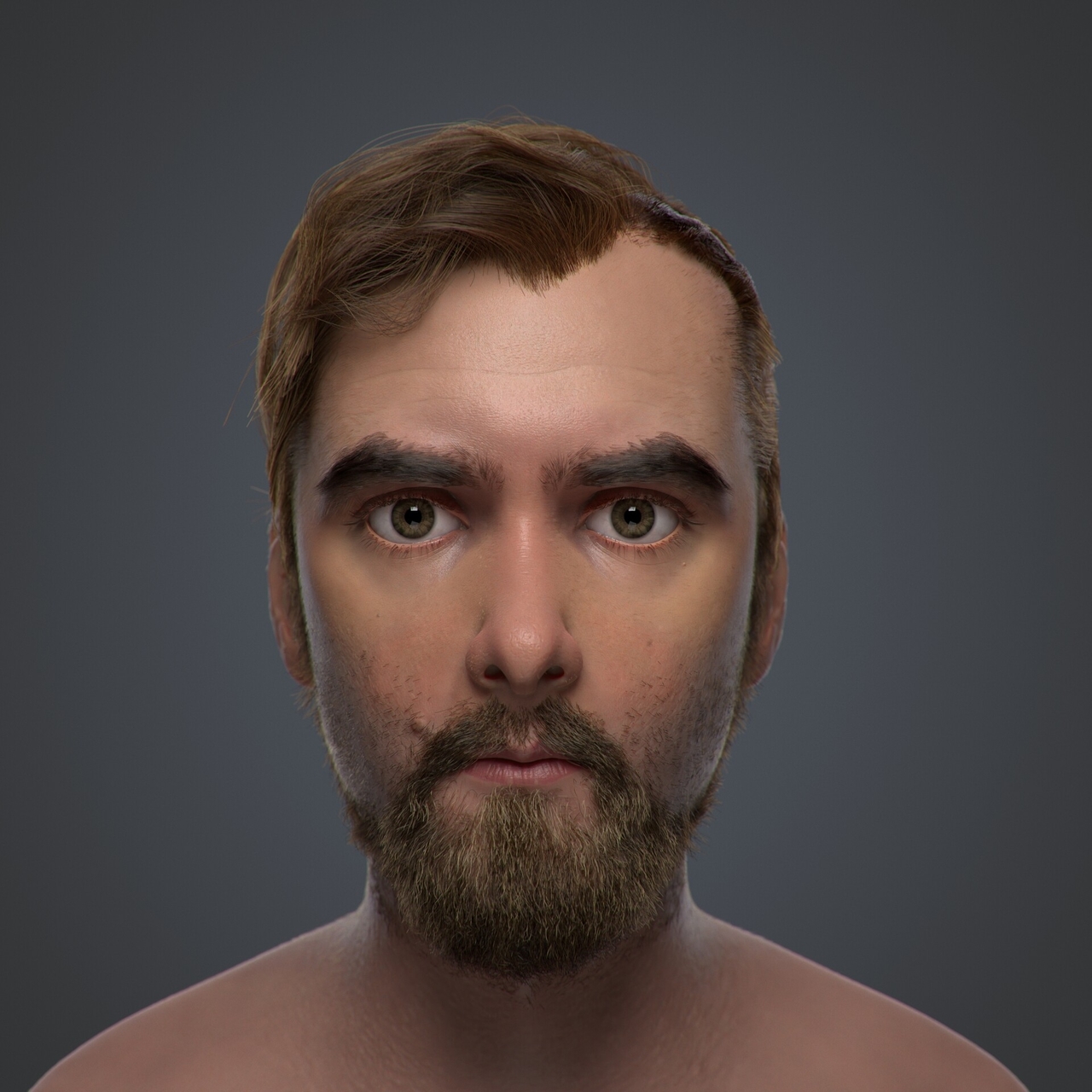
I was originally going to go back and update the hair/beard once hair curves were officially released, but I’ve yet to do it lol
If there is an official gallery the course — or something like that -+ for me to put them on the CGCookie site I’d be happy to!
May 30, 2023 at 2:40 pm #74304@fearguyq Oooo that looks so good! It looks a little bit CG-WIP without clothes on and a few small things that could use finessing. But even still, this is a razor’s edge from being among the top results I’ve seen 👏
If you want to give it a little extra work I can see this being featured in the 2023 CGC student reel 👀
If there is an official gallery the course — or something like that -+ for me to put them on the CGCookie site I’d be happy to!
We don’t really have an official one. I’ve seen people post on social media, artstation, discord, and the student gallery here, which is why it’s tough to keep up with them all. Our student gallery is probably the most official.
May 30, 2023 at 3:23 pm #74305Ooo, I’ll definitely get on that! I needed an excuse to play with the offical hair curves release anyway.
July 13, 2023 at 7:15 am #74306Thanks for this! I had the same artifacts and was scratching my head. Applied scale after scaling up and problem solved!
-
AuthorPosts


- The topic ‘Artifacts in Render’ is closed to new replies.