Hello
I’ve been working on this little Robot for a while. The main detials are almost done. Now I wanted to add something like rivets around the head of the character, to give it a more mechanical look.
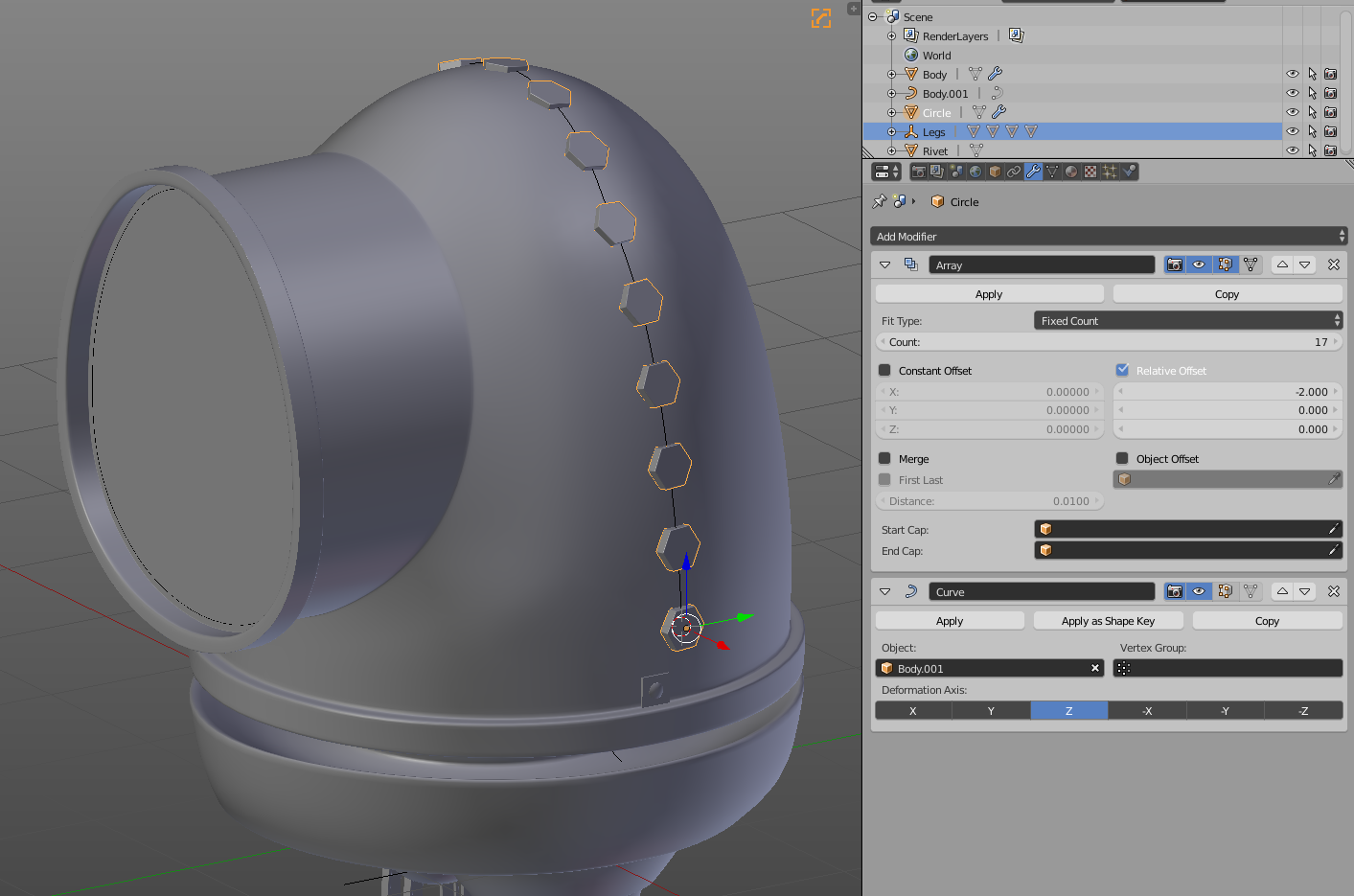
I tried doing it with a curve -> I took a vertical Edgeloop – scaled it to 0 on the Y-axis – placed it in the middle – tried adding an Array + a Curve modifier to the rivet, but I got really weird results.
I also tried the 2 approaches to do so from the Course “Introduction to Hard Surface Modeling”. They are explained in the last Video “Modeling Rivets & Final Polish”, if you want to look them up.
It doesn’t matter what I try, I just can’t get my desired result.
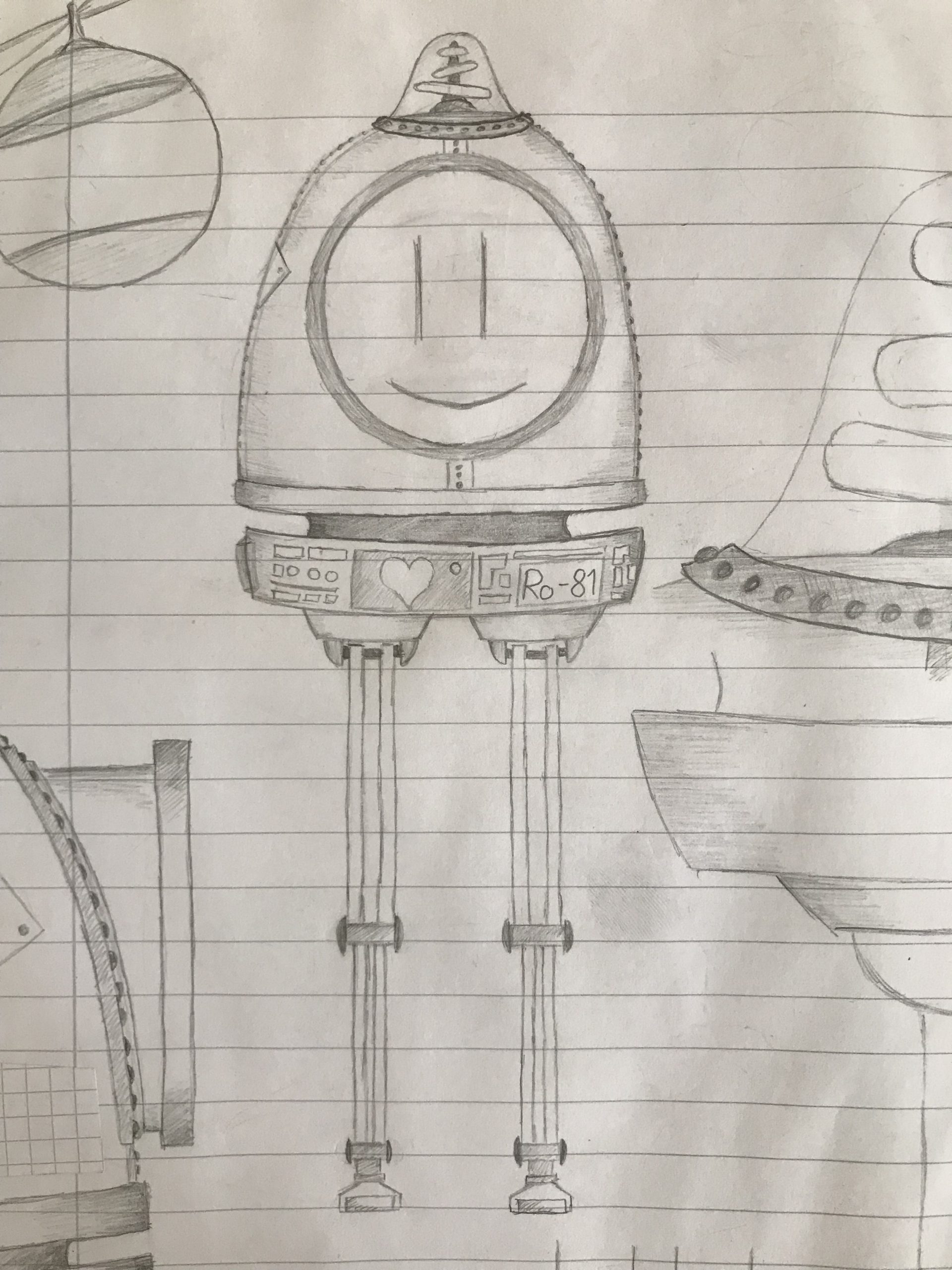
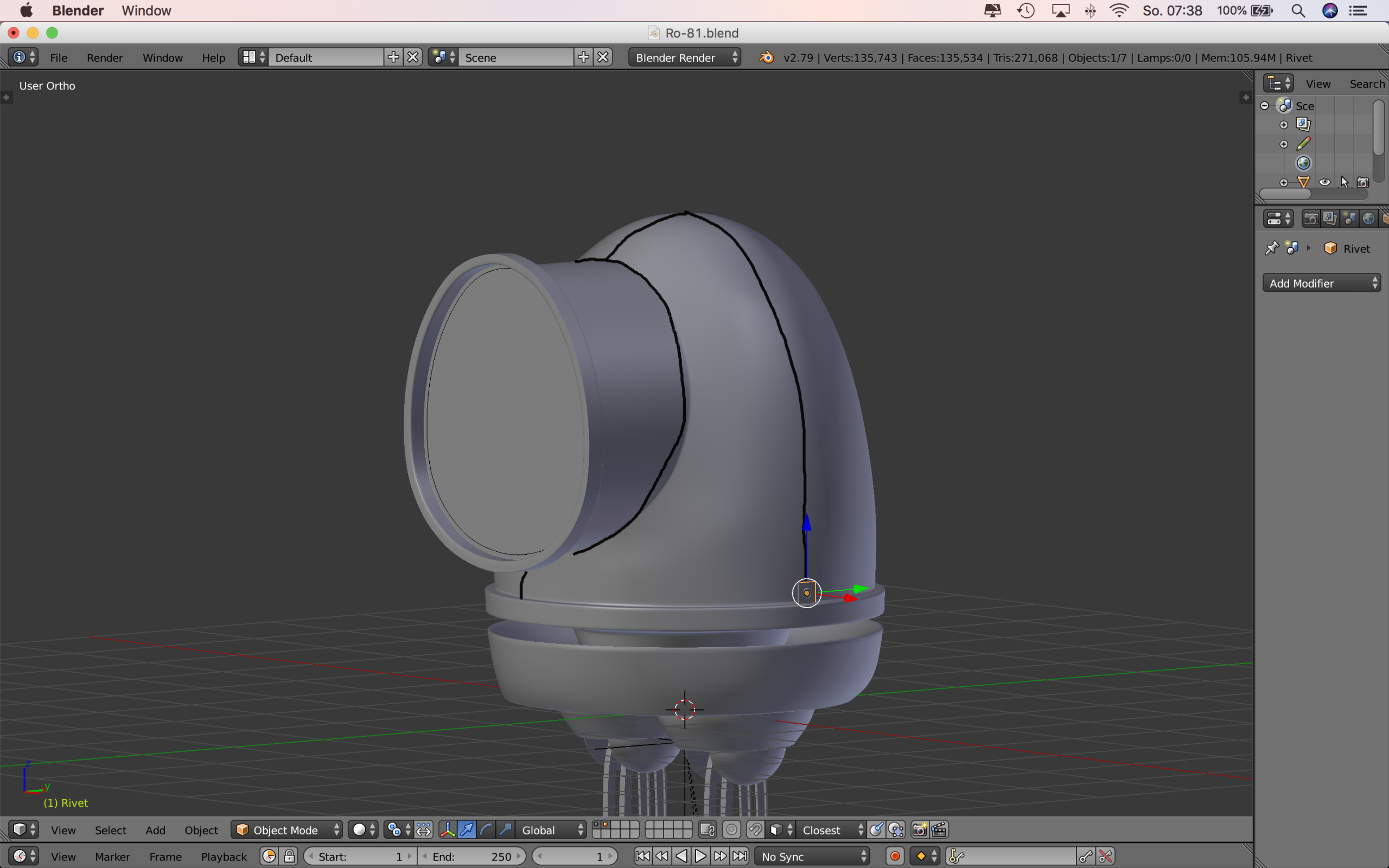
This is the Character & also the Reference Image. It should look like this +/-
If anybody manages to solve the problem, I would be happy if he/she could explain how he/she managed to do it, thanks alot!
Have a nice day.

.