One Material! One Store Attribute. One Set Material Node. That’s all you need.
The Color disappeared, because you plugged the (B&W) Attribute in the Principled.
I do not really understand what your problem is, sorry; the Annotations didn’t help (but it’s the middle of the night for me, so that might have something to do with it 😉)
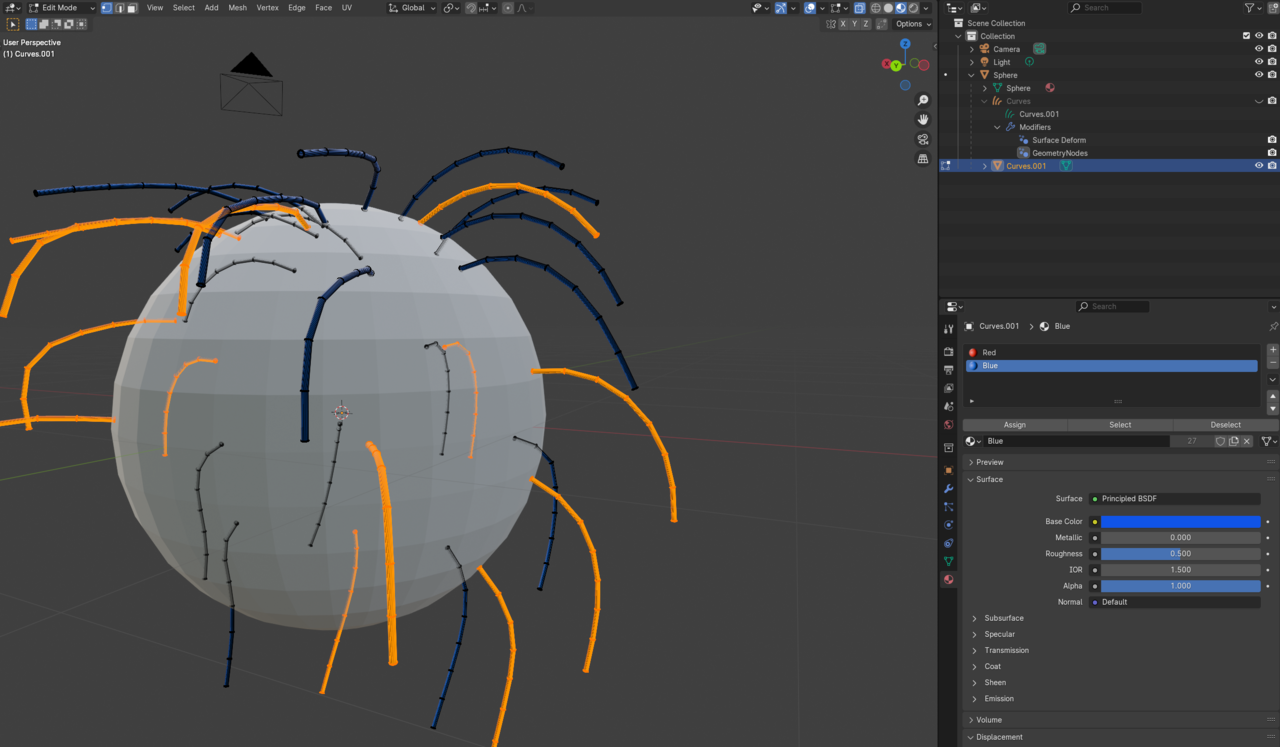
It is clumsy, but it does what I want, multiple materials from selection on mesh splines converted from curves object. I don’t know how else to do it. If you have or someone else better idea I’m open to learn. If you convert it and in edit mode it correctly selects material and spline faces.
Edit: I forgot to delete the attribute nodes from shader before that’s why it was B/W
Well, I must admit, that I still don;t understand what you actually want and why my method didn’t work, but at least you got yourself a working solution 👍🏻
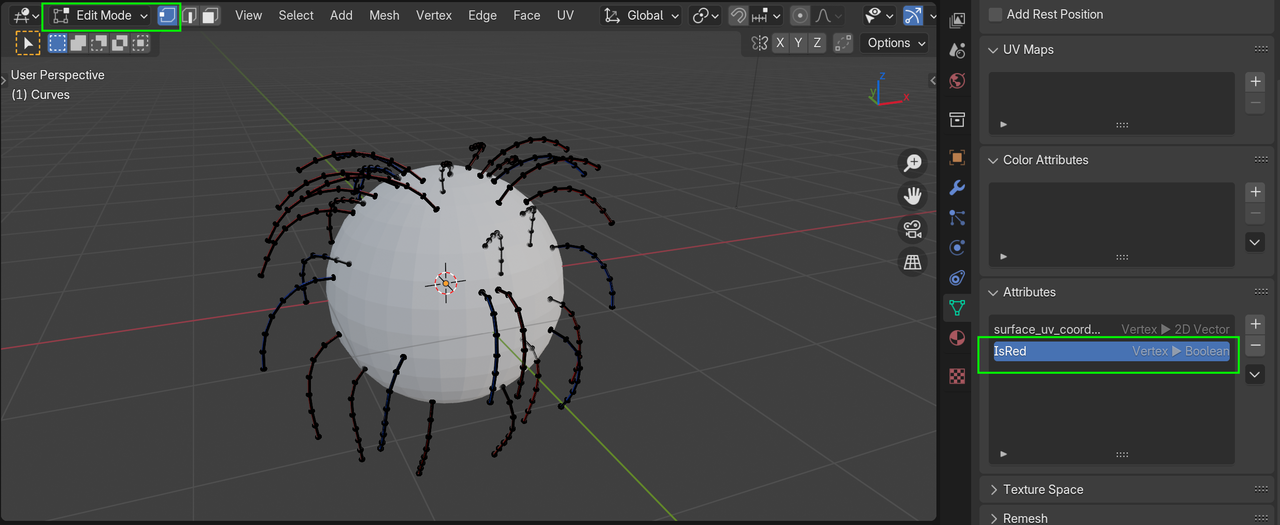
When you use my method, you can, in Edit Mode (Vertex Select Mode), click on the IsRed Attribute to make it Active, and the go to Select > Select By Attribute.
Oh there it is, thank you. I’ll have to see what is better once I export it. I think your approach is better because it’s easier to do more than two materials, and with separate geometry the tree will be hard to manage.

.