Any tips on modeling this chair? [Solved]

Forum Archive Any tips on modeling this chair? [Solved]

Viewing 3 posts - 1 through 3 (of 3 total)
  • Author
    Posts
  • #12177
    Nahian Ilham
    Participant

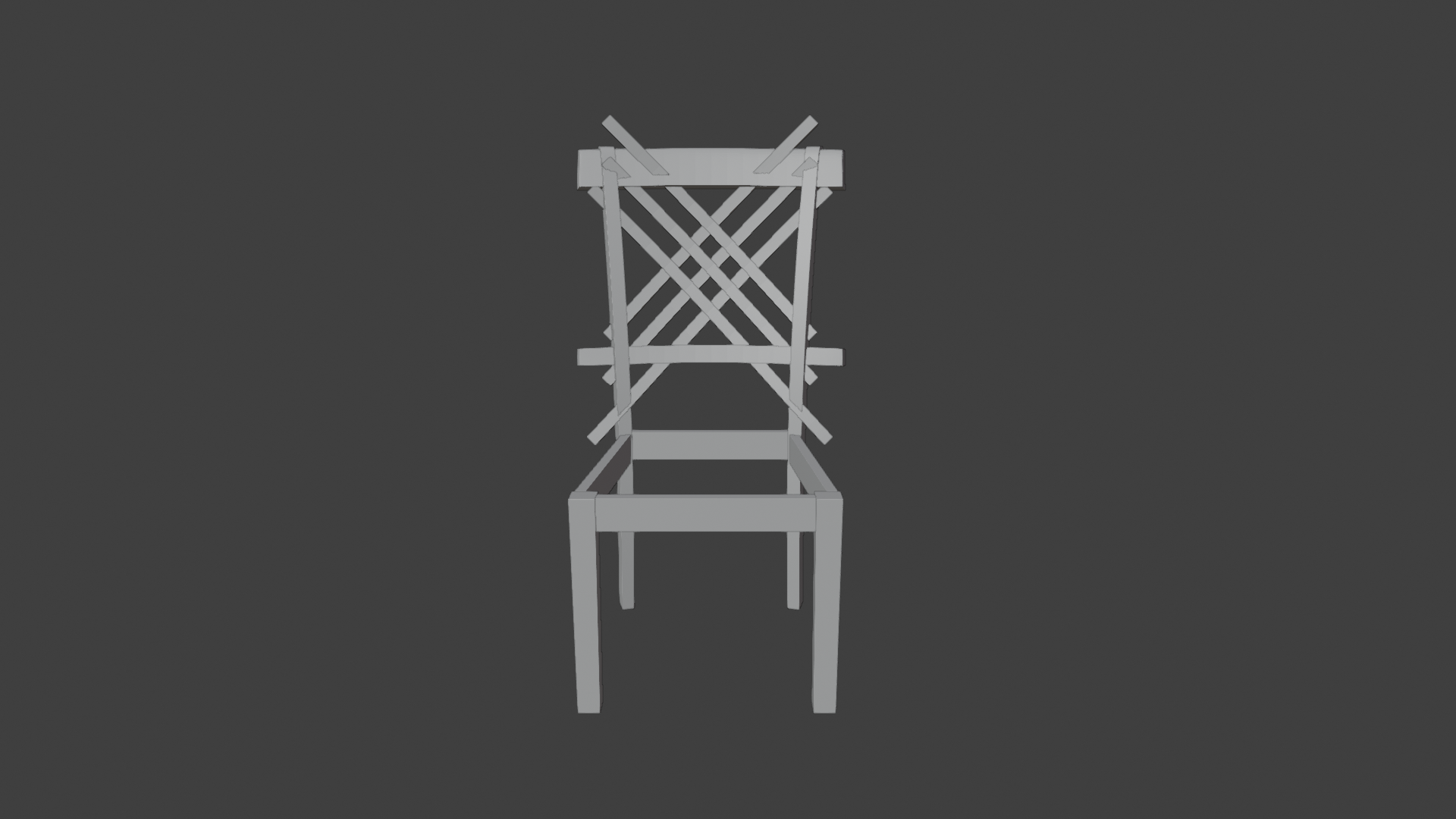
      For the past few days I’ve been trying to model this chair, and it was going pretty well for the most part.

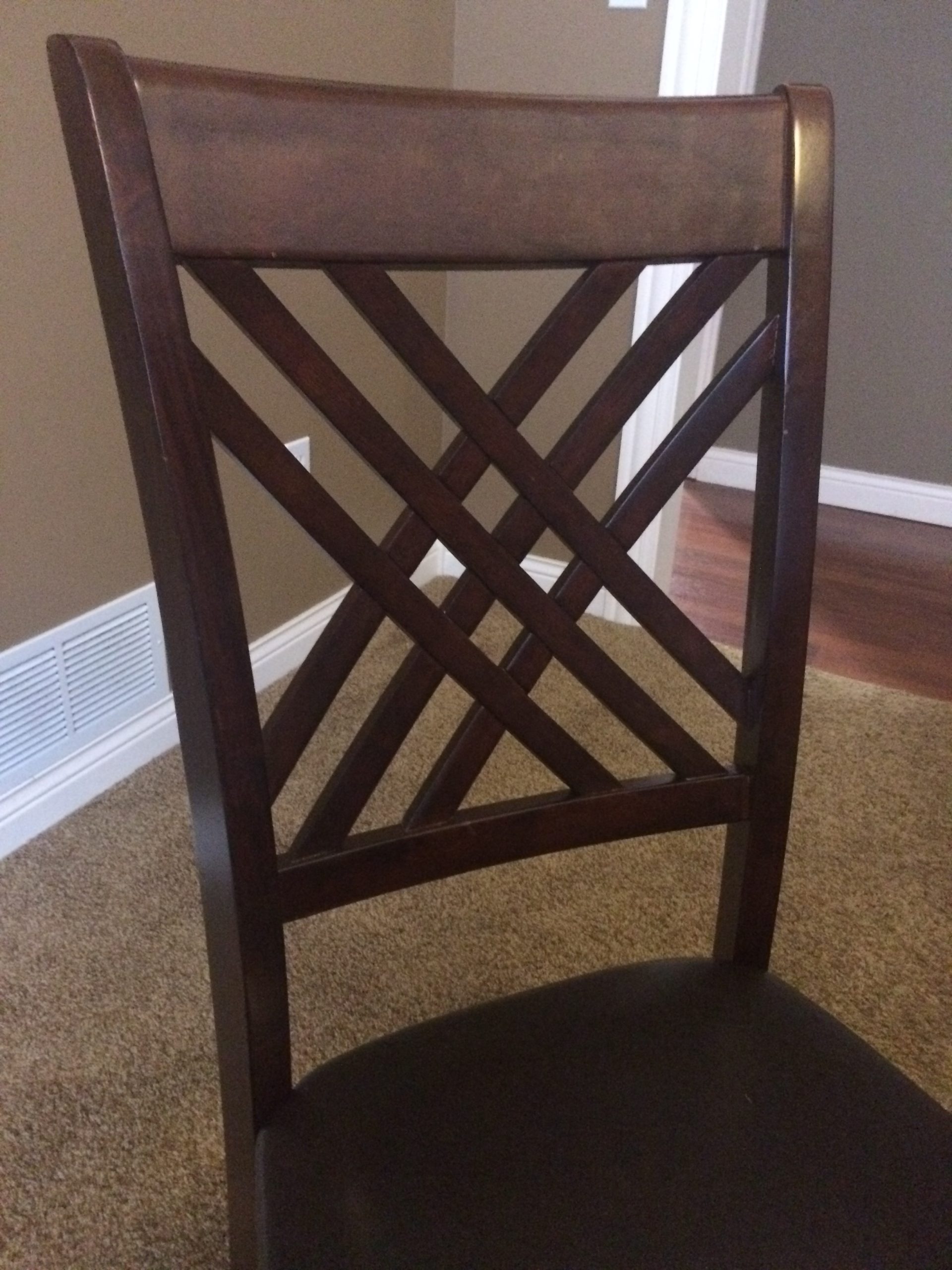
      I got hung up on the crisscrossing wood part of the chair I’m not sure how to separate the objects.
      I’ve tried using the boolean modifier, and although it works, it creates terrible topology

      This the chair I’m trying to model

      P.S. Apologies for the bad formating
      P.S.S the .blend file should be attached

      #57942
      spikeyxxx
      Participant

        You’re doing great!

        It’s basically all Cubes. Make each plank by itself, just like you already did. I’d model everything straight and then at the end bend it into shape with a Lattice Modifier.

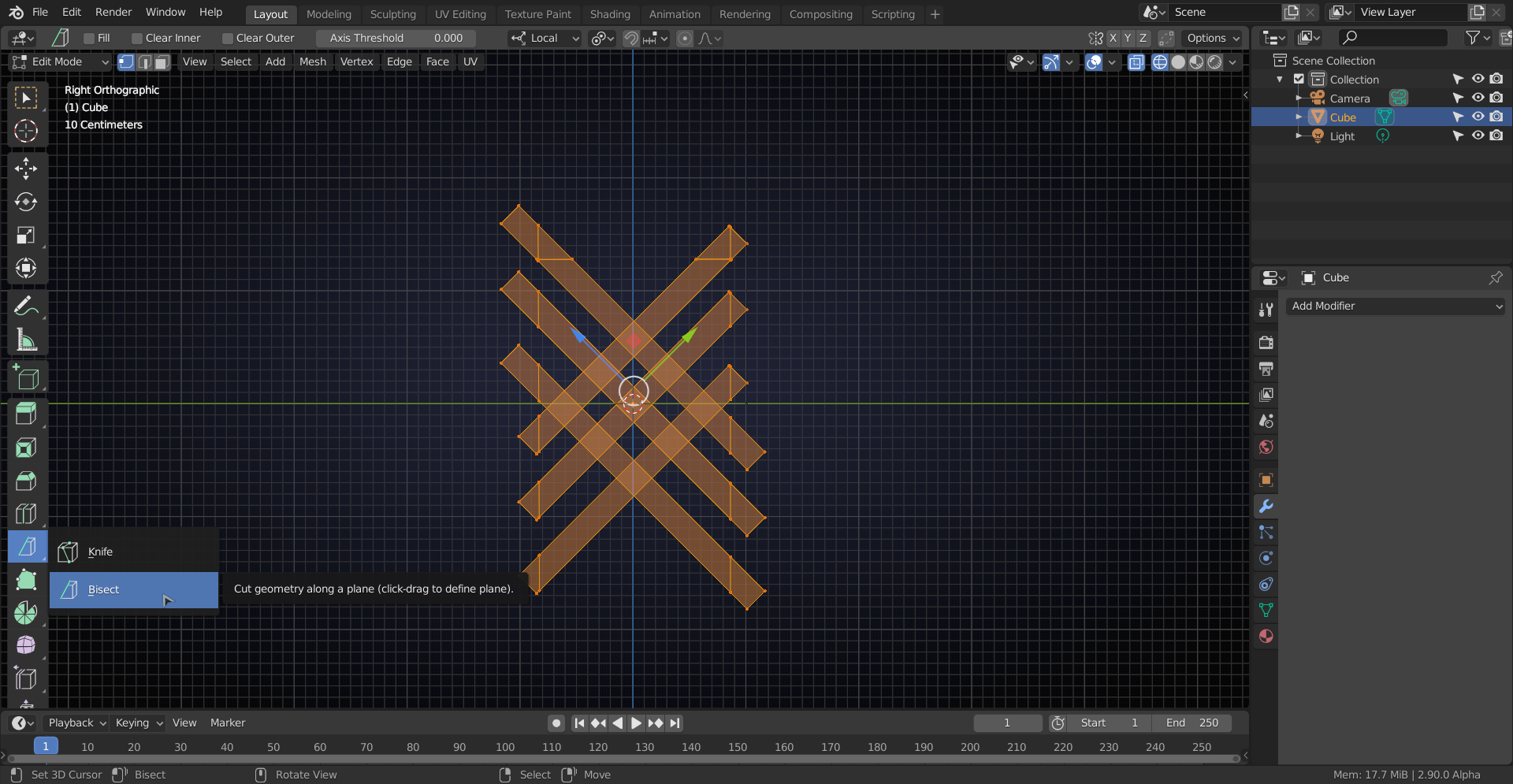
        You can use the Bisect Tool (under the Knife Tool) to cut the planks (make sure all the planks are selected!):
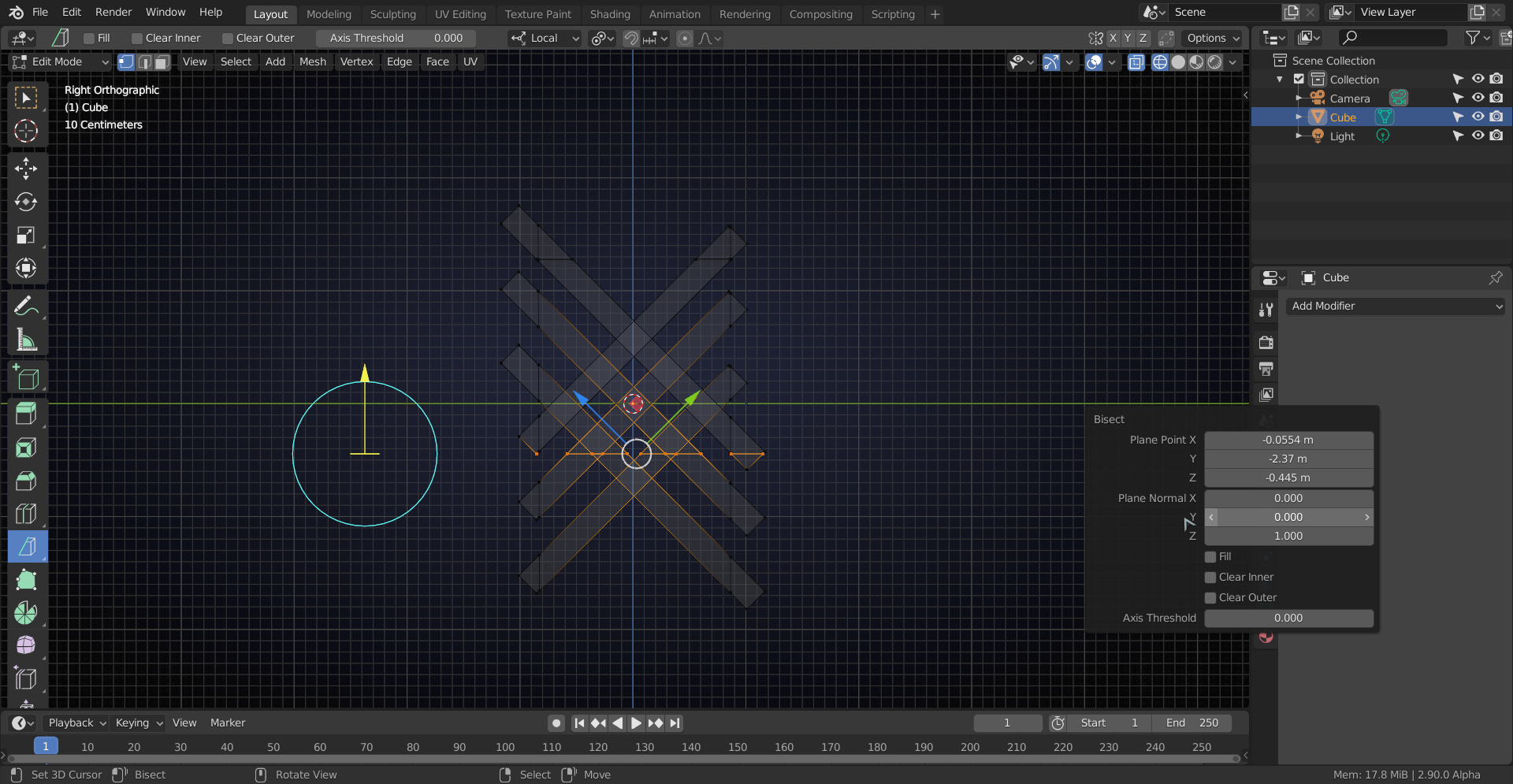
        You can adjust the placing of the cutting plane with the yellow arrow and get it completely horizontal or vertical with the Plane Normal Settings:
        With the planks that are in a corner, you’d need to cut the other end of the plank in half (CTRL+R) and connect the two ‘end middles’ with J:
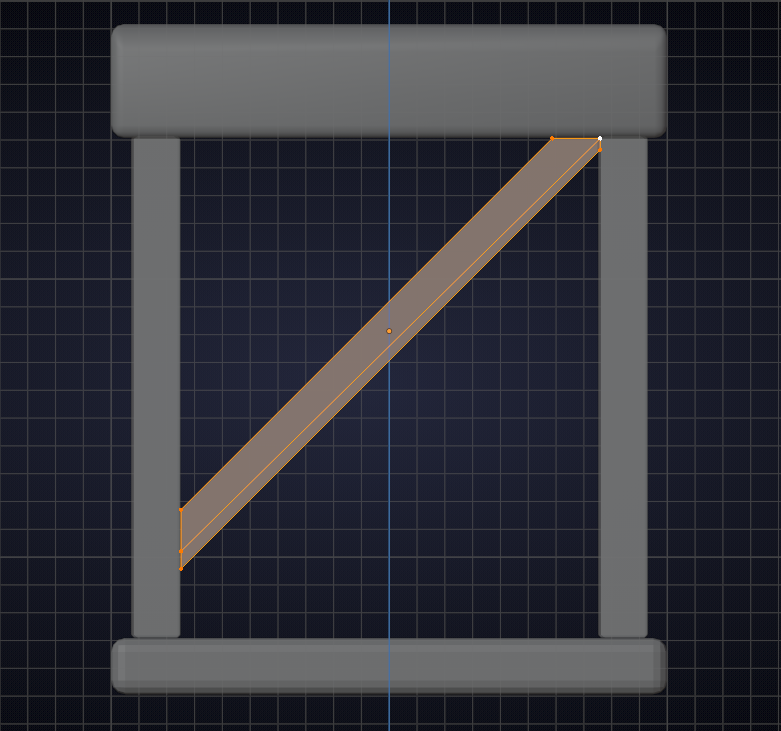
        Did this without looking at your reference, but the technique also applies there:
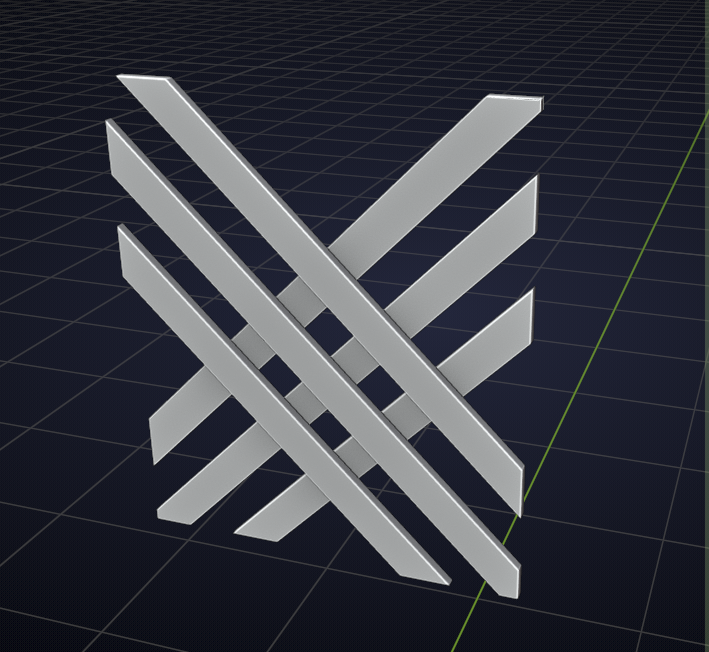
        Should also be possible with a Boolean workflow, but that can be a lot harder to get right (it would be my first method to try, but if I couldn’t get it to work within a few minutes, I look for another method, there are many ways to do this…)

        Hope this helps.

        #57943
        Nahian Ilham
        Participant

          Oh wow! Thank you so much, I didn’t think of this!

        Viewing 3 posts - 1 through 3 (of 3 total)
        • The topic ‘Any tips on modeling this chair? [Solved]’ is closed to new replies.