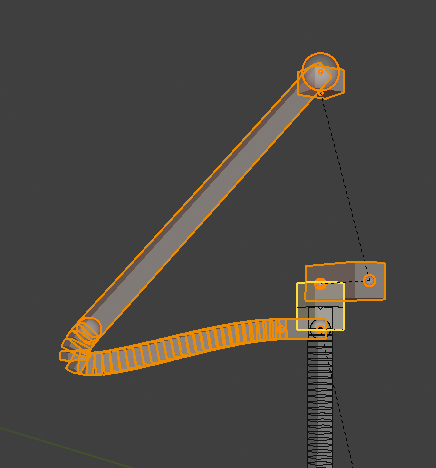
Any idea what could be causing this rotation when snapping?

Forum Archive Any idea what could be causing this rotation when snapping?

Viewing 3 posts - 1 through 3 (of 3 total)
  • Author
    Posts
  • #10706
    John
    Participant

      This happens right as I try to snap the duplicated rig to the original. (0:52).  I am doing the snapping in side view, just orbited to 3/4 to give a better angle of the problem.  I’ve tried having other bones as the active element, but the same thing seems to be happening. 

      #50906
      Wayne Dixon
      Participant

        Hi John.

        It’s hard to tell exactly but let me hazard a guess.
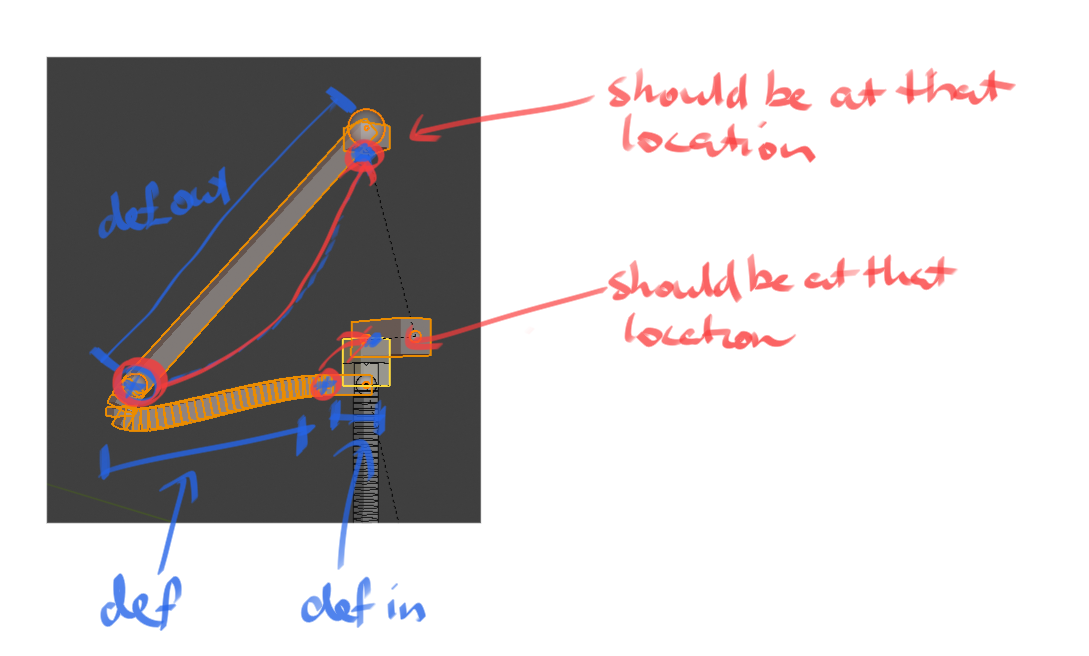
        It’s possible that each bone joint is snapping to the geometry of the treasure chest.  Or that the stretch-to constraint is wreaking havoc on your def bone.

        Or that one of the joints was not selected when snapping (probably the head of the def out bone). This would mean that the def bone actually has to connect in a way that isn’t actually possible for it to.

        You could manually try to snap things where they are meant to be.  But it might be easier to just delete these warped bones and try again.

        Here’s a crude drawing that hopefully explains the bones that are out of place.

        #50907
        Alex Dugger
        Participant

          I had a similar issue, and fixed it by unchecking “Align rotation with target” in the Snap To settings. 

        Viewing 3 posts - 1 through 3 (of 3 total)
        • The topic ‘Any idea what could be causing this rotation when snapping?’ is closed to new replies.