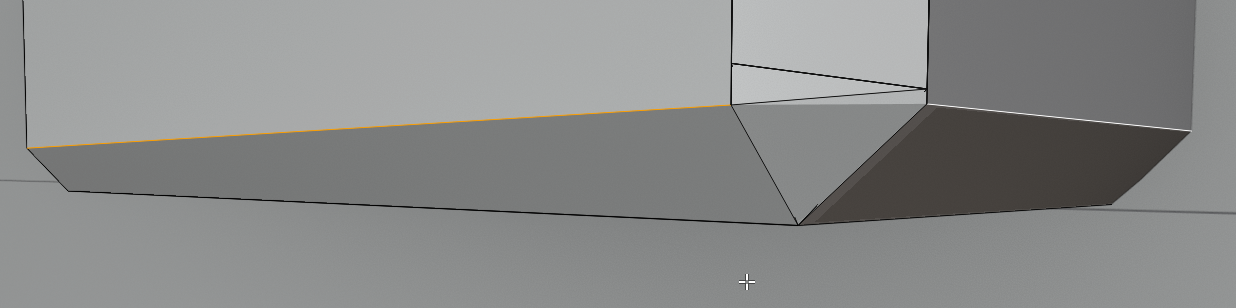
Alt-clicking on the top edge leaves one corner out

Forum Archive Alt-clicking on the top edge leaves one corner out

Viewing 3 posts - 1 through 3 (of 3 total)
  • Author
    Posts
  • #10794
    cedricksusername
    Participant

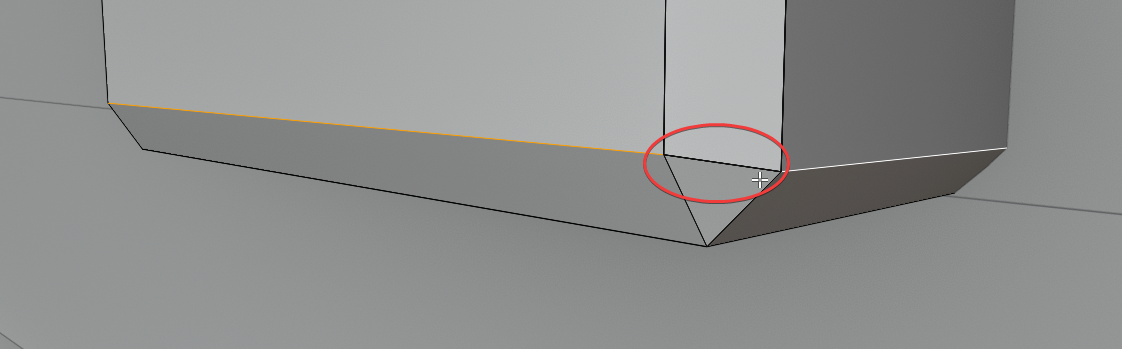
      When I alt-click on the top edge it leaves this corner out,and when I flatten the selection, that corner edge becomes uneditable and another line appears.
      This happens on both front corners, although the weird edges only appear when in wireframe mode on the other side.

      #51224
      cedricksusername
      Participant

        Nevermind, redid the tutorial and found the problem. Turns out I forgot to remove the mirror modifier on the middle bracket.

        #51225
        Kent Trammell
        Participant

          It looks like you’ve got multiple verts on top of each other on the excluded edge. I recommend you try fixing with this:

          • Go to vertex selection in Edit Mode and wireframe view
          • Box-select all vertices at the bottom of the mesh
          • Then go to Vertex > Merge Vertices > By Distance

          That should all you to ALT + Select that bottom edge loop.

        Viewing 3 posts - 1 through 3 (of 3 total)
        • The topic ‘Alt-clicking on the top edge leaves one corner out’ is closed to new replies.