All meshes being added in a group?

Forum Archive All meshes being added in a group?

Viewing 7 posts - 1 through 7 (of 7 total)
  • Author
    Posts
  • #19039
    Al Mar
    Participant

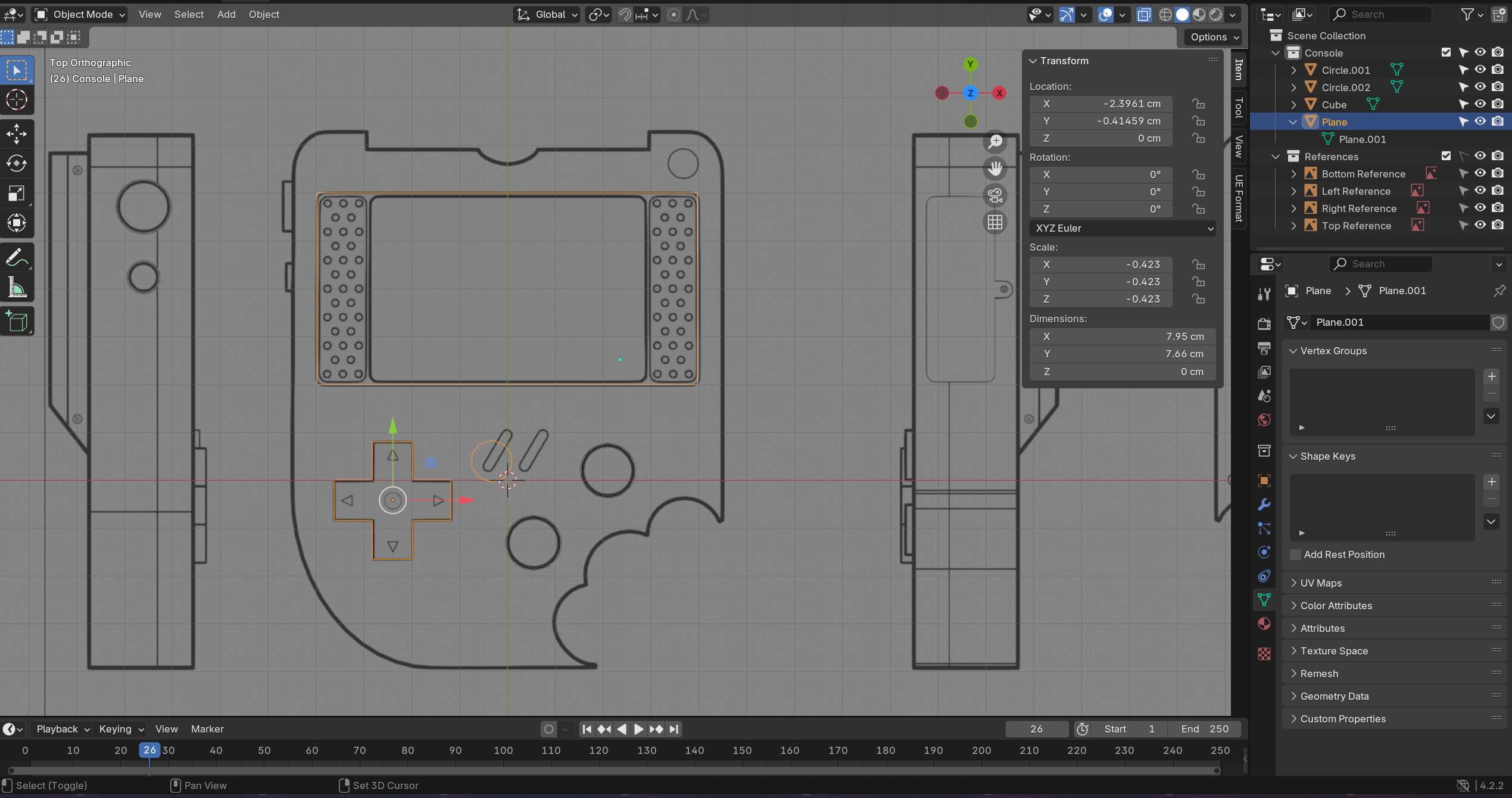
      Not sure how I fell into this one. Everything was being added as an individual object at first. I added the direction bad, then moved to the screen then the two middle buttons. I went to move these in object individually but didn’t see them in the collection screen as separate objects. Further investigation shows them all part of my plane, the first one being direction pad. I don’t see them as individual mesh data either

      So 2 questions.

      How do I separate these back out? ( I know I can easily remake them, but what if it happens again?)

      How did I do it in the first place?

      I’m pretty sure I didnt accidently parent them. 

      #90646
      Al Mar
      Participant

        After looking into it further, I guess I was using shift+a to add more meshes while already in edit mode. This keeps adding meshes without an object container in the collection since I wasn’t in object mode > add mesh.

        Still curious how to separate them back out to their own though

        #90647
        Aldo Caliz
        Participant

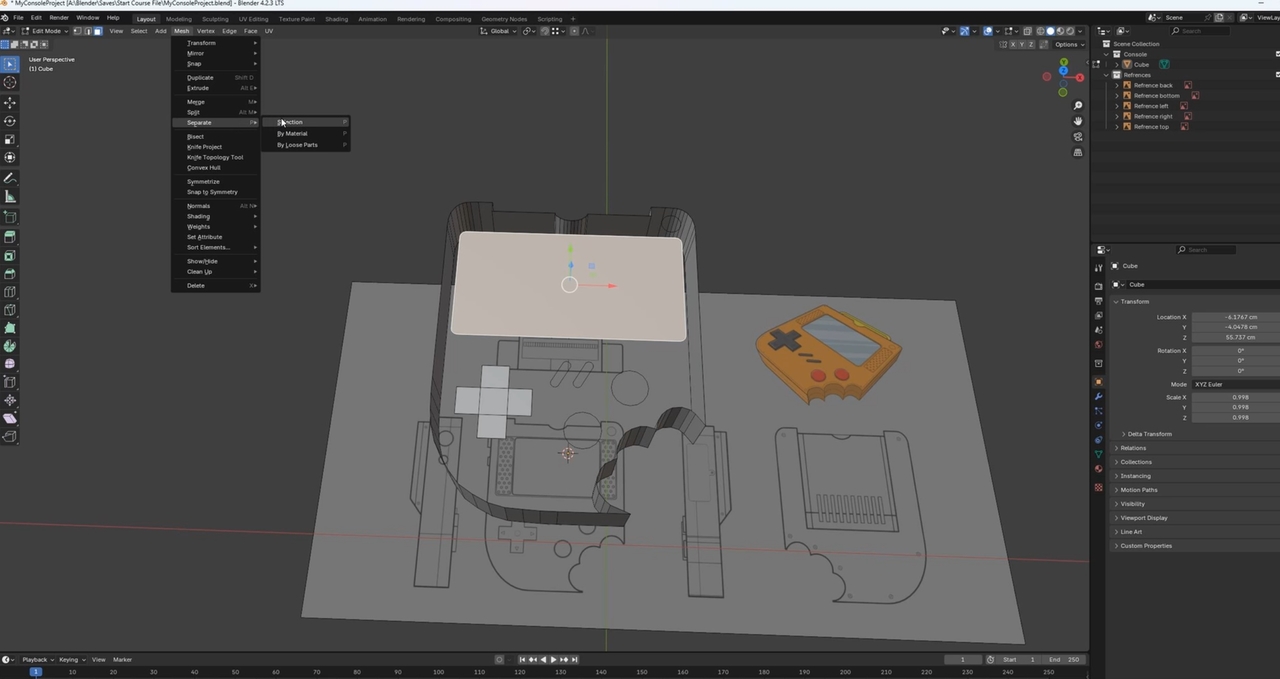
          I can only answer one question as I’m still new. Although you’re right, adding a mesh while in edit mode will not add its shape to the collection. However, if you do want to separate them to their own, go to “edit mode” then select what you want to separate, and on the top select “Mesh” -> “Separate” -> “Selection.” 

          884b593191aeb68d.jpg

          #90648
          Dwayne Savage
          Participant

            on the separate, the hotkey is P. As @usxeye said, select what you want to separate first. 
            ***Edit*** Just remembered the menu shows the hotkey. 

            #90649
            Al Mar
            Participant

              Thanks for the replies. Based on what I’m seeing so far and in some google searches, this isn’t something blender has been designed to do yet. 

              I tried to select both buttons and used Mesh > Separate > Selection as suggested above.
              It creaded a separate separate object, but in the original object, both meshes stay there, and it created a circle mesh with just an orgin point in the new one. 

              I’m pretty sure the tutorial has all the meshes within the main “cube” object anyway, So i’m going to go back and redo everything incase that presents problems later.

              #90650

              It’s a common mistake to forget that you are in edit mode and think you are adding new objects with “shift+a” – when you are actually adding geometry to the current object you are editing. While you are in edit mode, just deselect everything and press P, then select “by loose parts”. This should make separate individual objects. (Note that you’ll still be in edit mode after the operation… so remember to exit if you want)

              #90651
              Omar Domenech
              Participant

                The separate function will separate the selection into it’s own object. It’s a bit tricky when you’re just learning since it depends on a couple of things and you can easily overlook them. But just keep at it, the more you make mistakes the more your brain learn to avoid the trappings. 

              Viewing 7 posts - 1 through 7 (of 7 total)
              • The topic ‘All meshes being added in a group?’ is closed to new replies.