Align to transform orientation

Forum Archive Align to transform orientation

Viewing 10 posts - 1 through 10 (of 10 total)
  • Author
    Posts
  • #16962
    An Sunn
    Participant

      I don’t exactly understand why do we need this, in pothead tutorial for legs there was used align to transform orientation why we also changed it for origin, how it influence on result, thank you in advance)

      #81628
      Martin Bergwerf
      Participant

        Hey An @Sunn,

        could you give a bit more context, like when exactly (timestamp) in which Lesson (there are 4 Lessons about the Legs, not counting the Blockout) this occurs?

        #81629
        Omar Domenech
        Participant

          If you can share a little more context it would be better, but in general we use that because we want to move the object a certain way and we have lost the ability to do so, so we make a new transform orientation to move on the desired axis.

          #81630
          An Sunn
          Participant

            Pothead 09 leg l, time:32:31

            #81631
            Omar Domenech
            Participant

              Yeah exactly that, we need an alignment we don’t have so we create a transform orientation to suit our needs.

              #81632
              Martin Bergwerf
              Participant

                Hm,

                Still not sure what you don’t understand exactly, but (and here’s where you wish you’d have paid attention at Math):

                every Object (in CG) has its own (Orthogonal)  Coordinate System and where the 3 Axes meet is the Object’s Origin…When people mention the Object’s Origin, the accompanying Coordinate System is implied, so, while you can’t Rotate a Point, you can rotate an Object’s Origin (thereby Rotating the Axes of the Object’s Coordinate System).

                This probably won’t answer your question, but please contemplate on this and then re-formulate your question.

                And please use more words…people are tempted to use less words, if they don’t know a language very well, so as to make less mistakes (I do that as well), but it’s (counterintuitively) better to not fear the mistakes and say more, so others are more likely to make sense of what you are trying to say.

                #81633
                An Sunn
                Participant

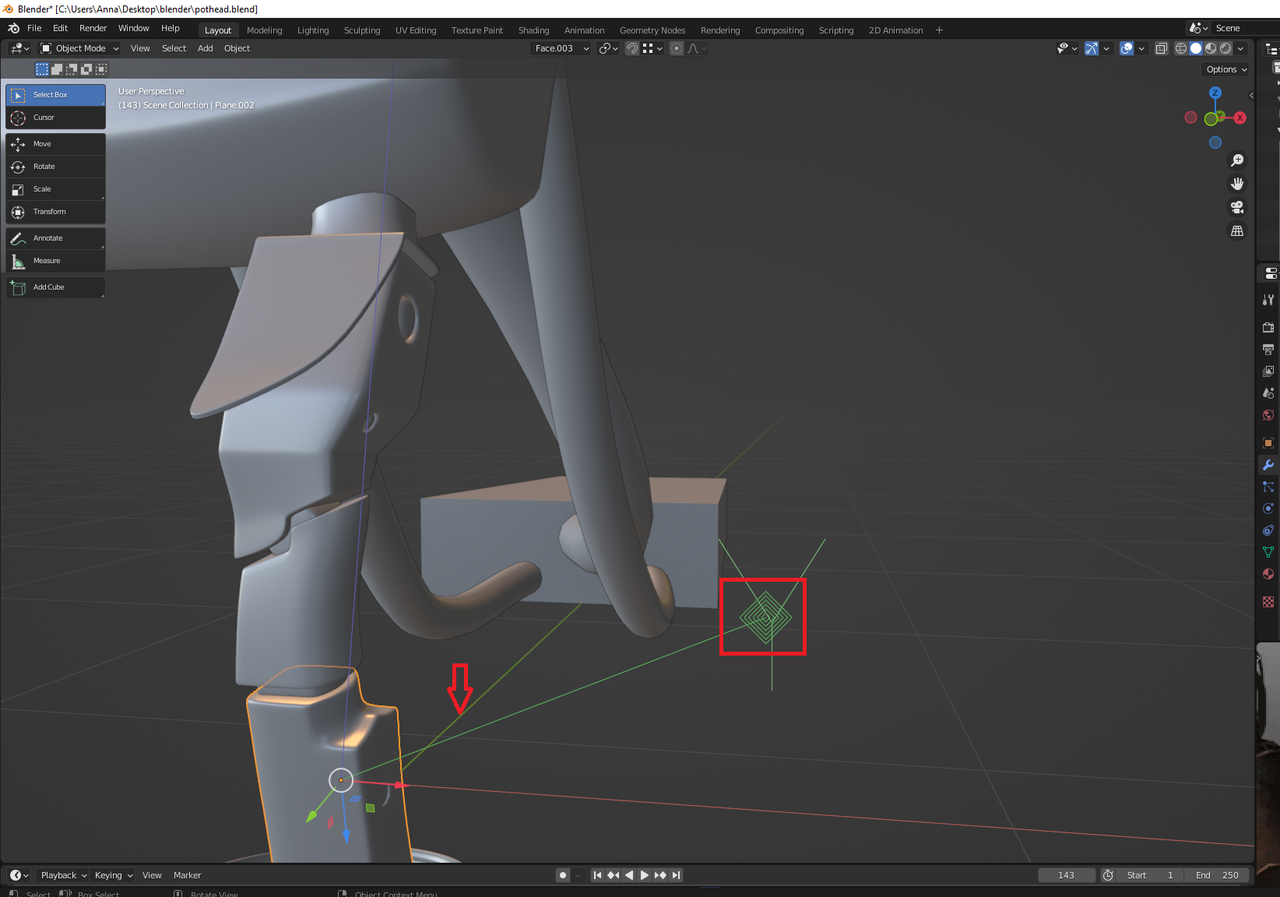
                  Sorry, yeah i understand that it was hard to understand, my problem was that some settings were in that state that origins diamond shapes were close to mesh and with no Y behind and i thought that it has to do something with mesh changing, some actions thati don’t understand how that diamond shape was connected to mesh, sorry for inconvenience, solution was very primitive and easy54.png

                  #81634
                  Martin Bergwerf
                  Participant

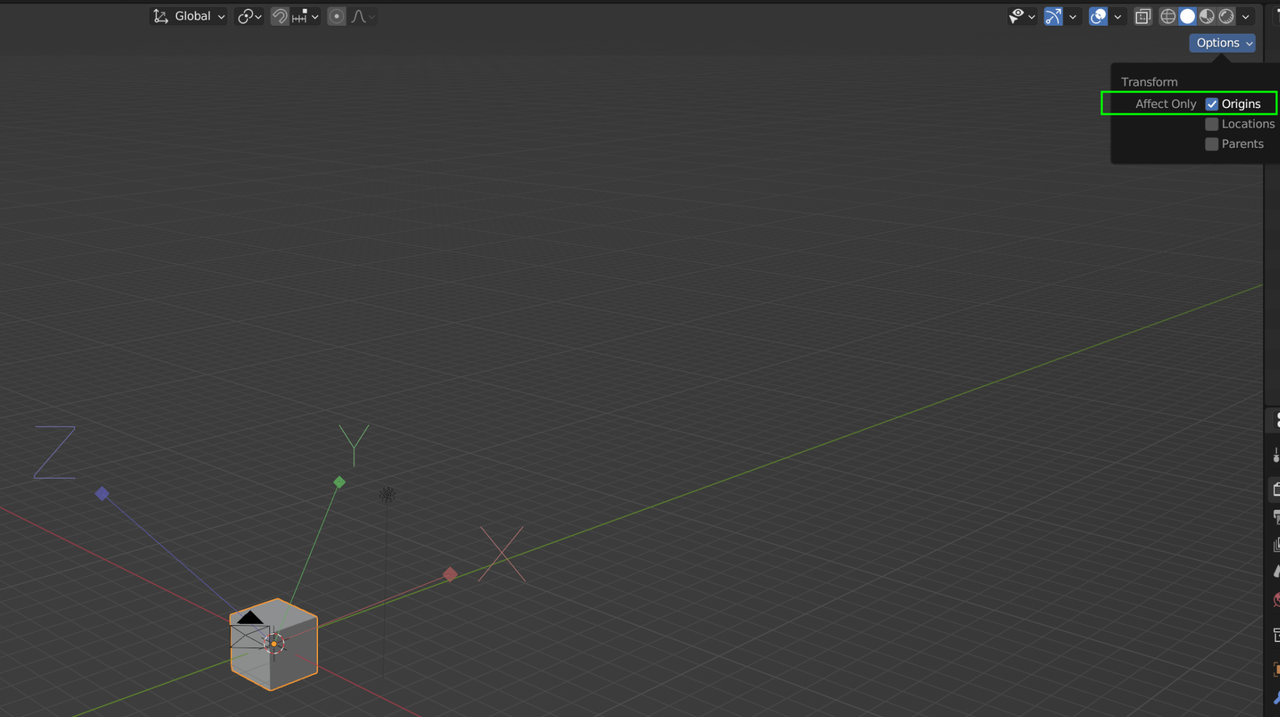
                    Ah, that is the Object’s Coordinate System I mentioned above. It shows it like this, when the Option Transform Affect Only Origins is enabled. You can Move, Rotate and Scale the Objects Origin (and with it, its Coordinate System), without Transforming the Object:

                    Origin.png

                    Was this used in the Tutorial?

                    Be very careful when using that Option! It’s a great feature, but if you forget to disable it, it can mess up your modeling.

                    #81635
                    Omar Domenech
                    Participant

                      I have always thought Blender needs a system for when one of those options is enabled in case you forget, like have a green outline on a button or even the 3D viewport. I remember in 3DS Max when you have auto keying in animation, the viewport gets a red outline that is hard to miss, and that way you know ooops, I forgot to turn that off.

                      #81636
                      Martin Bergwerf
                      Participant

                        I agree Omar!

                        Like the “Lock Camera to View”

                      Viewing 10 posts - 1 through 10 (of 10 total)
                      • The topic ‘Align to transform orientation’ is closed to new replies.