Add-on missing

Forum Archive Add-on missing

Viewing 9 posts - 1 through 9 (of 9 total)
  • Author
    Posts
  • #16561
    Roxana Moise-Dan
    Participant

      Hi,

      I was looking for some inserts and found KIT OPS and I installed it as I would install any other add-on. Go to Preferences – Add-ons – Install – choose the zip file and then check the box for it to make it active. In this case, after I did all of these steps, I got this message at the bottom and the add-on is nowhere to be found in the list. I also tried other add-ons just to check and the situation is similar. 

      What is happening? F.jpg

      #79996
      Omar Domenech
      Participant

        I wouldn’t know, I’ve never used that. But I found the documentation and at page 14 or so it’s talking about install and where to find it, how to use it, etc:

        https://docs.google.com/document/d/1rUzomyTi7ec2sFqeCgyVYgkbdnmVanlDCWYcvAzxOXE/edit?pli=1

        #79997
        Roxana Moise-Dan
        Participant

          YEs, I saw it too. It doesn’t work. I also watched the video where he does just that.

          Never had an issue like this before.

          I just tried with another add-on and it works. So it’s something to do with Kit Ops.

          #79998
          Omar Domenech
          Participant

            Report it in the help desk, it may be a bug. Have you tired it in a different version of Blender? Perhaps go back a version or two of Blender? Maybe you have a very new Blender and they still haven’t updated the addon yet?

            #79999
            Roxana Moise-Dan
            Participant

              Tried it, thanks Omar. I will do that.

              #80000
              Martin Bergwerf
              Participant

                Hey Roxana,

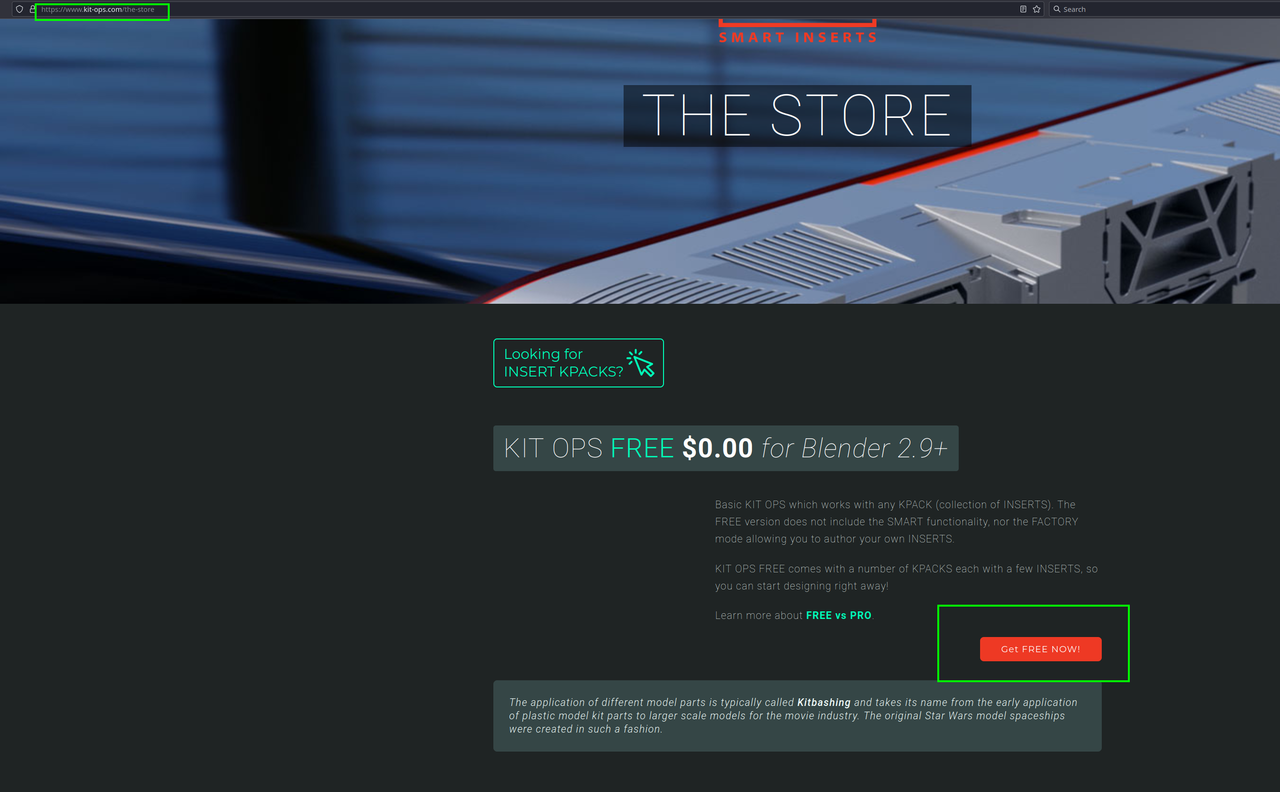
                Did you get the right Addon? It looks like you got Inserts.zip, I found this site:

                Store.png

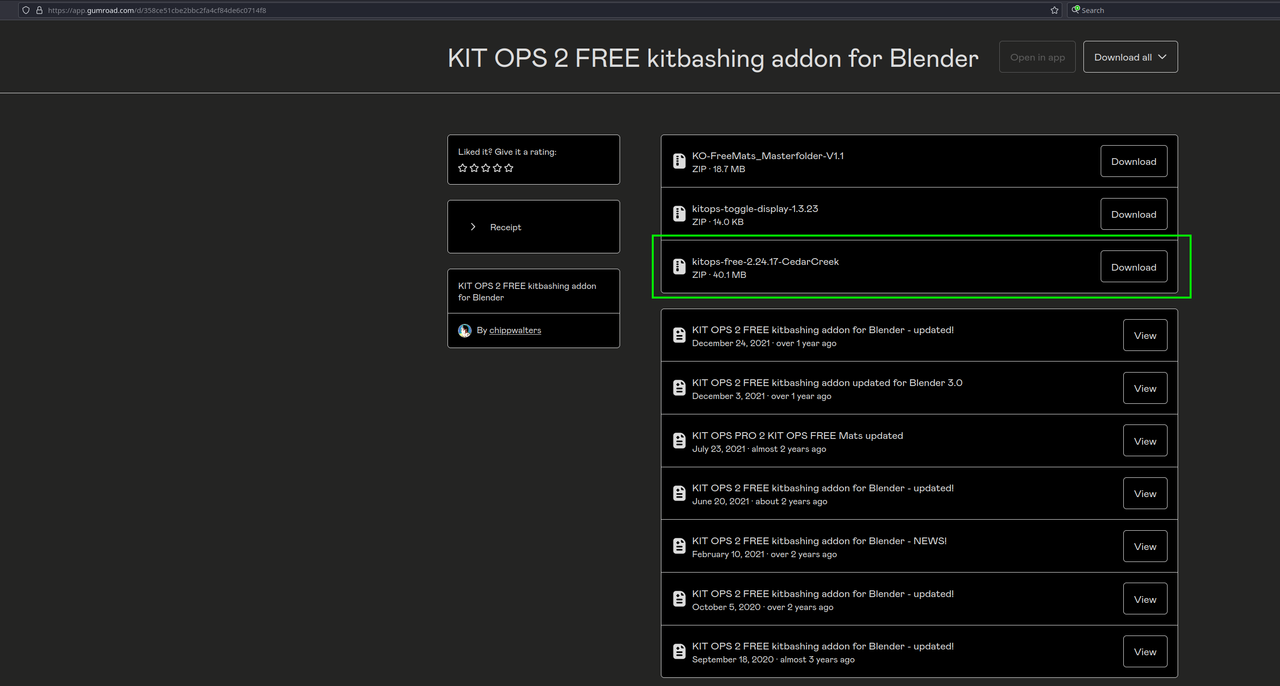
                and that led me to this (I only downloaded the green version):

                KitOps.png

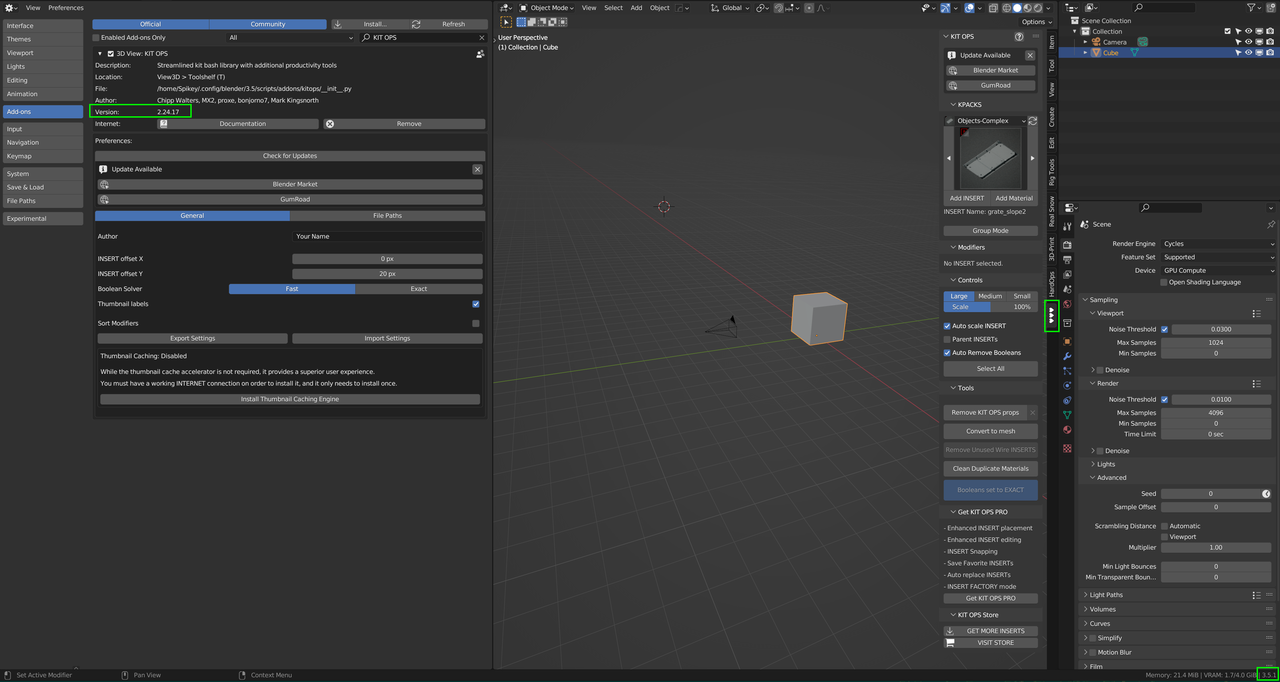
                and it works just fine in 3.5:

                Kit.png

                #80001
                Roxana Moise-Dan
                Participant

                  You are absolutely right! Thank you, thank you

                  #80002
                  Omar Domenech
                  Participant

                    So the wrong zip was being installed? But was it a random zip or a zip that comes with the addon?

                    #80003
                    Roxana Moise-Dan
                    Participant

                      It seems I downloaded a kpack and not an addon. What I should’ve done was download the Kitops and in the add-on’s preferences menu change the folder with the one where I unzipped the inserts. 

                    Viewing 9 posts - 1 through 9 (of 9 total)
                    • The topic ‘Add-on missing’ is closed to new replies.