A move problem

Forum Archive A move problem

Viewing 4 posts - 1 through 4 (of 4 total)
  • Author
    Posts
  • #21401
    Gabriel Santos
    Participant

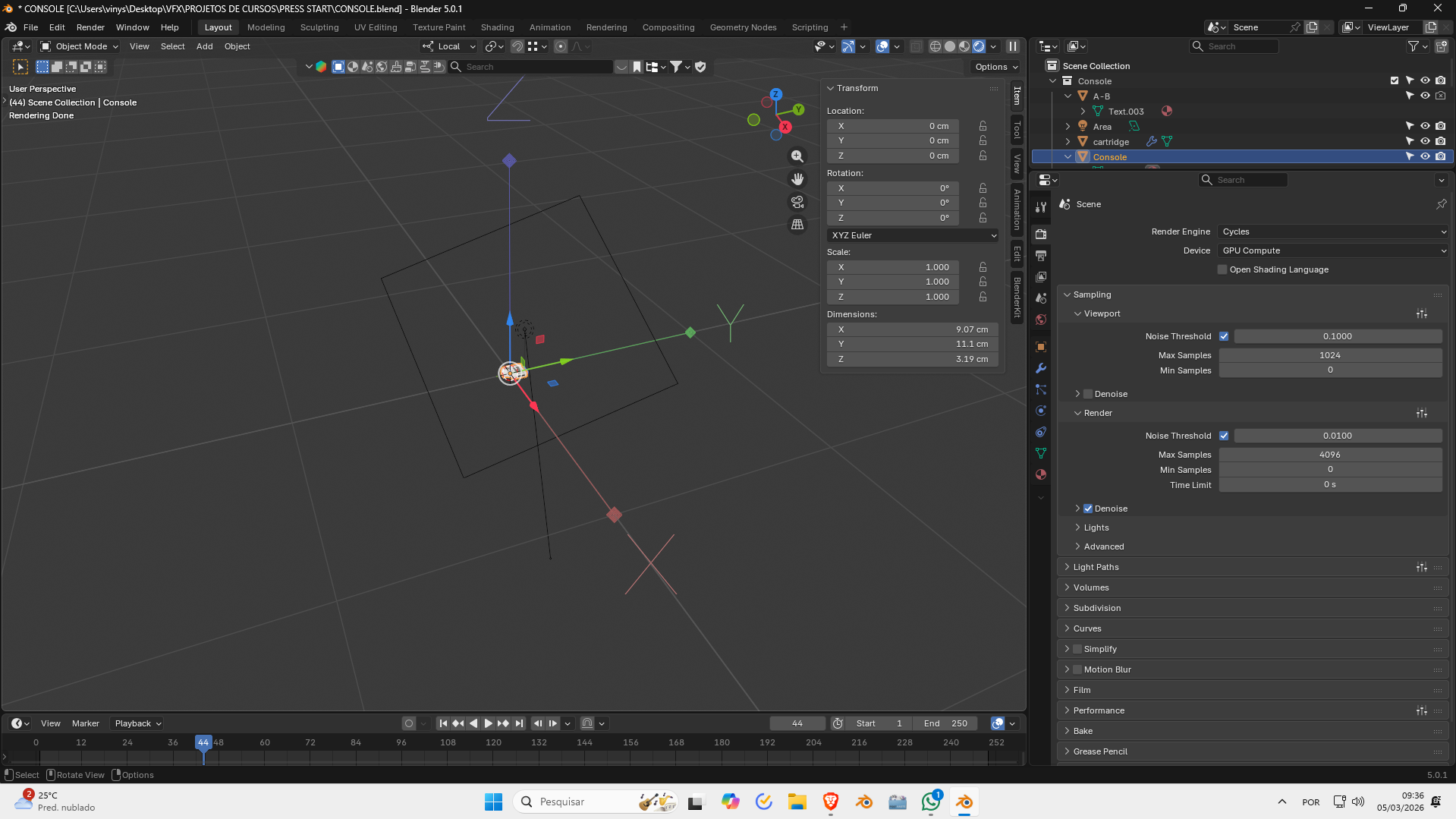
      Guys there’s I pressed something on my keyboard and it’s showing these coordinates on my viewport and when I try to move my model it’s all buggy and snappy and doesn’t move!!!!

      #99715
      Omar Domenech
      Participant

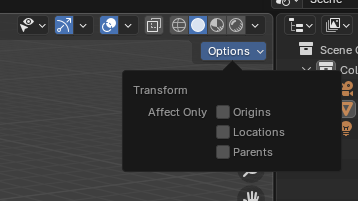
        Looks like you have addons enabled, which usually makes Blender weird and misbehave. But if it’s not the addon, you may have turned on “affect only origins”. You may have it enabled when it should be all ticked off:

        Affect-Only.png

        #99716
        Gabriel Santos
        Participant

          You’re amazing !!!! THANKS

          #99717
          Dwayne Savage
          Participant

            Side note:Ctrl+period(not numpad period) is the hotkey to toggle affect only origin. 

          Viewing 4 posts - 1 through 4 (of 4 total)
          • The topic ‘A move problem’ is closed to new replies.