5:10 – ctr R is not cutting my edge loop properly

Forum Archive 5:10 – ctr R is not cutting my edge loop properly

Viewing 3 posts - 1 through 3 (of 3 total)
  • Author
    Posts
  • #17044
    Victoria Vopalensky
    Participant

      everytime i hit control r to make the edge loop its only grabbing the first face and not the second. When my cursor hits the second edge face, it just shows me one vertices instead of a connecting line.

      #81997
      Martin Bergwerf
      Participant

        Hi Victoria,

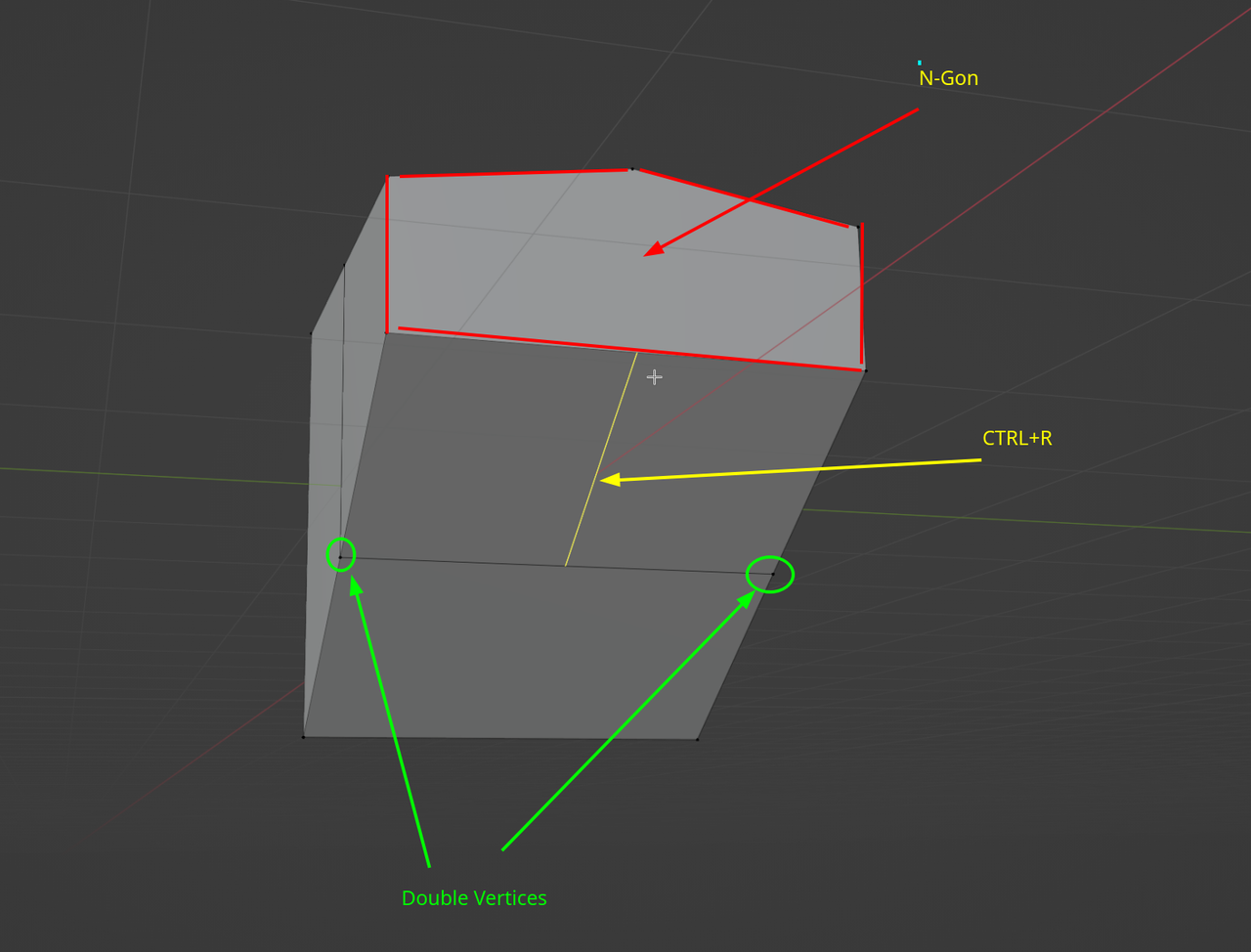
        CTRL+R makes an Edge Loop that crosses Quads. It’ll stop at Triangles or N-Gons (Faces with more than 4 Edges). You could also have so-called ‘double Vertices’ (two or more Vertices, at the same place in 3D space), that cause the Edge Loop to stop:

        CTRL.png

        Try selecting all (A) and the M > Merge > By Distance to get rid of ‘Double Verts’.

        #81998
        Omar Domenech
        Participant

          Also check for interior faces, those stop loops as well. There’s an addon that checks for errors that’s included in Blender that Martin discovered, it’s called 3D Print Tool Box, you can enable it and use it whenever you want to see if there’s some topology error.

        Viewing 3 posts - 1 through 3 (of 3 total)
        • The topic ‘5:10 – ctr R is not cutting my edge loop properly’ is closed to new replies.